
3.4 KiB
{% callout %}
🚧 Experimental — Introduced in Bun v0.2.0.
{% /callout %}
Use bun --hot to enable hot reloading when executing code with Bun.
$ bun --hot server.ts
Starting from the entrypoint (server.ts in the example above), Bun builds a registry of all imported source files (excluding those in node_modules) and watches them for changes. When a change is detected, Bun performs a "soft reload". All files are re-evaluated, but all global state (notably, the globalThis object) is persisted.
globalThis.count = globalThis.count ?? 0;
console.log(`Reloaded ${globalThis.count} times`);
globalThis.count++;

setInterval(function () {}, 1000000);
If you run this file with bun --hot server.ts, you'll see the reload count increment every time you save the file. The call to setInterval is there to prevent the process from exiting.
$ bun --hot index.ts
Reloaded 1 times
Reloaded 2 times
Reloaded 3 times
Traditional file watchers like nodemon restart the entire process, so HTTP servers and other stateful objects are lost. By contrast, bun --hot is able to reflect the updated code without restarting the process.
HTTP servers
Bun provides the following simplified API for implementing HTTP servers. Refer to API > HTTP for full details.
globalThis.count = globalThis.count ?? 0;
globalThis.reloadCount++;

export default {
  fetch(req: Request) {
    return new Response(`Reloaded ${globalThis.count} times`);
  },
  port: 3000,
};
The file above is simply exporting an object with a fetch handler defined. When this file is executed, Bun interprets this as an HTTP server and passes the exported object into Bun.serve.
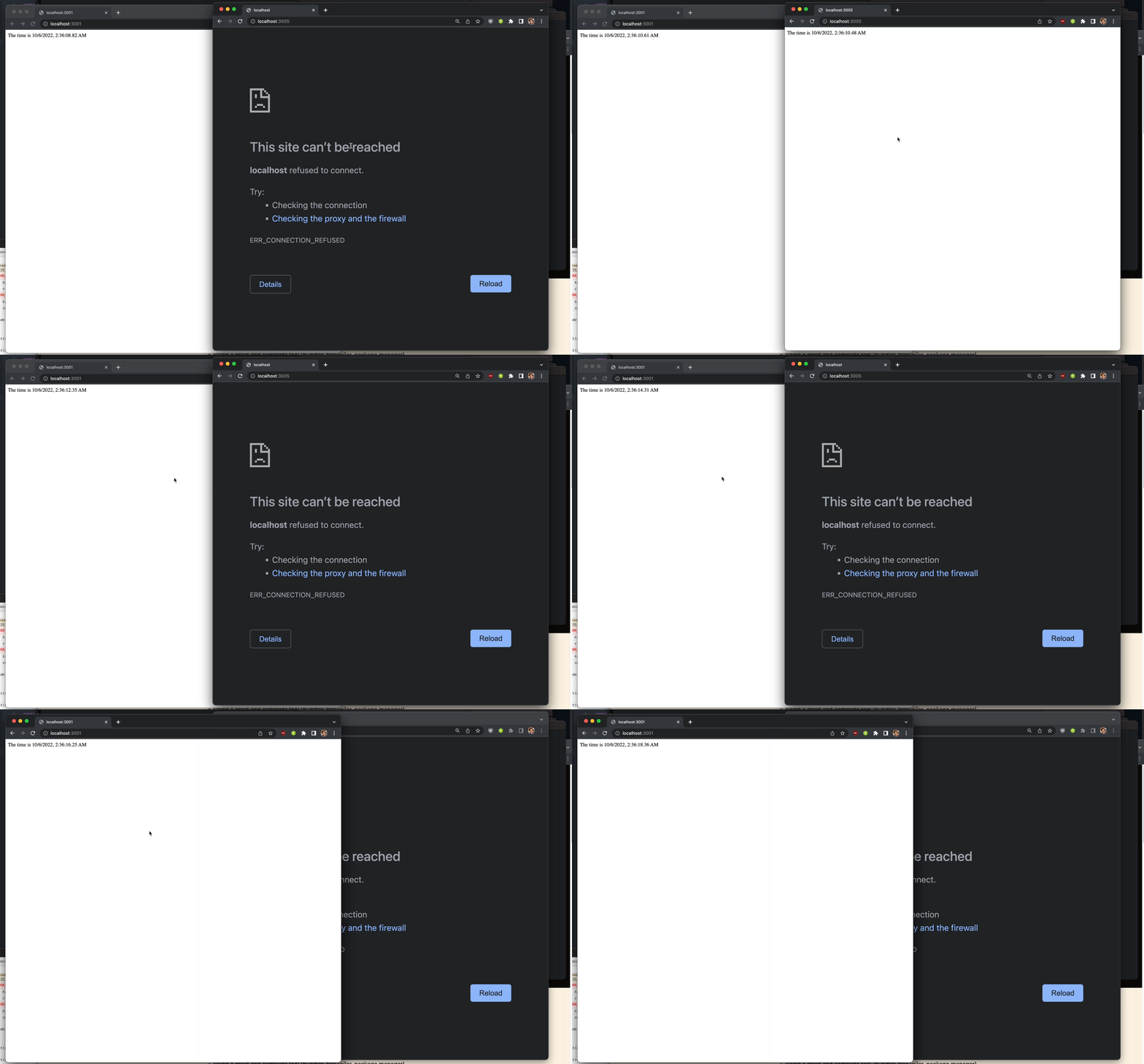
Unlike an explicit call to Bun.serve, the object-based syntax works out of the box with bun --hot. When you save the file, your HTTP server be reloaded with the updated code without the process being restarted. This results in seriously fast refresh speeds.
{% image src="https://user-images.githubusercontent.com/709451/195477632-5fd8a73e-014d-4589-9ba2-e075ad9eb040.gif" alt="Bun vs Nodemon refresh speeds" caption="Bun on the left, Nodemon on the right." /%}
For more fine-grained control, you can use the Bun.serve API directly and handle the server reloading manually.
import type {Serve} from "bun";

globalThis.count = globalThis.count ?? 0;
globalThis.reloadCount++;

// define server parameters
const serverOptions: Serve = {
  port: 3000,
  fetch(req) {
    return new Response(`Reloaded ${globalThis.count} times`);
  }
};

if (!globalThis.server) {
  globalThis.server = Bun.serve(serverOptions);
} else {
  // reload server
  globalThis.server.reload(serverOptions);
}
{% callout %}
Note — In a future version of Bun, support for Vite's import.meta.hot is planned to enable better lifecycle management for hot reloading and to align with the ecosystem.
{% /callout %}
{% details summary="Implementation details" %}
On reload, Bun:
- Resets the internal
requirecache and ES module registry (Loader.registry) - Runs the garbage collector synchronously (to minimize memory leaks, at the cost of runtime performance)
- Re-transpiles all of your code from scratch (including sourcemaps)
- Re-evaluates the code with JavaScriptCore
This implementation isn't particularly optimized. It re-transpiles files that haven't changed. It makes no attempt at incremental compilation. It's a starting point.
{% /details %}