mirror of
https://github.com/oven-sh/bun
synced 2026-02-06 08:58:52 +00:00
Compare commits
2 Commits
claude/rep
...
claude/add
| Author | SHA1 | Date | |
|---|---|---|---|

|
fcc6cabb11 | ||
|
|
db080bf618 |
@@ -48,14 +48,6 @@ RUN --mount=type=tmpfs,target=/tmp \
|
||||
wget -O /tmp/cmake.sh "$cmake_url" && \
|
||||
sh /tmp/cmake.sh --skip-license --prefix=/usr
|
||||
|
||||
RUN --mount=type=tmpfs,target=/tmp \
|
||||
sccache_version="0.12.0" && \
|
||||
arch=$(uname -m) && \
|
||||
sccache_url="https://github.com/mozilla/sccache/releases/download/v${sccache_version}/sccache-v${sccache_version}-${arch}-unknown-linux-musl.tar.gz" && \
|
||||
wget -O /tmp/sccache.tar.gz "$sccache_url" && \
|
||||
tar -xzf /tmp/sccache.tar.gz -C /tmp && \
|
||||
install -m755 /tmp/sccache-v${sccache_version}-${arch}-unknown-linux-musl/sccache /usr/local/bin
|
||||
|
||||
RUN update-alternatives --install /usr/bin/gcc gcc /usr/bin/gcc-13 130 \
|
||||
--slave /usr/bin/g++ g++ /usr/bin/g++-13 \
|
||||
--slave /usr/bin/gcc-ar gcc-ar /usr/bin/gcc-ar-13 \
|
||||
@@ -118,14 +110,14 @@ ARG BUILDKITE_AGENT_TAGS
|
||||
|
||||
|
||||
# Install Rust nightly
|
||||
RUN curl --proto '=https' --tlsv1.2 -sSf https://sh.rustup.rs | sh -s -- -y \
|
||||
RUN curl --proto '=https' --tlsv1.2 -sSf https://sh.rustup.rs | sh -s -- -y \
|
||||
&& export PATH=$HOME/.cargo/bin:$PATH \
|
||||
&& rustup install nightly \
|
||||
&& rustup default nightly
|
||||
|
||||
|
||||
RUN ARCH=$(if [ "$TARGETARCH" = "arm64" ]; then echo "arm64"; else echo "amd64"; fi) && \
|
||||
echo "Downloading buildkite" && \
|
||||
echo "Downloading buildkite" && \
|
||||
curl -fsSL "https://github.com/buildkite/agent/releases/download/v3.87.0/buildkite-agent-linux-${ARCH}-3.87.0.tar.gz" -o /tmp/buildkite-agent.tar.gz && \
|
||||
mkdir -p /tmp/buildkite-agent && \
|
||||
tar -xzf /tmp/buildkite-agent.tar.gz -C /tmp/buildkite-agent && \
|
||||
@@ -155,7 +147,7 @@ COPY . /workspace/bun
|
||||
|
||||
|
||||
# Install Rust nightly
|
||||
RUN curl --proto '=https' --tlsv1.2 -sSf https://sh.rustup.rs | sh -s -- -y \
|
||||
RUN curl --proto '=https' --tlsv1.2 -sSf https://sh.rustup.rs | sh -s -- -y \
|
||||
&& export PATH=$HOME/.cargo/bin:$PATH \
|
||||
&& rustup install nightly \
|
||||
&& rustup default nightly
|
||||
@@ -169,4 +161,4 @@ RUN --mount=type=tmpfs,target=/workspace/bun/build \
|
||||
ls -la \
|
||||
&& bun run build:release \
|
||||
&& mkdir -p /target \
|
||||
&& cp -r /workspace/bun/build/release/bun /target/bun
|
||||
&& cp -r /workspace/bun/build/release/bun /target/bun
|
||||
@@ -108,9 +108,9 @@ const buildPlatforms = [
|
||||
{ os: "linux", arch: "x64", distro: "amazonlinux", release: "2023", features: ["docker"] },
|
||||
{ os: "linux", arch: "x64", baseline: true, distro: "amazonlinux", release: "2023", features: ["docker"] },
|
||||
{ os: "linux", arch: "x64", profile: "asan", distro: "amazonlinux", release: "2023", features: ["docker"] },
|
||||
{ os: "linux", arch: "aarch64", abi: "musl", distro: "alpine", release: "3.22" },
|
||||
{ os: "linux", arch: "x64", abi: "musl", distro: "alpine", release: "3.22" },
|
||||
{ os: "linux", arch: "x64", abi: "musl", baseline: true, distro: "alpine", release: "3.22" },
|
||||
{ os: "linux", arch: "aarch64", abi: "musl", distro: "alpine", release: "3.21" },
|
||||
{ os: "linux", arch: "x64", abi: "musl", distro: "alpine", release: "3.21" },
|
||||
{ os: "linux", arch: "x64", abi: "musl", baseline: true, distro: "alpine", release: "3.21" },
|
||||
{ os: "windows", arch: "x64", release: "2019" },
|
||||
{ os: "windows", arch: "x64", baseline: true, release: "2019" },
|
||||
];
|
||||
@@ -133,9 +133,9 @@ const testPlatforms = [
|
||||
{ os: "linux", arch: "x64", distro: "ubuntu", release: "24.04", tier: "latest" },
|
||||
{ os: "linux", arch: "x64", baseline: true, distro: "ubuntu", release: "25.04", tier: "latest" },
|
||||
{ os: "linux", arch: "x64", baseline: true, distro: "ubuntu", release: "24.04", tier: "latest" },
|
||||
{ os: "linux", arch: "aarch64", abi: "musl", distro: "alpine", release: "3.22", tier: "latest" },
|
||||
{ os: "linux", arch: "x64", abi: "musl", distro: "alpine", release: "3.22", tier: "latest" },
|
||||
{ os: "linux", arch: "x64", abi: "musl", baseline: true, distro: "alpine", release: "3.22", tier: "latest" },
|
||||
{ os: "linux", arch: "aarch64", abi: "musl", distro: "alpine", release: "3.21", tier: "latest" },
|
||||
{ os: "linux", arch: "x64", abi: "musl", distro: "alpine", release: "3.21", tier: "latest" },
|
||||
{ os: "linux", arch: "x64", abi: "musl", baseline: true, distro: "alpine", release: "3.21", tier: "latest" },
|
||||
{ os: "windows", arch: "x64", release: "2019", tier: "oldest" },
|
||||
{ os: "windows", arch: "x64", release: "2019", baseline: true, tier: "oldest" },
|
||||
];
|
||||
@@ -223,7 +223,7 @@ function getImageName(platform, options) {
|
||||
* @param {number} [limit]
|
||||
* @link https://buildkite.com/docs/pipelines/command-step#retry-attributes
|
||||
*/
|
||||
function getRetry() {
|
||||
function getRetry(limit = 0) {
|
||||
return {
|
||||
manual: {
|
||||
permit_on_passed: true,
|
||||
@@ -292,7 +292,7 @@ function getEc2Agent(platform, options, ec2Options) {
|
||||
* @returns {string}
|
||||
*/
|
||||
function getCppAgent(platform, options) {
|
||||
const { os, arch } = platform;
|
||||
const { os, arch, distro } = platform;
|
||||
|
||||
if (os === "darwin") {
|
||||
return {
|
||||
@@ -313,7 +313,7 @@ function getCppAgent(platform, options) {
|
||||
* @returns {string}
|
||||
*/
|
||||
function getLinkBunAgent(platform, options) {
|
||||
const { os, arch } = platform;
|
||||
const { os, arch, distro } = platform;
|
||||
|
||||
if (os === "darwin") {
|
||||
return {
|
||||
@@ -343,7 +343,7 @@ function getZigPlatform() {
|
||||
arch: "aarch64",
|
||||
abi: "musl",
|
||||
distro: "alpine",
|
||||
release: "3.22",
|
||||
release: "3.21",
|
||||
};
|
||||
}
|
||||
|
||||
@@ -352,7 +352,14 @@ function getZigPlatform() {
|
||||
* @param {PipelineOptions} options
|
||||
* @returns {Agent}
|
||||
*/
|
||||
function getZigAgent(_platform, options) {
|
||||
function getZigAgent(platform, options) {
|
||||
const { arch } = platform;
|
||||
|
||||
// Uncomment to restore to using macOS on-prem for Zig.
|
||||
// return {
|
||||
// queue: "build-zig",
|
||||
// };
|
||||
|
||||
return getEc2Agent(getZigPlatform(), options, {
|
||||
instanceType: "r8g.large",
|
||||
});
|
||||
@@ -364,7 +371,7 @@ function getZigAgent(_platform, options) {
|
||||
* @returns {Agent}
|
||||
*/
|
||||
function getTestAgent(platform, options) {
|
||||
const { os, arch, profile } = platform;
|
||||
const { os, arch } = platform;
|
||||
|
||||
if (os === "darwin") {
|
||||
return {
|
||||
@@ -384,13 +391,6 @@ function getTestAgent(platform, options) {
|
||||
}
|
||||
|
||||
if (arch === "aarch64") {
|
||||
if (profile === "asan") {
|
||||
return getEc2Agent(platform, options, {
|
||||
instanceType: "c8g.2xlarge",
|
||||
cpuCount: 2,
|
||||
threadsPerCore: 1,
|
||||
});
|
||||
}
|
||||
return getEc2Agent(platform, options, {
|
||||
instanceType: "c8g.xlarge",
|
||||
cpuCount: 2,
|
||||
@@ -398,13 +398,6 @@ function getTestAgent(platform, options) {
|
||||
});
|
||||
}
|
||||
|
||||
if (profile === "asan") {
|
||||
return getEc2Agent(platform, options, {
|
||||
instanceType: "c7i.2xlarge",
|
||||
cpuCount: 2,
|
||||
threadsPerCore: 1,
|
||||
});
|
||||
}
|
||||
return getEc2Agent(platform, options, {
|
||||
instanceType: "c7i.xlarge",
|
||||
cpuCount: 2,
|
||||
@@ -454,6 +447,23 @@ function getBuildCommand(target, options, label) {
|
||||
return `bun run build:${buildProfile}`;
|
||||
}
|
||||
|
||||
/**
|
||||
* @param {Platform} platform
|
||||
* @param {PipelineOptions} options
|
||||
* @returns {Step}
|
||||
*/
|
||||
function getBuildVendorStep(platform, options) {
|
||||
return {
|
||||
key: `${getTargetKey(platform)}-build-vendor`,
|
||||
label: `${getTargetLabel(platform)} - build-vendor`,
|
||||
agents: getCppAgent(platform, options),
|
||||
retry: getRetry(),
|
||||
cancel_on_build_failing: isMergeQueue(),
|
||||
env: getBuildEnv(platform, options),
|
||||
command: `${getBuildCommand(platform, options)} --target dependencies`,
|
||||
};
|
||||
}
|
||||
|
||||
/**
|
||||
* @param {Platform} platform
|
||||
* @param {PipelineOptions} options
|
||||
@@ -503,9 +513,9 @@ function getBuildZigStep(platform, options) {
|
||||
const toolchain = getBuildToolchain(platform);
|
||||
return {
|
||||
key: `${getTargetKey(platform)}-build-zig`,
|
||||
retry: getRetry(),
|
||||
label: `${getTargetLabel(platform)} - build-zig`,
|
||||
agents: getZigAgent(platform, options),
|
||||
retry: getRetry(),
|
||||
cancel_on_build_failing: isMergeQueue(),
|
||||
env: getBuildEnv(platform, options),
|
||||
command: `${getBuildCommand(platform, options)} --target bun-zig --toolchain ${toolchain}`,
|
||||
@@ -528,7 +538,6 @@ function getLinkBunStep(platform, options) {
|
||||
cancel_on_build_failing: isMergeQueue(),
|
||||
env: {
|
||||
BUN_LINK_ONLY: "ON",
|
||||
ASAN_OPTIONS: "allow_user_segv_handler=1:disable_coredump=0:detect_leaks=0",
|
||||
...getBuildEnv(platform, options),
|
||||
},
|
||||
command: `${getBuildCommand(platform, options, "build-bun")} --target bun`,
|
||||
@@ -592,9 +601,6 @@ function getTestBunStep(platform, options, testOptions = {}) {
|
||||
cancel_on_build_failing: isMergeQueue(),
|
||||
parallelism: unifiedTests ? undefined : os === "darwin" ? 2 : 10,
|
||||
timeout_in_minutes: profile === "asan" || os === "windows" ? 45 : 30,
|
||||
env: {
|
||||
ASAN_OPTIONS: "allow_user_segv_handler=1:disable_coredump=0:detect_leaks=0",
|
||||
},
|
||||
command:
|
||||
os === "windows"
|
||||
? `node .\\scripts\\runner.node.mjs ${args.join(" ")}`
|
||||
|
||||
@@ -1,43 +0,0 @@
|
||||
---
|
||||
allowed-tools: Bash(gh issue view:*), Bash(gh search:*), Bash(gh issue list:*), Bash(gh api:*), Bash(gh issue comment:*)
|
||||
description: Find duplicate GitHub issues
|
||||
---
|
||||
|
||||
# Issue deduplication command
|
||||
|
||||
Find up to 3 likely duplicate issues for a given GitHub issue.
|
||||
|
||||
To do this, follow these steps precisely:
|
||||
|
||||
1. Use an agent to check if the GitHub issue (a) is closed, (b) does not need to be deduped (eg. because it is broad product feedback without a specific solution, or positive feedback), or (c) already has a duplicate detection comment (check for the exact HTML marker `<!-- dedupe-bot:marker -->` in the issue comments - ignore other bot comments). If so, do not proceed.
|
||||
2. Use an agent to view a GitHub issue, and ask the agent to return a summary of the issue
|
||||
3. Then, launch 5 parallel agents to search GitHub for duplicates of this issue, using diverse keywords and search approaches, using the summary from Step 2. **IMPORTANT**: Always scope searches with `repo:owner/repo` to constrain results to the current repository only.
|
||||
4. Next, feed the results from Steps 2 and 3 into another agent, so that it can filter out false positives, that are likely not actually duplicates of the original issue. If there are no duplicates remaining, do not proceed.
|
||||
5. Finally, comment back on the issue with a list of up to three duplicate issues (or zero, if there are no likely duplicates)
|
||||
|
||||
Notes (be sure to tell this to your agents, too):
|
||||
|
||||
- Use `gh` to interact with GitHub, rather than web fetch
|
||||
- Do not use other tools, beyond `gh` (eg. don't use other MCP servers, file edit, etc.)
|
||||
- Make a todo list first
|
||||
- Always scope searches with `repo:owner/repo` to prevent cross-repo false positives
|
||||
- For your comment, follow the following format precisely (assuming for this example that you found 3 suspected duplicates):
|
||||
|
||||
---
|
||||
|
||||
Found 3 possible duplicate issues:
|
||||
|
||||
1. <link to issue>
|
||||
2. <link to issue>
|
||||
3. <link to issue>
|
||||
|
||||
This issue will be automatically closed as a duplicate in 3 days.
|
||||
|
||||
- If your issue is a duplicate, please close it and 👍 the existing issue instead
|
||||
- To prevent auto-closure, add a comment or 👎 this comment
|
||||
|
||||
🤖 Generated with [Claude Code](https://claude.ai/code)
|
||||
|
||||
<!-- dedupe-bot:marker -->
|
||||
|
||||
---
|
||||
@@ -1,88 +0,0 @@
|
||||
#!/usr/bin/env bun
|
||||
import { extname } from "path";
|
||||
import { spawnSync } from "child_process";
|
||||
|
||||
const input = await Bun.stdin.json();
|
||||
|
||||
const toolName = input.tool_name;
|
||||
const toolInput = input.tool_input || {};
|
||||
const filePath = toolInput.file_path;
|
||||
|
||||
// Only process Write, Edit, and MultiEdit tools
|
||||
if (!["Write", "Edit", "MultiEdit"].includes(toolName)) {
|
||||
process.exit(0);
|
||||
}
|
||||
|
||||
const ext = extname(filePath);
|
||||
|
||||
// Only format known files
|
||||
if (!filePath) {
|
||||
process.exit(0);
|
||||
}
|
||||
|
||||
function formatZigFile() {
|
||||
try {
|
||||
// Format the Zig file
|
||||
const result = spawnSync("vendor/zig/zig.exe", ["fmt", filePath], {
|
||||
cwd: process.env.CLAUDE_PROJECT_DIR || process.cwd(),
|
||||
encoding: "utf-8",
|
||||
});
|
||||
|
||||
if (result.error) {
|
||||
console.error(`Failed to format ${filePath}: ${result.error.message}`);
|
||||
process.exit(0);
|
||||
}
|
||||
|
||||
if (result.status !== 0) {
|
||||
console.error(`zig fmt failed for ${filePath}:`);
|
||||
if (result.stderr) {
|
||||
console.error(result.stderr);
|
||||
}
|
||||
process.exit(0);
|
||||
}
|
||||
} catch (error) {}
|
||||
}
|
||||
|
||||
function formatTypeScriptFile() {
|
||||
try {
|
||||
// Format the TypeScript file
|
||||
const result = spawnSync(
|
||||
"./node_modules/.bin/prettier",
|
||||
["--plugin=prettier-plugin-organize-imports", "--config", ".prettierrc", "--write", filePath],
|
||||
{
|
||||
cwd: process.env.CLAUDE_PROJECT_DIR || process.cwd(),
|
||||
encoding: "utf-8",
|
||||
},
|
||||
);
|
||||
} catch (error) {}
|
||||
}
|
||||
|
||||
if (ext === ".zig") {
|
||||
formatZigFile();
|
||||
} else if (
|
||||
[
|
||||
".cjs",
|
||||
".css",
|
||||
".html",
|
||||
".js",
|
||||
".json",
|
||||
".jsonc",
|
||||
".jsx",
|
||||
".less",
|
||||
".mjs",
|
||||
".pcss",
|
||||
".postcss",
|
||||
".sass",
|
||||
".scss",
|
||||
".styl",
|
||||
".stylus",
|
||||
".toml",
|
||||
".ts",
|
||||
".tsx",
|
||||
".yaml",
|
||||
].includes(ext)
|
||||
) {
|
||||
formatTypeScriptFile();
|
||||
}
|
||||
|
||||
process.exit(0);
|
||||
@@ -1,207 +0,0 @@
|
||||
#!/usr/bin/env bun
|
||||
import { basename, extname } from "path";
|
||||
|
||||
const input = await Bun.stdin.json();
|
||||
|
||||
const toolName = input.tool_name;
|
||||
const toolInput = input.tool_input || {};
|
||||
const command = toolInput.command || "";
|
||||
const timeout = toolInput.timeout;
|
||||
const cwd = input.cwd || "";
|
||||
|
||||
// Get environment variables from the hook context
|
||||
// Note: We check process.env directly as env vars are inherited
|
||||
let useSystemBun = process.env.USE_SYSTEM_BUN;
|
||||
|
||||
if (toolName !== "Bash" || !command) {
|
||||
process.exit(0);
|
||||
}
|
||||
|
||||
function denyWithReason(reason) {
|
||||
const output = {
|
||||
hookSpecificOutput: {
|
||||
hookEventName: "PreToolUse",
|
||||
permissionDecision: "deny",
|
||||
permissionDecisionReason: reason,
|
||||
},
|
||||
};
|
||||
console.log(JSON.stringify(output));
|
||||
process.exit(0);
|
||||
}
|
||||
|
||||
// Parse the command to extract argv0 and positional args
|
||||
let tokens;
|
||||
try {
|
||||
// Simple shell parsing - split on spaces but respect quotes (both single and double)
|
||||
tokens = command.match(/(?:[^\s"']+|"[^"]*"|'[^']*')+/g)?.map(t => t.replace(/^['"]|['"]$/g, "")) || [];
|
||||
} catch {
|
||||
process.exit(0);
|
||||
}
|
||||
|
||||
if (tokens.length === 0) {
|
||||
process.exit(0);
|
||||
}
|
||||
|
||||
// Strip inline environment variable assignments (e.g., FOO=1 bun test)
|
||||
const inlineEnv = new Map();
|
||||
let commandStart = 0;
|
||||
while (
|
||||
commandStart < tokens.length &&
|
||||
/^[A-Za-z_][A-Za-z0-9_]*=/.test(tokens[commandStart]) &&
|
||||
!tokens[commandStart].includes("/")
|
||||
) {
|
||||
const [name, value = ""] = tokens[commandStart].split("=", 2);
|
||||
inlineEnv.set(name, value);
|
||||
commandStart++;
|
||||
}
|
||||
if (commandStart >= tokens.length) {
|
||||
process.exit(0);
|
||||
}
|
||||
tokens = tokens.slice(commandStart);
|
||||
useSystemBun = inlineEnv.get("USE_SYSTEM_BUN") ?? useSystemBun;
|
||||
|
||||
// Get the executable name (argv0)
|
||||
const argv0 = basename(tokens[0], extname(tokens[0]));
|
||||
|
||||
// Check if it's zig or zig.exe
|
||||
if (argv0 === "zig") {
|
||||
// Filter out flags (starting with -) to get positional arguments
|
||||
const positionalArgs = tokens.slice(1).filter(arg => !arg.startsWith("-"));
|
||||
|
||||
// Check if the positional args contain "build" followed by "obj"
|
||||
if (positionalArgs.length >= 2 && positionalArgs[0] === "build" && positionalArgs[1] === "obj") {
|
||||
denyWithReason("error: Use `bun bd` to build Bun and wait patiently");
|
||||
}
|
||||
}
|
||||
|
||||
// Check if argv0 is timeout and the command is "bun bd"
|
||||
if (argv0 === "timeout") {
|
||||
// Find the actual command after timeout and its arguments
|
||||
const timeoutArgEndIndex = tokens.slice(1).findIndex(t => !t.startsWith("-") && !/^\d/.test(t));
|
||||
if (timeoutArgEndIndex === -1) {
|
||||
process.exit(0);
|
||||
}
|
||||
|
||||
const actualCommandIndex = timeoutArgEndIndex + 1;
|
||||
if (actualCommandIndex >= tokens.length) {
|
||||
process.exit(0);
|
||||
}
|
||||
|
||||
const actualCommand = basename(tokens[actualCommandIndex]);
|
||||
const restArgs = tokens.slice(actualCommandIndex + 1);
|
||||
|
||||
// Check if it's "bun bd" or "bun-debug bd" without other positional args
|
||||
if (actualCommand === "bun" || actualCommand.includes("bun-debug")) {
|
||||
// Claude is a sneaky fucker
|
||||
let positionalArgs = restArgs.filter(arg => !arg.startsWith("-"));
|
||||
const redirectStderrToStdoutIndex = positionalArgs.findIndex(arg => arg === "2>&1");
|
||||
if (redirectStderrToStdoutIndex !== -1) {
|
||||
positionalArgs.splice(redirectStderrToStdoutIndex, 1);
|
||||
}
|
||||
const redirectStdoutToStderrIndex = positionalArgs.findIndex(arg => arg === "1>&2");
|
||||
if (redirectStdoutToStderrIndex !== -1) {
|
||||
positionalArgs.splice(redirectStdoutToStderrIndex, 1);
|
||||
}
|
||||
|
||||
const redirectToFileIndex = positionalArgs.findIndex(arg => arg === ">");
|
||||
if (redirectToFileIndex !== -1) {
|
||||
positionalArgs.splice(redirectToFileIndex, 2);
|
||||
}
|
||||
|
||||
const redirectToFileAppendIndex = positionalArgs.findIndex(arg => arg === ">>");
|
||||
if (redirectToFileAppendIndex !== -1) {
|
||||
positionalArgs.splice(redirectToFileAppendIndex, 2);
|
||||
}
|
||||
|
||||
const redirectTOFileInlineIndex = positionalArgs.findIndex(arg => arg.startsWith(">"));
|
||||
if (redirectTOFileInlineIndex !== -1) {
|
||||
positionalArgs.splice(redirectTOFileInlineIndex, 1);
|
||||
}
|
||||
|
||||
const pipeIndex = positionalArgs.findIndex(arg => arg === "|");
|
||||
if (pipeIndex !== -1) {
|
||||
positionalArgs = positionalArgs.slice(0, pipeIndex);
|
||||
}
|
||||
|
||||
positionalArgs = positionalArgs.map(arg => arg.trim()).filter(Boolean);
|
||||
|
||||
if (positionalArgs.length === 1 && positionalArgs[0] === "bd") {
|
||||
denyWithReason("error: Run `bun bd` without a timeout");
|
||||
}
|
||||
}
|
||||
}
|
||||
|
||||
// Check if command is "bun .* test" or "bun-debug test" with -u/--update-snapshots AND -t/--test-name-pattern
|
||||
if (argv0 === "bun" || argv0.includes("bun-debug")) {
|
||||
const allArgs = tokens.slice(1);
|
||||
|
||||
// Check if "test" is in positional args or "bd" followed by "test"
|
||||
const positionalArgs = allArgs.filter(arg => !arg.startsWith("-"));
|
||||
const hasTest = positionalArgs.includes("test") || (positionalArgs[0] === "bd" && positionalArgs[1] === "test");
|
||||
|
||||
if (hasTest) {
|
||||
const hasUpdateSnapshots = allArgs.some(arg => arg === "-u" || arg === "--update-snapshots");
|
||||
const hasTestNamePattern = allArgs.some(arg => arg === "-t" || arg === "--test-name-pattern");
|
||||
|
||||
if (hasUpdateSnapshots && hasTestNamePattern) {
|
||||
denyWithReason("error: Cannot use -u/--update-snapshots with -t/--test-name-pattern");
|
||||
}
|
||||
}
|
||||
}
|
||||
|
||||
// Check if timeout option is set for "bun bd" command
|
||||
if (timeout !== undefined && (argv0 === "bun" || argv0.includes("bun-debug"))) {
|
||||
const positionalArgs = tokens.slice(1).filter(arg => !arg.startsWith("-"));
|
||||
if (positionalArgs.length === 1 && positionalArgs[0] === "bd") {
|
||||
denyWithReason("error: Run `bun bd` without a timeout");
|
||||
}
|
||||
}
|
||||
|
||||
// Check if running "bun test <file>" without USE_SYSTEM_BUN=1
|
||||
if ((argv0 === "bun" || argv0.includes("bun-debug")) && useSystemBun !== "1") {
|
||||
const allArgs = tokens.slice(1);
|
||||
const positionalArgs = allArgs.filter(arg => !arg.startsWith("-"));
|
||||
|
||||
// Check if it's "test" (not "bd test")
|
||||
if (positionalArgs.length >= 1 && positionalArgs[0] === "test" && positionalArgs[0] !== "bd") {
|
||||
denyWithReason(
|
||||
"error: In development, use `bun bd test <file>` to test your changes. If you meant to use a release version, set USE_SYSTEM_BUN=1",
|
||||
);
|
||||
}
|
||||
}
|
||||
|
||||
// Check if running "bun bd test" from bun repo root or test folder without a file path
|
||||
if (argv0 === "bun" || argv0.includes("bun-debug")) {
|
||||
const allArgs = tokens.slice(1);
|
||||
const positionalArgs = allArgs.filter(arg => !arg.startsWith("-"));
|
||||
|
||||
// Check if it's "bd test"
|
||||
if (positionalArgs.length >= 2 && positionalArgs[0] === "bd" && positionalArgs[1] === "test") {
|
||||
// Check if cwd is the bun repo root or test folder
|
||||
const isBunRepoRoot = cwd === "/workspace/bun" || cwd.endsWith("/bun");
|
||||
const isTestFolder = cwd.endsWith("/bun/test");
|
||||
|
||||
if (isBunRepoRoot || isTestFolder) {
|
||||
// Check if there's a file path argument (looks like a path: contains / or has test extension)
|
||||
const hasFilePath = positionalArgs
|
||||
.slice(2)
|
||||
.some(
|
||||
arg =>
|
||||
arg.includes("/") ||
|
||||
arg.endsWith(".test.ts") ||
|
||||
arg.endsWith(".test.js") ||
|
||||
arg.endsWith(".test.tsx") ||
|
||||
arg.endsWith(".test.jsx"),
|
||||
);
|
||||
|
||||
if (!hasFilePath) {
|
||||
denyWithReason(
|
||||
"error: `bun bd test` from repo root or test folder will run all tests. Use `bun bd test <path>` with a specific test file.",
|
||||
);
|
||||
}
|
||||
}
|
||||
}
|
||||
}
|
||||
|
||||
// Allow the command to proceed
|
||||
process.exit(0);
|
||||
@@ -1,26 +0,0 @@
|
||||
{
|
||||
"hooks": {
|
||||
"PreToolUse": [
|
||||
{
|
||||
"matcher": "Bash",
|
||||
"hooks": [
|
||||
{
|
||||
"type": "command",
|
||||
"command": "\"$CLAUDE_PROJECT_DIR\"/.claude/hooks/pre-bash-zig-build.js"
|
||||
}
|
||||
]
|
||||
}
|
||||
],
|
||||
"PostToolUse": [
|
||||
{
|
||||
"matcher": "Write|Edit|MultiEdit",
|
||||
"hooks": [
|
||||
{
|
||||
"type": "command",
|
||||
"command": "\"$CLAUDE_PROJECT_DIR\"/.claude/hooks/post-edit-zig-format.js"
|
||||
}
|
||||
]
|
||||
}
|
||||
]
|
||||
}
|
||||
}
|
||||
143
.coderabbit.yaml
143
.coderabbit.yaml
@@ -1,143 +0,0 @@
|
||||
language: en-US
|
||||
|
||||
reviews:
|
||||
profile: assertive
|
||||
request_changes_workflow: false
|
||||
high_level_summary: false
|
||||
high_level_summary_placeholder: "@coderabbitai summary"
|
||||
high_level_summary_in_walkthrough: true
|
||||
auto_title_placeholder: "@coderabbitai"
|
||||
review_status: false
|
||||
commit_status: false
|
||||
fail_commit_status: false
|
||||
collapse_walkthrough: false
|
||||
changed_files_summary: true
|
||||
sequence_diagrams: false
|
||||
estimate_code_review_effort: false
|
||||
assess_linked_issues: true
|
||||
related_issues: true
|
||||
related_prs: true
|
||||
suggested_labels: false
|
||||
suggested_reviewers: true
|
||||
in_progress_fortune: false
|
||||
poem: false
|
||||
abort_on_close: true
|
||||
|
||||
path_filters:
|
||||
- "!test/js/node/test/"
|
||||
|
||||
auto_review:
|
||||
enabled: true
|
||||
auto_incremental_review: true
|
||||
drafts: false
|
||||
|
||||
finishing_touches:
|
||||
docstrings:
|
||||
enabled: false
|
||||
unit_tests:
|
||||
enabled: false
|
||||
|
||||
pre_merge_checks:
|
||||
docstrings:
|
||||
mode: off
|
||||
title:
|
||||
mode: warning
|
||||
description:
|
||||
mode: warning
|
||||
issue_assessment:
|
||||
mode: warning
|
||||
|
||||
tools:
|
||||
shellcheck:
|
||||
enabled: true
|
||||
ruff:
|
||||
enabled: true
|
||||
markdownlint:
|
||||
enabled: true
|
||||
github-checks:
|
||||
enabled: true
|
||||
timeout_ms: 90000
|
||||
languagetool:
|
||||
enabled: true
|
||||
enabled_only: false
|
||||
level: default
|
||||
biome:
|
||||
enabled: true
|
||||
hadolint:
|
||||
enabled: true
|
||||
swiftlint:
|
||||
enabled: true
|
||||
phpstan:
|
||||
enabled: true
|
||||
level: default
|
||||
phpmd:
|
||||
enabled: true
|
||||
phpcs:
|
||||
enabled: true
|
||||
golangci-lint:
|
||||
enabled: true
|
||||
yamllint:
|
||||
enabled: true
|
||||
gitleaks:
|
||||
enabled: true
|
||||
checkov:
|
||||
enabled: true
|
||||
detekt:
|
||||
enabled: true
|
||||
eslint:
|
||||
enabled: true
|
||||
flake8:
|
||||
enabled: true
|
||||
rubocop:
|
||||
enabled: true
|
||||
buf:
|
||||
enabled: true
|
||||
regal:
|
||||
enabled: true
|
||||
actionlint:
|
||||
enabled: true
|
||||
pmd:
|
||||
enabled: true
|
||||
clang:
|
||||
enabled: true
|
||||
cppcheck:
|
||||
enabled: true
|
||||
semgrep:
|
||||
enabled: true
|
||||
circleci:
|
||||
enabled: true
|
||||
clippy:
|
||||
enabled: true
|
||||
sqlfluff:
|
||||
enabled: true
|
||||
prismaLint:
|
||||
enabled: true
|
||||
pylint:
|
||||
enabled: true
|
||||
oxc:
|
||||
enabled: true
|
||||
shopifyThemeCheck:
|
||||
enabled: true
|
||||
luacheck:
|
||||
enabled: true
|
||||
brakeman:
|
||||
enabled: true
|
||||
dotenvLint:
|
||||
enabled: true
|
||||
htmlhint:
|
||||
enabled: true
|
||||
checkmake:
|
||||
enabled: true
|
||||
osvScanner:
|
||||
enabled: true
|
||||
|
||||
chat:
|
||||
auto_reply: true
|
||||
|
||||
knowledge_base:
|
||||
opt_out: false
|
||||
code_guidelines:
|
||||
enabled: true
|
||||
filePatterns:
|
||||
- "**/.cursor/rules/*.mdc"
|
||||
- "**/CLAUDE.md"
|
||||
@@ -30,7 +30,7 @@ bun bd <file> <...args>
|
||||
Debug logs look like this:
|
||||
|
||||
```zig
|
||||
const log = bun.Output.scoped(.${SCOPE}, .hidden);
|
||||
const log = bun.Output.scoped(.${SCOPE}, false);
|
||||
|
||||
// ...later
|
||||
log("MY DEBUG LOG", .{})
|
||||
|
||||
29
.github/workflows/auto-close-duplicates.yml
vendored
29
.github/workflows/auto-close-duplicates.yml
vendored
@@ -1,29 +0,0 @@
|
||||
name: Auto-close duplicate issues
|
||||
on:
|
||||
schedule:
|
||||
- cron: "0 9 * * *"
|
||||
workflow_dispatch:
|
||||
|
||||
jobs:
|
||||
auto-close-duplicates:
|
||||
runs-on: ubuntu-latest
|
||||
timeout-minutes: 10
|
||||
concurrency:
|
||||
group: auto-close-duplicates-${{ github.repository }}
|
||||
cancel-in-progress: true
|
||||
permissions:
|
||||
contents: read
|
||||
issues: write
|
||||
|
||||
steps:
|
||||
- name: Checkout repository
|
||||
uses: actions/checkout@v4
|
||||
|
||||
- name: Setup Bun
|
||||
uses: ./.github/actions/setup-bun
|
||||
|
||||
- name: Auto-close duplicate issues
|
||||
run: bun run scripts/auto-close-duplicates.ts
|
||||
env:
|
||||
GITHUB_TOKEN: ${{ secrets.GITHUB_TOKEN }}
|
||||
GITHUB_REPOSITORY: ${{ github.repository }}
|
||||
34
.github/workflows/claude-dedupe-issues.yml
vendored
34
.github/workflows/claude-dedupe-issues.yml
vendored
@@ -1,34 +0,0 @@
|
||||
name: Claude Issue Dedupe
|
||||
on:
|
||||
issues:
|
||||
types: [opened]
|
||||
workflow_dispatch:
|
||||
inputs:
|
||||
issue_number:
|
||||
description: 'Issue number to process for duplicate detection'
|
||||
required: true
|
||||
type: string
|
||||
|
||||
jobs:
|
||||
claude-dedupe-issues:
|
||||
runs-on: ubuntu-latest
|
||||
timeout-minutes: 10
|
||||
concurrency:
|
||||
group: claude-dedupe-issues-${{ github.event.issue.number || inputs.issue_number }}
|
||||
cancel-in-progress: true
|
||||
permissions:
|
||||
contents: read
|
||||
issues: write
|
||||
|
||||
steps:
|
||||
- name: Checkout repository
|
||||
uses: actions/checkout@v4
|
||||
|
||||
- name: Run Claude Code slash command
|
||||
uses: anthropics/claude-code-base-action@beta
|
||||
with:
|
||||
prompt: "/dedupe ${{ github.repository }}/issues/${{ github.event.issue.number || inputs.issue_number }}"
|
||||
anthropic_api_key: ${{ secrets.ANTHROPIC_API_KEY }}
|
||||
claude_args: "--model claude-sonnet-4-5-20250929"
|
||||
claude_env: |
|
||||
GH_TOKEN: ${{ secrets.GITHUB_TOKEN }}
|
||||
3
.github/workflows/claude.yml
vendored
3
.github/workflows/claude.yml
vendored
@@ -57,7 +57,8 @@ jobs:
|
||||
git reset --hard origin/${{ github.event.pull_request.head.ref }}
|
||||
- name: Run Claude Code
|
||||
id: claude
|
||||
uses: anthropics/claude-code-action@v1
|
||||
# TODO: switch this out once they merge their v1
|
||||
uses: km-anthropic/claude-code-action@v1-dev
|
||||
with:
|
||||
timeout_minutes: "180"
|
||||
claude_args: |
|
||||
|
||||
24
.github/workflows/docs.yml
vendored
Normal file
24
.github/workflows/docs.yml
vendored
Normal file
@@ -0,0 +1,24 @@
|
||||
name: Docs
|
||||
|
||||
on:
|
||||
push:
|
||||
paths:
|
||||
- "docs/**"
|
||||
- "packages/bun-types/**.d.ts"
|
||||
- "CONTRIBUTING.md"
|
||||
- "src/cli/install.sh"
|
||||
- "src/cli/install.ps1"
|
||||
branches:
|
||||
- main
|
||||
|
||||
jobs:
|
||||
deploy:
|
||||
name: Deploy
|
||||
runs-on: ubuntu-latest
|
||||
if: ${{ github.repository_owner == 'oven-sh' }}
|
||||
steps:
|
||||
# redeploy Vercel site when a file in `docs` changes
|
||||
# using VERCEL_DEPLOY_HOOK environment variable
|
||||
- name: Trigger Webhook
|
||||
run: |
|
||||
curl -v ${{ secrets.VERCEL_DEPLOY_HOOK }}
|
||||
6
.github/workflows/labeled.yml
vendored
6
.github/workflows/labeled.yml
vendored
@@ -142,8 +142,8 @@ jobs:
|
||||
uses: actions/github-script@v7
|
||||
with:
|
||||
script: |
|
||||
const closeAction = ${{ fromJson(steps.add-labels.outputs.close-action) }};
|
||||
|
||||
const closeAction = JSON.parse('${{ steps.add-labels.outputs.close-action }}');
|
||||
|
||||
// Comment with the reason
|
||||
await github.rest.issues.createComment({
|
||||
owner: context.repo.owner,
|
||||
@@ -151,7 +151,7 @@ jobs:
|
||||
issue_number: context.issue.number,
|
||||
body: closeAction.comment
|
||||
});
|
||||
|
||||
|
||||
// Close the issue
|
||||
await github.rest.issues.update({
|
||||
owner: context.repo.owner,
|
||||
|
||||
19
.github/workflows/typos.yml
vendored
Normal file
19
.github/workflows/typos.yml
vendored
Normal file
@@ -0,0 +1,19 @@
|
||||
name: Typos
|
||||
|
||||
on:
|
||||
push:
|
||||
branches:
|
||||
- main
|
||||
pull_request:
|
||||
branches:
|
||||
- main
|
||||
|
||||
jobs:
|
||||
docs:
|
||||
runs-on: ubuntu-latest
|
||||
steps:
|
||||
- uses: actions/checkout@v4
|
||||
- name: Spellcheck
|
||||
uses: crate-ci/typos@v1.29.4
|
||||
with:
|
||||
files: docs/**/*
|
||||
19
.github/workflows/update-sqlite3.yml
vendored
19
.github/workflows/update-sqlite3.yml
vendored
@@ -70,7 +70,24 @@ jobs:
|
||||
- name: Update SQLite if needed
|
||||
if: success() && steps.check-version.outputs.current_num < steps.check-version.outputs.latest_num
|
||||
run: |
|
||||
./scripts/update-sqlite-amalgamation.sh ${{ steps.check-version.outputs.latest_num }} ${{ steps.check-version.outputs.latest_year }}
|
||||
set -euo pipefail
|
||||
|
||||
TEMP_DIR=$(mktemp -d)
|
||||
cd $TEMP_DIR
|
||||
|
||||
echo "Downloading from: https://sqlite.org/${{ steps.check-version.outputs.latest_year }}/sqlite-amalgamation-${{ steps.check-version.outputs.latest_num }}.zip"
|
||||
|
||||
# Download and extract latest version
|
||||
wget "https://sqlite.org/${{ steps.check-version.outputs.latest_year }}/sqlite-amalgamation-${{ steps.check-version.outputs.latest_num }}.zip"
|
||||
unzip "sqlite-amalgamation-${{ steps.check-version.outputs.latest_num }}.zip"
|
||||
cd "sqlite-amalgamation-${{ steps.check-version.outputs.latest_num }}"
|
||||
|
||||
# Add header comment and copy files
|
||||
echo "// clang-format off" > $GITHUB_WORKSPACE/src/bun.js/bindings/sqlite/sqlite3.c
|
||||
cat sqlite3.c >> $GITHUB_WORKSPACE/src/bun.js/bindings/sqlite/sqlite3.c
|
||||
|
||||
echo "// clang-format off" > $GITHUB_WORKSPACE/src/bun.js/bindings/sqlite/sqlite3_local.h
|
||||
cat sqlite3.h >> $GITHUB_WORKSPACE/src/bun.js/bindings/sqlite/sqlite3_local.h
|
||||
|
||||
- name: Create Pull Request
|
||||
if: success() && steps.check-version.outputs.current_num < steps.check-version.outputs.latest_num
|
||||
|
||||
5
.github/workflows/vscode-release.yml
vendored
5
.github/workflows/vscode-release.yml
vendored
@@ -45,8 +45,3 @@ jobs:
|
||||
env:
|
||||
VSCE_PAT: ${{ secrets.VSCODE_EXTENSION }}
|
||||
working-directory: packages/bun-vscode/extension
|
||||
|
||||
- uses: actions/upload-artifact@v4
|
||||
with:
|
||||
name: bun-vscode-${{ github.event.inputs.version }}.vsix
|
||||
path: packages/bun-vscode/extension/bun-vscode-${{ github.event.inputs.version }}.vsix
|
||||
|
||||
4
.gitignore
vendored
4
.gitignore
vendored
@@ -1,9 +1,7 @@
|
||||
.claude/settings.local.json
|
||||
.DS_Store
|
||||
.env
|
||||
.envrc
|
||||
.eslintcache
|
||||
.gdb_history
|
||||
.idea
|
||||
.next
|
||||
.ninja_deps
|
||||
@@ -191,4 +189,4 @@ scratch*.{js,ts,tsx,cjs,mjs}
|
||||
scripts/lldb-inline
|
||||
|
||||
# We regenerate these in all the build scripts
|
||||
cmake/sources/*.txt
|
||||
cmake/sources/*.txt
|
||||
@@ -7,5 +7,4 @@ src/react-refresh.js
|
||||
*.min.js
|
||||
test/snippets
|
||||
test/js/node/test
|
||||
test/napi/node-napi-tests
|
||||
bun.lock
|
||||
|
||||
@@ -19,12 +19,6 @@
|
||||
"options": {
|
||||
"printWidth": 80
|
||||
}
|
||||
},
|
||||
{
|
||||
"files": ["src/codegen/bindgenv2/**/*.ts", "*.bindv2.ts"],
|
||||
"options": {
|
||||
"printWidth": 100
|
||||
}
|
||||
}
|
||||
]
|
||||
}
|
||||
|
||||
4
.vscode/launch.json
generated
vendored
4
.vscode/launch.json
generated
vendored
@@ -26,7 +26,7 @@
|
||||
// "BUN_JSC_dumpSimulatedThrows": "1",
|
||||
// "BUN_JSC_unexpectedExceptionStackTraceLimit": "20",
|
||||
// "BUN_DESTRUCT_VM_ON_EXIT": "1",
|
||||
// "ASAN_OPTIONS": "allow_user_segv_handler=1:disable_coredump=0:detect_leaks=1:abort_on_error=1",
|
||||
// "ASAN_OPTIONS": "allow_user_segv_handler=1:disable_coredump=0:detect_leaks=1",
|
||||
// "LSAN_OPTIONS": "malloc_context_size=100:print_suppressions=1:suppressions=${workspaceFolder}/test/leaksan.supp",
|
||||
},
|
||||
"console": "internalConsole",
|
||||
@@ -69,7 +69,7 @@
|
||||
// "BUN_JSC_dumpSimulatedThrows": "1",
|
||||
// "BUN_JSC_unexpectedExceptionStackTraceLimit": "20",
|
||||
// "BUN_DESTRUCT_VM_ON_EXIT": "1",
|
||||
// "ASAN_OPTIONS": "allow_user_segv_handler=1:disable_coredump=0:detect_leaks=1:abort_on_error=1",
|
||||
// "ASAN_OPTIONS": "allow_user_segv_handler=1:disable_coredump=0:detect_leaks=1",
|
||||
// "LSAN_OPTIONS": "malloc_context_size=100:print_suppressions=1:suppressions=${workspaceFolder}/test/leaksan.supp",
|
||||
},
|
||||
"console": "internalConsole",
|
||||
|
||||
86
CLAUDE.md
86
CLAUDE.md
@@ -23,15 +23,12 @@ Tip: Bun is already installed and in $PATH. The `bd` subcommand is a package.jso
|
||||
|
||||
### Test Organization
|
||||
|
||||
If a test is for a specific numbered GitHub Issue, it should be placed in `test/regression/issue/${issueNumber}.test.ts`. Ensure the issue number is **REAL** and not a placeholder!
|
||||
|
||||
If no valid issue number is provided, find the best existing file to modify instead, such as;
|
||||
|
||||
- `test/js/bun/` - Bun-specific API tests (http, crypto, ffi, shell, etc.)
|
||||
- `test/js/node/` - Node.js compatibility tests
|
||||
- `test/js/web/` - Web API tests (fetch, WebSocket, streams, etc.)
|
||||
- `test/cli/` - CLI command tests (install, run, test, etc.)
|
||||
- `test/bundler/` - Bundler and transpiler tests. Use `itBundled` helper.
|
||||
- `test/regression/issue/` - Regression tests (create one per bug fix)
|
||||
- `test/bundler/` - Bundler and transpiler tests
|
||||
- `test/integration/` - End-to-end integration tests
|
||||
- `test/napi/` - N-API compatibility tests
|
||||
- `test/v8/` - V8 C++ API compatibility tests
|
||||
@@ -64,21 +61,15 @@ test("my feature", async () => {
|
||||
proc.exited,
|
||||
]);
|
||||
|
||||
expect(exitCode).toBe(0);
|
||||
// Prefer snapshot tests over expect(stdout).toBe("hello\n");
|
||||
expect(normalizeBunSnapshot(stdout, dir)).toMatchInlineSnapshot(`"hello"`);
|
||||
|
||||
// Assert the exit code last. This gives you a more useful error message on test failure.
|
||||
expect(exitCode).toBe(0);
|
||||
});
|
||||
```
|
||||
|
||||
- Always use `port: 0`. Do not hardcode ports. Do not use your own random port number function.
|
||||
- Use `normalizeBunSnapshot` to normalize snapshot output of the test.
|
||||
- NEVER write tests that check for no "panic" or "uncaught exception" or similar in the test output. That is NOT a valid test.
|
||||
- Use `tempDir` from `"harness"` to create a temporary directory. **Do not** use `tmpdirSync` or `fs.mkdtempSync` to create temporary directories.
|
||||
- When spawning processes, tests should expect(stdout).toBe(...) BEFORE expect(exitCode).toBe(0). This gives you a more useful error message on test failure.
|
||||
- **CRITICAL**: Do not write flaky tests. Do not use `setTimeout` in tests. Instead, `await` the condition to be met. You are not testing the TIME PASSING, you are testing the CONDITION.
|
||||
- **CRITICAL**: Verify your test fails with `USE_SYSTEM_BUN=1 bun test <file>` and passes with `bun bd test <file>`. Your test is NOT VALID if it passes with `USE_SYSTEM_BUN=1`.
|
||||
|
||||
## Code Architecture
|
||||
|
||||
@@ -87,7 +78,7 @@ test("my feature", async () => {
|
||||
- **Zig code** (`src/*.zig`): Core runtime, JavaScript bindings, package manager
|
||||
- **C++ code** (`src/bun.js/bindings/*.cpp`): JavaScriptCore bindings, Web APIs
|
||||
- **TypeScript** (`src/js/`): Built-in JavaScript modules with special syntax (see JavaScript Modules section)
|
||||
- **Generated code**: Many files are auto-generated from `.classes.ts` and other sources. Bun will automatically rebuild these files when you make changes to them.
|
||||
- **Generated code**: Many files are auto-generated from `.classes.ts` and other sources
|
||||
|
||||
### Core Source Organization
|
||||
|
||||
@@ -152,6 +143,19 @@ When implementing JavaScript classes in C++:
|
||||
3. Add iso subspaces for classes with C++ fields
|
||||
4. Cache structures in ZigGlobalObject
|
||||
|
||||
## Development Workflow
|
||||
|
||||
### Code Formatting
|
||||
|
||||
- `bun run prettier` - Format JS/TS files
|
||||
- `bun run zig-format` - Format Zig files
|
||||
- `bun run clang-format` - Format C++ files
|
||||
|
||||
### Watching for Changes
|
||||
|
||||
- `bun run watch` - Incremental Zig compilation with error checking
|
||||
- `bun run watch-windows` - Windows-specific watch mode
|
||||
|
||||
### Code Generation
|
||||
|
||||
Code generation happens automatically as part of the build process. The main scripts are:
|
||||
@@ -173,6 +177,47 @@ Built-in JavaScript modules use special syntax and are organized as:
|
||||
- `internal/` - Internal modules not exposed to users
|
||||
- `builtins/` - Core JavaScript builtins (streams, console, etc.)
|
||||
|
||||
### Special Syntax in Built-in Modules
|
||||
|
||||
1. **`$` prefix** - Access to private properties and JSC intrinsics:
|
||||
|
||||
```js
|
||||
const arr = $Array.from(...); // Private global
|
||||
map.$set(...); // Private method
|
||||
const arr2 = $newArrayWithSize(5); // JSC intrinsic
|
||||
```
|
||||
|
||||
2. **`require()`** - Must use string literals, resolved at compile time:
|
||||
|
||||
```js
|
||||
const fs = require("fs"); // Directly loads by numeric ID
|
||||
```
|
||||
|
||||
3. **Debug helpers**:
|
||||
- `$debug()` - Like console.log but stripped in release builds
|
||||
- `$assert()` - Assertions stripped in release builds
|
||||
- `if($debug) {}` - Check if debug env var is set
|
||||
|
||||
4. **Platform detection**: `process.platform` and `process.arch` are inlined and dead-code eliminated
|
||||
|
||||
5. **Export syntax**: Use `export default` which gets converted to a return statement:
|
||||
```js
|
||||
export default {
|
||||
readFile,
|
||||
writeFile,
|
||||
};
|
||||
```
|
||||
|
||||
Note: These are NOT ES modules. The preprocessor converts `$` to `@` (JSC's actual syntax) and handles the special functions.
|
||||
|
||||
## CI
|
||||
|
||||
Bun uses BuildKite for CI. To get the status of a PR, you can use the following command:
|
||||
|
||||
```bash
|
||||
bun ci
|
||||
```
|
||||
|
||||
## Important Development Notes
|
||||
|
||||
1. **Never use `bun test` or `bun <file>` directly** - always use `bun bd test` or `bun bd <command>`. `bun bd` compiles & runs the debug build.
|
||||
@@ -184,8 +229,19 @@ Built-in JavaScript modules use special syntax and are organized as:
|
||||
7. **Avoid shell commands** - Don't use `find` or `grep` in tests; use Bun's Glob and built-in tools
|
||||
8. **Memory management** - In Zig code, be careful with allocators and use defer for cleanup
|
||||
9. **Cross-platform** - Run `bun run zig:check-all` to compile the Zig code on all platforms when making platform-specific changes
|
||||
10. **Debug builds** - Use `BUN_DEBUG_QUIET_LOGS=1` to disable debug logging, or `BUN_DEBUG_<scopeName>=1` to enable specific `Output.scoped(.${scopeName}, .visible)`s
|
||||
10. **Debug builds** - Use `BUN_DEBUG_QUIET_LOGS=1` to disable debug logging, or `BUN_DEBUG_<scope>=1` to enable specific scopes
|
||||
11. **Be humble & honest** - NEVER overstate what you got done or what actually works in commits, PRs or in messages to the user.
|
||||
12. **Branch names must start with `claude/`** - This is a requirement for the CI to work.
|
||||
|
||||
**ONLY** push up changes after running `bun bd test <file>` and ensuring your tests pass.
|
||||
## Key APIs and Features
|
||||
|
||||
### Bun-Specific APIs
|
||||
|
||||
- **Bun.serve()** - High-performance HTTP server
|
||||
- **Bun.spawn()** - Process spawning with better performance than Node.js
|
||||
- **Bun.file()** - Fast file I/O operations
|
||||
- **Bun.write()** - Unified API for writing to files, stdout, etc.
|
||||
- **Bun.$ (Shell)** - Cross-platform shell scripting
|
||||
- **Bun.SQLite** - Native SQLite integration
|
||||
- **Bun.FFI** - Call native libraries from JavaScript
|
||||
- **Bun.Glob** - Fast file pattern matching
|
||||
|
||||
@@ -24,16 +24,7 @@ if(CMAKE_HOST_APPLE)
|
||||
include(SetupMacSDK)
|
||||
endif()
|
||||
include(SetupLLVM)
|
||||
|
||||
find_program(SCCACHE_PROGRAM sccache)
|
||||
if(SCCACHE_PROGRAM AND NOT DEFINED ENV{NO_SCCACHE})
|
||||
include(SetupSccache)
|
||||
else()
|
||||
find_program(CCACHE_PROGRAM ccache)
|
||||
if(CCACHE_PROGRAM)
|
||||
include(SetupCcache)
|
||||
endif()
|
||||
endif()
|
||||
include(SetupCcache)
|
||||
|
||||
# --- Project ---
|
||||
|
||||
|
||||
@@ -2,40 +2,26 @@ Configuring a development environment for Bun can take 10-30 minutes depending o
|
||||
|
||||
If you are using Windows, please refer to [this guide](https://bun.com/docs/project/building-windows)
|
||||
|
||||
## Using Nix (Alternative)
|
||||
|
||||
A Nix flake is provided as an alternative to manual dependency installation:
|
||||
|
||||
```bash
|
||||
nix develop
|
||||
# or explicitly use the pure shell
|
||||
# nix develop .#pure
|
||||
export CMAKE_SYSTEM_PROCESSOR=$(uname -m)
|
||||
bun bd
|
||||
```
|
||||
|
||||
This provides all dependencies in an isolated, reproducible environment without requiring sudo.
|
||||
|
||||
## Install Dependencies (Manual)
|
||||
## Install Dependencies
|
||||
|
||||
Using your system's package manager, install Bun's dependencies:
|
||||
|
||||
{% codetabs group="os" %}
|
||||
|
||||
```bash#macOS (Homebrew)
|
||||
$ brew install automake cmake coreutils gnu-sed go icu4c libiconv libtool ninja pkg-config rust ruby sccache
|
||||
$ brew install automake ccache cmake coreutils gnu-sed go icu4c libiconv libtool ninja pkg-config rust ruby
|
||||
```
|
||||
|
||||
```bash#Ubuntu/Debian
|
||||
$ sudo apt install curl wget lsb-release software-properties-common cargo cmake git golang libtool ninja-build pkg-config rustc ruby-full xz-utils
|
||||
$ sudo apt install curl wget lsb-release software-properties-common cargo ccache cmake git golang libtool ninja-build pkg-config rustc ruby-full xz-utils
|
||||
```
|
||||
|
||||
```bash#Arch
|
||||
$ sudo pacman -S base-devel cmake git go libiconv libtool make ninja pkg-config python rust sed unzip ruby
|
||||
$ sudo pacman -S base-devel ccache cmake git go libiconv libtool make ninja pkg-config python rust sed unzip ruby
|
||||
```
|
||||
|
||||
```bash#Fedora
|
||||
$ sudo dnf install cargo clang19 llvm19 lld19 cmake git golang libtool ninja-build pkg-config rustc ruby libatomic-static libstdc++-static sed unzip which libicu-devel 'perl(Math::BigInt)'
|
||||
$ sudo dnf install cargo ccache cmake git golang libtool ninja-build pkg-config rustc ruby libatomic-static libstdc++-static sed unzip which libicu-devel 'perl(Math::BigInt)'
|
||||
```
|
||||
|
||||
```bash#openSUSE Tumbleweed
|
||||
@@ -65,44 +51,6 @@ $ brew install bun
|
||||
|
||||
{% /codetabs %}
|
||||
|
||||
### Optional: Install `sccache`
|
||||
|
||||
sccache is used to cache compilation artifacts, significantly speeding up builds. It must be installed with S3 support:
|
||||
|
||||
```bash
|
||||
# For macOS
|
||||
$ brew install sccache
|
||||
|
||||
# For Linux. Note that the version in your package manager may not have S3 support.
|
||||
$ cargo install sccache --features=s3
|
||||
```
|
||||
|
||||
This will install `sccache` with S3 support. Our build scripts will automatically detect and use `sccache` with our shared S3 cache. **Note**: Not all versions of `sccache` are compiled with S3 support, hence we recommend installing it via `cargo`.
|
||||
|
||||
#### Registering AWS Credentials for `sccache` (Core Developers Only)
|
||||
|
||||
Core developers have write access to the shared S3 cache. To enable write access, you must log in with AWS credentials. The easiest way to do this is to use the [`aws` CLI](https://aws.amazon.com/cli/) and invoke [`aws configure` to provide your AWS security info](https://docs.aws.amazon.com/cli/latest/reference/configure/).
|
||||
|
||||
The `cmake` scripts should automatically detect your AWS credentials from the environment or the `~/.aws/credentials` file.
|
||||
|
||||
<details>
|
||||
<summary>Logging in to the `aws` CLI</summary>
|
||||
|
||||
1. Install the AWS CLI by following [the official guide](https://docs.aws.amazon.com/cli/latest/userguide/getting-started-install.html).
|
||||
2. Log in to your AWS account console. A team member should provide you with your credentials.
|
||||
3. Click your name in the top right > Security credentials.
|
||||
4. Scroll to "Access keys" and create a new access key.
|
||||
5. Run `aws configure` in your terminal and provide the access key ID and secret access key when prompted.
|
||||
</details>
|
||||
|
||||
<details>
|
||||
<summary>Common Issues You May Encounter</summary>
|
||||
|
||||
- To confirm that the cache is being used, you can use the `sccache --show-stats` command right after a build. This will expose very useful statistics, including cache hits/misses.
|
||||
- If you have multiple AWS profiles configured, ensure that the correct profile is set in the `AWS_PROFILE` environment variable.
|
||||
- `sccache` follows a server-client model. If you run into weird issues where `sccache` refuses to use S3, even though you have AWS credentials configured, try killing any running `sccache` servers with `sccache --stop-server` and then re-running the build.
|
||||
</details>
|
||||
|
||||
## Install LLVM
|
||||
|
||||
Bun requires LLVM 19 (`clang` is part of LLVM). This version requirement is to match WebKit (precompiled), as mismatching versions will cause memory allocation failures at runtime. In most cases, you can install LLVM through your system package manager:
|
||||
@@ -201,7 +149,7 @@ Bun generally takes about 2.5 minutes to compile a debug build when there are Zi
|
||||
- Batch up your changes
|
||||
- Ensure zls is running with incremental watching for LSP errors (if you use VSCode and install Zig and run `bun run build` once to download Zig, this should just work)
|
||||
- Prefer using the debugger ("CodeLLDB" in VSCode) to step through the code.
|
||||
- Use debug logs. `BUN_DEBUG_<scope>=1` will enable debug logging for the corresponding `Output.scoped(.<scope>, .hidden)` logs. You can also set `BUN_DEBUG_QUIET_LOGS=1` to disable all debug logging that isn't explicitly enabled. To dump debug lgos into a file, `BUN_DEBUG=<path-to-file>.log`. Debug logs are aggressively removed in release builds.
|
||||
- Use debug logs. `BUN_DEBUG_<scope>=1` will enable debug logging for the corresponding `Output.scoped(.<scope>, false)` logs. You can also set `BUN_DEBUG_QUIET_LOGS=1` to disable all debug logging that isn't explicitly enabled. To dump debug lgos into a file, `BUN_DEBUG=<path-to-file>.log`. Debug logs are aggressively removed in release builds.
|
||||
- src/js/\*\*.ts changes are pretty much instant to rebuild. C++ changes are a bit slower, but still much faster than the Zig code (Zig is one compilation unit, C++ is many).
|
||||
|
||||
## Code generation scripts
|
||||
@@ -369,6 +317,15 @@ $ bun run build -DUSE_STATIC_LIBATOMIC=OFF
|
||||
|
||||
The built version of Bun may not work on other systems if compiled this way.
|
||||
|
||||
### ccache conflicts with building TinyCC on macOS
|
||||
|
||||
If you run into issues with `ccache` when building TinyCC, try reinstalling ccache
|
||||
|
||||
```bash
|
||||
brew uninstall ccache
|
||||
brew install ccache
|
||||
```
|
||||
|
||||
## Using bun-debug
|
||||
|
||||
- Disable logging: `BUN_DEBUG_QUIET_LOGS=1 bun-debug ...` (to disable all debug logging)
|
||||
|
||||
@@ -1,29 +1,40 @@
|
||||
# Create T3 App
|
||||
# `install` benchmark
|
||||
|
||||
This is a [T3 Stack](https://create.t3.gg/) project bootstrapped with `create-t3-app`.
|
||||
Requires [`hyperfine`](https://github.com/sharkdp/hyperfine). The goal of this benchmark is to compare installation performance of Bun with other package managers _when caches are hot_.
|
||||
|
||||
## What's next? How do I make an app with this?
|
||||
### With lockfile, online mode
|
||||
|
||||
We try to keep this project as simple as possible, so you can start with just the scaffolding we set up for you, and add additional things later when they become necessary.
|
||||
To run the benchmark with the standard "install" command for each package manager:
|
||||
|
||||
If you are not familiar with the different technologies used in this project, please refer to the respective docs. If you still are in the wind, please join our [Discord](https://t3.gg/discord) and ask for help.
|
||||
```sh
|
||||
$ hyperfine --prepare 'rm -rf node_modules' --warmup 1 --runs 3 'bun install' 'pnpm install' 'yarn' 'npm install'
|
||||
```
|
||||
|
||||
- [Next.js](https://nextjs.org)
|
||||
- [NextAuth.js](https://next-auth.js.org)
|
||||
- [Prisma](https://prisma.io)
|
||||
- [Drizzle](https://orm.drizzle.team)
|
||||
- [Tailwind CSS](https://tailwindcss.com)
|
||||
- [tRPC](https://trpc.io)
|
||||
### With lockfile, offline mode
|
||||
|
||||
## Learn More
|
||||
Even though all packages are cached, some tools may hit the npm API during the version resolution step. (This is not the same as re-downloading a package.) To entirely avoid network calls, the other package managers require `--prefer-offline/--offline` flag. To run the benchmark using "offline" mode:
|
||||
|
||||
To learn more about the [T3 Stack](https://create.t3.gg/), take a look at the following resources:
|
||||
```sh
|
||||
$ hyperfine --prepare 'rm -rf node_modules' --runs 1 'bun install' 'pnpm install --prefer-offline' 'yarn --offline' 'npm install --prefer-offline'
|
||||
```
|
||||
|
||||
- [Documentation](https://create.t3.gg/)
|
||||
- [Learn the T3 Stack](https://create.t3.gg/en/faq#what-learning-resources-are-currently-available) — Check out these awesome tutorials
|
||||
### Without lockfile, offline mode
|
||||
|
||||
You can check out the [create-t3-app GitHub repository](https://github.com/t3-oss/create-t3-app) — your feedback and contributions are welcome!
|
||||
To run the benchmark with offline mode but without lockfiles:
|
||||
|
||||
## How do I deploy this?
|
||||
```sh
|
||||
$ hyperfine --prepare 'rm -rf node_modules' --warmup 1 'rm bun.lock && bun install' 'rm pnpm-lock.yaml && pnpm install --prefer-offline' 'rm yarn.lock && yarn --offline' 'rm package-lock.json && npm install --prefer-offline'
|
||||
```
|
||||
|
||||
Follow our deployment guides for [Vercel](https://create.t3.gg/en/deployment/vercel), [Netlify](https://create.t3.gg/en/deployment/netlify) and [Docker](https://create.t3.gg/en/deployment/docker) for more information.
|
||||
##
|
||||
|
||||
To check that the app is working as expected:
|
||||
|
||||
```
|
||||
$ bun run dev
|
||||
$ npm run dev
|
||||
$ yarn dev
|
||||
$ pnpm dev
|
||||
```
|
||||
|
||||
Then visit [http://localhost:3000](http://localhost:3000).
|
||||
|
||||
18
bench/install/app/entry.client.tsx
Normal file
18
bench/install/app/entry.client.tsx
Normal file
@@ -0,0 +1,18 @@
|
||||
/**
|
||||
* By default, Remix will handle hydrating your app on the client for you.
|
||||
* You are free to delete this file if you'd like to, but if you ever want it revealed again, you can run `npx remix reveal` ✨
|
||||
* For more information, see https://remix.run/docs/en/main/file-conventions/entry.client
|
||||
*/
|
||||
|
||||
import { RemixBrowser } from "@remix-run/react";
|
||||
import { startTransition, StrictMode } from "react";
|
||||
import { hydrateRoot } from "react-dom/client";
|
||||
|
||||
startTransition(() => {
|
||||
hydrateRoot(
|
||||
document,
|
||||
<StrictMode>
|
||||
<RemixBrowser />
|
||||
</StrictMode>,
|
||||
);
|
||||
});
|
||||
101
bench/install/app/entry.server.tsx
Normal file
101
bench/install/app/entry.server.tsx
Normal file
@@ -0,0 +1,101 @@
|
||||
/**
|
||||
* By default, Remix will handle generating the HTTP Response for you.
|
||||
* You are free to delete this file if you'd like to, but if you ever want it revealed again, you can run `npx remix reveal` ✨
|
||||
* For more information, see https://remix.run/docs/en/main/file-conventions/entry.server
|
||||
*/
|
||||
|
||||
import type { EntryContext } from "@remix-run/node";
|
||||
import { Response } from "@remix-run/node";
|
||||
import { RemixServer } from "@remix-run/react";
|
||||
import isbot from "isbot";
|
||||
import { PassThrough } from "node:stream";
|
||||
import { renderToPipeableStream } from "react-dom/server";
|
||||
|
||||
const ABORT_DELAY = 5_000;
|
||||
|
||||
export default function handleRequest(
|
||||
request: Request,
|
||||
responseStatusCode: number,
|
||||
responseHeaders: Headers,
|
||||
remixContext: EntryContext,
|
||||
) {
|
||||
return isbot(request.headers.get("user-agent"))
|
||||
? handleBotRequest(request, responseStatusCode, responseHeaders, remixContext)
|
||||
: handleBrowserRequest(request, responseStatusCode, responseHeaders, remixContext);
|
||||
}
|
||||
|
||||
function handleBotRequest(
|
||||
request: Request,
|
||||
responseStatusCode: number,
|
||||
responseHeaders: Headers,
|
||||
remixContext: EntryContext,
|
||||
) {
|
||||
return new Promise((resolve, reject) => {
|
||||
const { pipe, abort } = renderToPipeableStream(
|
||||
<RemixServer context={remixContext} url={request.url} abortDelay={ABORT_DELAY} />,
|
||||
{
|
||||
onAllReady() {
|
||||
const body = new PassThrough();
|
||||
|
||||
responseHeaders.set("Content-Type", "text/html");
|
||||
|
||||
resolve(
|
||||
new Response(body, {
|
||||
headers: responseHeaders,
|
||||
status: responseStatusCode,
|
||||
}),
|
||||
);
|
||||
|
||||
pipe(body);
|
||||
},
|
||||
onShellError(error: unknown) {
|
||||
reject(error);
|
||||
},
|
||||
onError(error: unknown) {
|
||||
responseStatusCode = 500;
|
||||
console.error(error);
|
||||
},
|
||||
},
|
||||
);
|
||||
|
||||
setTimeout(abort, ABORT_DELAY);
|
||||
});
|
||||
}
|
||||
|
||||
function handleBrowserRequest(
|
||||
request: Request,
|
||||
responseStatusCode: number,
|
||||
responseHeaders: Headers,
|
||||
remixContext: EntryContext,
|
||||
) {
|
||||
return new Promise((resolve, reject) => {
|
||||
const { pipe, abort } = renderToPipeableStream(
|
||||
<RemixServer context={remixContext} url={request.url} abortDelay={ABORT_DELAY} />,
|
||||
{
|
||||
onShellReady() {
|
||||
const body = new PassThrough();
|
||||
|
||||
responseHeaders.set("Content-Type", "text/html");
|
||||
|
||||
resolve(
|
||||
new Response(body, {
|
||||
headers: responseHeaders,
|
||||
status: responseStatusCode,
|
||||
}),
|
||||
);
|
||||
|
||||
pipe(body);
|
||||
},
|
||||
onShellError(error: unknown) {
|
||||
reject(error);
|
||||
},
|
||||
onError(error: unknown) {
|
||||
console.error(error);
|
||||
responseStatusCode = 500;
|
||||
},
|
||||
},
|
||||
);
|
||||
|
||||
setTimeout(abort, ABORT_DELAY);
|
||||
});
|
||||
}
|
||||
20
bench/install/app/root.tsx
Normal file
20
bench/install/app/root.tsx
Normal file
@@ -0,0 +1,20 @@
|
||||
import { Links, LiveReload, Meta, Outlet, Scripts, ScrollRestoration } from "@remix-run/react";
|
||||
|
||||
export default function App() {
|
||||
return (
|
||||
<html lang="en">
|
||||
<head>
|
||||
<meta charSet="utf-8" />
|
||||
<meta name="viewport" content="width=device-width,initial-scale=1" />
|
||||
<Meta />
|
||||
<Links />
|
||||
</head>
|
||||
<body>
|
||||
<Outlet />
|
||||
<ScrollRestoration />
|
||||
<Scripts />
|
||||
<LiveReload />
|
||||
</body>
|
||||
</html>
|
||||
);
|
||||
}
|
||||
30
bench/install/app/routes/_index.tsx
Normal file
30
bench/install/app/routes/_index.tsx
Normal file
@@ -0,0 +1,30 @@
|
||||
import type { V2_MetaFunction } from "@remix-run/node";
|
||||
|
||||
export const meta: V2_MetaFunction = () => {
|
||||
return [{ title: "New Remix App" }];
|
||||
};
|
||||
|
||||
export default function Index() {
|
||||
return (
|
||||
<div style={{ fontFamily: "system-ui, sans-serif", lineHeight: "1.4" }}>
|
||||
<h1>Welcome to Remix</h1>
|
||||
<ul>
|
||||
<li>
|
||||
<a target="_blank" href="https://remix.run/tutorials/blog" rel="noreferrer">
|
||||
15m Quickstart Blog Tutorial
|
||||
</a>
|
||||
</li>
|
||||
<li>
|
||||
<a target="_blank" href="https://remix.run/tutorials/jokes" rel="noreferrer">
|
||||
Deep Dive Jokes App Tutorial
|
||||
</a>
|
||||
</li>
|
||||
<li>
|
||||
<a target="_blank" href="https://remix.run/docs" rel="noreferrer">
|
||||
Remix Docs
|
||||
</a>
|
||||
</li>
|
||||
</ul>
|
||||
</div>
|
||||
);
|
||||
}
|
||||
@@ -1,488 +0,0 @@
|
||||
{
|
||||
"lockfileVersion": 1,
|
||||
"workspaces": {
|
||||
"": {
|
||||
"name": "installbench",
|
||||
"dependencies": {
|
||||
"@auth/drizzle-adapter": "^1.7.2",
|
||||
"@t3-oss/env-nextjs": "^0.12.0",
|
||||
"@tanstack/react-query": "^5.69.0",
|
||||
"@trpc/client": "^11.0.0",
|
||||
"@trpc/react-query": "^11.0.0",
|
||||
"@trpc/server": "^11.0.0",
|
||||
"drizzle-orm": "^0.41.0",
|
||||
"esbuild": "^0.25.11",
|
||||
"next": "^15.2.3",
|
||||
"next-auth": "5.0.0-beta.25",
|
||||
"postgres": "^3.4.4",
|
||||
"react": "^19.0.0",
|
||||
"react-dom": "^19.0.0",
|
||||
"server-only": "^0.0.1",
|
||||
"superjson": "^2.2.1",
|
||||
"zod": "^3.24.2",
|
||||
},
|
||||
"devDependencies": {
|
||||
"@biomejs/biome": "1.9.4",
|
||||
"@tailwindcss/postcss": "^4.0.15",
|
||||
"@types/node": "^20.14.10",
|
||||
"@types/react": "^19.0.0",
|
||||
"@types/react-dom": "^19.0.0",
|
||||
"drizzle-kit": "^0.30.5",
|
||||
"postcss": "^8.5.3",
|
||||
"tailwindcss": "^4.0.15",
|
||||
"typescript": "^5.8.2",
|
||||
},
|
||||
},
|
||||
},
|
||||
"packages": {
|
||||
"@alloc/quick-lru": ["@alloc/quick-lru@5.2.0", "", {}, "sha512-UrcABB+4bUrFABwbluTIBErXwvbsU/V7TZWfmbgJfbkwiBuziS9gxdODUyuiecfdGQ85jglMW6juS3+z5TsKLw=="],
|
||||
|
||||
"@auth/core": ["@auth/core@0.41.1", "", { "dependencies": { "@panva/hkdf": "1.2.1", "jose": "6.1.0", "oauth4webapi": "3.8.2", "preact": "10.24.3", "preact-render-to-string": "6.5.11" } }, "sha512-t9cJ2zNYAdWMacGRMT6+r4xr1uybIdmYa49calBPeTqwgAFPV/88ac9TEvCR85pvATiSPt8VaNf+Gt24JIT/uw=="],
|
||||
|
||||
"@auth/drizzle-adapter": ["@auth/drizzle-adapter@1.11.1", "", { "dependencies": { "@auth/core": "0.41.1" } }, "sha512-cQTvDZqsyF7RPhDm/B6SvqdVP9EzQhy3oM4Muu7fjjmSYFLbSR203E6dH631ZHSKDn2b4WZkfMnjPDzRsPSAeA=="],
|
||||
|
||||
"@biomejs/biome": ["@biomejs/biome@1.9.4", "", { "optionalDependencies": { "@biomejs/cli-darwin-arm64": "1.9.4", "@biomejs/cli-darwin-x64": "1.9.4", "@biomejs/cli-linux-arm64": "1.9.4", "@biomejs/cli-linux-arm64-musl": "1.9.4", "@biomejs/cli-linux-x64": "1.9.4", "@biomejs/cli-linux-x64-musl": "1.9.4", "@biomejs/cli-win32-arm64": "1.9.4", "@biomejs/cli-win32-x64": "1.9.4" }, "bin": { "biome": "bin/biome" } }, "sha512-1rkd7G70+o9KkTn5KLmDYXihGoTaIGO9PIIN2ZB7UJxFrWw04CZHPYiMRjYsaDvVV7hP1dYNRLxSANLaBFGpog=="],
|
||||
|
||||
"@biomejs/cli-darwin-arm64": ["@biomejs/cli-darwin-arm64@1.9.4", "", { "os": "darwin", "cpu": "arm64" }, "sha512-bFBsPWrNvkdKrNCYeAp+xo2HecOGPAy9WyNyB/jKnnedgzl4W4Hb9ZMzYNbf8dMCGmUdSavlYHiR01QaYR58cw=="],
|
||||
|
||||
"@biomejs/cli-darwin-x64": ["@biomejs/cli-darwin-x64@1.9.4", "", { "os": "darwin", "cpu": "x64" }, "sha512-ngYBh/+bEedqkSevPVhLP4QfVPCpb+4BBe2p7Xs32dBgs7rh9nY2AIYUL6BgLw1JVXV8GlpKmb/hNiuIxfPfZg=="],
|
||||
|
||||
"@biomejs/cli-linux-arm64": ["@biomejs/cli-linux-arm64@1.9.4", "", { "os": "linux", "cpu": "arm64" }, "sha512-fJIW0+LYujdjUgJJuwesP4EjIBl/N/TcOX3IvIHJQNsAqvV2CHIogsmA94BPG6jZATS4Hi+xv4SkBBQSt1N4/g=="],
|
||||
|
||||
"@biomejs/cli-linux-arm64-musl": ["@biomejs/cli-linux-arm64-musl@1.9.4", "", { "os": "linux", "cpu": "arm64" }, "sha512-v665Ct9WCRjGa8+kTr0CzApU0+XXtRgwmzIf1SeKSGAv+2scAlW6JR5PMFo6FzqqZ64Po79cKODKf3/AAmECqA=="],
|
||||
|
||||
"@biomejs/cli-linux-x64": ["@biomejs/cli-linux-x64@1.9.4", "", { "os": "linux", "cpu": "x64" }, "sha512-lRCJv/Vi3Vlwmbd6K+oQ0KhLHMAysN8lXoCI7XeHlxaajk06u7G+UsFSO01NAs5iYuWKmVZjmiOzJ0OJmGsMwg=="],
|
||||
|
||||
"@biomejs/cli-linux-x64-musl": ["@biomejs/cli-linux-x64-musl@1.9.4", "", { "os": "linux", "cpu": "x64" }, "sha512-gEhi/jSBhZ2m6wjV530Yy8+fNqG8PAinM3oV7CyO+6c3CEh16Eizm21uHVsyVBEB6RIM8JHIl6AGYCv6Q6Q9Tg=="],
|
||||
|
||||
"@biomejs/cli-win32-arm64": ["@biomejs/cli-win32-arm64@1.9.4", "", { "os": "win32", "cpu": "arm64" }, "sha512-tlbhLk+WXZmgwoIKwHIHEBZUwxml7bRJgk0X2sPyNR3S93cdRq6XulAZRQJ17FYGGzWne0fgrXBKpl7l4M87Hg=="],
|
||||
|
||||
"@biomejs/cli-win32-x64": ["@biomejs/cli-win32-x64@1.9.4", "", { "os": "win32", "cpu": "x64" }, "sha512-8Y5wMhVIPaWe6jw2H+KlEm4wP/f7EW3810ZLmDlrEEy5KvBsb9ECEfu/kMWD484ijfQ8+nIi0giMgu9g1UAuuA=="],
|
||||
|
||||
"@drizzle-team/brocli": ["@drizzle-team/brocli@0.10.2", "", {}, "sha512-z33Il7l5dKjUgGULTqBsQBQwckHh5AbIuxhdsIxDDiZAzBOrZO6q9ogcWC65kU382AfynTfgNumVcNIjuIua6w=="],
|
||||
|
||||
"@emnapi/runtime": ["@emnapi/runtime@1.6.0", "", { "dependencies": { "tslib": "2.8.1" } }, "sha512-obtUmAHTMjll499P+D9A3axeJFlhdjOWdKUNs/U6QIGT7V5RjcUW1xToAzjvmgTSQhDbYn/NwfTRoJcQ2rNBxA=="],
|
||||
|
||||
"@esbuild-kit/core-utils": ["@esbuild-kit/core-utils@3.3.2", "", { "dependencies": { "esbuild": "0.18.20", "source-map-support": "0.5.21" } }, "sha512-sPRAnw9CdSsRmEtnsl2WXWdyquogVpB3yZ3dgwJfe8zrOzTsV7cJvmwrKVa+0ma5BoiGJ+BoqkMvawbayKUsqQ=="],
|
||||
|
||||
"@esbuild-kit/esm-loader": ["@esbuild-kit/esm-loader@2.6.5", "", { "dependencies": { "@esbuild-kit/core-utils": "3.3.2", "get-tsconfig": "4.13.0" } }, "sha512-FxEMIkJKnodyA1OaCUoEvbYRkoZlLZ4d/eXFu9Fh8CbBBgP5EmZxrfTRyN0qpXZ4vOvqnE5YdRdcrmUUXuU+dA=="],
|
||||
|
||||
"@esbuild/aix-ppc64": ["@esbuild/aix-ppc64@0.25.11", "", { "os": "aix", "cpu": "ppc64" }, "sha512-Xt1dOL13m8u0WE8iplx9Ibbm+hFAO0GsU2P34UNoDGvZYkY8ifSiy6Zuc1lYxfG7svWE2fzqCUmFp5HCn51gJg=="],
|
||||
|
||||
"@esbuild/android-arm": ["@esbuild/android-arm@0.25.11", "", { "os": "android", "cpu": "arm" }, "sha512-uoa7dU+Dt3HYsethkJ1k6Z9YdcHjTrSb5NUy66ZfZaSV8hEYGD5ZHbEMXnqLFlbBflLsl89Zke7CAdDJ4JI+Gg=="],
|
||||
|
||||
"@esbuild/android-arm64": ["@esbuild/android-arm64@0.25.11", "", { "os": "android", "cpu": "arm64" }, "sha512-9slpyFBc4FPPz48+f6jyiXOx/Y4v34TUeDDXJpZqAWQn/08lKGeD8aDp9TMn9jDz2CiEuHwfhRmGBvpnd/PWIQ=="],
|
||||
|
||||
"@esbuild/android-x64": ["@esbuild/android-x64@0.25.11", "", { "os": "android", "cpu": "x64" }, "sha512-Sgiab4xBjPU1QoPEIqS3Xx+R2lezu0LKIEcYe6pftr56PqPygbB7+szVnzoShbx64MUupqoE0KyRlN7gezbl8g=="],
|
||||
|
||||
"@esbuild/darwin-arm64": ["@esbuild/darwin-arm64@0.25.11", "", { "os": "darwin", "cpu": "arm64" }, "sha512-VekY0PBCukppoQrycFxUqkCojnTQhdec0vevUL/EDOCnXd9LKWqD/bHwMPzigIJXPhC59Vd1WFIL57SKs2mg4w=="],
|
||||
|
||||
"@esbuild/darwin-x64": ["@esbuild/darwin-x64@0.25.11", "", { "os": "darwin", "cpu": "x64" }, "sha512-+hfp3yfBalNEpTGp9loYgbknjR695HkqtY3d3/JjSRUyPg/xd6q+mQqIb5qdywnDxRZykIHs3axEqU6l1+oWEQ=="],
|
||||
|
||||
"@esbuild/freebsd-arm64": ["@esbuild/freebsd-arm64@0.25.11", "", { "os": "freebsd", "cpu": "arm64" }, "sha512-CmKjrnayyTJF2eVuO//uSjl/K3KsMIeYeyN7FyDBjsR3lnSJHaXlVoAK8DZa7lXWChbuOk7NjAc7ygAwrnPBhA=="],
|
||||
|
||||
"@esbuild/freebsd-x64": ["@esbuild/freebsd-x64@0.25.11", "", { "os": "freebsd", "cpu": "x64" }, "sha512-Dyq+5oscTJvMaYPvW3x3FLpi2+gSZTCE/1ffdwuM6G1ARang/mb3jvjxs0mw6n3Lsw84ocfo9CrNMqc5lTfGOw=="],
|
||||
|
||||
"@esbuild/linux-arm": ["@esbuild/linux-arm@0.25.11", "", { "os": "linux", "cpu": "arm" }, "sha512-TBMv6B4kCfrGJ8cUPo7vd6NECZH/8hPpBHHlYI3qzoYFvWu2AdTvZNuU/7hsbKWqu/COU7NIK12dHAAqBLLXgw=="],
|
||||
|
||||
"@esbuild/linux-arm64": ["@esbuild/linux-arm64@0.25.11", "", { "os": "linux", "cpu": "arm64" }, "sha512-Qr8AzcplUhGvdyUF08A1kHU3Vr2O88xxP0Tm8GcdVOUm25XYcMPp2YqSVHbLuXzYQMf9Bh/iKx7YPqECs6ffLA=="],
|
||||
|
||||
"@esbuild/linux-ia32": ["@esbuild/linux-ia32@0.25.11", "", { "os": "linux", "cpu": "ia32" }, "sha512-TmnJg8BMGPehs5JKrCLqyWTVAvielc615jbkOirATQvWWB1NMXY77oLMzsUjRLa0+ngecEmDGqt5jiDC6bfvOw=="],
|
||||
|
||||
"@esbuild/linux-loong64": ["@esbuild/linux-loong64@0.25.11", "", { "os": "linux", "cpu": "none" }, "sha512-DIGXL2+gvDaXlaq8xruNXUJdT5tF+SBbJQKbWy/0J7OhU8gOHOzKmGIlfTTl6nHaCOoipxQbuJi7O++ldrxgMw=="],
|
||||
|
||||
"@esbuild/linux-mips64el": ["@esbuild/linux-mips64el@0.25.11", "", { "os": "linux", "cpu": "none" }, "sha512-Osx1nALUJu4pU43o9OyjSCXokFkFbyzjXb6VhGIJZQ5JZi8ylCQ9/LFagolPsHtgw6himDSyb5ETSfmp4rpiKQ=="],
|
||||
|
||||
"@esbuild/linux-ppc64": ["@esbuild/linux-ppc64@0.25.11", "", { "os": "linux", "cpu": "ppc64" }, "sha512-nbLFgsQQEsBa8XSgSTSlrnBSrpoWh7ioFDUmwo158gIm5NNP+17IYmNWzaIzWmgCxq56vfr34xGkOcZ7jX6CPw=="],
|
||||
|
||||
"@esbuild/linux-riscv64": ["@esbuild/linux-riscv64@0.25.11", "", { "os": "linux", "cpu": "none" }, "sha512-HfyAmqZi9uBAbgKYP1yGuI7tSREXwIb438q0nqvlpxAOs3XnZ8RsisRfmVsgV486NdjD7Mw2UrFSw51lzUk1ww=="],
|
||||
|
||||
"@esbuild/linux-s390x": ["@esbuild/linux-s390x@0.25.11", "", { "os": "linux", "cpu": "s390x" }, "sha512-HjLqVgSSYnVXRisyfmzsH6mXqyvj0SA7pG5g+9W7ESgwA70AXYNpfKBqh1KbTxmQVaYxpzA/SvlB9oclGPbApw=="],
|
||||
|
||||
"@esbuild/linux-x64": ["@esbuild/linux-x64@0.25.11", "", { "os": "linux", "cpu": "x64" }, "sha512-HSFAT4+WYjIhrHxKBwGmOOSpphjYkcswF449j6EjsjbinTZbp8PJtjsVK1XFJStdzXdy/jaddAep2FGY+wyFAQ=="],
|
||||
|
||||
"@esbuild/netbsd-arm64": ["@esbuild/netbsd-arm64@0.25.11", "", { "os": "none", "cpu": "arm64" }, "sha512-hr9Oxj1Fa4r04dNpWr3P8QKVVsjQhqrMSUzZzf+LZcYjZNqhA3IAfPQdEh1FLVUJSiu6sgAwp3OmwBfbFgG2Xg=="],
|
||||
|
||||
"@esbuild/netbsd-x64": ["@esbuild/netbsd-x64@0.25.11", "", { "os": "none", "cpu": "x64" }, "sha512-u7tKA+qbzBydyj0vgpu+5h5AeudxOAGncb8N6C9Kh1N4n7wU1Xw1JDApsRjpShRpXRQlJLb9wY28ELpwdPcZ7A=="],
|
||||
|
||||
"@esbuild/openbsd-arm64": ["@esbuild/openbsd-arm64@0.25.11", "", { "os": "openbsd", "cpu": "arm64" }, "sha512-Qq6YHhayieor3DxFOoYM1q0q1uMFYb7cSpLD2qzDSvK1NAvqFi8Xgivv0cFC6J+hWVw2teCYltyy9/m/14ryHg=="],
|
||||
|
||||
"@esbuild/openbsd-x64": ["@esbuild/openbsd-x64@0.25.11", "", { "os": "openbsd", "cpu": "x64" }, "sha512-CN+7c++kkbrckTOz5hrehxWN7uIhFFlmS/hqziSFVWpAzpWrQoAG4chH+nN3Be+Kzv/uuo7zhX716x3Sn2Jduw=="],
|
||||
|
||||
"@esbuild/openharmony-arm64": ["@esbuild/openharmony-arm64@0.25.11", "", { "os": "none", "cpu": "arm64" }, "sha512-rOREuNIQgaiR+9QuNkbkxubbp8MSO9rONmwP5nKncnWJ9v5jQ4JxFnLu4zDSRPf3x4u+2VN4pM4RdyIzDty/wQ=="],
|
||||
|
||||
"@esbuild/sunos-x64": ["@esbuild/sunos-x64@0.25.11", "", { "os": "sunos", "cpu": "x64" }, "sha512-nq2xdYaWxyg9DcIyXkZhcYulC6pQ2FuCgem3LI92IwMgIZ69KHeY8T4Y88pcwoLIjbed8n36CyKoYRDygNSGhA=="],
|
||||
|
||||
"@esbuild/win32-arm64": ["@esbuild/win32-arm64@0.25.11", "", { "os": "win32", "cpu": "arm64" }, "sha512-3XxECOWJq1qMZ3MN8srCJ/QfoLpL+VaxD/WfNRm1O3B4+AZ/BnLVgFbUV3eiRYDMXetciH16dwPbbHqwe1uU0Q=="],
|
||||
|
||||
"@esbuild/win32-ia32": ["@esbuild/win32-ia32@0.25.11", "", { "os": "win32", "cpu": "ia32" }, "sha512-3ukss6gb9XZ8TlRyJlgLn17ecsK4NSQTmdIXRASVsiS2sQ6zPPZklNJT5GR5tE/MUarymmy8kCEf5xPCNCqVOA=="],
|
||||
|
||||
"@esbuild/win32-x64": ["@esbuild/win32-x64@0.25.11", "", { "os": "win32", "cpu": "x64" }, "sha512-D7Hpz6A2L4hzsRpPaCYkQnGOotdUpDzSGRIv9I+1ITdHROSFUWW95ZPZWQmGka1Fg7W3zFJowyn9WGwMJ0+KPA=="],
|
||||
|
||||
"@img/colour": ["@img/colour@1.0.0", "", {}, "sha512-A5P/LfWGFSl6nsckYtjw9da+19jB8hkJ6ACTGcDfEJ0aE+l2n2El7dsVM7UVHZQ9s2lmYMWlrS21YLy2IR1LUw=="],
|
||||
|
||||
"@img/sharp-darwin-arm64": ["@img/sharp-darwin-arm64@0.34.4", "", { "optionalDependencies": { "@img/sharp-libvips-darwin-arm64": "1.2.3" }, "os": "darwin", "cpu": "arm64" }, "sha512-sitdlPzDVyvmINUdJle3TNHl+AG9QcwiAMsXmccqsCOMZNIdW2/7S26w0LyU8euiLVzFBL3dXPwVCq/ODnf2vA=="],
|
||||
|
||||
"@img/sharp-darwin-x64": ["@img/sharp-darwin-x64@0.34.4", "", { "optionalDependencies": { "@img/sharp-libvips-darwin-x64": "1.2.3" }, "os": "darwin", "cpu": "x64" }, "sha512-rZheupWIoa3+SOdF/IcUe1ah4ZDpKBGWcsPX6MT0lYniH9micvIU7HQkYTfrx5Xi8u+YqwLtxC/3vl8TQN6rMg=="],
|
||||
|
||||
"@img/sharp-libvips-darwin-arm64": ["@img/sharp-libvips-darwin-arm64@1.2.3", "", { "os": "darwin", "cpu": "arm64" }, "sha512-QzWAKo7kpHxbuHqUC28DZ9pIKpSi2ts2OJnoIGI26+HMgq92ZZ4vk8iJd4XsxN+tYfNJxzH6W62X5eTcsBymHw=="],
|
||||
|
||||
"@img/sharp-libvips-darwin-x64": ["@img/sharp-libvips-darwin-x64@1.2.3", "", { "os": "darwin", "cpu": "x64" }, "sha512-Ju+g2xn1E2AKO6YBhxjj+ACcsPQRHT0bhpglxcEf+3uyPY+/gL8veniKoo96335ZaPo03bdDXMv0t+BBFAbmRA=="],
|
||||
|
||||
"@img/sharp-libvips-linux-arm": ["@img/sharp-libvips-linux-arm@1.2.3", "", { "os": "linux", "cpu": "arm" }, "sha512-x1uE93lyP6wEwGvgAIV0gP6zmaL/a0tGzJs/BIDDG0zeBhMnuUPm7ptxGhUbcGs4okDJrk4nxgrmxpib9g6HpA=="],
|
||||
|
||||
"@img/sharp-libvips-linux-arm64": ["@img/sharp-libvips-linux-arm64@1.2.3", "", { "os": "linux", "cpu": "arm64" }, "sha512-I4RxkXU90cpufazhGPyVujYwfIm9Nk1QDEmiIsaPwdnm013F7RIceaCc87kAH+oUB1ezqEvC6ga4m7MSlqsJvQ=="],
|
||||
|
||||
"@img/sharp-libvips-linux-ppc64": ["@img/sharp-libvips-linux-ppc64@1.2.3", "", { "os": "linux", "cpu": "ppc64" }, "sha512-Y2T7IsQvJLMCBM+pmPbM3bKT/yYJvVtLJGfCs4Sp95SjvnFIjynbjzsa7dY1fRJX45FTSfDksbTp6AGWudiyCg=="],
|
||||
|
||||
"@img/sharp-libvips-linux-s390x": ["@img/sharp-libvips-linux-s390x@1.2.3", "", { "os": "linux", "cpu": "s390x" }, "sha512-RgWrs/gVU7f+K7P+KeHFaBAJlNkD1nIZuVXdQv6S+fNA6syCcoboNjsV2Pou7zNlVdNQoQUpQTk8SWDHUA3y/w=="],
|
||||
|
||||
"@img/sharp-libvips-linux-x64": ["@img/sharp-libvips-linux-x64@1.2.3", "", { "os": "linux", "cpu": "x64" }, "sha512-3JU7LmR85K6bBiRzSUc/Ff9JBVIFVvq6bomKE0e63UXGeRw2HPVEjoJke1Yx+iU4rL7/7kUjES4dZ/81Qjhyxg=="],
|
||||
|
||||
"@img/sharp-libvips-linuxmusl-arm64": ["@img/sharp-libvips-linuxmusl-arm64@1.2.3", "", { "os": "linux", "cpu": "arm64" }, "sha512-F9q83RZ8yaCwENw1GieztSfj5msz7GGykG/BA+MOUefvER69K/ubgFHNeSyUu64amHIYKGDs4sRCMzXVj8sEyw=="],
|
||||
|
||||
"@img/sharp-libvips-linuxmusl-x64": ["@img/sharp-libvips-linuxmusl-x64@1.2.3", "", { "os": "linux", "cpu": "x64" }, "sha512-U5PUY5jbc45ANM6tSJpsgqmBF/VsL6LnxJmIf11kB7J5DctHgqm0SkuXzVWtIY90GnJxKnC/JT251TDnk1fu/g=="],
|
||||
|
||||
"@img/sharp-linux-arm": ["@img/sharp-linux-arm@0.34.4", "", { "optionalDependencies": { "@img/sharp-libvips-linux-arm": "1.2.3" }, "os": "linux", "cpu": "arm" }, "sha512-Xyam4mlqM0KkTHYVSuc6wXRmM7LGN0P12li03jAnZ3EJWZqj83+hi8Y9UxZUbxsgsK1qOEwg7O0Bc0LjqQVtxA=="],
|
||||
|
||||
"@img/sharp-linux-arm64": ["@img/sharp-linux-arm64@0.34.4", "", { "optionalDependencies": { "@img/sharp-libvips-linux-arm64": "1.2.3" }, "os": "linux", "cpu": "arm64" }, "sha512-YXU1F/mN/Wu786tl72CyJjP/Ngl8mGHN1hST4BGl+hiW5jhCnV2uRVTNOcaYPs73NeT/H8Upm3y9582JVuZHrQ=="],
|
||||
|
||||
"@img/sharp-linux-ppc64": ["@img/sharp-linux-ppc64@0.34.4", "", { "optionalDependencies": { "@img/sharp-libvips-linux-ppc64": "1.2.3" }, "os": "linux", "cpu": "ppc64" }, "sha512-F4PDtF4Cy8L8hXA2p3TO6s4aDt93v+LKmpcYFLAVdkkD3hSxZzee0rh6/+94FpAynsuMpLX5h+LRsSG3rIciUQ=="],
|
||||
|
||||
"@img/sharp-linux-s390x": ["@img/sharp-linux-s390x@0.34.4", "", { "optionalDependencies": { "@img/sharp-libvips-linux-s390x": "1.2.3" }, "os": "linux", "cpu": "s390x" }, "sha512-qVrZKE9Bsnzy+myf7lFKvng6bQzhNUAYcVORq2P7bDlvmF6u2sCmK2KyEQEBdYk+u3T01pVsPrkj943T1aJAsw=="],
|
||||
|
||||
"@img/sharp-linux-x64": ["@img/sharp-linux-x64@0.34.4", "", { "optionalDependencies": { "@img/sharp-libvips-linux-x64": "1.2.3" }, "os": "linux", "cpu": "x64" }, "sha512-ZfGtcp2xS51iG79c6Vhw9CWqQC8l2Ot8dygxoDoIQPTat/Ov3qAa8qpxSrtAEAJW+UjTXc4yxCjNfxm4h6Xm2A=="],
|
||||
|
||||
"@img/sharp-linuxmusl-arm64": ["@img/sharp-linuxmusl-arm64@0.34.4", "", { "optionalDependencies": { "@img/sharp-libvips-linuxmusl-arm64": "1.2.3" }, "os": "linux", "cpu": "arm64" }, "sha512-8hDVvW9eu4yHWnjaOOR8kHVrew1iIX+MUgwxSuH2XyYeNRtLUe4VNioSqbNkB7ZYQJj9rUTT4PyRscyk2PXFKA=="],
|
||||
|
||||
"@img/sharp-linuxmusl-x64": ["@img/sharp-linuxmusl-x64@0.34.4", "", { "optionalDependencies": { "@img/sharp-libvips-linuxmusl-x64": "1.2.3" }, "os": "linux", "cpu": "x64" }, "sha512-lU0aA5L8QTlfKjpDCEFOZsTYGn3AEiO6db8W5aQDxj0nQkVrZWmN3ZP9sYKWJdtq3PWPhUNlqehWyXpYDcI9Sg=="],
|
||||
|
||||
"@img/sharp-wasm32": ["@img/sharp-wasm32@0.34.4", "", { "dependencies": { "@emnapi/runtime": "1.6.0" }, "cpu": "none" }, "sha512-33QL6ZO/qpRyG7woB/HUALz28WnTMI2W1jgX3Nu2bypqLIKx/QKMILLJzJjI+SIbvXdG9fUnmrxR7vbi1sTBeA=="],
|
||||
|
||||
"@img/sharp-win32-arm64": ["@img/sharp-win32-arm64@0.34.4", "", { "os": "win32", "cpu": "arm64" }, "sha512-2Q250do/5WXTwxW3zjsEuMSv5sUU4Tq9VThWKlU2EYLm4MB7ZeMwF+SFJutldYODXF6jzc6YEOC+VfX0SZQPqA=="],
|
||||
|
||||
"@img/sharp-win32-ia32": ["@img/sharp-win32-ia32@0.34.4", "", { "os": "win32", "cpu": "ia32" }, "sha512-3ZeLue5V82dT92CNL6rsal6I2weKw1cYu+rGKm8fOCCtJTR2gYeUfY3FqUnIJsMUPIH68oS5jmZ0NiJ508YpEw=="],
|
||||
|
||||
"@img/sharp-win32-x64": ["@img/sharp-win32-x64@0.34.4", "", { "os": "win32", "cpu": "x64" }, "sha512-xIyj4wpYs8J18sVN3mSQjwrw7fKUqRw+Z5rnHNCy5fYTxigBz81u5mOMPmFumwjcn8+ld1ppptMBCLic1nz6ig=="],
|
||||
|
||||
"@jridgewell/gen-mapping": ["@jridgewell/gen-mapping@0.3.13", "", { "dependencies": { "@jridgewell/sourcemap-codec": "1.5.5", "@jridgewell/trace-mapping": "0.3.31" } }, "sha512-2kkt/7niJ6MgEPxF0bYdQ6etZaA+fQvDcLKckhy1yIQOzaoKjBBjSj63/aLVjYE3qhRt5dvM+uUyfCg6UKCBbA=="],
|
||||
|
||||
"@jridgewell/remapping": ["@jridgewell/remapping@2.3.5", "", { "dependencies": { "@jridgewell/gen-mapping": "0.3.13", "@jridgewell/trace-mapping": "0.3.31" } }, "sha512-LI9u/+laYG4Ds1TDKSJW2YPrIlcVYOwi2fUC6xB43lueCjgxV4lffOCZCtYFiH6TNOX+tQKXx97T4IKHbhyHEQ=="],
|
||||
|
||||
"@jridgewell/resolve-uri": ["@jridgewell/resolve-uri@3.1.2", "", {}, "sha512-bRISgCIjP20/tbWSPWMEi54QVPRZExkuD9lJL+UIxUKtwVJA8wW1Trb1jMs1RFXo1CBTNZ/5hpC9QvmKWdopKw=="],
|
||||
|
||||
"@jridgewell/sourcemap-codec": ["@jridgewell/sourcemap-codec@1.5.5", "", {}, "sha512-cYQ9310grqxueWbl+WuIUIaiUaDcj7WOq5fVhEljNVgRfOUhY9fy2zTvfoqWsnebh8Sl70VScFbICvJnLKB0Og=="],
|
||||
|
||||
"@jridgewell/trace-mapping": ["@jridgewell/trace-mapping@0.3.31", "", { "dependencies": { "@jridgewell/resolve-uri": "3.1.2", "@jridgewell/sourcemap-codec": "1.5.5" } }, "sha512-zzNR+SdQSDJzc8joaeP8QQoCQr8NuYx2dIIytl1QeBEZHJ9uW6hebsrYgbz8hJwUQao3TWCMtmfV8Nu1twOLAw=="],
|
||||
|
||||
"@next/env": ["@next/env@15.5.6", "", {}, "sha512-3qBGRW+sCGzgbpc5TS1a0p7eNxnOarGVQhZxfvTdnV0gFI61lX7QNtQ4V1TSREctXzYn5NetbUsLvyqwLFJM6Q=="],
|
||||
|
||||
"@next/swc-darwin-arm64": ["@next/swc-darwin-arm64@15.5.6", "", { "os": "darwin", "cpu": "arm64" }, "sha512-ES3nRz7N+L5Umz4KoGfZ4XX6gwHplwPhioVRc25+QNsDa7RtUF/z8wJcbuQ2Tffm5RZwuN2A063eapoJ1u4nPg=="],
|
||||
|
||||
"@next/swc-darwin-x64": ["@next/swc-darwin-x64@15.5.6", "", { "os": "darwin", "cpu": "x64" }, "sha512-JIGcytAyk9LQp2/nuVZPAtj8uaJ/zZhsKOASTjxDug0SPU9LAM3wy6nPU735M1OqacR4U20LHVF5v5Wnl9ptTA=="],
|
||||
|
||||
"@next/swc-linux-arm64-gnu": ["@next/swc-linux-arm64-gnu@15.5.6", "", { "os": "linux", "cpu": "arm64" }, "sha512-qvz4SVKQ0P3/Im9zcS2RmfFL/UCQnsJKJwQSkissbngnB/12c6bZTCB0gHTexz1s6d/mD0+egPKXAIRFVS7hQg=="],
|
||||
|
||||
"@next/swc-linux-arm64-musl": ["@next/swc-linux-arm64-musl@15.5.6", "", { "os": "linux", "cpu": "arm64" }, "sha512-FsbGVw3SJz1hZlvnWD+T6GFgV9/NYDeLTNQB2MXoPN5u9VA9OEDy6fJEfePfsUKAhJufFbZLgp0cPxMuV6SV0w=="],
|
||||
|
||||
"@next/swc-linux-x64-gnu": ["@next/swc-linux-x64-gnu@15.5.6", "", { "os": "linux", "cpu": "x64" }, "sha512-3QnHGFWlnvAgyxFxt2Ny8PTpXtQD7kVEeaFat5oPAHHI192WKYB+VIKZijtHLGdBBvc16tiAkPTDmQNOQ0dyrA=="],
|
||||
|
||||
"@next/swc-linux-x64-musl": ["@next/swc-linux-x64-musl@15.5.6", "", { "os": "linux", "cpu": "x64" }, "sha512-OsGX148sL+TqMK9YFaPFPoIaJKbFJJxFzkXZljIgA9hjMjdruKht6xDCEv1HLtlLNfkx3c5w2GLKhj7veBQizQ=="],
|
||||
|
||||
"@next/swc-win32-arm64-msvc": ["@next/swc-win32-arm64-msvc@15.5.6", "", { "os": "win32", "cpu": "arm64" }, "sha512-ONOMrqWxdzXDJNh2n60H6gGyKed42Ieu6UTVPZteXpuKbLZTH4G4eBMsr5qWgOBA+s7F+uB4OJbZnrkEDnZ5Fg=="],
|
||||
|
||||
"@next/swc-win32-x64-msvc": ["@next/swc-win32-x64-msvc@15.5.6", "", { "os": "win32", "cpu": "x64" }, "sha512-pxK4VIjFRx1MY92UycLOOw7dTdvccWsNETQ0kDHkBlcFH1GrTLUjSiHU1ohrznnux6TqRHgv5oflhfIWZwVROQ=="],
|
||||
|
||||
"@panva/hkdf": ["@panva/hkdf@1.2.1", "", {}, "sha512-6oclG6Y3PiDFcoyk8srjLfVKyMfVCKJ27JwNPViuXziFpmdz+MZnZN/aKY0JGXgYuO/VghU0jcOAZgWXZ1Dmrw=="],
|
||||
|
||||
"@petamoriken/float16": ["@petamoriken/float16@3.9.3", "", {}, "sha512-8awtpHXCx/bNpFt4mt2xdkgtgVvKqty8VbjHI/WWWQuEw+KLzFot3f4+LkQY9YmOtq7A5GdOnqoIC8Pdygjk2g=="],
|
||||
|
||||
"@swc/helpers": ["@swc/helpers@0.5.15", "", { "dependencies": { "tslib": "2.8.1" } }, "sha512-JQ5TuMi45Owi4/BIMAJBoSQoOJu12oOk/gADqlcUL9JEdHB8vyjUSsxqeNXnmXHjYKMi2WcYtezGEEhqUI/E2g=="],
|
||||
|
||||
"@t3-oss/env-core": ["@t3-oss/env-core@0.12.0", "", { "optionalDependencies": { "typescript": "5.9.3", "zod": "3.25.76" } }, "sha512-lOPj8d9nJJTt81mMuN9GMk8x5veOt7q9m11OSnCBJhwp1QrL/qR+M8Y467ULBSm9SunosryWNbmQQbgoiMgcdw=="],
|
||||
|
||||
"@t3-oss/env-nextjs": ["@t3-oss/env-nextjs@0.12.0", "", { "dependencies": { "@t3-oss/env-core": "0.12.0" }, "optionalDependencies": { "typescript": "5.9.3", "zod": "3.25.76" } }, "sha512-rFnvYk1049RnNVUPvY8iQ55AuQh1Rr+qZzQBh3t++RttCGK4COpXGNxS4+45afuQq02lu+QAOy/5955aU8hRKw=="],
|
||||
|
||||
"@tailwindcss/node": ["@tailwindcss/node@4.1.16", "", { "dependencies": { "@jridgewell/remapping": "2.3.5", "enhanced-resolve": "5.18.3", "jiti": "2.6.1", "lightningcss": "1.30.2", "magic-string": "0.30.21", "source-map-js": "1.2.1", "tailwindcss": "4.1.16" } }, "sha512-BX5iaSsloNuvKNHRN3k2RcCuTEgASTo77mofW0vmeHkfrDWaoFAFvNHpEgtu0eqyypcyiBkDWzSMxJhp3AUVcw=="],
|
||||
|
||||
"@tailwindcss/oxide": ["@tailwindcss/oxide@4.1.16", "", { "optionalDependencies": { "@tailwindcss/oxide-android-arm64": "4.1.16", "@tailwindcss/oxide-darwin-arm64": "4.1.16", "@tailwindcss/oxide-darwin-x64": "4.1.16", "@tailwindcss/oxide-freebsd-x64": "4.1.16", "@tailwindcss/oxide-linux-arm-gnueabihf": "4.1.16", "@tailwindcss/oxide-linux-arm64-gnu": "4.1.16", "@tailwindcss/oxide-linux-arm64-musl": "4.1.16", "@tailwindcss/oxide-linux-x64-gnu": "4.1.16", "@tailwindcss/oxide-linux-x64-musl": "4.1.16", "@tailwindcss/oxide-wasm32-wasi": "4.1.16", "@tailwindcss/oxide-win32-arm64-msvc": "4.1.16", "@tailwindcss/oxide-win32-x64-msvc": "4.1.16" } }, "sha512-2OSv52FRuhdlgyOQqgtQHuCgXnS8nFSYRp2tJ+4WZXKgTxqPy7SMSls8c3mPT5pkZ17SBToGM5LHEJBO7miEdg=="],
|
||||
|
||||
"@tailwindcss/oxide-android-arm64": ["@tailwindcss/oxide-android-arm64@4.1.16", "", { "os": "android", "cpu": "arm64" }, "sha512-8+ctzkjHgwDJ5caq9IqRSgsP70xhdhJvm+oueS/yhD5ixLhqTw9fSL1OurzMUhBwE5zK26FXLCz2f/RtkISqHA=="],
|
||||
|
||||
"@tailwindcss/oxide-darwin-arm64": ["@tailwindcss/oxide-darwin-arm64@4.1.16", "", { "os": "darwin", "cpu": "arm64" }, "sha512-C3oZy5042v2FOALBZtY0JTDnGNdS6w7DxL/odvSny17ORUnaRKhyTse8xYi3yKGyfnTUOdavRCdmc8QqJYwFKA=="],
|
||||
|
||||
"@tailwindcss/oxide-darwin-x64": ["@tailwindcss/oxide-darwin-x64@4.1.16", "", { "os": "darwin", "cpu": "x64" }, "sha512-vjrl/1Ub9+JwU6BP0emgipGjowzYZMjbWCDqwA2Z4vCa+HBSpP4v6U2ddejcHsolsYxwL5r4bPNoamlV0xDdLg=="],
|
||||
|
||||
"@tailwindcss/oxide-freebsd-x64": ["@tailwindcss/oxide-freebsd-x64@4.1.16", "", { "os": "freebsd", "cpu": "x64" }, "sha512-TSMpPYpQLm+aR1wW5rKuUuEruc/oOX3C7H0BTnPDn7W/eMw8W+MRMpiypKMkXZfwH8wqPIRKppuZoedTtNj2tg=="],
|
||||
|
||||
"@tailwindcss/oxide-linux-arm-gnueabihf": ["@tailwindcss/oxide-linux-arm-gnueabihf@4.1.16", "", { "os": "linux", "cpu": "arm" }, "sha512-p0GGfRg/w0sdsFKBjMYvvKIiKy/LNWLWgV/plR4lUgrsxFAoQBFrXkZ4C0w8IOXfslB9vHK/JGASWD2IefIpvw=="],
|
||||
|
||||
"@tailwindcss/oxide-linux-arm64-gnu": ["@tailwindcss/oxide-linux-arm64-gnu@4.1.16", "", { "os": "linux", "cpu": "arm64" }, "sha512-DoixyMmTNO19rwRPdqviTrG1rYzpxgyYJl8RgQvdAQUzxC1ToLRqtNJpU/ATURSKgIg6uerPw2feW0aS8SNr/w=="],
|
||||
|
||||
"@tailwindcss/oxide-linux-arm64-musl": ["@tailwindcss/oxide-linux-arm64-musl@4.1.16", "", { "os": "linux", "cpu": "arm64" }, "sha512-H81UXMa9hJhWhaAUca6bU2wm5RRFpuHImrwXBUvPbYb+3jo32I9VIwpOX6hms0fPmA6f2pGVlybO6qU8pF4fzQ=="],
|
||||
|
||||
"@tailwindcss/oxide-linux-x64-gnu": ["@tailwindcss/oxide-linux-x64-gnu@4.1.16", "", { "os": "linux", "cpu": "x64" }, "sha512-ZGHQxDtFC2/ruo7t99Qo2TTIvOERULPl5l0K1g0oK6b5PGqjYMga+FcY1wIUnrUxY56h28FxybtDEla+ICOyew=="],
|
||||
|
||||
"@tailwindcss/oxide-linux-x64-musl": ["@tailwindcss/oxide-linux-x64-musl@4.1.16", "", { "os": "linux", "cpu": "x64" }, "sha512-Oi1tAaa0rcKf1Og9MzKeINZzMLPbhxvm7rno5/zuP1WYmpiG0bEHq4AcRUiG2165/WUzvxkW4XDYCscZWbTLZw=="],
|
||||
|
||||
"@tailwindcss/oxide-wasm32-wasi": ["@tailwindcss/oxide-wasm32-wasi@4.1.16", "", { "cpu": "none" }, "sha512-B01u/b8LteGRwucIBmCQ07FVXLzImWESAIMcUU6nvFt/tYsQ6IHz8DmZ5KtvmwxD+iTYBtM1xwoGXswnlu9v0Q=="],
|
||||
|
||||
"@tailwindcss/oxide-win32-arm64-msvc": ["@tailwindcss/oxide-win32-arm64-msvc@4.1.16", "", { "os": "win32", "cpu": "arm64" }, "sha512-zX+Q8sSkGj6HKRTMJXuPvOcP8XfYON24zJBRPlszcH1Np7xuHXhWn8qfFjIujVzvH3BHU+16jBXwgpl20i+v9A=="],
|
||||
|
||||
"@tailwindcss/oxide-win32-x64-msvc": ["@tailwindcss/oxide-win32-x64-msvc@4.1.16", "", { "os": "win32", "cpu": "x64" }, "sha512-m5dDFJUEejbFqP+UXVstd4W/wnxA4F61q8SoL+mqTypId2T2ZpuxosNSgowiCnLp2+Z+rivdU0AqpfgiD7yCBg=="],
|
||||
|
||||
"@tailwindcss/postcss": ["@tailwindcss/postcss@4.1.16", "", { "dependencies": { "@alloc/quick-lru": "5.2.0", "@tailwindcss/node": "4.1.16", "@tailwindcss/oxide": "4.1.16", "postcss": "8.5.6", "tailwindcss": "4.1.16" } }, "sha512-Qn3SFGPXYQMKR/UtqS+dqvPrzEeBZHrFA92maT4zijCVggdsXnDBMsPFJo1eArX3J+O+Gi+8pV4PkqjLCNBk3A=="],
|
||||
|
||||
"@tanstack/query-core": ["@tanstack/query-core@5.90.5", "", {}, "sha512-wLamYp7FaDq6ZnNehypKI5fNvxHPfTYylE0m/ZpuuzJfJqhR5Pxg9gvGBHZx4n7J+V5Rg5mZxHHTlv25Zt5u+w=="],
|
||||
|
||||
"@tanstack/react-query": ["@tanstack/react-query@5.90.5", "", { "dependencies": { "@tanstack/query-core": "5.90.5" }, "peerDependencies": { "react": "19.2.0" } }, "sha512-pN+8UWpxZkEJ/Rnnj2v2Sxpx1WFlaa9L6a4UO89p6tTQbeo+m0MS8oYDjbggrR8QcTyjKoYWKS3xJQGr3ExT8Q=="],
|
||||
|
||||
"@trpc/client": ["@trpc/client@11.7.1", "", { "peerDependencies": { "@trpc/server": "11.7.1", "typescript": "5.9.3" } }, "sha512-uOnAjElKI892/U6aQMcBHYs3x7mme3Cvv1F87ytBL56rBvs7+DyK7r43zgaXKf13+GtPEI6ex5xjVUfyDW8XcQ=="],
|
||||
|
||||
"@trpc/react-query": ["@trpc/react-query@11.7.1", "", { "peerDependencies": { "@tanstack/react-query": "5.90.5", "@trpc/client": "11.7.1", "@trpc/server": "11.7.1", "react": "19.2.0", "react-dom": "19.2.0", "typescript": "5.9.3" } }, "sha512-dEHDjIqSTzO8nLlCbtiFBMBwhbSkK1QP7aYVo3nP3sYBna0b+iCtrPXdxVPCSopr9/aIqDTEh+dMRZa7yBgjfQ=="],
|
||||
|
||||
"@trpc/server": ["@trpc/server@11.7.1", "", { "peerDependencies": { "typescript": "5.9.3" } }, "sha512-N3U8LNLIP4g9C7LJ/sLkjuPHwqlvE3bnspzC4DEFVdvx2+usbn70P80E3wj5cjOTLhmhRiwJCSXhlB+MHfGeCw=="],
|
||||
|
||||
"@types/cookie": ["@types/cookie@0.6.0", "", {}, "sha512-4Kh9a6B2bQciAhf7FSuMRRkUWecJgJu9nPnx3yzpsfXX/c50REIqpHY4C82bXP90qrLtXtkDxTZosYO3UpOwlA=="],
|
||||
|
||||
"@types/node": ["@types/node@20.19.24", "", { "dependencies": { "undici-types": "6.21.0" } }, "sha512-FE5u0ezmi6y9OZEzlJfg37mqqf6ZDSF2V/NLjUyGrR9uTZ7Sb9F7bLNZ03S4XVUNRWGA7Ck4c1kK+YnuWjl+DA=="],
|
||||
|
||||
"@types/react": ["@types/react@19.2.2", "", { "dependencies": { "csstype": "3.1.3" } }, "sha512-6mDvHUFSjyT2B2yeNx2nUgMxh9LtOWvkhIU3uePn2I2oyNymUAX1NIsdgviM4CH+JSrp2D2hsMvJOkxY+0wNRA=="],
|
||||
|
||||
"@types/react-dom": ["@types/react-dom@19.2.2", "", { "peerDependencies": { "@types/react": "19.2.2" } }, "sha512-9KQPoO6mZCi7jcIStSnlOWn2nEF3mNmyr3rIAsGnAbQKYbRLyqmeSc39EVgtxXVia+LMT8j3knZLAZAh+xLmrw=="],
|
||||
|
||||
"buffer-from": ["buffer-from@1.1.2", "", {}, "sha512-E+XQCRwSbaaiChtv6k6Dwgc+bx+Bs6vuKJHHl5kox/BaKbhiXzqQOwK4cO22yElGp2OCmjwVhT3HmxgyPGnJfQ=="],
|
||||
|
||||
"caniuse-lite": ["caniuse-lite@1.0.30001752", "", {}, "sha512-vKUk7beoukxE47P5gcVNKkDRzXdVofotshHwfR9vmpeFKxmI5PBpgOMC18LUJUA/DvJ70Y7RveasIBraqsyO/g=="],
|
||||
|
||||
"client-only": ["client-only@0.0.1", "", {}, "sha512-IV3Ou0jSMzZrd3pZ48nLkT9DA7Ag1pnPzaiQhpW7c3RbcqqzvzzVu+L8gfqMp/8IM2MQtSiqaCxrrcfu8I8rMA=="],
|
||||
|
||||
"cookie": ["cookie@0.7.1", "", {}, "sha512-6DnInpx7SJ2AK3+CTUE/ZM0vWTUboZCegxhC2xiIydHR9jNuTAASBrfEpHhiGOZw/nX51bHt6YQl8jsGo4y/0w=="],
|
||||
|
||||
"copy-anything": ["copy-anything@4.0.5", "", { "dependencies": { "is-what": "5.5.0" } }, "sha512-7Vv6asjS4gMOuILabD3l739tsaxFQmC+a7pLZm02zyvs8p977bL3zEgq3yDk5rn9B0PbYgIv++jmHcuUab4RhA=="],
|
||||
|
||||
"csstype": ["csstype@3.1.3", "", {}, "sha512-M1uQkMl8rQK/szD0LNhtqxIPLpimGm8sOBwU7lLnCpSbTyY3yeU1Vc7l4KT5zT4s/yOxHH5O7tIuuLOCnLADRw=="],
|
||||
|
||||
"debug": ["debug@4.4.3", "", { "dependencies": { "ms": "2.1.3" } }, "sha512-RGwwWnwQvkVfavKVt22FGLw+xYSdzARwm0ru6DhTVA3umU5hZc28V3kO4stgYryrTlLpuvgI9GiijltAjNbcqA=="],
|
||||
|
||||
"detect-libc": ["detect-libc@2.1.2", "", {}, "sha512-Btj2BOOO83o3WyH59e8MgXsxEQVcarkUOpEYrubB0urwnN10yQ364rsiByU11nZlqWYZm05i/of7io4mzihBtQ=="],
|
||||
|
||||
"drizzle-kit": ["drizzle-kit@0.30.6", "", { "dependencies": { "@drizzle-team/brocli": "0.10.2", "@esbuild-kit/esm-loader": "2.6.5", "esbuild": "0.19.12", "esbuild-register": "3.6.0", "gel": "2.1.1" }, "bin": { "drizzle-kit": "bin.cjs" } }, "sha512-U4wWit0fyZuGuP7iNmRleQyK2V8wCuv57vf5l3MnG4z4fzNTjY/U13M8owyQ5RavqvqxBifWORaR3wIUzlN64g=="],
|
||||
|
||||
"drizzle-orm": ["drizzle-orm@0.41.0", "", { "optionalDependencies": { "gel": "2.1.1", "postgres": "3.4.7" } }, "sha512-7A4ZxhHk9gdlXmTdPj/lREtP+3u8KvZ4yEN6MYVxBzZGex5Wtdc+CWSbu7btgF6TB0N+MNPrvW7RKBbxJchs/Q=="],
|
||||
|
||||
"enhanced-resolve": ["enhanced-resolve@5.18.3", "", { "dependencies": { "graceful-fs": "4.2.11", "tapable": "2.3.0" } }, "sha512-d4lC8xfavMeBjzGr2vECC3fsGXziXZQyJxD868h2M/mBI3PwAuODxAkLkq5HYuvrPYcUtiLzsTo8U3PgX3Ocww=="],
|
||||
|
||||
"env-paths": ["env-paths@3.0.0", "", {}, "sha512-dtJUTepzMW3Lm/NPxRf3wP4642UWhjL2sQxc+ym2YMj1m/H2zDNQOlezafzkHwn6sMstjHTwG6iQQsctDW/b1A=="],
|
||||
|
||||
"esbuild": ["esbuild@0.25.11", "", { "optionalDependencies": { "@esbuild/aix-ppc64": "0.25.11", "@esbuild/android-arm": "0.25.11", "@esbuild/android-arm64": "0.25.11", "@esbuild/android-x64": "0.25.11", "@esbuild/darwin-arm64": "0.25.11", "@esbuild/darwin-x64": "0.25.11", "@esbuild/freebsd-arm64": "0.25.11", "@esbuild/freebsd-x64": "0.25.11", "@esbuild/linux-arm": "0.25.11", "@esbuild/linux-arm64": "0.25.11", "@esbuild/linux-ia32": "0.25.11", "@esbuild/linux-loong64": "0.25.11", "@esbuild/linux-mips64el": "0.25.11", "@esbuild/linux-ppc64": "0.25.11", "@esbuild/linux-riscv64": "0.25.11", "@esbuild/linux-s390x": "0.25.11", "@esbuild/linux-x64": "0.25.11", "@esbuild/netbsd-arm64": "0.25.11", "@esbuild/netbsd-x64": "0.25.11", "@esbuild/openbsd-arm64": "0.25.11", "@esbuild/openbsd-x64": "0.25.11", "@esbuild/openharmony-arm64": "0.25.11", "@esbuild/sunos-x64": "0.25.11", "@esbuild/win32-arm64": "0.25.11", "@esbuild/win32-ia32": "0.25.11", "@esbuild/win32-x64": "0.25.11" }, "bin": { "esbuild": "bin/esbuild" } }, "sha512-KohQwyzrKTQmhXDW1PjCv3Tyspn9n5GcY2RTDqeORIdIJY8yKIF7sTSopFmn/wpMPW4rdPXI0UE5LJLuq3bx0Q=="],
|
||||
|
||||
"esbuild-register": ["esbuild-register@3.6.0", "", { "dependencies": { "debug": "4.4.3" }, "peerDependencies": { "esbuild": "0.19.12" } }, "sha512-H2/S7Pm8a9CL1uhp9OvjwrBh5Pvx0H8qVOxNu8Wed9Y7qv56MPtq+GGM8RJpq6glYJn9Wspr8uw7l55uyinNeg=="],
|
||||
|
||||
"gel": ["gel@2.1.1", "", { "dependencies": { "@petamoriken/float16": "3.9.3", "debug": "4.4.3", "env-paths": "3.0.0", "semver": "7.7.3", "shell-quote": "1.8.3", "which": "4.0.0" }, "bin": { "gel": "dist/cli.mjs" } }, "sha512-Newg9X7mRYskoBjSw70l1YnJ/ZGbq64VPyR821H5WVkTGpHG2O0mQILxCeUhxdYERLFY9B4tUyKLyf3uMTjtKw=="],
|
||||
|
||||
"get-tsconfig": ["get-tsconfig@4.13.0", "", { "dependencies": { "resolve-pkg-maps": "1.0.0" } }, "sha512-1VKTZJCwBrvbd+Wn3AOgQP/2Av+TfTCOlE4AcRJE72W1ksZXbAx8PPBR9RzgTeSPzlPMHrbANMH3LbltH73wxQ=="],
|
||||
|
||||
"graceful-fs": ["graceful-fs@4.2.11", "", {}, "sha512-RbJ5/jmFcNNCcDV5o9eTnBLJ/HszWV0P73bc+Ff4nS/rJj+YaS6IGyiOL0VoBYX+l1Wrl3k63h/KrH+nhJ0XvQ=="],
|
||||
|
||||
"is-what": ["is-what@5.5.0", "", {}, "sha512-oG7cgbmg5kLYae2N5IVd3jm2s+vldjxJzK1pcu9LfpGuQ93MQSzo0okvRna+7y5ifrD+20FE8FvjusyGaz14fw=="],
|
||||
|
||||
"isexe": ["isexe@3.1.1", "", {}, "sha512-LpB/54B+/2J5hqQ7imZHfdU31OlgQqx7ZicVlkm9kzg9/w8GKLEcFfJl/t7DCEDueOyBAD6zCCwTO6Fzs0NoEQ=="],
|
||||
|
||||
"jiti": ["jiti@2.6.1", "", { "bin": { "jiti": "lib/jiti-cli.mjs" } }, "sha512-ekilCSN1jwRvIbgeg/57YFh8qQDNbwDb9xT/qu2DAHbFFZUicIl4ygVaAvzveMhMVr3LnpSKTNnwt8PoOfmKhQ=="],
|
||||
|
||||
"jose": ["jose@6.1.0", "", {}, "sha512-TTQJyoEoKcC1lscpVDCSsVgYzUDg/0Bt3WE//WiTPK6uOCQC2KZS4MpugbMWt/zyjkopgZoXhZuCi00gLudfUA=="],
|
||||
|
||||
"lightningcss": ["lightningcss@1.30.2", "", { "dependencies": { "detect-libc": "2.1.2" }, "optionalDependencies": { "lightningcss-android-arm64": "1.30.2", "lightningcss-darwin-arm64": "1.30.2", "lightningcss-darwin-x64": "1.30.2", "lightningcss-freebsd-x64": "1.30.2", "lightningcss-linux-arm-gnueabihf": "1.30.2", "lightningcss-linux-arm64-gnu": "1.30.2", "lightningcss-linux-arm64-musl": "1.30.2", "lightningcss-linux-x64-gnu": "1.30.2", "lightningcss-linux-x64-musl": "1.30.2", "lightningcss-win32-arm64-msvc": "1.30.2", "lightningcss-win32-x64-msvc": "1.30.2" } }, "sha512-utfs7Pr5uJyyvDETitgsaqSyjCb2qNRAtuqUeWIAKztsOYdcACf2KtARYXg2pSvhkt+9NfoaNY7fxjl6nuMjIQ=="],
|
||||
|
||||
"lightningcss-android-arm64": ["lightningcss-android-arm64@1.30.2", "", { "os": "android", "cpu": "arm64" }, "sha512-BH9sEdOCahSgmkVhBLeU7Hc9DWeZ1Eb6wNS6Da8igvUwAe0sqROHddIlvU06q3WyXVEOYDZ6ykBZQnjTbmo4+A=="],
|
||||
|
||||
"lightningcss-darwin-arm64": ["lightningcss-darwin-arm64@1.30.2", "", { "os": "darwin", "cpu": "arm64" }, "sha512-ylTcDJBN3Hp21TdhRT5zBOIi73P6/W0qwvlFEk22fkdXchtNTOU4Qc37SkzV+EKYxLouZ6M4LG9NfZ1qkhhBWA=="],
|
||||
|
||||
"lightningcss-darwin-x64": ["lightningcss-darwin-x64@1.30.2", "", { "os": "darwin", "cpu": "x64" }, "sha512-oBZgKchomuDYxr7ilwLcyms6BCyLn0z8J0+ZZmfpjwg9fRVZIR5/GMXd7r9RH94iDhld3UmSjBM6nXWM2TfZTQ=="],
|
||||
|
||||
"lightningcss-freebsd-x64": ["lightningcss-freebsd-x64@1.30.2", "", { "os": "freebsd", "cpu": "x64" }, "sha512-c2bH6xTrf4BDpK8MoGG4Bd6zAMZDAXS569UxCAGcA7IKbHNMlhGQ89eRmvpIUGfKWNVdbhSbkQaWhEoMGmGslA=="],
|
||||
|
||||
"lightningcss-linux-arm-gnueabihf": ["lightningcss-linux-arm-gnueabihf@1.30.2", "", { "os": "linux", "cpu": "arm" }, "sha512-eVdpxh4wYcm0PofJIZVuYuLiqBIakQ9uFZmipf6LF/HRj5Bgm0eb3qL/mr1smyXIS1twwOxNWndd8z0E374hiA=="],
|
||||
|
||||
"lightningcss-linux-arm64-gnu": ["lightningcss-linux-arm64-gnu@1.30.2", "", { "os": "linux", "cpu": "arm64" }, "sha512-UK65WJAbwIJbiBFXpxrbTNArtfuznvxAJw4Q2ZGlU8kPeDIWEX1dg3rn2veBVUylA2Ezg89ktszWbaQnxD/e3A=="],
|
||||
|
||||
"lightningcss-linux-arm64-musl": ["lightningcss-linux-arm64-musl@1.30.2", "", { "os": "linux", "cpu": "arm64" }, "sha512-5Vh9dGeblpTxWHpOx8iauV02popZDsCYMPIgiuw97OJ5uaDsL86cnqSFs5LZkG3ghHoX5isLgWzMs+eD1YzrnA=="],
|
||||
|
||||
"lightningcss-linux-x64-gnu": ["lightningcss-linux-x64-gnu@1.30.2", "", { "os": "linux", "cpu": "x64" }, "sha512-Cfd46gdmj1vQ+lR6VRTTadNHu6ALuw2pKR9lYq4FnhvgBc4zWY1EtZcAc6EffShbb1MFrIPfLDXD6Xprbnni4w=="],
|
||||
|
||||
"lightningcss-linux-x64-musl": ["lightningcss-linux-x64-musl@1.30.2", "", { "os": "linux", "cpu": "x64" }, "sha512-XJaLUUFXb6/QG2lGIW6aIk6jKdtjtcffUT0NKvIqhSBY3hh9Ch+1LCeH80dR9q9LBjG3ewbDjnumefsLsP6aiA=="],
|
||||
|
||||
"lightningcss-win32-arm64-msvc": ["lightningcss-win32-arm64-msvc@1.30.2", "", { "os": "win32", "cpu": "arm64" }, "sha512-FZn+vaj7zLv//D/192WFFVA0RgHawIcHqLX9xuWiQt7P0PtdFEVaxgF9rjM/IRYHQXNnk61/H/gb2Ei+kUQ4xQ=="],
|
||||
|
||||
"lightningcss-win32-x64-msvc": ["lightningcss-win32-x64-msvc@1.30.2", "", { "os": "win32", "cpu": "x64" }, "sha512-5g1yc73p+iAkid5phb4oVFMB45417DkRevRbt/El/gKXJk4jid+vPFF/AXbxn05Aky8PapwzZrdJShv5C0avjw=="],
|
||||
|
||||
"magic-string": ["magic-string@0.30.21", "", { "dependencies": { "@jridgewell/sourcemap-codec": "1.5.5" } }, "sha512-vd2F4YUyEXKGcLHoq+TEyCjxueSeHnFxyyjNp80yg0XV4vUhnDer/lvvlqM/arB5bXQN5K2/3oinyCRyx8T2CQ=="],
|
||||
|
||||
"ms": ["ms@2.1.3", "", {}, "sha512-6FlzubTLZG3J2a/NVCAleEhjzq5oxgHyaCU9yYXvcLsvoVaHJq/s5xXI6/XXP6tz7R9xAOtHnSO/tXtF3WRTlA=="],
|
||||
|
||||
"nanoid": ["nanoid@3.3.11", "", { "bin": { "nanoid": "bin/nanoid.cjs" } }, "sha512-N8SpfPUnUp1bK+PMYW8qSWdl9U+wwNWI4QKxOYDy9JAro3WMX7p2OeVRF9v+347pnakNevPmiHhNmZ2HbFA76w=="],
|
||||
|
||||
"next": ["next@15.5.6", "", { "dependencies": { "@next/env": "15.5.6", "@swc/helpers": "0.5.15", "caniuse-lite": "1.0.30001752", "postcss": "8.4.31", "styled-jsx": "5.1.6" }, "optionalDependencies": { "@next/swc-darwin-arm64": "15.5.6", "@next/swc-darwin-x64": "15.5.6", "@next/swc-linux-arm64-gnu": "15.5.6", "@next/swc-linux-arm64-musl": "15.5.6", "@next/swc-linux-x64-gnu": "15.5.6", "@next/swc-linux-x64-musl": "15.5.6", "@next/swc-win32-arm64-msvc": "15.5.6", "@next/swc-win32-x64-msvc": "15.5.6", "sharp": "0.34.4" }, "peerDependencies": { "react": "19.2.0", "react-dom": "19.2.0" }, "bin": { "next": "dist/bin/next" } }, "sha512-zTxsnI3LQo3c9HSdSf91O1jMNsEzIXDShXd4wVdg9y5shwLqBXi4ZtUUJyB86KGVSJLZx0PFONvO54aheGX8QQ=="],
|
||||
|
||||
"next-auth": ["next-auth@5.0.0-beta.25", "", { "dependencies": { "@auth/core": "0.37.2" }, "peerDependencies": { "next": "15.5.6", "react": "19.2.0" } }, "sha512-2dJJw1sHQl2qxCrRk+KTQbeH+izFbGFPuJj5eGgBZFYyiYYtvlrBeUw1E/OJJxTRjuxbSYGnCTkUIRsIIW0bog=="],
|
||||
|
||||
"oauth4webapi": ["oauth4webapi@3.8.2", "", {}, "sha512-FzZZ+bht5X0FKe7Mwz3DAVAmlH1BV5blSak/lHMBKz0/EBMhX6B10GlQYI51+oRp8ObJaX0g6pXrAxZh5s8rjw=="],
|
||||
|
||||
"picocolors": ["picocolors@1.1.1", "", {}, "sha512-xceH2snhtb5M9liqDsmEw56le376mTZkEX/jEb/RxNFyegNul7eNslCXP9FDj/Lcu0X8KEyMceP2ntpaHrDEVA=="],
|
||||
|
||||
"postcss": ["postcss@8.5.6", "", { "dependencies": { "nanoid": "3.3.11", "picocolors": "1.1.1", "source-map-js": "1.2.1" } }, "sha512-3Ybi1tAuwAP9s0r1UQ2J4n5Y0G05bJkpUIO0/bI9MhwmD70S5aTWbXGBwxHrelT+XM1k6dM0pk+SwNkpTRN7Pg=="],
|
||||
|
||||
"postgres": ["postgres@3.4.7", "", {}, "sha512-Jtc2612XINuBjIl/QTWsV5UvE8UHuNblcO3vVADSrKsrc6RqGX6lOW1cEo3CM2v0XG4Nat8nI+YM7/f26VxXLw=="],
|
||||
|
||||
"preact": ["preact@10.24.3", "", {}, "sha512-Z2dPnBnMUfyQfSQ+GBdsGa16hz35YmLmtTLhM169uW944hYL6xzTYkJjC07j+Wosz733pMWx0fgON3JNw1jJQA=="],
|
||||
|
||||
"preact-render-to-string": ["preact-render-to-string@6.5.11", "", { "peerDependencies": { "preact": "10.24.3" } }, "sha512-ubnauqoGczeGISiOh6RjX0/cdaF8v/oDXIjO85XALCQjwQP+SB4RDXXtvZ6yTYSjG+PC1QRP2AhPgCEsM2EvUw=="],
|
||||
|
||||
"pretty-format": ["pretty-format@3.8.0", "", {}, "sha512-WuxUnVtlWL1OfZFQFuqvnvs6MiAGk9UNsBostyBOB0Is9wb5uRESevA6rnl/rkksXaGX3GzZhPup5d6Vp1nFew=="],
|
||||
|
||||
"react": ["react@19.2.0", "", {}, "sha512-tmbWg6W31tQLeB5cdIBOicJDJRR2KzXsV7uSK9iNfLWQ5bIZfxuPEHp7M8wiHyHnn0DD1i7w3Zmin0FtkrwoCQ=="],
|
||||
|
||||
"react-dom": ["react-dom@19.2.0", "", { "dependencies": { "scheduler": "0.27.0" }, "peerDependencies": { "react": "19.2.0" } }, "sha512-UlbRu4cAiGaIewkPyiRGJk0imDN2T3JjieT6spoL2UeSf5od4n5LB/mQ4ejmxhCFT1tYe8IvaFulzynWovsEFQ=="],
|
||||
|
||||
"resolve-pkg-maps": ["resolve-pkg-maps@1.0.0", "", {}, "sha512-seS2Tj26TBVOC2NIc2rOe2y2ZO7efxITtLZcGSOnHHNOQ7CkiUBfw0Iw2ck6xkIhPwLhKNLS8BO+hEpngQlqzw=="],
|
||||
|
||||
"scheduler": ["scheduler@0.27.0", "", {}, "sha512-eNv+WrVbKu1f3vbYJT/xtiF5syA5HPIMtf9IgY/nKg0sWqzAUEvqY/xm7OcZc/qafLx/iO9FgOmeSAp4v5ti/Q=="],
|
||||
|
||||
"semver": ["semver@7.7.3", "", { "bin": { "semver": "bin/semver.js" } }, "sha512-SdsKMrI9TdgjdweUSR9MweHA4EJ8YxHn8DFaDisvhVlUOe4BF1tLD7GAj0lIqWVl+dPb/rExr0Btby5loQm20Q=="],
|
||||
|
||||
"server-only": ["server-only@0.0.1", "", {}, "sha512-qepMx2JxAa5jjfzxG79yPPq+8BuFToHd1hm7kI+Z4zAq1ftQiP7HcxMhDDItrbtwVeLg/cY2JnKnrcFkmiswNA=="],
|
||||
|
||||
"sharp": ["sharp@0.34.4", "", { "dependencies": { "@img/colour": "1.0.0", "detect-libc": "2.1.2", "semver": "7.7.3" }, "optionalDependencies": { "@img/sharp-darwin-arm64": "0.34.4", "@img/sharp-darwin-x64": "0.34.4", "@img/sharp-libvips-darwin-arm64": "1.2.3", "@img/sharp-libvips-darwin-x64": "1.2.3", "@img/sharp-libvips-linux-arm": "1.2.3", "@img/sharp-libvips-linux-arm64": "1.2.3", "@img/sharp-libvips-linux-ppc64": "1.2.3", "@img/sharp-libvips-linux-s390x": "1.2.3", "@img/sharp-libvips-linux-x64": "1.2.3", "@img/sharp-libvips-linuxmusl-arm64": "1.2.3", "@img/sharp-libvips-linuxmusl-x64": "1.2.3", "@img/sharp-linux-arm": "0.34.4", "@img/sharp-linux-arm64": "0.34.4", "@img/sharp-linux-ppc64": "0.34.4", "@img/sharp-linux-s390x": "0.34.4", "@img/sharp-linux-x64": "0.34.4", "@img/sharp-linuxmusl-arm64": "0.34.4", "@img/sharp-linuxmusl-x64": "0.34.4", "@img/sharp-wasm32": "0.34.4", "@img/sharp-win32-arm64": "0.34.4", "@img/sharp-win32-ia32": "0.34.4", "@img/sharp-win32-x64": "0.34.4" } }, "sha512-FUH39xp3SBPnxWvd5iib1X8XY7J0K0X7d93sie9CJg2PO8/7gmg89Nve6OjItK53/MlAushNNxteBYfM6DEuoA=="],
|
||||
|
||||
"shell-quote": ["shell-quote@1.8.3", "", {}, "sha512-ObmnIF4hXNg1BqhnHmgbDETF8dLPCggZWBjkQfhZpbszZnYur5DUljTcCHii5LC3J5E0yeO/1LIMyH+UvHQgyw=="],
|
||||
|
||||
"source-map": ["source-map@0.6.1", "", {}, "sha512-UjgapumWlbMhkBgzT7Ykc5YXUT46F0iKu8SGXq0bcwP5dz/h0Plj6enJqjz1Zbq2l5WaqYnrVbwWOWMyF3F47g=="],
|
||||
|
||||
"source-map-js": ["source-map-js@1.2.1", "", {}, "sha512-UXWMKhLOwVKb728IUtQPXxfYU+usdybtUrK/8uGE8CQMvrhOpwvzDBwj0QhSL7MQc7vIsISBG8VQ8+IDQxpfQA=="],
|
||||
|
||||
"source-map-support": ["source-map-support@0.5.21", "", { "dependencies": { "buffer-from": "1.1.2", "source-map": "0.6.1" } }, "sha512-uBHU3L3czsIyYXKX88fdrGovxdSCoTGDRZ6SYXtSRxLZUzHg5P/66Ht6uoUlHu9EZod+inXhKo3qQgwXUT/y1w=="],
|
||||
|
||||
"styled-jsx": ["styled-jsx@5.1.6", "", { "dependencies": { "client-only": "0.0.1" }, "peerDependencies": { "react": "19.2.0" } }, "sha512-qSVyDTeMotdvQYoHWLNGwRFJHC+i+ZvdBRYosOFgC+Wg1vx4frN2/RG/NA7SYqqvKNLf39P2LSRA2pu6n0XYZA=="],
|
||||
|
||||
"superjson": ["superjson@2.2.5", "", { "dependencies": { "copy-anything": "4.0.5" } }, "sha512-zWPTX96LVsA/eVYnqOM2+ofcdPqdS1dAF1LN4TS2/MWuUpfitd9ctTa87wt4xrYnZnkLtS69xpBdSxVBP5Rm6w=="],
|
||||
|
||||
"tailwindcss": ["tailwindcss@4.1.16", "", {}, "sha512-pONL5awpaQX4LN5eiv7moSiSPd/DLDzKVRJz8Q9PgzmAdd1R4307GQS2ZpfiN7ZmekdQrfhZZiSE5jkLR4WNaA=="],
|
||||
|
||||
"tapable": ["tapable@2.3.0", "", {}, "sha512-g9ljZiwki/LfxmQADO3dEY1CbpmXT5Hm2fJ+QaGKwSXUylMybePR7/67YW7jOrrvjEgL1Fmz5kzyAjWVWLlucg=="],
|
||||
|
||||
"tslib": ["tslib@2.8.1", "", {}, "sha512-oJFu94HQb+KVduSUQL7wnpmqnfmLsOA/nAh6b6EH0wCEoK0/mPeXU6c3wKDV83MkOuHPRHtSXKKU99IBazS/2w=="],
|
||||
|
||||
"typescript": ["typescript@5.9.3", "", { "bin": { "tsc": "bin/tsc", "tsserver": "bin/tsserver" } }, "sha512-jl1vZzPDinLr9eUt3J/t7V6FgNEw9QjvBPdysz9KfQDD41fQrC2Y4vKQdiaUpFT4bXlb1RHhLpp8wtm6M5TgSw=="],
|
||||
|
||||
"undici-types": ["undici-types@6.21.0", "", {}, "sha512-iwDZqg0QAGrg9Rav5H4n0M64c3mkR59cJ6wQp+7C4nI0gsmExaedaYLNO44eT4AtBBwjbTiGPMlt2Md0T9H9JQ=="],
|
||||
|
||||
"which": ["which@4.0.0", "", { "dependencies": { "isexe": "3.1.1" }, "bin": { "node-which": "bin/which.js" } }, "sha512-GlaYyEb07DPxYCKhKzplCWBJtvxZcZMrL+4UkrTSJHHPyZU4mYYTv3qaOe77H7EODLSSopAUFAc6W8U4yqvscg=="],
|
||||
|
||||
"zod": ["zod@3.25.76", "", {}, "sha512-gzUt/qt81nXsFGKIFcC3YnfEAx5NkunCfnDlvuBSSFS02bcXu4Lmea0AFIUwbLWxWPx3d9p8S5QoaujKcNQxcQ=="],
|
||||
|
||||
"@esbuild-kit/core-utils/esbuild": ["esbuild@0.18.20", "", { "optionalDependencies": { "@esbuild/android-arm": "0.18.20", "@esbuild/android-arm64": "0.18.20", "@esbuild/android-x64": "0.18.20", "@esbuild/darwin-arm64": "0.18.20", "@esbuild/darwin-x64": "0.18.20", "@esbuild/freebsd-arm64": "0.18.20", "@esbuild/freebsd-x64": "0.18.20", "@esbuild/linux-arm": "0.18.20", "@esbuild/linux-arm64": "0.18.20", "@esbuild/linux-ia32": "0.18.20", "@esbuild/linux-loong64": "0.18.20", "@esbuild/linux-mips64el": "0.18.20", "@esbuild/linux-ppc64": "0.18.20", "@esbuild/linux-riscv64": "0.18.20", "@esbuild/linux-s390x": "0.18.20", "@esbuild/linux-x64": "0.18.20", "@esbuild/netbsd-x64": "0.18.20", "@esbuild/openbsd-x64": "0.18.20", "@esbuild/sunos-x64": "0.18.20", "@esbuild/win32-arm64": "0.18.20", "@esbuild/win32-ia32": "0.18.20", "@esbuild/win32-x64": "0.18.20" }, "bin": { "esbuild": "bin/esbuild" } }, "sha512-ceqxoedUrcayh7Y7ZX6NdbbDzGROiyVBgC4PriJThBKSVPWnnFHZAkfI1lJT8QFkOwH4qOS2SJkS4wvpGl8BpA=="],
|
||||
|
||||
"drizzle-kit/esbuild": ["esbuild@0.19.12", "", { "optionalDependencies": { "@esbuild/aix-ppc64": "0.19.12", "@esbuild/android-arm": "0.19.12", "@esbuild/android-arm64": "0.19.12", "@esbuild/android-x64": "0.19.12", "@esbuild/darwin-arm64": "0.19.12", "@esbuild/darwin-x64": "0.19.12", "@esbuild/freebsd-arm64": "0.19.12", "@esbuild/freebsd-x64": "0.19.12", "@esbuild/linux-arm": "0.19.12", "@esbuild/linux-arm64": "0.19.12", "@esbuild/linux-ia32": "0.19.12", "@esbuild/linux-loong64": "0.19.12", "@esbuild/linux-mips64el": "0.19.12", "@esbuild/linux-ppc64": "0.19.12", "@esbuild/linux-riscv64": "0.19.12", "@esbuild/linux-s390x": "0.19.12", "@esbuild/linux-x64": "0.19.12", "@esbuild/netbsd-x64": "0.19.12", "@esbuild/openbsd-x64": "0.19.12", "@esbuild/sunos-x64": "0.19.12", "@esbuild/win32-arm64": "0.19.12", "@esbuild/win32-ia32": "0.19.12", "@esbuild/win32-x64": "0.19.12" }, "bin": { "esbuild": "bin/esbuild" } }, "sha512-aARqgq8roFBj054KvQr5f1sFu0D65G+miZRCuJyJ0G13Zwx7vRar5Zhn2tkQNzIXcBrNVsv/8stehpj+GAjgbg=="],
|
||||
|
||||
"next/postcss": ["postcss@8.4.31", "", { "dependencies": { "nanoid": "3.3.11", "picocolors": "1.1.1", "source-map-js": "1.2.1" } }, "sha512-PS08Iboia9mts/2ygV3eLpY5ghnUcfLV/EXTOW1E2qYxJKGGBUtNjN76FYHnMs36RmARn41bC0AZmn+rR0OVpQ=="],
|
||||
|
||||
"next-auth/@auth/core": ["@auth/core@0.37.2", "", { "dependencies": { "@panva/hkdf": "1.2.1", "@types/cookie": "0.6.0", "cookie": "0.7.1", "jose": "5.10.0", "oauth4webapi": "3.8.2", "preact": "10.11.3", "preact-render-to-string": "5.2.3" } }, "sha512-kUvzyvkcd6h1vpeMAojK2y7+PAV5H+0Cc9+ZlKYDFhDY31AlvsB+GW5vNO4qE3Y07KeQgvNO9U0QUx/fN62kBw=="],
|
||||
|
||||
"@esbuild-kit/core-utils/esbuild/@esbuild/android-arm": ["@esbuild/android-arm@0.18.20", "", { "os": "android", "cpu": "arm" }, "sha512-fyi7TDI/ijKKNZTUJAQqiG5T7YjJXgnzkURqmGj13C6dCqckZBLdl4h7bkhHt/t0WP+zO9/zwroDvANaOqO5Sw=="],
|
||||
|
||||
"@esbuild-kit/core-utils/esbuild/@esbuild/android-arm64": ["@esbuild/android-arm64@0.18.20", "", { "os": "android", "cpu": "arm64" }, "sha512-Nz4rJcchGDtENV0eMKUNa6L12zz2zBDXuhj/Vjh18zGqB44Bi7MBMSXjgunJgjRhCmKOjnPuZp4Mb6OKqtMHLQ=="],
|
||||
|
||||
"@esbuild-kit/core-utils/esbuild/@esbuild/android-x64": ["@esbuild/android-x64@0.18.20", "", { "os": "android", "cpu": "x64" }, "sha512-8GDdlePJA8D6zlZYJV/jnrRAi6rOiNaCC/JclcXpB+KIuvfBN4owLtgzY2bsxnx666XjJx2kDPUmnTtR8qKQUg=="],
|
||||
|
||||
"@esbuild-kit/core-utils/esbuild/@esbuild/darwin-arm64": ["@esbuild/darwin-arm64@0.18.20", "", { "os": "darwin", "cpu": "arm64" }, "sha512-bxRHW5kHU38zS2lPTPOyuyTm+S+eobPUnTNkdJEfAddYgEcll4xkT8DB9d2008DtTbl7uJag2HuE5NZAZgnNEA=="],
|
||||
|
||||
"@esbuild-kit/core-utils/esbuild/@esbuild/darwin-x64": ["@esbuild/darwin-x64@0.18.20", "", { "os": "darwin", "cpu": "x64" }, "sha512-pc5gxlMDxzm513qPGbCbDukOdsGtKhfxD1zJKXjCCcU7ju50O7MeAZ8c4krSJcOIJGFR+qx21yMMVYwiQvyTyQ=="],
|
||||
|
||||
"@esbuild-kit/core-utils/esbuild/@esbuild/freebsd-arm64": ["@esbuild/freebsd-arm64@0.18.20", "", { "os": "freebsd", "cpu": "arm64" }, "sha512-yqDQHy4QHevpMAaxhhIwYPMv1NECwOvIpGCZkECn8w2WFHXjEwrBn3CeNIYsibZ/iZEUemj++M26W3cNR5h+Tw=="],
|
||||
|
||||
"@esbuild-kit/core-utils/esbuild/@esbuild/freebsd-x64": ["@esbuild/freebsd-x64@0.18.20", "", { "os": "freebsd", "cpu": "x64" }, "sha512-tgWRPPuQsd3RmBZwarGVHZQvtzfEBOreNuxEMKFcd5DaDn2PbBxfwLcj4+aenoh7ctXcbXmOQIn8HI6mCSw5MQ=="],
|
||||
|
||||
"@esbuild-kit/core-utils/esbuild/@esbuild/linux-arm": ["@esbuild/linux-arm@0.18.20", "", { "os": "linux", "cpu": "arm" }, "sha512-/5bHkMWnq1EgKr1V+Ybz3s1hWXok7mDFUMQ4cG10AfW3wL02PSZi5kFpYKrptDsgb2WAJIvRcDm+qIvXf/apvg=="],
|
||||
|
||||
"@esbuild-kit/core-utils/esbuild/@esbuild/linux-arm64": ["@esbuild/linux-arm64@0.18.20", "", { "os": "linux", "cpu": "arm64" }, "sha512-2YbscF+UL7SQAVIpnWvYwM+3LskyDmPhe31pE7/aoTMFKKzIc9lLbyGUpmmb8a8AixOL61sQ/mFh3jEjHYFvdA=="],
|
||||
|
||||
"@esbuild-kit/core-utils/esbuild/@esbuild/linux-ia32": ["@esbuild/linux-ia32@0.18.20", "", { "os": "linux", "cpu": "ia32" }, "sha512-P4etWwq6IsReT0E1KHU40bOnzMHoH73aXp96Fs8TIT6z9Hu8G6+0SHSw9i2isWrD2nbx2qo5yUqACgdfVGx7TA=="],
|
||||
|
||||
"@esbuild-kit/core-utils/esbuild/@esbuild/linux-loong64": ["@esbuild/linux-loong64@0.18.20", "", { "os": "linux", "cpu": "none" }, "sha512-nXW8nqBTrOpDLPgPY9uV+/1DjxoQ7DoB2N8eocyq8I9XuqJ7BiAMDMf9n1xZM9TgW0J8zrquIb/A7s3BJv7rjg=="],
|
||||
|
||||
"@esbuild-kit/core-utils/esbuild/@esbuild/linux-mips64el": ["@esbuild/linux-mips64el@0.18.20", "", { "os": "linux", "cpu": "none" }, "sha512-d5NeaXZcHp8PzYy5VnXV3VSd2D328Zb+9dEq5HE6bw6+N86JVPExrA6O68OPwobntbNJ0pzCpUFZTo3w0GyetQ=="],
|
||||
|
||||
"@esbuild-kit/core-utils/esbuild/@esbuild/linux-ppc64": ["@esbuild/linux-ppc64@0.18.20", "", { "os": "linux", "cpu": "ppc64" }, "sha512-WHPyeScRNcmANnLQkq6AfyXRFr5D6N2sKgkFo2FqguP44Nw2eyDlbTdZwd9GYk98DZG9QItIiTlFLHJHjxP3FA=="],
|
||||
|
||||
"@esbuild-kit/core-utils/esbuild/@esbuild/linux-riscv64": ["@esbuild/linux-riscv64@0.18.20", "", { "os": "linux", "cpu": "none" }, "sha512-WSxo6h5ecI5XH34KC7w5veNnKkju3zBRLEQNY7mv5mtBmrP/MjNBCAlsM2u5hDBlS3NGcTQpoBvRzqBcRtpq1A=="],
|
||||
|
||||
"@esbuild-kit/core-utils/esbuild/@esbuild/linux-s390x": ["@esbuild/linux-s390x@0.18.20", "", { "os": "linux", "cpu": "s390x" }, "sha512-+8231GMs3mAEth6Ja1iK0a1sQ3ohfcpzpRLH8uuc5/KVDFneH6jtAJLFGafpzpMRO6DzJ6AvXKze9LfFMrIHVQ=="],
|
||||
|
||||
"@esbuild-kit/core-utils/esbuild/@esbuild/linux-x64": ["@esbuild/linux-x64@0.18.20", "", { "os": "linux", "cpu": "x64" }, "sha512-UYqiqemphJcNsFEskc73jQ7B9jgwjWrSayxawS6UVFZGWrAAtkzjxSqnoclCXxWtfwLdzU+vTpcNYhpn43uP1w=="],
|
||||
|
||||
"@esbuild-kit/core-utils/esbuild/@esbuild/netbsd-x64": ["@esbuild/netbsd-x64@0.18.20", "", { "os": "none", "cpu": "x64" }, "sha512-iO1c++VP6xUBUmltHZoMtCUdPlnPGdBom6IrO4gyKPFFVBKioIImVooR5I83nTew5UOYrk3gIJhbZh8X44y06A=="],
|
||||
|
||||
"@esbuild-kit/core-utils/esbuild/@esbuild/openbsd-x64": ["@esbuild/openbsd-x64@0.18.20", "", { "os": "openbsd", "cpu": "x64" }, "sha512-e5e4YSsuQfX4cxcygw/UCPIEP6wbIL+se3sxPdCiMbFLBWu0eiZOJ7WoD+ptCLrmjZBK1Wk7I6D/I3NglUGOxg=="],
|
||||
|
||||
"@esbuild-kit/core-utils/esbuild/@esbuild/sunos-x64": ["@esbuild/sunos-x64@0.18.20", "", { "os": "sunos", "cpu": "x64" }, "sha512-kDbFRFp0YpTQVVrqUd5FTYmWo45zGaXe0X8E1G/LKFC0v8x0vWrhOWSLITcCn63lmZIxfOMXtCfti/RxN/0wnQ=="],
|
||||
|
||||
"@esbuild-kit/core-utils/esbuild/@esbuild/win32-arm64": ["@esbuild/win32-arm64@0.18.20", "", { "os": "win32", "cpu": "arm64" }, "sha512-ddYFR6ItYgoaq4v4JmQQaAI5s7npztfV4Ag6NrhiaW0RrnOXqBkgwZLofVTlq1daVTQNhtI5oieTvkRPfZrePg=="],
|
||||
|
||||
"@esbuild-kit/core-utils/esbuild/@esbuild/win32-ia32": ["@esbuild/win32-ia32@0.18.20", "", { "os": "win32", "cpu": "ia32" }, "sha512-Wv7QBi3ID/rROT08SABTS7eV4hX26sVduqDOTe1MvGMjNd3EjOz4b7zeexIR62GTIEKrfJXKL9LFxTYgkyeu7g=="],
|
||||
|
||||
"@esbuild-kit/core-utils/esbuild/@esbuild/win32-x64": ["@esbuild/win32-x64@0.18.20", "", { "os": "win32", "cpu": "x64" }, "sha512-kTdfRcSiDfQca/y9QIkng02avJ+NCaQvrMejlsB3RRv5sE9rRoeBPISaZpKxHELzRxZyLvNts1P27W3wV+8geQ=="],
|
||||
|
||||
"drizzle-kit/esbuild/@esbuild/aix-ppc64": ["@esbuild/aix-ppc64@0.19.12", "", { "os": "aix", "cpu": "ppc64" }, "sha512-bmoCYyWdEL3wDQIVbcyzRyeKLgk2WtWLTWz1ZIAZF/EGbNOwSA6ew3PftJ1PqMiOOGu0OyFMzG53L0zqIpPeNA=="],
|
||||
|
||||
"drizzle-kit/esbuild/@esbuild/android-arm": ["@esbuild/android-arm@0.19.12", "", { "os": "android", "cpu": "arm" }, "sha512-qg/Lj1mu3CdQlDEEiWrlC4eaPZ1KztwGJ9B6J+/6G+/4ewxJg7gqj8eVYWvao1bXrqGiW2rsBZFSX3q2lcW05w=="],
|
||||
|
||||
"drizzle-kit/esbuild/@esbuild/android-arm64": ["@esbuild/android-arm64@0.19.12", "", { "os": "android", "cpu": "arm64" }, "sha512-P0UVNGIienjZv3f5zq0DP3Nt2IE/3plFzuaS96vihvD0Hd6H/q4WXUGpCxD/E8YrSXfNyRPbpTq+T8ZQioSuPA=="],
|
||||
|
||||
"drizzle-kit/esbuild/@esbuild/android-x64": ["@esbuild/android-x64@0.19.12", "", { "os": "android", "cpu": "x64" }, "sha512-3k7ZoUW6Q6YqhdhIaq/WZ7HwBpnFBlW905Fa4s4qWJyiNOgT1dOqDiVAQFwBH7gBRZr17gLrlFCRzF6jFh7Kew=="],
|
||||
|
||||
"drizzle-kit/esbuild/@esbuild/darwin-arm64": ["@esbuild/darwin-arm64@0.19.12", "", { "os": "darwin", "cpu": "arm64" }, "sha512-B6IeSgZgtEzGC42jsI+YYu9Z3HKRxp8ZT3cqhvliEHovq8HSX2YX8lNocDn79gCKJXOSaEot9MVYky7AKjCs8g=="],
|
||||
|
||||
"drizzle-kit/esbuild/@esbuild/darwin-x64": ["@esbuild/darwin-x64@0.19.12", "", { "os": "darwin", "cpu": "x64" }, "sha512-hKoVkKzFiToTgn+41qGhsUJXFlIjxI/jSYeZf3ugemDYZldIXIxhvwN6erJGlX4t5h417iFuheZ7l+YVn05N3A=="],
|
||||
|
||||
"drizzle-kit/esbuild/@esbuild/freebsd-arm64": ["@esbuild/freebsd-arm64@0.19.12", "", { "os": "freebsd", "cpu": "arm64" }, "sha512-4aRvFIXmwAcDBw9AueDQ2YnGmz5L6obe5kmPT8Vd+/+x/JMVKCgdcRwH6APrbpNXsPz+K653Qg8HB/oXvXVukA=="],
|
||||
|
||||
"drizzle-kit/esbuild/@esbuild/freebsd-x64": ["@esbuild/freebsd-x64@0.19.12", "", { "os": "freebsd", "cpu": "x64" }, "sha512-EYoXZ4d8xtBoVN7CEwWY2IN4ho76xjYXqSXMNccFSx2lgqOG/1TBPW0yPx1bJZk94qu3tX0fycJeeQsKovA8gg=="],
|
||||
|
||||
"drizzle-kit/esbuild/@esbuild/linux-arm": ["@esbuild/linux-arm@0.19.12", "", { "os": "linux", "cpu": "arm" }, "sha512-J5jPms//KhSNv+LO1S1TX1UWp1ucM6N6XuL6ITdKWElCu8wXP72l9MM0zDTzzeikVyqFE6U8YAV9/tFyj0ti+w=="],
|
||||
|
||||
"drizzle-kit/esbuild/@esbuild/linux-arm64": ["@esbuild/linux-arm64@0.19.12", "", { "os": "linux", "cpu": "arm64" }, "sha512-EoTjyYyLuVPfdPLsGVVVC8a0p1BFFvtpQDB/YLEhaXyf/5bczaGeN15QkR+O4S5LeJ92Tqotve7i1jn35qwvdA=="],
|
||||
|
||||
"drizzle-kit/esbuild/@esbuild/linux-ia32": ["@esbuild/linux-ia32@0.19.12", "", { "os": "linux", "cpu": "ia32" }, "sha512-Thsa42rrP1+UIGaWz47uydHSBOgTUnwBwNq59khgIwktK6x60Hivfbux9iNR0eHCHzOLjLMLfUMLCypBkZXMHA=="],
|
||||
|
||||
"drizzle-kit/esbuild/@esbuild/linux-loong64": ["@esbuild/linux-loong64@0.19.12", "", { "os": "linux", "cpu": "none" }, "sha512-LiXdXA0s3IqRRjm6rV6XaWATScKAXjI4R4LoDlvO7+yQqFdlr1Bax62sRwkVvRIrwXxvtYEHHI4dm50jAXkuAA=="],
|
||||
|
||||
"drizzle-kit/esbuild/@esbuild/linux-mips64el": ["@esbuild/linux-mips64el@0.19.12", "", { "os": "linux", "cpu": "none" }, "sha512-fEnAuj5VGTanfJ07ff0gOA6IPsvrVHLVb6Lyd1g2/ed67oU1eFzL0r9WL7ZzscD+/N6i3dWumGE1Un4f7Amf+w=="],
|
||||
|
||||
"drizzle-kit/esbuild/@esbuild/linux-ppc64": ["@esbuild/linux-ppc64@0.19.12", "", { "os": "linux", "cpu": "ppc64" }, "sha512-nYJA2/QPimDQOh1rKWedNOe3Gfc8PabU7HT3iXWtNUbRzXS9+vgB0Fjaqr//XNbd82mCxHzik2qotuI89cfixg=="],
|
||||
|
||||
"drizzle-kit/esbuild/@esbuild/linux-riscv64": ["@esbuild/linux-riscv64@0.19.12", "", { "os": "linux", "cpu": "none" }, "sha512-2MueBrlPQCw5dVJJpQdUYgeqIzDQgw3QtiAHUC4RBz9FXPrskyyU3VI1hw7C0BSKB9OduwSJ79FTCqtGMWqJHg=="],
|
||||
|
||||
"drizzle-kit/esbuild/@esbuild/linux-s390x": ["@esbuild/linux-s390x@0.19.12", "", { "os": "linux", "cpu": "s390x" }, "sha512-+Pil1Nv3Umes4m3AZKqA2anfhJiVmNCYkPchwFJNEJN5QxmTs1uzyy4TvmDrCRNT2ApwSari7ZIgrPeUx4UZDg=="],
|
||||
|
||||
"drizzle-kit/esbuild/@esbuild/linux-x64": ["@esbuild/linux-x64@0.19.12", "", { "os": "linux", "cpu": "x64" }, "sha512-B71g1QpxfwBvNrfyJdVDexenDIt1CiDN1TIXLbhOw0KhJzE78KIFGX6OJ9MrtC0oOqMWf+0xop4qEU8JrJTwCg=="],
|
||||
|
||||
"drizzle-kit/esbuild/@esbuild/netbsd-x64": ["@esbuild/netbsd-x64@0.19.12", "", { "os": "none", "cpu": "x64" }, "sha512-3ltjQ7n1owJgFbuC61Oj++XhtzmymoCihNFgT84UAmJnxJfm4sYCiSLTXZtE00VWYpPMYc+ZQmB6xbSdVh0JWA=="],
|
||||
|
||||
"drizzle-kit/esbuild/@esbuild/openbsd-x64": ["@esbuild/openbsd-x64@0.19.12", "", { "os": "openbsd", "cpu": "x64" }, "sha512-RbrfTB9SWsr0kWmb9srfF+L933uMDdu9BIzdA7os2t0TXhCRjrQyCeOt6wVxr79CKD4c+p+YhCj31HBkYcXebw=="],
|
||||
|
||||
"drizzle-kit/esbuild/@esbuild/sunos-x64": ["@esbuild/sunos-x64@0.19.12", "", { "os": "sunos", "cpu": "x64" }, "sha512-HKjJwRrW8uWtCQnQOz9qcU3mUZhTUQvi56Q8DPTLLB+DawoiQdjsYq+j+D3s9I8VFtDr+F9CjgXKKC4ss89IeA=="],
|
||||
|
||||
"drizzle-kit/esbuild/@esbuild/win32-arm64": ["@esbuild/win32-arm64@0.19.12", "", { "os": "win32", "cpu": "arm64" }, "sha512-URgtR1dJnmGvX864pn1B2YUYNzjmXkuJOIqG2HdU62MVS4EHpU2946OZoTMnRUHklGtJdJZ33QfzdjGACXhn1A=="],
|
||||
|
||||
"drizzle-kit/esbuild/@esbuild/win32-ia32": ["@esbuild/win32-ia32@0.19.12", "", { "os": "win32", "cpu": "ia32" }, "sha512-+ZOE6pUkMOJfmxmBZElNOx72NKpIa/HFOMGzu8fqzQJ5kgf6aTGrcJaFsNiVMH4JKpMipyK+7k0n2UXN7a8YKQ=="],
|
||||
|
||||
"drizzle-kit/esbuild/@esbuild/win32-x64": ["@esbuild/win32-x64@0.19.12", "", { "os": "win32", "cpu": "x64" }, "sha512-T1QyPSDCyMXaO3pzBkF96E8xMkiRYbUEZADd29SyPGabqxMViNoii+NcK7eWJAEoU6RZyEm5lVSIjTmcdoB9HA=="],
|
||||
|
||||
"next-auth/@auth/core/jose": ["jose@5.10.0", "", {}, "sha512-s+3Al/p9g32Iq+oqXxkW//7jk2Vig6FF1CFqzVXoTUXt2qz89YWbL+OwS17NFYEvxC35n0FKeGO2LGYSxeM2Gg=="],
|
||||
|
||||
"next-auth/@auth/core/preact": ["preact@10.11.3", "", {}, "sha512-eY93IVpod/zG3uMF22Unl8h9KkrcKIRs2EGar8hwLZZDU1lkjph303V9HZBwufh2s736U6VXuhD109LYqPoffg=="],
|
||||
|
||||
"next-auth/@auth/core/preact-render-to-string": ["preact-render-to-string@5.2.3", "", { "dependencies": { "pretty-format": "3.8.0" }, "peerDependencies": { "preact": "10.11.3" } }, "sha512-aPDxUn5o3GhWdtJtW0svRC2SS/l8D9MAgo2+AWml+BhDImb27ALf04Q2d+AHqUUOc6RdSXFIBVa2gxzgMKgtZA=="],
|
||||
}
|
||||
}
|
||||
5
bench/install/next-env.d.ts
vendored
5
bench/install/next-env.d.ts
vendored
@@ -1,5 +0,0 @@
|
||||
/// <reference types="next" />
|
||||
/// <reference types="next/image-types/global" />
|
||||
|
||||
// NOTE: This file should not be edited
|
||||
// see https://nextjs.org/docs/basic-features/typescript for more information.
|
||||
@@ -1,10 +0,0 @@
|
||||
/**
|
||||
* Run `build` or `dev` with `SKIP_ENV_VALIDATION` to skip env validation. This is especially useful
|
||||
* for Docker builds.
|
||||
*/
|
||||
import "./src/env.js";
|
||||
|
||||
/** @type {import("next").NextConfig} */
|
||||
const config = {};
|
||||
|
||||
export default config;
|
||||
@@ -1,52 +1,31 @@
|
||||
{
|
||||
"name": "installbench",
|
||||
"version": "0.1.0",
|
||||
"private": true,
|
||||
"type": "module",
|
||||
"sideEffects": false,
|
||||
"scripts": {
|
||||
"build": "next build",
|
||||
"check": "biome check .",
|
||||
"check:unsafe": "biome check --write --unsafe .",
|
||||
"check:write": "biome check --write .",
|
||||
"db:generate": "drizzle-kit generate",
|
||||
"db:migrate": "drizzle-kit migrate",
|
||||
"db:push": "drizzle-kit push",
|
||||
"db:studio": "drizzle-kit studio",
|
||||
"dev": "next dev --turbo",
|
||||
"preview": "next build && next start",
|
||||
"start": "next start",
|
||||
"typecheck": "tsc --noEmit"
|
||||
"build": "remix build",
|
||||
"dev": "remix dev",
|
||||
"start": "remix-serve build",
|
||||
"typecheck": "tsc",
|
||||
"clean": "rm -rf node_modules",
|
||||
"bench": "hyperfine --prepare 'rm -rf node_modules' --warmup 1 --runs 3 'bun install' 'pnpm install' 'yarn' 'npm install'"
|
||||
},
|
||||
"dependencies": {
|
||||
"@auth/drizzle-adapter": "^1.7.2",
|
||||
"@t3-oss/env-nextjs": "^0.12.0",
|
||||
"@tanstack/react-query": "^5.69.0",
|
||||
"@trpc/client": "^11.0.0",
|
||||
"@trpc/react-query": "^11.0.0",
|
||||
"@trpc/server": "^11.0.0",
|
||||
"drizzle-orm": "^0.41.0",
|
||||
"esbuild": "^0.25.11",
|
||||
"next": "^15.2.3",
|
||||
"next-auth": "5.0.0-beta.25",
|
||||
"postgres": "^3.4.4",
|
||||
"react": "^19.0.0",
|
||||
"react-dom": "^19.0.0",
|
||||
"server-only": "^0.0.1",
|
||||
"superjson": "^2.2.1",
|
||||
"zod": "^3.24.2"
|
||||
"@remix-run/node": "^1.15.0",
|
||||
"@remix-run/react": "^1.15.0",
|
||||
"@remix-run/serve": "^1.15.0",
|
||||
"isbot": "^3.6.5",
|
||||
"react": "^18.2.0",
|
||||
"react-dom": "^18.2.0"
|
||||
},
|
||||
"devDependencies": {
|
||||
"@biomejs/biome": "1.9.4",
|
||||
"@tailwindcss/postcss": "^4.0.15",
|
||||
"@types/node": "^20.14.10",
|
||||
"@types/react": "^19.0.0",
|
||||
"@types/react-dom": "^19.0.0",
|
||||
"drizzle-kit": "^0.30.5",
|
||||
"postcss": "^8.5.3",
|
||||
"tailwindcss": "^4.0.15",
|
||||
"typescript": "^5.8.2"
|
||||
"@remix-run/dev": "^1.15.0",
|
||||
"@remix-run/eslint-config": "^1.15.0",
|
||||
"@types/react": "^18.0.25",
|
||||
"@types/react-dom": "^18.0.8",
|
||||
"eslint": "^8.27.0",
|
||||
"typescript": "^4.8.4"
|
||||
},
|
||||
"ct3aMetadata": {
|
||||
"initVersion": "7.39.3"
|
||||
"engines": {
|
||||
"node": ">=14"
|
||||
}
|
||||
}
|
||||
|
||||
BIN
bench/install/public/favicon.ico
Normal file
BIN
bench/install/public/favicon.ico
Normal file
Binary file not shown.
|
After Width: | Height: | Size: 17 KiB |
14
bench/install/remix.config.js
Normal file
14
bench/install/remix.config.js
Normal file
@@ -0,0 +1,14 @@
|
||||
/** @type {import('@remix-run/dev').AppConfig} */
|
||||
module.exports = {
|
||||
ignoredRouteFiles: ["**/.*"],
|
||||
// appDirectory: "app",
|
||||
// assetsBuildDirectory: "public/build",
|
||||
// serverBuildPath: "build/index.js",
|
||||
// publicPath: "/build/",
|
||||
future: {
|
||||
v2_errorBoundary: true,
|
||||
v2_meta: true,
|
||||
v2_normalizeFormMethod: true,
|
||||
v2_routeConvention: true,
|
||||
},
|
||||
};
|
||||
2
bench/install/remix.env.d.ts
vendored
Normal file
2
bench/install/remix.env.d.ts
vendored
Normal file
@@ -0,0 +1,2 @@
|
||||
/// <reference types="@remix-run/dev" />
|
||||
/// <reference types="@remix-run/node" />
|
||||
22
bench/install/tsconfig.json
Normal file
22
bench/install/tsconfig.json
Normal file
@@ -0,0 +1,22 @@
|
||||
{
|
||||
"include": ["remix.env.d.ts", "**/*.ts", "**/*.tsx"],
|
||||
"compilerOptions": {
|
||||
"lib": ["DOM", "DOM.Iterable", "ES2019"],
|
||||
"isolatedModules": true,
|
||||
"esModuleInterop": true,
|
||||
"jsx": "react-jsx",
|
||||
"moduleResolution": "node",
|
||||
"resolveJsonModule": true,
|
||||
"target": "ES2019",
|
||||
"strict": true,
|
||||
"allowJs": true,
|
||||
"forceConsistentCasingInFileNames": true,
|
||||
"baseUrl": ".",
|
||||
"paths": {
|
||||
"~/*": ["./app/*"]
|
||||
},
|
||||
|
||||
// Remix takes care of building everything in `remix build`.
|
||||
"noEmit": true
|
||||
}
|
||||
}
|
||||
@@ -1,6 +1,6 @@
|
||||
const isBun = typeof globalThis?.Bun?.sql !== "undefined";
|
||||
import postgres from "postgres";
|
||||
const sql = isBun ? Bun.sql : postgres();
|
||||
const sql = isBun ? Bun.sql : postgres;
|
||||
|
||||
// Create the table if it doesn't exist
|
||||
await sql`
|
||||
|
||||
@@ -4,16 +4,20 @@
|
||||
"": {
|
||||
"name": "react-hello-world",
|
||||
"dependencies": {
|
||||
"react": "^19.2.0",
|
||||
"react-dom": "^19.2.0",
|
||||
"react": "next",
|
||||
"react-dom": "next",
|
||||
},
|
||||
},
|
||||
},
|
||||
"packages": {
|
||||
"react": ["react@19.2.0", "", {}, "sha512-tmbWg6W31tQLeB5cdIBOicJDJRR2KzXsV7uSK9iNfLWQ5bIZfxuPEHp7M8wiHyHnn0DD1i7w3Zmin0FtkrwoCQ=="],
|
||||
"js-tokens": ["js-tokens@4.0.0", "", {}, "sha512-RdJUflcE3cUzKiMqQgsCu06FPu9UdIJO0beYbPhHN4k6apgJtifcoCtT9bcxOpYBtpD2kCM6Sbzg4CausW/PKQ=="],
|
||||
|
||||
"react-dom": ["react-dom@19.2.0", "", { "dependencies": { "scheduler": "^0.27.0" }, "peerDependencies": { "react": "^19.2.0" } }, "sha512-UlbRu4cAiGaIewkPyiRGJk0imDN2T3JjieT6spoL2UeSf5od4n5LB/mQ4ejmxhCFT1tYe8IvaFulzynWovsEFQ=="],
|
||||
"loose-envify": ["loose-envify@1.4.0", "", { "dependencies": { "js-tokens": "^3.0.0 || ^4.0.0" }, "bin": { "loose-envify": "cli.js" } }, "sha512-lyuxPGr/Wfhrlem2CL/UcnUc1zcqKAImBDzukY7Y5F/yQiNdko6+fRLevlw1HgMySw7f611UIY408EtxRSoK3Q=="],
|
||||
|
||||
"scheduler": ["scheduler@0.27.0", "", {}, "sha512-eNv+WrVbKu1f3vbYJT/xtiF5syA5HPIMtf9IgY/nKg0sWqzAUEvqY/xm7OcZc/qafLx/iO9FgOmeSAp4v5ti/Q=="],
|
||||
"react": ["react@18.3.0-next-b72ed698f-20230303", "", { "dependencies": { "loose-envify": "^1.1.0" } }, "sha512-l6RbwXa9Peerh9pQEq62DDypxSQfavbybY0wV1vwZ63X0P5VaaEesZAz1KPpnVvXjTtQaOMQsIPvnQwmaVqzTQ=="],
|
||||
|
||||
"react-dom": ["react-dom@18.3.0-next-b72ed698f-20230303", "", { "dependencies": { "loose-envify": "^1.1.0", "scheduler": "0.24.0-next-b72ed698f-20230303" }, "peerDependencies": { "react": "18.3.0-next-b72ed698f-20230303" } }, "sha512-0Gh/gmTT6H8KxswIQB/8shdTTfs6QIu86nNqZf3Y0RBqIwgTVxRaQVz14/Fw4/Nt81nK/Jt6KT4bx3yvOxZDGQ=="],
|
||||
|
||||
"scheduler": ["scheduler@0.24.0-next-b72ed698f-20230303", "", { "dependencies": { "loose-envify": "^1.1.0" } }, "sha512-ct4DMMFbc2kFxCdvbG+i/Jn1S1oqrIFSn2VX/mam+Ya0iuNy+lb8rgT7A+YBUqrQNDaNEqABYI2sOQgqoRxp7w=="],
|
||||
}
|
||||
}
|
||||
|
||||
@@ -4,14 +4,13 @@
|
||||
"description": "",
|
||||
"main": "react-hello-world.node.js",
|
||||
"scripts": {
|
||||
"test": "echo \"Error: no test specified\" && exit 1",
|
||||
"build:workerd": "bun build react-hello-world.workerd.jsx --outfile=react-hello-world.workerd.js --format=esm --production && (echo '// MessageChannel polyfill for workerd'; echo 'if (typeof MessageChannel === \"undefined\") {'; echo ' globalThis.MessageChannel = class MessageChannel {'; echo ' constructor() {'; echo ' this.port1 = { onmessage: null, postMessage: () => {} };'; echo ' this.port2 = {'; echo ' postMessage: (msg) => {'; echo ' if (this.port1.onmessage) {'; echo ' queueMicrotask(() => this.port1.onmessage({ data: msg }));'; echo ' }'; echo ' }'; echo ' };'; echo ' }'; echo ' };'; echo '}'; cat react-hello-world.workerd.js) > temp.js && mv temp.js react-hello-world.workerd.js"
|
||||
"test": "echo \"Error: no test specified\" && exit 1"
|
||||
},
|
||||
"keywords": [],
|
||||
"author": "Colin McDonnell",
|
||||
"license": "ISC",
|
||||
"dependencies": {
|
||||
"react": "^19.2.0",
|
||||
"react-dom": "^19.2.0"
|
||||
"react": "next",
|
||||
"react-dom": "next"
|
||||
}
|
||||
}
|
||||
|
||||
@@ -1,23 +0,0 @@
|
||||
using Workerd = import "/workerd/workerd.capnp";
|
||||
|
||||
const config :Workerd.Config = (
|
||||
services = [
|
||||
(name = "main", worker = .mainWorker),
|
||||
],
|
||||
|
||||
sockets = [
|
||||
( name = "http",
|
||||
address = "*:3001",
|
||||
http = (),
|
||||
service = "main"
|
||||
),
|
||||
]
|
||||
);
|
||||
|
||||
const mainWorker :Workerd.Worker = (
|
||||
modules = [
|
||||
(name = "worker", esModule = embed "react-hello-world.workerd.js"),
|
||||
],
|
||||
compatibilityDate = "2025-01-01",
|
||||
compatibilityFlags = ["nodejs_compat_v2"],
|
||||
);
|
||||
File diff suppressed because one or more lines are too long
@@ -1,40 +0,0 @@
|
||||
// Cloudflare Workers version with export default fetch
|
||||
// Run with: workerd serve react-hello-world.workerd.config.capnp
|
||||
|
||||
// Polyfill MessageChannel for workerd
|
||||
if (typeof MessageChannel === 'undefined') {
|
||||
globalThis.MessageChannel = class MessageChannel {
|
||||
constructor() {
|
||||
this.port1 = { onmessage: null, postMessage: () => {} };
|
||||
this.port2 = {
|
||||
postMessage: (msg) => {
|
||||
if (this.port1.onmessage) {
|
||||
queueMicrotask(() => this.port1.onmessage({ data: msg }));
|
||||
}
|
||||
}
|
||||
};
|
||||
}
|
||||
};
|
||||
}
|
||||
|
||||
import React from "react";
|
||||
import { renderToReadableStream } from "react-dom/server";
|
||||
|
||||
const headers = {
|
||||
"Content-Type": "text/html",
|
||||
};
|
||||
|
||||
const App = () => (
|
||||
<html>
|
||||
<body>
|
||||
<h1>Hello World</h1>
|
||||
<p>This is an example.</p>
|
||||
</body>
|
||||
</html>
|
||||
);
|
||||
|
||||
export default {
|
||||
async fetch(request) {
|
||||
return new Response(await renderToReadableStream(<App />), { headers });
|
||||
},
|
||||
};
|
||||
@@ -11,10 +11,10 @@ const builtin = ${JSON.stringify(builtin)};
|
||||
const now = performance.now();
|
||||
require(builtin);
|
||||
const end = performance.now();
|
||||
process.stdout.write(JSON.stringify({ builtin, time: end - now }) + "\\n");
|
||||
process.stdout.write(JSON.stringify({builtin, time: end - now}) + "\\n");
|
||||
`,
|
||||
);
|
||||
spawnSync(process.execPath, [path], {
|
||||
const result = spawnSync(typeof Bun !== "undefined" ? "bun" : "node", [path], {
|
||||
stdio: ["inherit", "inherit", "inherit"],
|
||||
env: {
|
||||
...process.env,
|
||||
|
||||
30
build.zig
30
build.zig
@@ -48,8 +48,6 @@ const BunBuildOptions = struct {
|
||||
/// enable debug logs in release builds
|
||||
enable_logs: bool = false,
|
||||
enable_asan: bool,
|
||||
enable_valgrind: bool,
|
||||
use_mimalloc: bool,
|
||||
tracy_callstack_depth: u16,
|
||||
reported_nodejs_version: Version,
|
||||
/// To make iterating on some '@embedFile's faster, we load them at runtime
|
||||
@@ -69,7 +67,6 @@ const BunBuildOptions = struct {
|
||||
|
||||
cached_options_module: ?*Module = null,
|
||||
windows_shim: ?WindowsShim = null,
|
||||
llvm_codegen_threads: ?u32 = null,
|
||||
|
||||
pub fn isBaseline(this: *const BunBuildOptions) bool {
|
||||
return this.arch.isX86() and
|
||||
@@ -97,8 +94,6 @@ const BunBuildOptions = struct {
|
||||
opts.addOption(bool, "baseline", this.isBaseline());
|
||||
opts.addOption(bool, "enable_logs", this.enable_logs);
|
||||
opts.addOption(bool, "enable_asan", this.enable_asan);
|
||||
opts.addOption(bool, "enable_valgrind", this.enable_valgrind);
|
||||
opts.addOption(bool, "use_mimalloc", this.use_mimalloc);
|
||||
opts.addOption([]const u8, "reported_nodejs_version", b.fmt("{}", .{this.reported_nodejs_version}));
|
||||
opts.addOption(bool, "zig_self_hosted_backend", this.no_llvm);
|
||||
opts.addOption(bool, "override_no_export_cpp_apis", this.override_no_export_cpp_apis);
|
||||
@@ -218,21 +213,26 @@ pub fn build(b: *Build) !void {
|
||||
var build_options = BunBuildOptions{
|
||||
.target = target,
|
||||
.optimize = optimize,
|
||||
|
||||
.os = os,
|
||||
.arch = arch,
|
||||
|
||||
.codegen_path = codegen_path,
|
||||
.codegen_embed = codegen_embed,
|
||||
.no_llvm = no_llvm,
|
||||
.override_no_export_cpp_apis = override_no_export_cpp_apis,
|
||||
|
||||
.version = try Version.parse(bun_version),
|
||||
.canary_revision = canary: {
|
||||
const rev = b.option(u32, "canary", "Treat this as a canary build") orelse 0;
|
||||
break :canary if (rev == 0) null else rev;
|
||||
},
|
||||
|
||||
.reported_nodejs_version = try Version.parse(
|
||||
b.option([]const u8, "reported_nodejs_version", "Reported Node.js version") orelse
|
||||
"0.0.0-unset",
|
||||
),
|
||||
|
||||
.sha = sha: {
|
||||
const sha_buildoption = b.option([]const u8, "sha", "Force the git sha");
|
||||
const sha_github = b.graph.env_map.get("GITHUB_SHA");
|
||||
@@ -268,12 +268,10 @@ pub fn build(b: *Build) !void {
|
||||
|
||||
break :sha sha;
|
||||
},
|
||||
|
||||
.tracy_callstack_depth = b.option(u16, "tracy_callstack_depth", "") orelse 10,
|
||||
.enable_logs = b.option(bool, "enable_logs", "Enable logs in release") orelse false,
|
||||
.enable_asan = b.option(bool, "enable_asan", "Enable asan") orelse false,
|
||||
.enable_valgrind = b.option(bool, "enable_valgrind", "Enable valgrind") orelse false,
|
||||
.use_mimalloc = b.option(bool, "use_mimalloc", "Use mimalloc as default allocator") orelse false,
|
||||
.llvm_codegen_threads = b.option(u32, "llvm_codegen_threads", "Number of threads to use for LLVM codegen") orelse 1,
|
||||
};
|
||||
|
||||
// zig build obj
|
||||
@@ -502,8 +500,6 @@ fn addMultiCheck(
|
||||
.codegen_path = root_build_options.codegen_path,
|
||||
.no_llvm = root_build_options.no_llvm,
|
||||
.enable_asan = root_build_options.enable_asan,
|
||||
.enable_valgrind = root_build_options.enable_valgrind,
|
||||
.use_mimalloc = root_build_options.use_mimalloc,
|
||||
.override_no_export_cpp_apis = root_build_options.override_no_export_cpp_apis,
|
||||
};
|
||||
|
||||
@@ -609,15 +605,7 @@ fn configureObj(b: *Build, opts: *BunBuildOptions, obj: *Compile) void {
|
||||
|
||||
// Object options
|
||||
obj.use_llvm = !opts.no_llvm;
|
||||
obj.use_lld = if (opts.os == .mac or opts.os == .linux) false else !opts.no_llvm;
|
||||
|
||||
if (opts.optimize == .Debug) {
|
||||
if (@hasField(std.meta.Child(@TypeOf(obj)), "llvm_codegen_threads"))
|
||||
obj.llvm_codegen_threads = opts.llvm_codegen_threads orelse 0;
|
||||
}
|
||||
|
||||
obj.no_link_obj = true;
|
||||
|
||||
obj.use_lld = if (opts.os == .mac) false else !opts.no_llvm;
|
||||
if (opts.enable_asan and !enableFastBuild(b)) {
|
||||
if (@hasField(Build.Module, "sanitize_address")) {
|
||||
obj.root_module.sanitize_address = true;
|
||||
@@ -648,7 +636,7 @@ fn configureObj(b: *Build, opts: *BunBuildOptions, obj: *Compile) void {
|
||||
obj.link_function_sections = true;
|
||||
obj.link_data_sections = true;
|
||||
|
||||
if (opts.optimize == .Debug and opts.enable_valgrind) {
|
||||
if (opts.optimize == .Debug) {
|
||||
obj.root_module.valgrind = true;
|
||||
}
|
||||
}
|
||||
@@ -724,7 +712,6 @@ fn addInternalImports(b: *Build, mod: *Module, opts: *BunBuildOptions) void {
|
||||
// Generated code exposed as individual modules.
|
||||
inline for (.{
|
||||
.{ .file = "ZigGeneratedClasses.zig", .import = "ZigGeneratedClasses" },
|
||||
.{ .file = "bindgen_generated.zig", .import = "bindgen_generated" },
|
||||
.{ .file = "ResolvedSourceTag.zig", .import = "ResolvedSourceTag" },
|
||||
.{ .file = "ErrorCode.zig", .import = "ErrorCode" },
|
||||
.{ .file = "runtime.out.js", .enable = opts.shouldEmbedCode() },
|
||||
@@ -758,7 +745,6 @@ fn addInternalImports(b: *Build, mod: *Module, opts: *BunBuildOptions) void {
|
||||
.{ .file = "node-fallbacks/url.js", .enable = opts.shouldEmbedCode() },
|
||||
.{ .file = "node-fallbacks/util.js", .enable = opts.shouldEmbedCode() },
|
||||
.{ .file = "node-fallbacks/zlib.js", .enable = opts.shouldEmbedCode() },
|
||||
.{ .file = "eval/feedback.ts", .enable = opts.shouldEmbedCode() },
|
||||
}) |entry| {
|
||||
if (!@hasField(@TypeOf(entry), "enable") or entry.enable) {
|
||||
const path = b.pathJoin(&.{ opts.codegen_path, entry.file });
|
||||
|
||||
12
bun.lock
12
bun.lock
@@ -8,14 +8,14 @@
|
||||
"@lezer/cpp": "^1.1.3",
|
||||
"@types/bun": "workspace:*",
|
||||
"bun-tracestrings": "github:oven-sh/bun.report#912ca63e26c51429d3e6799aa2a6ab079b188fd8",
|
||||
"esbuild": "^0.21.5",
|
||||
"mitata": "^0.1.14",
|
||||
"esbuild": "^0.21.4",
|
||||
"mitata": "^0.1.11",
|
||||
"peechy": "0.4.34",
|
||||
"prettier": "^3.6.2",
|
||||
"prettier-plugin-organize-imports": "^4.3.0",
|
||||
"prettier": "^3.5.3",
|
||||
"prettier-plugin-organize-imports": "^4.0.0",
|
||||
"react": "^18.3.1",
|
||||
"react-dom": "^18.3.1",
|
||||
"source-map-js": "^1.2.1",
|
||||
"source-map-js": "^1.2.0",
|
||||
"typescript": "5.9.2",
|
||||
},
|
||||
},
|
||||
@@ -284,7 +284,7 @@
|
||||
|
||||
"prettier": ["prettier@3.6.2", "", { "bin": { "prettier": "bin/prettier.cjs" } }, "sha512-I7AIg5boAr5R0FFtJ6rCfD+LFsWHp81dolrFD8S79U9tb8Az2nGrJncnMSnys+bpQJfRUzqs9hnA81OAA3hCuQ=="],
|
||||
|
||||
"prettier-plugin-organize-imports": ["prettier-plugin-organize-imports@4.3.0", "", { "peerDependencies": { "prettier": ">=2.0", "typescript": ">=2.9", "vue-tsc": "^2.1.0 || 3" }, "optionalPeers": ["vue-tsc"] }, "sha512-FxFz0qFhyBsGdIsb697f/EkvHzi5SZOhWAjxcx2dLt+Q532bAlhswcXGYB1yzjZ69kW8UoadFBw7TyNwlq96Iw=="],
|
||||
"prettier-plugin-organize-imports": ["prettier-plugin-organize-imports@4.2.0", "", { "peerDependencies": { "prettier": ">=2.0", "typescript": ">=2.9", "vue-tsc": "^2.1.0 || 3" }, "optionalPeers": ["vue-tsc"] }, "sha512-Zdy27UhlmyvATZi67BTnLcKTo8fm6Oik59Sz6H64PgZJVs6NJpPD1mT240mmJn62c98/QaL+r3kx9Q3gRpDajg=="],
|
||||
|
||||
"react": ["react@18.3.1", "", { "dependencies": { "loose-envify": "^1.1.0" } }, "sha512-wS+hAgJShR0KhEvPJArfuPVN1+Hz1t0Y6n5jLrGQbkb4urgPE/0Rve+1kMB1v/oWgHgm4WIcV+i7F2pTVj+2iQ=="],
|
||||
|
||||
|
||||
@@ -10,4 +10,3 @@ preload = "./test/preload.ts"
|
||||
|
||||
[install]
|
||||
linker = "isolated"
|
||||
minimumReleaseAge = 1
|
||||
|
||||
@@ -86,20 +86,11 @@ elseif(APPLE)
|
||||
endif()
|
||||
|
||||
if(UNIX)
|
||||
# Nix LLVM doesn't support zstd compression, use zlib instead
|
||||
if(DEFINED ENV{NIX_CC})
|
||||
register_compiler_flags(
|
||||
DESCRIPTION "Enable debug symbols (zlib-compressed for Nix)"
|
||||
-g3 -gz=zlib ${DEBUG}
|
||||
-g1 ${RELEASE}
|
||||
)
|
||||
else()
|
||||
register_compiler_flags(
|
||||
DESCRIPTION "Enable debug symbols (zstd-compressed)"
|
||||
-g3 -gz=zstd ${DEBUG}
|
||||
-g1 ${RELEASE}
|
||||
)
|
||||
endif()
|
||||
register_compiler_flags(
|
||||
DESCRIPTION "Enable debug symbols"
|
||||
-g3 -gz=zstd ${DEBUG}
|
||||
-g1 ${RELEASE}
|
||||
)
|
||||
|
||||
register_compiler_flags(
|
||||
DESCRIPTION "Optimize debug symbols for LLDB"
|
||||
@@ -215,6 +206,43 @@ if(ENABLE_ASSERTIONS)
|
||||
DESCRIPTION "Do not eliminate null-pointer checks"
|
||||
-fno-delete-null-pointer-checks
|
||||
)
|
||||
|
||||
register_compiler_definitions(
|
||||
DESCRIPTION "Enable libc++ assertions"
|
||||
_LIBCPP_ENABLE_ASSERTIONS=1
|
||||
_LIBCPP_HARDENING_MODE=_LIBCPP_HARDENING_MODE_EXTENSIVE ${RELEASE}
|
||||
_LIBCPP_HARDENING_MODE=_LIBCPP_HARDENING_MODE_DEBUG ${DEBUG}
|
||||
)
|
||||
|
||||
register_compiler_definitions(
|
||||
DESCRIPTION "Enable fortified sources"
|
||||
_FORTIFY_SOURCE=3
|
||||
)
|
||||
|
||||
if(LINUX)
|
||||
register_compiler_definitions(
|
||||
DESCRIPTION "Enable glibc++ assertions"
|
||||
_GLIBCXX_ASSERTIONS=1
|
||||
)
|
||||
endif()
|
||||
else()
|
||||
register_compiler_definitions(
|
||||
DESCRIPTION "Disable debug assertions"
|
||||
NDEBUG=1
|
||||
)
|
||||
|
||||
register_compiler_definitions(
|
||||
DESCRIPTION "Disable libc++ assertions"
|
||||
_LIBCPP_ENABLE_ASSERTIONS=0
|
||||
_LIBCPP_HARDENING_MODE=_LIBCPP_HARDENING_MODE_NONE
|
||||
)
|
||||
|
||||
if(LINUX)
|
||||
register_compiler_definitions(
|
||||
DESCRIPTION "Disable glibc++ assertions"
|
||||
_GLIBCXX_ASSERTIONS=0
|
||||
)
|
||||
endif()
|
||||
endif()
|
||||
|
||||
# --- Diagnostics ---
|
||||
@@ -265,6 +293,14 @@ if(UNIX AND CI)
|
||||
)
|
||||
endif()
|
||||
|
||||
# --- Features ---
|
||||
|
||||
# Valgrind cannot handle SSE4.2 instructions
|
||||
# This is needed for picohttpparser
|
||||
if(ENABLE_VALGRIND AND ARCH STREQUAL "x64")
|
||||
register_compiler_definitions(__SSE4_2__=0)
|
||||
endif()
|
||||
|
||||
# --- Other ---
|
||||
|
||||
# Workaround for CMake and clang-cl bug.
|
||||
|
||||
@@ -125,7 +125,7 @@ setx(CWD ${CMAKE_SOURCE_DIR})
|
||||
setx(BUILD_PATH ${CMAKE_BINARY_DIR})
|
||||
|
||||
optionx(CACHE_PATH FILEPATH "The path to the cache directory" DEFAULT ${BUILD_PATH}/cache)
|
||||
optionx(CACHE_STRATEGY "read-write|read-only|none" "The strategy to use for caching" DEFAULT "read-write")
|
||||
optionx(CACHE_STRATEGY "read-write|read-only|write-only|none" "The strategy to use for caching" DEFAULT "read-write")
|
||||
|
||||
optionx(CI BOOL "If CI is enabled" DEFAULT OFF)
|
||||
optionx(ENABLE_ANALYSIS BOOL "If static analysis targets should be enabled" DEFAULT OFF)
|
||||
@@ -136,6 +136,13 @@ else()
|
||||
set(WARNING WARNING)
|
||||
endif()
|
||||
|
||||
# TODO: This causes flaky zig builds in CI, so temporarily disable it.
|
||||
# if(CI)
|
||||
# set(DEFAULT_VENDOR_PATH ${CACHE_PATH}/vendor)
|
||||
# else()
|
||||
# set(DEFAULT_VENDOR_PATH ${CWD}/vendor)
|
||||
# endif()
|
||||
|
||||
optionx(VENDOR_PATH FILEPATH "The path to the vendor directory" DEFAULT ${CWD}/vendor)
|
||||
optionx(TMP_PATH FILEPATH "The path to the temporary directory" DEFAULT ${BUILD_PATH}/tmp)
|
||||
|
||||
@@ -310,7 +317,7 @@ function(find_command)
|
||||
${FIND_VALIDATOR}
|
||||
)
|
||||
|
||||
if(FIND_REQUIRED AND ${FIND_VARIABLE} MATCHES "NOTFOUND")
|
||||
if(NOT FIND_REQUIRED STREQUAL "OFF" AND ${FIND_VARIABLE} MATCHES "NOTFOUND")
|
||||
set(error "Command not found: \"${FIND_NAME}\"")
|
||||
|
||||
if(FIND_VERSION)
|
||||
@@ -910,6 +917,10 @@ function(register_compiler_flags)
|
||||
endforeach()
|
||||
endfunction()
|
||||
|
||||
function(register_compiler_definitions)
|
||||
|
||||
endfunction()
|
||||
|
||||
# register_linker_flags()
|
||||
# Description:
|
||||
# Registers a linker flag, similar to `add_link_options()`.
|
||||
|
||||
@@ -60,10 +60,10 @@ endif()
|
||||
# Windows Code Signing Option
|
||||
if(WIN32)
|
||||
optionx(ENABLE_WINDOWS_CODESIGNING BOOL "Enable Windows code signing with DigiCert KeyLocker" DEFAULT OFF)
|
||||
|
||||
|
||||
if(ENABLE_WINDOWS_CODESIGNING)
|
||||
message(STATUS "Windows code signing: ENABLED")
|
||||
|
||||
|
||||
# Check for required environment variables
|
||||
if(NOT DEFINED ENV{SM_API_KEY})
|
||||
message(WARNING "SM_API_KEY not set - code signing may fail")
|
||||
@@ -114,10 +114,8 @@ endif()
|
||||
|
||||
if(DEBUG AND ((APPLE AND ARCH STREQUAL "aarch64") OR LINUX))
|
||||
set(DEFAULT_ASAN ON)
|
||||
set(DEFAULT_VALGRIND OFF)
|
||||
else()
|
||||
set(DEFAULT_ASAN OFF)
|
||||
set(DEFAULT_VALGRIND OFF)
|
||||
endif()
|
||||
|
||||
optionx(ENABLE_ASAN BOOL "If ASAN support should be enabled" DEFAULT ${DEFAULT_ASAN})
|
||||
@@ -140,6 +138,11 @@ if(ENABLE_ASAN AND ENABLE_LTO)
|
||||
setx(ENABLE_LTO OFF)
|
||||
endif()
|
||||
|
||||
if(USE_VALGRIND AND NOT USE_BASELINE)
|
||||
message(WARNING "If valgrind is enabled, baseline must also be enabled")
|
||||
setx(USE_BASELINE ON)
|
||||
endif()
|
||||
|
||||
if(BUILDKITE_COMMIT)
|
||||
set(DEFAULT_REVISION ${BUILDKITE_COMMIT})
|
||||
else()
|
||||
@@ -197,9 +200,4 @@ optionx(USE_WEBKIT_ICU BOOL "Use the ICU libraries from WebKit" DEFAULT ${DEFAUL
|
||||
|
||||
optionx(ERROR_LIMIT STRING "Maximum number of errors to show when compiling C++ code" DEFAULT "100")
|
||||
|
||||
# This is not an `option` because setting this variable to OFF is experimental
|
||||
# and unsupported. This replaces the `use_mimalloc` variable previously in
|
||||
# bun.zig, and enables C++ code to also be aware of the option.
|
||||
set(USE_MIMALLOC_AS_DEFAULT_ALLOCATOR ON)
|
||||
|
||||
list(APPEND CMAKE_ARGS -DCMAKE_EXPORT_COMPILE_COMMANDS=ON)
|
||||
|
||||
@@ -31,14 +31,6 @@
|
||||
"output": "BindgenSources.txt",
|
||||
"paths": ["src/**/*.bind.ts"]
|
||||
},
|
||||
{
|
||||
"output": "BindgenV2Sources.txt",
|
||||
"paths": ["src/**/*.bindv2.ts"]
|
||||
},
|
||||
{
|
||||
"output": "BindgenV2InternalSources.txt",
|
||||
"paths": ["src/codegen/bindgenv2/**/*.ts"]
|
||||
},
|
||||
{
|
||||
"output": "ZigSources.txt",
|
||||
"paths": ["src/**/*.zig"]
|
||||
|
||||
33
cmake/analysis/RunCppCheck.cmake
Normal file
33
cmake/analysis/RunCppCheck.cmake
Normal file
@@ -0,0 +1,33 @@
|
||||
# https://cppcheck.sourceforge.io/
|
||||
|
||||
find_command(
|
||||
VARIABLE
|
||||
CPPCHECK_EXECUTABLE
|
||||
COMMAND
|
||||
cppcheck
|
||||
REQUIRED
|
||||
OFF
|
||||
)
|
||||
|
||||
set(CPPCHECK_COMMAND ${CPPCHECK_EXECUTABLE}
|
||||
--cppcheck-build-dir=${BUILD_PATH}/cppcheck
|
||||
--project=${BUILD_PATH}/compile_commands.json
|
||||
--clang=${CMAKE_CXX_COMPILER}
|
||||
--std=c++${CMAKE_CXX_STANDARD}
|
||||
--report-progress
|
||||
--showtime=summary
|
||||
)
|
||||
|
||||
register_command(
|
||||
TARGET
|
||||
cppcheck
|
||||
COMMENT
|
||||
"Running cppcheck"
|
||||
COMMAND
|
||||
${CMAKE_COMMAND} -E make_directory cppcheck
|
||||
&& ${CPPCHECK_COMMAND}
|
||||
CWD
|
||||
${BUILD_PATH}
|
||||
TARGETS
|
||||
${bun}
|
||||
)
|
||||
22
cmake/analysis/RunCppLint.cmake
Normal file
22
cmake/analysis/RunCppLint.cmake
Normal file
@@ -0,0 +1,22 @@
|
||||
find_command(
|
||||
VARIABLE
|
||||
CPPLINT_PROGRAM
|
||||
COMMAND
|
||||
cpplint
|
||||
REQUIRED
|
||||
OFF
|
||||
)
|
||||
|
||||
register_command(
|
||||
TARGET
|
||||
cpplint
|
||||
COMMENT
|
||||
"Running cpplint"
|
||||
COMMAND
|
||||
${CPPLINT_PROGRAM}
|
||||
${BUN_CPP_SOURCES}
|
||||
CWD
|
||||
${BUILD_PATH}
|
||||
TARGETS
|
||||
${bun}
|
||||
)
|
||||
67
cmake/analysis/RunIWYU.cmake
Normal file
67
cmake/analysis/RunIWYU.cmake
Normal file
@@ -0,0 +1,67 @@
|
||||
# IWYU = "Include What You Use"
|
||||
# https://include-what-you-use.org/
|
||||
|
||||
setx(IWYU_SOURCE_PATH ${CACHE_PATH}/iwyu-${LLVM_VERSION})
|
||||
setx(IWYU_BUILD_PATH ${IWYU_SOURCE_PATH}/build)
|
||||
setx(IWYU_PROGRAM ${IWYU_BUILD_PATH}/bin/include-what-you-use)
|
||||
|
||||
register_repository(
|
||||
NAME
|
||||
iwyu
|
||||
REPOSITORY
|
||||
include-what-you-use/include-what-you-use
|
||||
BRANCH
|
||||
clang_${LLVM_VERSION}
|
||||
PATH
|
||||
${IWYU_SOURCE_PATH}
|
||||
)
|
||||
|
||||
register_command(
|
||||
TARGET
|
||||
build-iwyu
|
||||
COMMENT
|
||||
"Building iwyu"
|
||||
COMMAND
|
||||
${CMAKE_COMMAND}
|
||||
-B${IWYU_BUILD_PATH}
|
||||
-G${CMAKE_GENERATOR}
|
||||
-DCMAKE_CXX_COMPILER=${CMAKE_CXX_COMPILER}
|
||||
-DCMAKE_CXX_COMPILER_LAUNCHER=${CMAKE_CXX_COMPILER_LAUNCHER}
|
||||
-DIWYU_LLVM_ROOT_PATH=${LLVM_PREFIX}
|
||||
&& ${CMAKE_COMMAND}
|
||||
--build ${IWYU_BUILD_PATH}
|
||||
CWD
|
||||
${IWYU_SOURCE_PATH}
|
||||
TARGETS
|
||||
clone-iwyu
|
||||
)
|
||||
|
||||
find_command(
|
||||
VARIABLE
|
||||
PYTHON_EXECUTABLE
|
||||
COMMAND
|
||||
python3
|
||||
python
|
||||
VERSION
|
||||
>=3.0.0
|
||||
REQUIRED
|
||||
OFF
|
||||
)
|
||||
|
||||
register_command(
|
||||
TARGET
|
||||
iwyu
|
||||
COMMENT
|
||||
"Running iwyu"
|
||||
COMMAND
|
||||
${CMAKE_COMMAND}
|
||||
-E env IWYU_BINARY=${IWYU_PROGRAM}
|
||||
${PYTHON_EXECUTABLE}
|
||||
${IWYU_SOURCE_PATH}/iwyu_tool.py
|
||||
-p ${BUILD_PATH}
|
||||
CWD
|
||||
${BUILD_PATH}
|
||||
TARGETS
|
||||
build-iwyu
|
||||
${bun}
|
||||
)
|
||||
@@ -2,8 +2,6 @@ include(PathUtils)
|
||||
|
||||
if(DEBUG)
|
||||
set(bun bun-debug)
|
||||
elseif(ENABLE_ASAN AND ENABLE_VALGRIND)
|
||||
set(bun bun-asan-valgrind)
|
||||
elseif(ENABLE_ASAN)
|
||||
set(bun bun-asan)
|
||||
elseif(ENABLE_VALGRIND)
|
||||
@@ -44,8 +42,6 @@ else()
|
||||
set(CONFIGURE_DEPENDS "")
|
||||
endif()
|
||||
|
||||
set(LLVM_ZIG_CODEGEN_THREADS 0)
|
||||
|
||||
# --- Dependencies ---
|
||||
|
||||
set(BUN_DEPENDENCIES
|
||||
@@ -65,6 +61,9 @@ set(BUN_DEPENDENCIES
|
||||
)
|
||||
|
||||
include(CloneZstd)
|
||||
# foreach(dependency ${BUN_DEPENDENCIES})
|
||||
# include(Clone${dependency})
|
||||
# endforeach()
|
||||
|
||||
# --- Codegen ---
|
||||
|
||||
@@ -386,54 +385,6 @@ register_command(
|
||||
${BUN_BAKE_RUNTIME_OUTPUTS}
|
||||
)
|
||||
|
||||
set(BUN_BINDGENV2_SCRIPT ${CWD}/src/codegen/bindgenv2/script.ts)
|
||||
|
||||
absolute_sources(BUN_BINDGENV2_SOURCES ${CWD}/cmake/sources/BindgenV2Sources.txt)
|
||||
# These sources include the script itself.
|
||||
absolute_sources(BUN_BINDGENV2_INTERNAL_SOURCES
|
||||
${CWD}/cmake/sources/BindgenV2InternalSources.txt)
|
||||
string(REPLACE ";" "," BUN_BINDGENV2_SOURCES_COMMA_SEPARATED
|
||||
"${BUN_BINDGENV2_SOURCES}")
|
||||
|
||||
execute_process(
|
||||
COMMAND ${BUN_EXECUTABLE} run ${BUN_BINDGENV2_SCRIPT}
|
||||
--command=list-outputs
|
||||
--sources=${BUN_BINDGENV2_SOURCES_COMMA_SEPARATED}
|
||||
--codegen-path=${CODEGEN_PATH}
|
||||
RESULT_VARIABLE bindgen_result
|
||||
OUTPUT_VARIABLE bindgen_outputs
|
||||
)
|
||||
if(${bindgen_result})
|
||||
message(FATAL_ERROR "bindgenv2/script.ts exited with non-zero status")
|
||||
endif()
|
||||
foreach(output IN LISTS bindgen_outputs)
|
||||
if(output MATCHES "\.cpp$")
|
||||
list(APPEND BUN_BINDGENV2_CPP_OUTPUTS ${output})
|
||||
elseif(output MATCHES "\.zig$")
|
||||
list(APPEND BUN_BINDGENV2_ZIG_OUTPUTS ${output})
|
||||
else()
|
||||
message(FATAL_ERROR "unexpected bindgen output: [${output}]")
|
||||
endif()
|
||||
endforeach()
|
||||
|
||||
register_command(
|
||||
TARGET
|
||||
bun-bindgen-v2
|
||||
COMMENT
|
||||
"Generating bindings (v2)"
|
||||
COMMAND
|
||||
${BUN_EXECUTABLE} run ${BUN_BINDGENV2_SCRIPT}
|
||||
--command=generate
|
||||
--codegen-path=${CODEGEN_PATH}
|
||||
--sources=${BUN_BINDGENV2_SOURCES_COMMA_SEPARATED}
|
||||
SOURCES
|
||||
${BUN_BINDGENV2_SOURCES}
|
||||
${BUN_BINDGENV2_INTERNAL_SOURCES}
|
||||
OUTPUTS
|
||||
${BUN_BINDGENV2_CPP_OUTPUTS}
|
||||
${BUN_BINDGENV2_ZIG_OUTPUTS}
|
||||
)
|
||||
|
||||
set(BUN_BINDGEN_SCRIPT ${CWD}/src/codegen/bindgen.ts)
|
||||
|
||||
absolute_sources(BUN_BINDGEN_SOURCES ${CWD}/cmake/sources/BindgenSources.txt)
|
||||
@@ -612,7 +563,6 @@ set(BUN_ZIG_GENERATED_SOURCES
|
||||
${BUN_ZIG_GENERATED_CLASSES_OUTPUTS}
|
||||
${BUN_JAVASCRIPT_OUTPUTS}
|
||||
${BUN_CPP_OUTPUTS}
|
||||
${BUN_BINDGENV2_ZIG_OUTPUTS}
|
||||
)
|
||||
|
||||
# In debug builds, these are not embedded, but rather referenced at runtime.
|
||||
@@ -626,13 +576,7 @@ if (TEST)
|
||||
set(BUN_ZIG_OUTPUT ${BUILD_PATH}/bun-test.o)
|
||||
set(ZIG_STEPS test)
|
||||
else()
|
||||
if (LLVM_ZIG_CODEGEN_THREADS GREATER 1)
|
||||
foreach(i RANGE ${LLVM_ZIG_CODEGEN_THREADS})
|
||||
list(APPEND BUN_ZIG_OUTPUT ${BUILD_PATH}/bun-zig.${i}.o)
|
||||
endforeach()
|
||||
else()
|
||||
set(BUN_ZIG_OUTPUT ${BUILD_PATH}/bun-zig.o)
|
||||
endif()
|
||||
set(BUN_ZIG_OUTPUT ${BUILD_PATH}/bun-zig.o)
|
||||
set(ZIG_STEPS obj)
|
||||
endif()
|
||||
|
||||
@@ -675,9 +619,6 @@ register_command(
|
||||
-Dcpu=${ZIG_CPU}
|
||||
-Denable_logs=$<IF:$<BOOL:${ENABLE_LOGS}>,true,false>
|
||||
-Denable_asan=$<IF:$<BOOL:${ENABLE_ZIG_ASAN}>,true,false>
|
||||
-Denable_valgrind=$<IF:$<BOOL:${ENABLE_VALGRIND}>,true,false>
|
||||
-Duse_mimalloc=$<IF:$<BOOL:${USE_MIMALLOC_AS_DEFAULT_ALLOCATOR}>,true,false>
|
||||
-Dllvm_codegen_threads=${LLVM_ZIG_CODEGEN_THREADS}
|
||||
-Dversion=${VERSION}
|
||||
-Dreported_nodejs_version=${NODEJS_VERSION}
|
||||
-Dcanary=${CANARY_REVISION}
|
||||
@@ -753,7 +694,6 @@ list(APPEND BUN_CPP_SOURCES
|
||||
${BUN_JAVASCRIPT_OUTPUTS}
|
||||
${BUN_OBJECT_LUT_OUTPUTS}
|
||||
${BUN_BINDGEN_CPP_OUTPUTS}
|
||||
${BUN_BINDGENV2_CPP_OUTPUTS}
|
||||
)
|
||||
|
||||
if(WIN32)
|
||||
@@ -810,7 +750,7 @@ set_target_properties(${bun} PROPERTIES
|
||||
CXX_STANDARD_REQUIRED YES
|
||||
CXX_EXTENSIONS YES
|
||||
CXX_VISIBILITY_PRESET hidden
|
||||
C_STANDARD 17 # Cannot uprev to C23 because MSVC doesn't have support.
|
||||
C_STANDARD 17
|
||||
C_STANDARD_REQUIRED YES
|
||||
VISIBILITY_INLINES_HIDDEN YES
|
||||
)
|
||||
@@ -891,10 +831,6 @@ if(WIN32)
|
||||
)
|
||||
endif()
|
||||
|
||||
if(USE_MIMALLOC_AS_DEFAULT_ALLOCATOR)
|
||||
target_compile_definitions(${bun} PRIVATE USE_MIMALLOC=1)
|
||||
endif()
|
||||
|
||||
target_compile_definitions(${bun} PRIVATE
|
||||
_HAS_EXCEPTIONS=0
|
||||
LIBUS_USE_OPENSSL=1
|
||||
@@ -935,7 +871,7 @@ if(NOT WIN32)
|
||||
if (NOT ABI STREQUAL "musl")
|
||||
target_compile_options(${bun} PUBLIC
|
||||
-fsanitize=null
|
||||
-fno-sanitize-recover=all
|
||||
-fsanitize-recover=all
|
||||
-fsanitize=bounds
|
||||
-fsanitize=return
|
||||
-fsanitize=nullability-arg
|
||||
@@ -950,8 +886,12 @@ if(NOT WIN32)
|
||||
endif()
|
||||
|
||||
if(ENABLE_ASAN)
|
||||
target_compile_options(${bun} PUBLIC -fsanitize=address)
|
||||
target_link_libraries(${bun} PUBLIC -fsanitize=address)
|
||||
target_compile_options(${bun} PUBLIC
|
||||
-fsanitize=address
|
||||
)
|
||||
target_link_libraries(${bun} PUBLIC
|
||||
-fsanitize=address
|
||||
)
|
||||
endif()
|
||||
|
||||
target_compile_options(${bun} PUBLIC
|
||||
@@ -991,21 +931,11 @@ if(NOT WIN32)
|
||||
|
||||
if(ENABLE_ASAN)
|
||||
target_compile_options(${bun} PUBLIC
|
||||
-fsanitize=null
|
||||
-fno-sanitize-recover=all
|
||||
-fsanitize=bounds
|
||||
-fsanitize=return
|
||||
-fsanitize=nullability-arg
|
||||
-fsanitize=nullability-assign
|
||||
-fsanitize=nullability-return
|
||||
-fsanitize=returns-nonnull-attribute
|
||||
-fsanitize=unreachable
|
||||
-fsanitize=address
|
||||
)
|
||||
target_link_libraries(${bun} PRIVATE
|
||||
-fsanitize=null
|
||||
target_link_libraries(${bun} PUBLIC
|
||||
-fsanitize=address
|
||||
)
|
||||
target_compile_options(${bun} PUBLIC -fsanitize=address)
|
||||
target_link_libraries(${bun} PUBLIC -fsanitize=address)
|
||||
endif()
|
||||
endif()
|
||||
else()
|
||||
@@ -1039,7 +969,6 @@ if(WIN32)
|
||||
/delayload:WSOCK32.dll
|
||||
/delayload:ADVAPI32.dll
|
||||
/delayload:IPHLPAPI.dll
|
||||
/delayload:CRYPT32.dll
|
||||
)
|
||||
endif()
|
||||
endif()
|
||||
@@ -1050,6 +979,7 @@ if(APPLE)
|
||||
-Wl,-no_compact_unwind
|
||||
-Wl,-stack_size,0x1200000
|
||||
-fno-keep-static-consts
|
||||
-Wl,-map,${bun}.linker-map
|
||||
)
|
||||
|
||||
if(DEBUG)
|
||||
@@ -1069,7 +999,6 @@ if(APPLE)
|
||||
target_link_options(${bun} PUBLIC
|
||||
-dead_strip
|
||||
-dead_strip_dylibs
|
||||
-Wl,-map,${bun}.linker-map
|
||||
)
|
||||
endif()
|
||||
endif()
|
||||
@@ -1081,7 +1010,6 @@ if(LINUX)
|
||||
-Wl,--wrap=exp2
|
||||
-Wl,--wrap=expf
|
||||
-Wl,--wrap=fcntl64
|
||||
-Wl,--wrap=gettid
|
||||
-Wl,--wrap=log
|
||||
-Wl,--wrap=log2
|
||||
-Wl,--wrap=log2f
|
||||
@@ -1103,17 +1031,6 @@ if(LINUX)
|
||||
)
|
||||
endif()
|
||||
|
||||
if (ENABLE_LTO)
|
||||
# We are optimizing for size at a slight debug-ability cost
|
||||
target_link_options(${bun} PUBLIC
|
||||
-Wl,--no-eh-frame-hdr
|
||||
)
|
||||
else()
|
||||
target_link_options(${bun} PUBLIC
|
||||
-Wl,--eh-frame-hdr
|
||||
)
|
||||
endif()
|
||||
|
||||
target_link_options(${bun} PUBLIC
|
||||
--ld-path=${LLD_PROGRAM}
|
||||
-fno-pic
|
||||
@@ -1128,9 +1045,11 @@ if(LINUX)
|
||||
# make debug info faster to load
|
||||
-Wl,--gdb-index
|
||||
-Wl,-z,combreloc
|
||||
-Wl,--no-eh-frame-hdr
|
||||
-Wl,--sort-section=name
|
||||
-Wl,--hash-style=both
|
||||
-Wl,--build-id=sha1 # Better for debugging than default
|
||||
-Wl,-Map=${bun}.linker-map
|
||||
)
|
||||
|
||||
# don't strip in debug, this seems to be needed so that the Zig std library
|
||||
@@ -1142,10 +1061,9 @@ if(LINUX)
|
||||
)
|
||||
endif()
|
||||
|
||||
if (NOT DEBUG AND NOT ENABLE_ASAN AND NOT ENABLE_VALGRIND)
|
||||
if (NOT DEBUG AND NOT ENABLE_ASAN)
|
||||
target_link_options(${bun} PUBLIC
|
||||
-Wl,-icf=safe
|
||||
-Wl,-Map=${bun}.linker-map
|
||||
)
|
||||
endif()
|
||||
|
||||
@@ -1252,9 +1170,15 @@ if(LINUX)
|
||||
target_link_libraries(${bun} PUBLIC libatomic.so)
|
||||
endif()
|
||||
|
||||
target_link_libraries(${bun} PRIVATE ${WEBKIT_LIB_PATH}/libicudata.a)
|
||||
target_link_libraries(${bun} PRIVATE ${WEBKIT_LIB_PATH}/libicui18n.a)
|
||||
target_link_libraries(${bun} PRIVATE ${WEBKIT_LIB_PATH}/libicuuc.a)
|
||||
if(USE_SYSTEM_ICU)
|
||||
target_link_libraries(${bun} PRIVATE libicudata.a)
|
||||
target_link_libraries(${bun} PRIVATE libicui18n.a)
|
||||
target_link_libraries(${bun} PRIVATE libicuuc.a)
|
||||
else()
|
||||
target_link_libraries(${bun} PRIVATE ${WEBKIT_LIB_PATH}/libicudata.a)
|
||||
target_link_libraries(${bun} PRIVATE ${WEBKIT_LIB_PATH}/libicui18n.a)
|
||||
target_link_libraries(${bun} PRIVATE ${WEBKIT_LIB_PATH}/libicuuc.a)
|
||||
endif()
|
||||
endif()
|
||||
|
||||
if(WIN32)
|
||||
@@ -1264,7 +1188,6 @@ if(WIN32)
|
||||
ntdll
|
||||
userenv
|
||||
dbghelp
|
||||
crypt32
|
||||
wsock32 # ws2_32 required by TransmitFile aka sendfile on windows
|
||||
delayimp.lib
|
||||
)
|
||||
@@ -1307,32 +1230,32 @@ if(NOT BUN_CPP_ONLY)
|
||||
OUTPUTS
|
||||
${BUILD_PATH}/${bunStripExe}
|
||||
)
|
||||
|
||||
|
||||
# Then sign both executables on Windows
|
||||
if(WIN32 AND ENABLE_WINDOWS_CODESIGNING)
|
||||
set(SIGN_SCRIPT "${CMAKE_SOURCE_DIR}/.buildkite/scripts/sign-windows.ps1")
|
||||
|
||||
|
||||
# Verify signing script exists
|
||||
if(NOT EXISTS "${SIGN_SCRIPT}")
|
||||
message(FATAL_ERROR "Windows signing script not found: ${SIGN_SCRIPT}")
|
||||
endif()
|
||||
|
||||
|
||||
# Use PowerShell for Windows code signing (native Windows, no path issues)
|
||||
find_program(POWERSHELL_EXECUTABLE
|
||||
find_program(POWERSHELL_EXECUTABLE
|
||||
NAMES pwsh.exe powershell.exe
|
||||
PATHS
|
||||
PATHS
|
||||
"C:/Program Files/PowerShell/7"
|
||||
"C:/Program Files (x86)/PowerShell/7"
|
||||
"C:/Windows/System32/WindowsPowerShell/v1.0"
|
||||
DOC "Path to PowerShell executable"
|
||||
)
|
||||
|
||||
|
||||
if(NOT POWERSHELL_EXECUTABLE)
|
||||
set(POWERSHELL_EXECUTABLE "powershell.exe")
|
||||
endif()
|
||||
|
||||
|
||||
message(STATUS "Using PowerShell executable: ${POWERSHELL_EXECUTABLE}")
|
||||
|
||||
|
||||
# Sign both bun-profile.exe and bun.exe after stripping
|
||||
register_command(
|
||||
TARGET
|
||||
@@ -1440,20 +1363,12 @@ if(NOT BUN_CPP_ONLY)
|
||||
if(ENABLE_BASELINE)
|
||||
set(bunTriplet ${bunTriplet}-baseline)
|
||||
endif()
|
||||
|
||||
if (ENABLE_ASAN AND ENABLE_VALGRIND)
|
||||
set(bunTriplet ${bunTriplet}-asan-valgrind)
|
||||
set(bunPath ${bunTriplet})
|
||||
elseif (ENABLE_VALGRIND)
|
||||
set(bunTriplet ${bunTriplet}-valgrind)
|
||||
set(bunPath ${bunTriplet})
|
||||
elseif(ENABLE_ASAN)
|
||||
if(ENABLE_ASAN)
|
||||
set(bunTriplet ${bunTriplet}-asan)
|
||||
set(bunPath ${bunTriplet})
|
||||
else()
|
||||
string(REPLACE bun ${bunTriplet} bunPath ${bun})
|
||||
endif()
|
||||
|
||||
set(bunFiles ${bunExe} features.json)
|
||||
if(WIN32)
|
||||
list(APPEND bunFiles ${bun}.pdb)
|
||||
@@ -1461,7 +1376,7 @@ if(NOT BUN_CPP_ONLY)
|
||||
list(APPEND bunFiles ${bun}.dSYM)
|
||||
endif()
|
||||
|
||||
if((APPLE OR LINUX) AND NOT ENABLE_ASAN)
|
||||
if(APPLE OR LINUX)
|
||||
list(APPEND bunFiles ${bun}.linker-map)
|
||||
endif()
|
||||
|
||||
|
||||
@@ -4,7 +4,7 @@ register_repository(
|
||||
REPOSITORY
|
||||
google/highway
|
||||
COMMIT
|
||||
ac0d5d297b13ab1b89f48484fc7911082d76a93f
|
||||
12b325bc1793dee68ab2157995a690db859fe9e0
|
||||
)
|
||||
|
||||
set(HIGHWAY_CMAKE_ARGS
|
||||
|
||||
@@ -4,7 +4,7 @@ register_repository(
|
||||
REPOSITORY
|
||||
ebiggers/libdeflate
|
||||
COMMIT
|
||||
c8c56a20f8f621e6a966b716b31f1dedab6a41e3
|
||||
96836d7d9d10e3e0d53e6edb54eb908514e336c4
|
||||
)
|
||||
|
||||
register_cmake_command(
|
||||
|
||||
@@ -4,8 +4,7 @@ register_repository(
|
||||
REPOSITORY
|
||||
libuv/libuv
|
||||
COMMIT
|
||||
# Latest HEAD (includes recursion bug fix #4784)
|
||||
f3ce527ea940d926c40878ba5de219640c362811
|
||||
da527d8d2a908b824def74382761566371439003
|
||||
)
|
||||
|
||||
if(WIN32)
|
||||
|
||||
@@ -181,23 +181,12 @@ function(generate_dependency_versions_header)
|
||||
string(APPEND HEADER_CONTENT "}\n")
|
||||
string(APPEND HEADER_CONTENT "#endif\n\n")
|
||||
string(APPEND HEADER_CONTENT "#endif // BUN_DEPENDENCY_VERSIONS_H\n")
|
||||
|
||||
# Write the header file only if content has changed
|
||||
|
||||
# Write the header file
|
||||
set(OUTPUT_FILE "${CMAKE_BINARY_DIR}/bun_dependency_versions.h")
|
||||
|
||||
# Read existing content if file exists
|
||||
set(EXISTING_CONTENT "")
|
||||
if(EXISTS "${OUTPUT_FILE}")
|
||||
file(READ "${OUTPUT_FILE}" EXISTING_CONTENT)
|
||||
endif()
|
||||
|
||||
# Only write if content is different
|
||||
if(NOT "${EXISTING_CONTENT}" STREQUAL "${HEADER_CONTENT}")
|
||||
file(WRITE "${OUTPUT_FILE}" "${HEADER_CONTENT}")
|
||||
message(STATUS "Updated dependency versions header: ${OUTPUT_FILE}")
|
||||
else()
|
||||
message(STATUS "Dependency versions header unchanged: ${OUTPUT_FILE}")
|
||||
endif()
|
||||
file(WRITE "${OUTPUT_FILE}" "${HEADER_CONTENT}")
|
||||
|
||||
message(STATUS "Generated dependency versions header: ${OUTPUT_FILE}")
|
||||
|
||||
# Also create a more detailed version for debugging
|
||||
set(DEBUG_OUTPUT_FILE "${CMAKE_BINARY_DIR}/bun_dependency_versions_debug.txt")
|
||||
|
||||
@@ -49,6 +49,3 @@ else()
|
||||
setenv(CCACHE_MAXSIZE 100G)
|
||||
setenv(CCACHE_SLOPPINESS "pch_defines,time_macros,locale,random_seed,clang_index_store,gcno_cwd")
|
||||
endif()
|
||||
|
||||
|
||||
|
||||
|
||||
@@ -131,9 +131,6 @@ else()
|
||||
find_llvm_command(CMAKE_RANLIB llvm-ranlib)
|
||||
if(LINUX)
|
||||
find_llvm_command(LLD_PROGRAM ld.lld)
|
||||
# Ensure vendor dependencies use lld instead of ld
|
||||
list(APPEND CMAKE_ARGS -DCMAKE_EXE_LINKER_FLAGS=--ld-path=${LLD_PROGRAM})
|
||||
list(APPEND CMAKE_ARGS -DCMAKE_SHARED_LINKER_FLAGS=--ld-path=${LLD_PROGRAM})
|
||||
endif()
|
||||
if(APPLE)
|
||||
find_llvm_command(CMAKE_DSYMUTIL dsymutil)
|
||||
|
||||
@@ -1,90 +0,0 @@
|
||||
if(CACHE_STRATEGY STREQUAL "none")
|
||||
return()
|
||||
endif()
|
||||
|
||||
function(check_aws_credentials OUT_VAR)
|
||||
set(HAS_CREDENTIALS FALSE)
|
||||
|
||||
if(DEFINED ENV{AWS_ACCESS_KEY_ID} AND DEFINED ENV{AWS_SECRET_ACCESS_KEY})
|
||||
set(HAS_CREDENTIALS TRUE)
|
||||
message(NOTICE
|
||||
"sccache: Using AWS credentials found in environment variables")
|
||||
endif()
|
||||
|
||||
# Check for ~/.aws directory since sccache may use that.
|
||||
if(NOT HAS_CREDENTIALS)
|
||||
if(WIN32)
|
||||
set(AWS_CONFIG_DIR "$ENV{USERPROFILE}/.aws")
|
||||
else()
|
||||
set(AWS_CONFIG_DIR "$ENV{HOME}/.aws")
|
||||
endif()
|
||||
|
||||
if(EXISTS "${AWS_CONFIG_DIR}/credentials")
|
||||
set(HAS_CREDENTIALS TRUE)
|
||||
message(NOTICE
|
||||
"sccache: Using AWS credentials found in ${AWS_CONFIG_DIR}/credentials")
|
||||
endif()
|
||||
endif()
|
||||
|
||||
set(${OUT_VAR} ${HAS_CREDENTIALS} PARENT_SCOPE)
|
||||
endfunction()
|
||||
|
||||
function(check_running_in_ci OUT_VAR)
|
||||
set(IS_CI FALSE)
|
||||
|
||||
# Query EC2 instance metadata service to check if running on buildkite-agent
|
||||
# The IP address 169.254.169.254 is a well-known link-local address for querying EC2 instance
|
||||
# metdata:
|
||||
# https://docs.aws.amazon.com/AWSEC2/latest/UserGuide/instancedata-data-retrieval.html
|
||||
execute_process(
|
||||
COMMAND curl -s -m 0.5 http://169.254.169.254/latest/meta-data/tags/instance/Service
|
||||
OUTPUT_VARIABLE METADATA_OUTPUT
|
||||
ERROR_VARIABLE METADATA_ERROR
|
||||
RESULT_VARIABLE METADATA_RESULT
|
||||
OUTPUT_STRIP_TRAILING_WHITESPACE
|
||||
ERROR_QUIET
|
||||
)
|
||||
|
||||
# Check if the request succeeded and returned exactly "buildkite-agent"
|
||||
if(METADATA_RESULT EQUAL 0 AND METADATA_OUTPUT STREQUAL "buildkite-agent")
|
||||
set(IS_CI TRUE)
|
||||
endif()
|
||||
|
||||
set(${OUT_VAR} ${IS_CI} PARENT_SCOPE)
|
||||
endfunction()
|
||||
|
||||
check_running_in_ci(IS_IN_CI)
|
||||
find_command(VARIABLE SCCACHE_PROGRAM COMMAND sccache REQUIRED ${IS_IN_CI})
|
||||
if(NOT SCCACHE_PROGRAM)
|
||||
message(WARNING "sccache not found. Your builds will be slower.")
|
||||
return()
|
||||
endif()
|
||||
|
||||
set(SCCACHE_ARGS CMAKE_C_COMPILER_LAUNCHER CMAKE_CXX_COMPILER_LAUNCHER)
|
||||
foreach(arg ${SCCACHE_ARGS})
|
||||
setx(${arg} ${SCCACHE_PROGRAM})
|
||||
list(APPEND CMAKE_ARGS -D${arg}=${${arg}})
|
||||
endforeach()
|
||||
|
||||
# Configure S3 bucket for distributed caching
|
||||
setenv(SCCACHE_BUCKET "bun-build-sccache-store")
|
||||
setenv(SCCACHE_REGION "us-west-1")
|
||||
setenv(SCCACHE_DIR "${CACHE_PATH}/sccache")
|
||||
|
||||
# Handle credentials based on cache strategy
|
||||
if (CACHE_STRATEGY STREQUAL "read-only")
|
||||
setenv(SCCACHE_S3_NO_CREDENTIALS "1")
|
||||
message(STATUS "sccache configured in read-only mode.")
|
||||
else()
|
||||
# Check for AWS credentials and enable anonymous access if needed
|
||||
check_aws_credentials(HAS_AWS_CREDENTIALS)
|
||||
if(NOT IS_IN_CI AND NOT HAS_AWS_CREDENTIALS)
|
||||
setenv(SCCACHE_S3_NO_CREDENTIALS "1")
|
||||
message(NOTICE "sccache: No AWS credentials found, enabling anonymous S3 "
|
||||
"access. Writing to the cache will be disabled.")
|
||||
endif()
|
||||
endif()
|
||||
|
||||
setenv(SCCACHE_LOG "info")
|
||||
|
||||
message(STATUS "sccache configured for bun-build-sccache-store (us-west-1).")
|
||||
@@ -2,7 +2,7 @@ option(WEBKIT_VERSION "The version of WebKit to use")
|
||||
option(WEBKIT_LOCAL "If a local version of WebKit should be used instead of downloading")
|
||||
|
||||
if(NOT WEBKIT_VERSION)
|
||||
set(WEBKIT_VERSION 6d0f3aac0b817cc01a846b3754b21271adedac12)
|
||||
set(WEBKIT_VERSION 495c25e24927ba03277ae225cd42811588d03ff8)
|
||||
endif()
|
||||
|
||||
string(SUBSTRING ${WEBKIT_VERSION} 0 16 WEBKIT_VERSION_PREFIX)
|
||||
|
||||
@@ -20,7 +20,7 @@ else()
|
||||
unsupported(CMAKE_SYSTEM_NAME)
|
||||
endif()
|
||||
|
||||
set(ZIG_COMMIT "55fdbfa0c86be86b68d43a4ba761e6909eb0d7b2")
|
||||
set(ZIG_COMMIT "e0b7c318f318196c5f81fdf3423816a7b5bb3112")
|
||||
optionx(ZIG_TARGET STRING "The zig target to use" DEFAULT ${DEFAULT_ZIG_TARGET})
|
||||
|
||||
if(CMAKE_BUILD_TYPE STREQUAL "Release")
|
||||
@@ -90,7 +90,6 @@ register_command(
|
||||
-DZIG_PATH=${ZIG_PATH}
|
||||
-DZIG_COMMIT=${ZIG_COMMIT}
|
||||
-DENABLE_ASAN=${ENABLE_ASAN}
|
||||
-DENABLE_VALGRIND=${ENABLE_VALGRIND}
|
||||
-DZIG_COMPILER_SAFE=${ZIG_COMPILER_SAFE}
|
||||
-P ${CWD}/cmake/scripts/DownloadZig.cmake
|
||||
SOURCES
|
||||
|
||||
@@ -122,7 +122,7 @@
|
||||
},
|
||||
{
|
||||
"name": "reporter",
|
||||
"description": "Test output reporter format. Available: 'junit' (requires --reporter-outfile). Default: console output.",
|
||||
"description": "Specify the test reporter. Currently --reporter=junit is the only supported format.",
|
||||
"hasValue": true,
|
||||
"valueType": "val",
|
||||
"required": false,
|
||||
@@ -130,7 +130,7 @@
|
||||
},
|
||||
{
|
||||
"name": "reporter-outfile",
|
||||
"description": "Output file path for the reporter format (required with --reporter).",
|
||||
"description": "The output file used for the format from --reporter.",
|
||||
"hasValue": true,
|
||||
"valueType": "val",
|
||||
"required": false,
|
||||
|
||||
@@ -665,6 +665,7 @@ _bun_test_completion() {
|
||||
'--timeout[Set the per-test timeout in milliseconds, default is 5000.]:timeout' \
|
||||
'--update-snapshots[Update snapshot files]' \
|
||||
'--rerun-each[Re-run each test file <NUMBER> times, helps catch certain bugs]:rerun' \
|
||||
'--only[Only run tests that are marked with "test.only()"]' \
|
||||
'--todo[Include tests that are marked with "test.todo()"]' \
|
||||
'--coverage[Generate a coverage profile]' \
|
||||
'--bail[Exit the test suite after <NUMBER> failures. If you do not specify a number, it defaults to 1.]:bail' \
|
||||
|
||||
@@ -1,4 +1,4 @@
|
||||
FROM alpine:3.22 AS build
|
||||
FROM alpine:3.20 AS build
|
||||
|
||||
# https://github.com/oven-sh/bun/releases
|
||||
ARG BUN_VERSION=latest
|
||||
@@ -44,7 +44,7 @@ RUN apk --no-cache add ca-certificates curl dirmngr gpg gpg-agent unzip \
|
||||
&& rm -f "bun-linux-$build.zip" SHASUMS256.txt.asc SHASUMS256.txt \
|
||||
&& chmod +x /usr/local/bin/bun
|
||||
|
||||
FROM alpine:3.22
|
||||
FROM alpine:3.20
|
||||
|
||||
# Disable the runtime transpiler cache by default inside Docker containers.
|
||||
# On ephemeral containers, the cache is not useful
|
||||
|
||||
@@ -1,28 +0,0 @@
|
||||
<p align="center">
|
||||
<a href="https://bun.com">
|
||||
<img src="https://github.com/user-attachments/assets/50282090-adfd-4ddb-9e27-c30753c6b161" alt="Logo" height="170" />
|
||||
</a>
|
||||
</p>
|
||||
<h1 align="center">Bun Documentation</h1>
|
||||
|
||||
Official documentation for Bun: the fast, all-in-one JavaScript runtime.
|
||||
|
||||
## Development
|
||||
|
||||
Install the [Mintlify CLI](https://www.npmjs.com/package/mint) to preview the documentation locally:
|
||||
|
||||
```bash
|
||||
bun install -g mint
|
||||
```
|
||||
|
||||
Run the development server:
|
||||
|
||||
```bash
|
||||
mint dev
|
||||
```
|
||||
|
||||
The site will be available at `http://localhost:3000`.
|
||||
|
||||
## Contributing
|
||||
|
||||
Contributions are welcome! Please open an issue or submit a pull request.
|
||||
@@ -1,23 +1,41 @@
|
||||
---
|
||||
title: Binary Data
|
||||
description: Working with binary data in JavaScript
|
||||
---
|
||||
|
||||
This page is intended as an introduction to working with binary data in JavaScript. Bun implements a number of data types and utilities for working with binary data, most of which are Web-standard. Any Bun-specific APIs will be noted as such.
|
||||
|
||||
Below is a quick "cheat sheet" that doubles as a table of contents. Click an item in the left column to jump to that section.
|
||||
|
||||
| Class | Description |
|
||||
| --------------------------- | ------------------------------------------------------------------------------------------------------------------------------------------------------------------------------------------------------- |
|
||||
| [`TypedArray`](#typedarray) | A family of classes that provide an `Array`-like interface for interacting with binary data. Includes `Uint8Array`, `Uint16Array`, `Int8Array`, and more. |
|
||||
| [`Buffer`](#buffer) | A subclass of `Uint8Array` that implements a wide range of convenience methods. Unlike the other elements in this table, this is a Node.js API (which Bun implements). It can't be used in the browser. |
|
||||
| [`DataView`](#dataview) | A class that provides a `get/set` API for writing some number of bytes to an `ArrayBuffer` at a particular byte offset. Often used reading or writing binary protocols. |
|
||||
| [`Blob`](#blob) | A readonly blob of binary data usually representing a file. Has a MIME `type`, a `size`, and methods for converting to `ArrayBuffer`, `ReadableStream`, and string. |
|
||||
| [`File`](#file) | A subclass of `Blob` that represents a file. Has a `name` and `lastModified` timestamp. There is experimental support in Node.js v20. |
|
||||
| [`BunFile`](#bunfile) | _Bun only_. A subclass of `Blob` that represents a lazily-loaded file on disk. Created with `Bun.file(path)`. |
|
||||
{% table %}
|
||||
|
||||
---
|
||||
|
||||
- [`TypedArray`](#typedarray)
|
||||
- A family of classes that provide an `Array`-like interface for interacting with binary data. Includes `Uint8Array`, `Uint16Array`, `Int8Array`, and more.
|
||||
|
||||
---
|
||||
|
||||
- [`Buffer`](#buffer)
|
||||
- A subclass of `Uint8Array` that implements a wide range of convenience methods. Unlike the other elements in this table, this is a Node.js API (which Bun implements). It can't be used in the browser.
|
||||
|
||||
---
|
||||
|
||||
- [`DataView`](#dataview)
|
||||
- A class that provides a `get/set` API for writing some number of bytes to an `ArrayBuffer` at a particular byte offset. Often used reading or writing binary protocols.
|
||||
|
||||
---
|
||||
|
||||
- [`Blob`](#blob)
|
||||
- A readonly blob of binary data usually representing a file. Has a MIME `type`, a `size`, and methods for converting to `ArrayBuffer`, `ReadableStream`, and string.
|
||||
|
||||
---
|
||||
|
||||
- [`File`](#file)
|
||||
- A subclass of `Blob` that represents a file. Has a `name` and `lastModified` timestamp. There is experimental support in Node.js v20.
|
||||
|
||||
---
|
||||
|
||||
- [`BunFile`](#bunfile)
|
||||
- _Bun only_. A subclass of `Blob` that represents a lazily-loaded file on disk. Created with `Bun.file(path)`.
|
||||
|
||||
{% /table %}
|
||||
|
||||
## `ArrayBuffer` and views
|
||||
|
||||
Until 2009, there was no language-native way to store and manipulate binary data in JavaScript. ECMAScript v5 introduced a range of new mechanisms for this. The most fundamental building block is `ArrayBuffer`, a simple data structure that represents a sequence of bytes in memory.
|
||||
@@ -80,28 +98,70 @@ dv.setFloat64(0, 3.1415);
|
||||
|
||||
The following methods are available on `DataView`:
|
||||
|
||||
| Getters | Setters |
|
||||
| -------------------------------------------------------------------------------------------------------------------------- | -------------------------------------------------------------------------------------------------------------------------- |
|
||||
| [`getBigInt64()`](https://developer.mozilla.org/en-US/docs/Web/JavaScript/Reference/Global_Objects/DataView/getBigInt64) | [`setBigInt64()`](https://developer.mozilla.org/en-US/docs/Web/JavaScript/Reference/Global_Objects/DataView/setBigInt64) |
|
||||
| [`getBigUint64()`](https://developer.mozilla.org/en-US/docs/Web/JavaScript/Reference/Global_Objects/DataView/getBigUint64) | [`setBigUint64()`](https://developer.mozilla.org/en-US/docs/Web/JavaScript/Reference/Global_Objects/DataView/setBigUint64) |
|
||||
| [`getFloat32()`](https://developer.mozilla.org/en-US/docs/Web/JavaScript/Reference/Global_Objects/DataView/getFloat32) | [`setFloat32()`](https://developer.mozilla.org/en-US/docs/Web/JavaScript/Reference/Global_Objects/DataView/setFloat32) |
|
||||
| [`getFloat64()`](https://developer.mozilla.org/en-US/docs/Web/JavaScript/Reference/Global_Objects/DataView/getFloat64) | [`setFloat64()`](https://developer.mozilla.org/en-US/docs/Web/JavaScript/Reference/Global_Objects/DataView/setFloat64) |
|
||||
| [`getInt16()`](https://developer.mozilla.org/en-US/docs/Web/JavaScript/Reference/Global_Objects/DataView/getInt16) | [`setInt16()`](https://developer.mozilla.org/en-US/docs/Web/JavaScript/Reference/Global_Objects/DataView/setInt16) |
|
||||
| [`getInt32()`](https://developer.mozilla.org/en-US/docs/Web/JavaScript/Reference/Global_Objects/DataView/getInt32) | [`setInt32()`](https://developer.mozilla.org/en-US/docs/Web/JavaScript/Reference/Global_Objects/DataView/setInt32) |
|
||||
| [`getInt8()`](https://developer.mozilla.org/en-US/docs/Web/JavaScript/Reference/Global_Objects/DataView/getInt8) | [`setInt8()`](https://developer.mozilla.org/en-US/docs/Web/JavaScript/Reference/Global_Objects/DataView/setInt8) |
|
||||
| [`getUint16()`](https://developer.mozilla.org/en-US/docs/Web/JavaScript/Reference/Global_Objects/DataView/getUint16) | [`setUint16()`](https://developer.mozilla.org/en-US/docs/Web/JavaScript/Reference/Global_Objects/DataView/setUint16) |
|
||||
| [`getUint32()`](https://developer.mozilla.org/en-US/docs/Web/JavaScript/Reference/Global_Objects/DataView/getUint32) | [`setUint32()`](https://developer.mozilla.org/en-US/docs/Web/JavaScript/Reference/Global_Objects/DataView/setUint32) |
|
||||
| [`getUint8()`](https://developer.mozilla.org/en-US/docs/Web/JavaScript/Reference/Global_Objects/DataView/getUint8) | [`setUint8()`](https://developer.mozilla.org/en-US/docs/Web/JavaScript/Reference/Global_Objects/DataView/setUint8) |
|
||||
{% table %}
|
||||
|
||||
- Getters
|
||||
- Setters
|
||||
|
||||
---
|
||||
|
||||
- [`getBigInt64()`](https://developer.mozilla.org/en-US/docs/Web/JavaScript/Reference/Global_Objects/DataView/getBigInt64)
|
||||
- [`setBigInt64()`](https://developer.mozilla.org/en-US/docs/Web/JavaScript/Reference/Global_Objects/DataView/setBigInt64)
|
||||
|
||||
---
|
||||
|
||||
- [`getBigUint64()`](https://developer.mozilla.org/en-US/docs/Web/JavaScript/Reference/Global_Objects/DataView/getBigUint64)
|
||||
- [`setBigUint64()`](https://developer.mozilla.org/en-US/docs/Web/JavaScript/Reference/Global_Objects/DataView/setBigUint64)
|
||||
|
||||
---
|
||||
|
||||
- [`getFloat32()`](https://developer.mozilla.org/en-US/docs/Web/JavaScript/Reference/Global_Objects/DataView/getFloat32)
|
||||
- [`setFloat32()`](https://developer.mozilla.org/en-US/docs/Web/JavaScript/Reference/Global_Objects/DataView/setFloat32)
|
||||
|
||||
---
|
||||
|
||||
- [`getFloat64()`](https://developer.mozilla.org/en-US/docs/Web/JavaScript/Reference/Global_Objects/DataView/getFloat64)
|
||||
- [`setFloat64()`](https://developer.mozilla.org/en-US/docs/Web/JavaScript/Reference/Global_Objects/DataView/setFloat64)
|
||||
|
||||
---
|
||||
|
||||
- [`getInt16()`](https://developer.mozilla.org/en-US/docs/Web/JavaScript/Reference/Global_Objects/DataView/getInt16)
|
||||
- [`setInt16()`](https://developer.mozilla.org/en-US/docs/Web/JavaScript/Reference/Global_Objects/DataView/setInt16)
|
||||
|
||||
---
|
||||
|
||||
- [`getInt32()`](https://developer.mozilla.org/en-US/docs/Web/JavaScript/Reference/Global_Objects/DataView/getInt32)
|
||||
- [`setInt32()`](https://developer.mozilla.org/en-US/docs/Web/JavaScript/Reference/Global_Objects/DataView/setInt32)
|
||||
|
||||
---
|
||||
|
||||
- [`getInt8()`](https://developer.mozilla.org/en-US/docs/Web/JavaScript/Reference/Global_Objects/DataView/getInt8)
|
||||
- [`setInt8()`](https://developer.mozilla.org/en-US/docs/Web/JavaScript/Reference/Global_Objects/DataView/setInt8)
|
||||
|
||||
---
|
||||
|
||||
- [`getUint16()`](https://developer.mozilla.org/en-US/docs/Web/JavaScript/Reference/Global_Objects/DataView/getUint16)
|
||||
- [`setUint16()`](https://developer.mozilla.org/en-US/docs/Web/JavaScript/Reference/Global_Objects/DataView/setUint16)
|
||||
|
||||
---
|
||||
|
||||
- [`getUint32()`](https://developer.mozilla.org/en-US/docs/Web/JavaScript/Reference/Global_Objects/DataView/getUint32)
|
||||
- [`setUint32()`](https://developer.mozilla.org/en-US/docs/Web/JavaScript/Reference/Global_Objects/DataView/setUint32)
|
||||
|
||||
---
|
||||
|
||||
- [`getUint8()`](https://developer.mozilla.org/en-US/docs/Web/JavaScript/Reference/Global_Objects/DataView/getUint8)
|
||||
- [`setUint8()`](https://developer.mozilla.org/en-US/docs/Web/JavaScript/Reference/Global_Objects/DataView/setUint8)
|
||||
|
||||
{% /table %}
|
||||
|
||||
### `TypedArray`
|
||||
|
||||
Typed arrays are a family of classes that provide an `Array`-like interface for interacting with data in an `ArrayBuffer`. Whereas a `DataView` lets you write numbers of varying size at a particular offset, a `TypedArray` interprets the underlying bytes as an array of numbers, each of a fixed size.
|
||||
|
||||
<Note>
|
||||
It's common to refer to this family of classes collectively by their shared superclass `TypedArray`. This class as
|
||||
_internal_ to JavaScript; you can't directly create instances of it, and `TypedArray` is not defined in the global
|
||||
scope. Think of it as an `interface` or an abstract class.
|
||||
</Note>
|
||||
{% callout %}
|
||||
**Note** — It's common to refer to this family of classes collectively by their shared superclass `TypedArray`. This class as _internal_ to JavaScript; you can't directly create instances of it, and `TypedArray` is not defined in the global scope. Think of it as an `interface` or an abstract class.
|
||||
{% /callout %}
|
||||
|
||||
```ts
|
||||
const buffer = new ArrayBuffer(3);
|
||||
@@ -122,32 +182,121 @@ The top row contains the raw bytes, and the later rows contain how these bytes w
|
||||
|
||||
The following classes are typed arrays, along with a description of how they interpret the bytes in an `ArrayBuffer`:
|
||||
|
||||
Here's the first table formatted as a markdown table:
|
||||
{% table %}
|
||||
|
||||
| Class | Description |
|
||||
| ------------------------------------------------------------------------------------------------------------------------- | -------------------------------------------------------------------------------------------------------------------------------------------------------------------------- |
|
||||
| [`Uint8Array`](https://developer.mozilla.org/en-US/docs/Web/JavaScript/Reference/Global_Objects/Uint8Array) | Every one (1) byte is interpreted as an unsigned 8-bit integer. Range 0 to 255. |
|
||||
| [`Uint16Array`](https://developer.mozilla.org/en-US/docs/Web/JavaScript/Reference/Global_Objects/Uint16Array) | Every two (2) bytes are interpreted as an unsigned 16-bit integer. Range 0 to 65535. |
|
||||
| [`Uint32Array`](https://developer.mozilla.org/en-US/docs/Web/JavaScript/Reference/Global_Objects/Uint32Array) | Every four (4) bytes are interpreted as an unsigned 32-bit integer. Range 0 to 4294967295. |
|
||||
| [`Int8Array`](https://developer.mozilla.org/en-US/docs/Web/JavaScript/Reference/Global_Objects/Int8Array) | Every one (1) byte is interpreted as a signed 8-bit integer. Range -128 to 127. |
|
||||
| [`Int16Array`](https://developer.mozilla.org/en-US/docs/Web/JavaScript/Reference/Global_Objects/Int16Array) | Every two (2) bytes are interpreted as a signed 16-bit integer. Range -32768 to 32767. |
|
||||
| [`Int32Array`](https://developer.mozilla.org/en-US/docs/Web/JavaScript/Reference/Global_Objects/Int32Array) | Every four (4) bytes are interpreted as a signed 32-bit integer. Range -2147483648 to 2147483647. |
|
||||
| [`Float16Array`](https://developer.mozilla.org/en-US/docs/Web/JavaScript/Reference/Global_Objects/Float16Array) | Every two (2) bytes are interpreted as a 16-bit floating point number. Range -6.104e5 to 6.55e4. |
|
||||
| [`Float32Array`](https://developer.mozilla.org/en-US/docs/Web/JavaScript/Reference/Global_Objects/Float32Array) | Every four (4) bytes are interpreted as a 32-bit floating point number. Range -3.4e38 to 3.4e38. |
|
||||
| [`Float64Array`](https://developer.mozilla.org/en-US/docs/Web/JavaScript/Reference/Global_Objects/Float64Array) | Every eight (8) bytes are interpreted as a 64-bit floating point number. Range -1.7e308 to 1.7e308. |
|
||||
| [`BigInt64Array`](https://developer.mozilla.org/en-US/docs/Web/JavaScript/Reference/Global_Objects/BigInt64Array) | Every eight (8) bytes are interpreted as a signed `BigInt`. Range -9223372036854775808 to 9223372036854775807 (though `BigInt` is capable of representing larger numbers). |
|
||||
| [`BigUint64Array`](https://developer.mozilla.org/en-US/docs/Web/JavaScript/Reference/Global_Objects/BigUint64Array) | Every eight (8) bytes are interpreted as an unsigned `BigInt`. Range 0 to 18446744073709551615 (though `BigInt` is capable of representing larger numbers). |
|
||||
| [`Uint8ClampedArray`](https://developer.mozilla.org/en-US/docs/Web/JavaScript/Reference/Global_Objects/Uint8ClampedArray) | Same as `Uint8Array`, but automatically "clamps" to the range 0-255 when assigning a value to an element. |
|
||||
- Class
|
||||
- Description
|
||||
|
||||
---
|
||||
|
||||
- [`Uint8Array`](https://developer.mozilla.org/en-US/docs/Web/JavaScript/Reference/Global_Objects/Uint8Array)
|
||||
- Every one (1) byte is interpreted as an unsigned 8-bit integer. Range 0 to 255.
|
||||
|
||||
---
|
||||
|
||||
- [`Uint16Array`](https://developer.mozilla.org/en-US/docs/Web/JavaScript/Reference/Global_Objects/Uint16Array)
|
||||
- Every two (2) bytes are interpreted as an unsigned 16-bit integer. Range 0 to 65535.
|
||||
|
||||
---
|
||||
|
||||
- [`Uint32Array`](https://developer.mozilla.org/en-US/docs/Web/JavaScript/Reference/Global_Objects/Uint32Array)
|
||||
- Every four (4) bytes are interpreted as an unsigned 32-bit integer. Range 0 to 4294967295.
|
||||
|
||||
---
|
||||
|
||||
- [`Int8Array`](https://developer.mozilla.org/en-US/docs/Web/JavaScript/Reference/Global_Objects/Int8Array)
|
||||
- Every one (1) byte is interpreted as a signed 8-bit integer. Range -128 to 127.
|
||||
|
||||
---
|
||||
|
||||
- [`Int16Array`](https://developer.mozilla.org/en-US/docs/Web/JavaScript/Reference/Global_Objects/Int16Array)
|
||||
- Every two (2) bytes are interpreted as a signed 16-bit integer. Range -32768 to 32767.
|
||||
|
||||
---
|
||||
|
||||
- [`Int32Array`](https://developer.mozilla.org/en-US/docs/Web/JavaScript/Reference/Global_Objects/Int32Array)
|
||||
- Every four (4) bytes are interpreted as a signed 32-bit integer. Range -2147483648 to 2147483647.
|
||||
|
||||
---
|
||||
|
||||
- [`Float16Array`](https://developer.mozilla.org/en-US/docs/Web/JavaScript/Reference/Global_Objects/Float16Array)
|
||||
- Every two (2) bytes are interpreted as a 16-bit floating point number. Range -6.104e5 to 6.55e4.
|
||||
|
||||
---
|
||||
|
||||
- [`Float32Array`](https://developer.mozilla.org/en-US/docs/Web/JavaScript/Reference/Global_Objects/Float32Array)
|
||||
- Every four (4) bytes are interpreted as a 32-bit floating point number. Range -3.4e38 to 3.4e38.
|
||||
|
||||
---
|
||||
|
||||
- [`Float64Array`](https://developer.mozilla.org/en-US/docs/Web/JavaScript/Reference/Global_Objects/Float64Array)
|
||||
- Every eight (8) bytes are interpreted as a 64-bit floating point number. Range -1.7e308 to 1.7e308.
|
||||
|
||||
---
|
||||
|
||||
- [`BigInt64Array`](https://developer.mozilla.org/en-US/docs/Web/JavaScript/Reference/Global_Objects/BigInt64Array)
|
||||
- Every eight (8) bytes are interpreted as a signed `BigInt`. Range -9223372036854775808 to 9223372036854775807 (though `BigInt` is capable of representing larger numbers).
|
||||
|
||||
---
|
||||
|
||||
- [`BigUint64Array`](https://developer.mozilla.org/en-US/docs/Web/JavaScript/Reference/Global_Objects/BigUint64Array)
|
||||
- Every eight (8) bytes are interpreted as an unsigned `BigInt`. Range 0 to 18446744073709551615 (though `BigInt` is capable of representing larger numbers).
|
||||
|
||||
---
|
||||
|
||||
- [`Uint8ClampedArray`](https://developer.mozilla.org/en-US/docs/Web/JavaScript/Reference/Global_Objects/Uint8ClampedArray)
|
||||
- Same as `Uint8Array`, but automatically "clamps" to the range 0-255 when assigning a value to an element.
|
||||
|
||||
{% /table %}
|
||||
|
||||
The table below demonstrates how the bytes in an `ArrayBuffer` are interpreted when viewed using different typed array classes.
|
||||
|
||||
| | Byte 0 | Byte 1 | Byte 2 | Byte 3 | Byte 4 | Byte 5 | Byte 6 | Byte 7 |
|
||||
| ---------------- | ------------------- | ---------- | ------------------- | ---------- | -------------------- | ---------- | -------------------- | ---------- |
|
||||
| `ArrayBuffer` | `00000000` | `00000001` | `00000010` | `00000011` | `00000100` | `00000101` | `00000110` | `00000111` |
|
||||
| `Uint8Array` | 0 | 1 | 2 | 3 | 4 | 5 | 6 | 7 |
|
||||
| `Uint16Array` | 256 (`1 * 256 + 0`) | | 770 (`3 * 256 + 2`) | | 1284 (`5 * 256 + 4`) | | 1798 (`7 * 256 + 6`) | |
|
||||
| `Uint32Array` | 50462976 | | | | 117835012 | | | |
|
||||
| `BigUint64Array` | 506097522914230528n | | | | | | | |
|
||||
{% table %}
|
||||
|
||||
---
|
||||
|
||||
- `ArrayBuffer`
|
||||
- `00000000`
|
||||
- `00000001`
|
||||
- `00000010`
|
||||
- `00000011`
|
||||
- `00000100`
|
||||
- `00000101`
|
||||
- `00000110`
|
||||
- `00000111`
|
||||
|
||||
---
|
||||
|
||||
- `Uint8Array`
|
||||
- 0
|
||||
- 1
|
||||
- 2
|
||||
- 3
|
||||
- 4
|
||||
- 5
|
||||
- 6
|
||||
- 7
|
||||
|
||||
---
|
||||
|
||||
- `Uint16Array`
|
||||
- 256 (`1 * 256 + 0`) {% colspan=2 %}
|
||||
- 770 (`3 * 256 + 2`) {% colspan=2 %}
|
||||
- 1284 (`5 * 256 + 4`) {% colspan=2 %}
|
||||
- 1798 (`7 * 256 + 6`) {% colspan=2 %}
|
||||
|
||||
---
|
||||
|
||||
- `Uint32Array`
|
||||
- 50462976 {% colspan=4 %}
|
||||
- 117835012 {% colspan=4 %}
|
||||
|
||||
---
|
||||
|
||||
- `BigUint64Array`
|
||||
- 506097522914230528n {% colspan=8 %}
|
||||
|
||||
{% /table %}
|
||||
|
||||
To create a typed array from a pre-defined `ArrayBuffer`:
|
||||
|
||||
@@ -319,7 +468,9 @@ const file = Bun.file("index.txt");
|
||||
|
||||
### `File`
|
||||
|
||||
<Warning>Browser only. Experimental support in Node.js 20.</Warning>
|
||||
{% callout %}
|
||||
Browser only. Experimental support in Node.js 20.
|
||||
{% /callout %}
|
||||
|
||||
[`File`](https://developer.mozilla.org/en-US/docs/Web/API/File) is a subclass of `Blob` that adds a `name` and `lastModified` property. It's commonly used in the browser to represent files uploaded via a `<input type="file">` element. Node.js and Bun implement `File`.
|
||||
|
||||
@@ -339,21 +490,15 @@ const file = new File(["<html>Hello</html>"], "index.html", {
|
||||
|
||||
Refer to the [MDN documentation](https://developer.mozilla.org/en-US/docs/Web/API/Blob) for complete docs information.
|
||||
|
||||
---
|
||||
|
||||
## Streams
|
||||
|
||||
Streams are an important abstraction for working with binary data without loading it all into memory at once. They are commonly used for reading and writing files, sending and receiving network requests, and processing large amounts of data.
|
||||
|
||||
Bun implements the Web APIs [`ReadableStream`](https://developer.mozilla.org/en-US/docs/Web/API/ReadableStream) and [`WritableStream`](https://developer.mozilla.org/en-US/docs/Web/API/ReadableStream).
|
||||
|
||||
<Note>
|
||||
Bun also implements the `node:stream` module, including
|
||||
[`Readable`](https://nodejs.org/api/stream.html#stream_readable_streams),
|
||||
[`Writable`](https://nodejs.org/api/stream.html#stream_writable_streams), and
|
||||
[`Duplex`](https://nodejs.org/api/stream.html#stream_duplex_and_transform_streams). For complete documentation, refer
|
||||
to the Node.js docs.
|
||||
</Note>
|
||||
{% callout %}
|
||||
Bun also implements the `node:stream` module, including [`Readable`](https://nodejs.org/api/stream.html#stream_readable_streams), [`Writable`](https://nodejs.org/api/stream.html#stream_writable_streams), and [`Duplex`](https://nodejs.org/api/stream.html#stream_duplex_and_transform_streams). For complete documentation, refer to the Node.js docs.
|
||||
{% /callout %}
|
||||
|
||||
To create a simple readable stream:
|
||||
|
||||
@@ -372,15 +517,12 @@ The contents of this stream can be read chunk-by-chunk with `for await` syntax.
|
||||
```ts
|
||||
for await (const chunk of stream) {
|
||||
console.log(chunk);
|
||||
// => "hello"
|
||||
// => "world"
|
||||
}
|
||||
|
||||
// => "hello"
|
||||
// => "world"
|
||||
```
|
||||
|
||||
For a more complete discussion of streams in Bun, see [API > Streams](/runtime/streams).
|
||||
|
||||
---
|
||||
For a more complete discussion of streams in Bun, see [API > Streams](https://bun.com/docs/api/streams).
|
||||
|
||||
## Conversion
|
||||
|
||||
@@ -432,6 +574,12 @@ Array.from(new Uint8Array(buf));
|
||||
new Blob([buf], { type: "text/plain" });
|
||||
```
|
||||
|
||||
<!-- #### To `File`
|
||||
|
||||
```ts
|
||||
new File([buf], "filename.txt", { type: "text/plain", lastModified: Date.now() });
|
||||
``` -->
|
||||
|
||||
#### To `ReadableStream`
|
||||
|
||||
The following snippet creates a `ReadableStream` and enqueues the entire `ArrayBuffer` as a single chunk.
|
||||
@@ -445,7 +593,7 @@ new ReadableStream({
|
||||
});
|
||||
```
|
||||
|
||||
<Accordion title="With chunking">
|
||||
{% details summary="With chunking" %}
|
||||
To stream the `ArrayBuffer` in chunks, use a `Uint8Array` view and enqueue each chunk.
|
||||
|
||||
```ts
|
||||
@@ -462,7 +610,7 @@ new ReadableStream({
|
||||
});
|
||||
```
|
||||
|
||||
</Accordion>
|
||||
{% /details %}
|
||||
|
||||
### From `TypedArray`
|
||||
|
||||
@@ -509,6 +657,12 @@ Array.from(arr);
|
||||
new Blob([arr.buffer], { type: "text/plain" });
|
||||
```
|
||||
|
||||
<!-- #### To `File`
|
||||
|
||||
```ts
|
||||
new File([arr.buffer], "filename.txt", { type: "text/plain", lastModified: Date.now() });
|
||||
``` -->
|
||||
|
||||
#### To `ReadableStream`
|
||||
|
||||
```ts
|
||||
@@ -520,8 +674,7 @@ new ReadableStream({
|
||||
});
|
||||
```
|
||||
|
||||
<Accordion title="With chunking">
|
||||
|
||||
{% details summary="With chunking" %}
|
||||
To stream the `ArrayBuffer` in chunks, split the `TypedArray` into chunks and enqueue each one individually.
|
||||
|
||||
```ts
|
||||
@@ -535,7 +688,7 @@ new ReadableStream({
|
||||
});
|
||||
```
|
||||
|
||||
</Accordion>
|
||||
{% /details %}
|
||||
|
||||
### From `DataView`
|
||||
|
||||
@@ -582,6 +735,12 @@ Array.from(view);
|
||||
new Blob([view.buffer], { type: "text/plain" });
|
||||
```
|
||||
|
||||
<!-- #### To `File`
|
||||
|
||||
```ts
|
||||
new File([view.buffer], "filename.txt", { type: "text/plain", lastModified: Date.now() });
|
||||
``` -->
|
||||
|
||||
#### To `ReadableStream`
|
||||
|
||||
```ts
|
||||
@@ -593,7 +752,7 @@ new ReadableStream({
|
||||
});
|
||||
```
|
||||
|
||||
<Accordion title="With chunking">
|
||||
{% details summary="With chunking" %}
|
||||
To stream the `ArrayBuffer` in chunks, split the `DataView` into chunks and enqueue each one individually.
|
||||
|
||||
```ts
|
||||
@@ -607,7 +766,7 @@ new ReadableStream({
|
||||
});
|
||||
```
|
||||
|
||||
</Accordion>
|
||||
{% /details %}
|
||||
|
||||
### From `Buffer`
|
||||
|
||||
@@ -661,6 +820,12 @@ Array.from(buf);
|
||||
new Blob([buf], { type: "text/plain" });
|
||||
```
|
||||
|
||||
<!-- #### To `File`
|
||||
|
||||
```ts
|
||||
new File([buf], "filename.txt", { type: "text/plain", lastModified: Date.now() });
|
||||
``` -->
|
||||
|
||||
#### To `ReadableStream`
|
||||
|
||||
```ts
|
||||
@@ -672,7 +837,7 @@ new ReadableStream({
|
||||
});
|
||||
```
|
||||
|
||||
<Accordion title="With chunking">
|
||||
{% details summary="With chunking" %}
|
||||
To stream the `ArrayBuffer` in chunks, split the `Buffer` into chunks and enqueue each one individually.
|
||||
|
||||
```ts
|
||||
@@ -686,7 +851,7 @@ new ReadableStream({
|
||||
});
|
||||
```
|
||||
|
||||
</Accordion>
|
||||
{% /details %}
|
||||
|
||||
### From `Blob`
|
||||
|
||||
@@ -736,6 +901,8 @@ Array.from(await blob.bytes());
|
||||
blob.stream();
|
||||
```
|
||||
|
||||
<!-- ### From `File` -->
|
||||
|
||||
### From `ReadableStream`
|
||||
|
||||
It's common to use [`Response`](https://developer.mozilla.org/en-US/docs/Web/API/Response) as a convenient intermediate representation to make it easier to convert `ReadableStream` to other formats.
|
||||
@@ -837,6 +1004,14 @@ Bun.readableStreamToArray(stream);
|
||||
new Response(stream).blob();
|
||||
```
|
||||
|
||||
<!-- #### To `File`
|
||||
|
||||
```ts
|
||||
new Response(stream)
|
||||
.blob()
|
||||
.then(blob => new File([blob], "filename.txt", { type: "text/plain", lastModified: Date.now() }));
|
||||
``` -->
|
||||
|
||||
#### To `ReadableStream`
|
||||
|
||||
To split a `ReadableStream` into two streams that can be consumed independently:
|
||||
@@ -844,3 +1019,20 @@ To split a `ReadableStream` into two streams that can be consumed independently:
|
||||
```ts
|
||||
const [a, b] = stream.tee();
|
||||
```
|
||||
|
||||
<!-- - Use Buffer
|
||||
- TextEncoder
|
||||
- `Bun.ArrayBufferSink`
|
||||
- ReadableStream
|
||||
- AsyncIterator
|
||||
- TypedArray vs ArrayBuffer vs DataView
|
||||
- Bun.indexOfLine
|
||||
- “direct” readablestream
|
||||
- readable stream has assumptions about
|
||||
- its very generic
|
||||
- all data is copies and queued
|
||||
- direct : no queueing
|
||||
- just a write function
|
||||
- you can write strings
|
||||
- more synchronous
|
||||
- corking works better -->
|
||||
@@ -1,19 +1,12 @@
|
||||
---
|
||||
title: C Compiler
|
||||
description: Compile and run C from JavaScript with low overhead
|
||||
---
|
||||
|
||||
`bun:ffi` has experimental support for compiling and running C from JavaScript with low overhead.
|
||||
|
||||
---
|
||||
|
||||
## Usage (cc in `bun:ffi`)
|
||||
|
||||
See the [introduction blog post](https://bun.com/blog/compile-and-run-c-in-js) for more information.
|
||||
|
||||
JavaScript:
|
||||
|
||||
```ts hello.js icon="file-code"
|
||||
```ts#hello.js
|
||||
import { cc } from "bun:ffi";
|
||||
import source from "./hello.c" with { type: "file" };
|
||||
|
||||
@@ -34,7 +27,7 @@ console.log("What is the answer to the universe?", hello());
|
||||
|
||||
C source:
|
||||
|
||||
```c hello.c
|
||||
```c#hello.c
|
||||
int hello() {
|
||||
return 42;
|
||||
}
|
||||
@@ -42,8 +35,8 @@ int hello() {
|
||||
|
||||
When you run `hello.js`, it will print:
|
||||
|
||||
```sh terminal icon="terminal"
|
||||
bun hello.js
|
||||
```sh
|
||||
$ bun hello.js
|
||||
What is the answer to the universe? 42
|
||||
```
|
||||
|
||||
@@ -51,7 +44,7 @@ Under the hood, `cc` uses [TinyCC](https://bellard.org/tcc/) to compile the C co
|
||||
|
||||
### Primitive types
|
||||
|
||||
The same `FFIType` values in [`dlopen`](/runtime/ffi) are supported in `cc`.
|
||||
The same `FFIType` values in [`dlopen`](/docs/api/ffi) are supported in `cc`.
|
||||
|
||||
| `FFIType` | C Type | Aliases |
|
||||
| ---------- | -------------- | --------------------------- |
|
||||
@@ -87,7 +80,7 @@ You can also pass a `napi_env` to receive the N-API environment used to call the
|
||||
|
||||
For example, if you have a string in C, you can return it to JavaScript like this:
|
||||
|
||||
```ts hello.js
|
||||
```ts#hello.js
|
||||
import { cc } from "bun:ffi";
|
||||
import source from "./hello.c" with { type: "file" };
|
||||
|
||||
@@ -108,7 +101,7 @@ const result = hello();
|
||||
|
||||
And in C:
|
||||
|
||||
```c hello.c
|
||||
```c#hello.c
|
||||
#include <node/node_api.h>
|
||||
|
||||
napi_value hello(napi_env env) {
|
||||
@@ -120,7 +113,7 @@ napi_value hello(napi_env env) {
|
||||
|
||||
You can also use this to return other types like objects and arrays:
|
||||
|
||||
```c hello.c
|
||||
```c#hello.c
|
||||
#include <node/node_api.h>
|
||||
|
||||
napi_value hello(napi_env env) {
|
||||
@@ -196,7 +189,7 @@ type Defines = Record<string, string>;
|
||||
cc({
|
||||
source: "hello.c",
|
||||
define: {
|
||||
NDEBUG: "1",
|
||||
"NDEBUG": "1",
|
||||
},
|
||||
});
|
||||
```
|
||||
@@ -1,8 +1,3 @@
|
||||
---
|
||||
title: Color
|
||||
description: Format colors as CSS, ANSI, numbers, hex strings, and more
|
||||
---
|
||||
|
||||
`Bun.color(input, outputFormat?)` leverages Bun's CSS parser to parse, normalize, and convert colors from user input to a variety of output formats, including:
|
||||
|
||||
| Format | Example |
|
||||
@@ -247,7 +242,7 @@ Bun.color([255, 0, 0], "HEX"); // "#FF0000"
|
||||
|
||||
Like many of Bun's APIs, you can use macros to invoke `Bun.color` at bundle-time for use in client-side JavaScript builds:
|
||||
|
||||
```ts client-side.ts
|
||||
```ts#client-side.ts
|
||||
import { color } from "bun" with { type: "macro" };
|
||||
|
||||
console.log(color("#f00", "css"));
|
||||
@@ -1,14 +1,6 @@
|
||||
---
|
||||
title: Console
|
||||
description: The console object in Bun
|
||||
---
|
||||
|
||||
<Note>
|
||||
Bun provides a browser- and Node.js-compatible [console](https://developer.mozilla.org/en-US/docs/Web/API/console)
|
||||
global. This page only documents Bun-native APIs.
|
||||
</Note>
|
||||
|
||||
---
|
||||
{% callout %}
|
||||
**Note** — Bun provides a browser- and Node.js-compatible [console](https://developer.mozilla.org/en-US/docs/Web/API/console) global. This page only documents Bun-native APIs.
|
||||
{% /callout %}
|
||||
|
||||
## Object inspection depth
|
||||
|
||||
@@ -27,13 +19,11 @@ console.log(nested);
|
||||
|
||||
The CLI flag takes precedence over the configuration file setting.
|
||||
|
||||
---
|
||||
|
||||
## Reading from stdin
|
||||
|
||||
In Bun, the `console` object can be used as an `AsyncIterable` to sequentially read lines from `process.stdin`.
|
||||
|
||||
```ts adder.ts icon="/icons/typescript.svg"
|
||||
```ts
|
||||
for await (const line of console) {
|
||||
console.log(line);
|
||||
}
|
||||
@@ -41,7 +31,7 @@ for await (const line of console) {
|
||||
|
||||
This is useful for implementing interactive programs, like the following addition calculator.
|
||||
|
||||
```ts adder.ts icon="/icons/typescript.svg"
|
||||
```ts#adder.ts
|
||||
console.log(`Let's add some numbers!`);
|
||||
console.write(`Count: 0\n> `);
|
||||
|
||||
@@ -54,8 +44,8 @@ for await (const line of console) {
|
||||
|
||||
To run the file:
|
||||
|
||||
```bash terminal icon="terminal"
|
||||
bun adder.ts
|
||||
```bash
|
||||
$ bun adder.ts
|
||||
Let's add some numbers!
|
||||
Count: 0
|
||||
> 5
|
||||
@@ -1,15 +1,10 @@
|
||||
---
|
||||
title: Cookies
|
||||
description: Use Bun's native APIs for working with HTTP cookies
|
||||
---
|
||||
|
||||
Bun provides native APIs for working with HTTP cookies through `Bun.Cookie` and `Bun.CookieMap`. These APIs offer fast, easy-to-use methods for parsing, generating, and manipulating cookies in HTTP requests and responses.
|
||||
|
||||
## CookieMap class
|
||||
|
||||
`Bun.CookieMap` provides a Map-like interface for working with collections of cookies. It implements the `Iterable` interface, allowing you to use it with `for...of` loops and other iteration methods.
|
||||
|
||||
```ts filename="cookies.ts" icon="/icons/typescript.svg"
|
||||
```ts
|
||||
// Empty cookie map
|
||||
const cookies = new Bun.CookieMap();
|
||||
|
||||
@@ -33,7 +28,7 @@ const cookies3 = new Bun.CookieMap([
|
||||
|
||||
In Bun's HTTP server, the `cookies` property on the request object (in `routes`) is an instance of `CookieMap`:
|
||||
|
||||
```ts filename="server.ts" icon="/icons/typescript.svg"
|
||||
```ts
|
||||
const server = Bun.serve({
|
||||
routes: {
|
||||
"/": req => {
|
||||
@@ -68,7 +63,7 @@ console.log("Server listening at: " + server.url);
|
||||
|
||||
Retrieves a cookie by name. Returns `null` if the cookie doesn't exist.
|
||||
|
||||
```ts filename="get-cookie.ts" icon="/icons/typescript.svg"
|
||||
```ts
|
||||
// Get by name
|
||||
const cookie = cookies.get("session");
|
||||
|
||||
@@ -81,7 +76,7 @@ if (cookie != null) {
|
||||
|
||||
Checks if a cookie with the given name exists.
|
||||
|
||||
```ts filename="has-cookie.ts" icon="/icons/typescript.svg"
|
||||
```ts
|
||||
// Check if cookie exists
|
||||
if (cookies.has("session")) {
|
||||
// Cookie exists
|
||||
@@ -96,7 +91,7 @@ if (cookies.has("session")) {
|
||||
|
||||
Adds or updates a cookie in the map. Cookies default to `{ path: "/", sameSite: "lax" }`.
|
||||
|
||||
```ts filename="set-cookie.ts" icon="/icons/typescript.svg"
|
||||
```ts
|
||||
// Set by name and value
|
||||
cookies.set("session", "abc123");
|
||||
|
||||
@@ -119,7 +114,7 @@ cookies.set(cookie);
|
||||
|
||||
Removes a cookie from the map. When applied to a Response, this adds a cookie with an empty string value and an expiry date in the past. A cookie will only delete successfully on the browser if the domain and path is the same as it was when the cookie was created.
|
||||
|
||||
```ts filename="delete-cookie.ts" icon="/icons/typescript.svg"
|
||||
```ts
|
||||
// Delete by name using default domain and path.
|
||||
cookies.delete("session");
|
||||
|
||||
@@ -135,7 +130,7 @@ cookies.delete({
|
||||
|
||||
Converts the cookie map to a serializable format.
|
||||
|
||||
```ts filename="cookie-to-json.ts" icon="/icons/typescript.svg"
|
||||
```ts
|
||||
const json = cookies.toJSON();
|
||||
```
|
||||
|
||||
@@ -145,7 +140,7 @@ Returns an array of values for Set-Cookie headers that can be used to apply all
|
||||
|
||||
When using `Bun.serve()`, you don't need to call this method explicitly. Any changes made to the `req.cookies` map are automatically applied to the response headers. This method is primarily useful when working with other HTTP server implementations.
|
||||
|
||||
```ts filename="node-server.js" icon="file-code"
|
||||
```js
|
||||
import { createServer } from "node:http";
|
||||
import { CookieMap } from "bun";
|
||||
|
||||
@@ -172,7 +167,7 @@ server.listen(3000, () => {
|
||||
|
||||
`CookieMap` provides several methods for iteration:
|
||||
|
||||
```ts filename="iterate-cookies.ts" icon="/icons/typescript.svg"
|
||||
```ts
|
||||
// Iterate over [name, cookie] entries
|
||||
for (const [name, value] of cookies) {
|
||||
console.log(`${name}: ${value}`);
|
||||
@@ -205,7 +200,7 @@ cookies.forEach((value, name) => {
|
||||
|
||||
Returns the number of cookies in the map.
|
||||
|
||||
```ts filename="cookie-size.ts" icon="/icons/typescript.svg"
|
||||
```ts
|
||||
console.log(cookies.size); // Number of cookies
|
||||
```
|
||||
|
||||
@@ -213,7 +208,7 @@ console.log(cookies.size); // Number of cookies
|
||||
|
||||
`Bun.Cookie` represents an HTTP cookie with its name, value, and attributes.
|
||||
|
||||
```ts filename="cookie-class.ts" icon="/icons/typescript.svg"
|
||||
```ts
|
||||
import { Cookie } from "bun";
|
||||
|
||||
// Create a basic cookie
|
||||
@@ -243,7 +238,7 @@ const objCookie = new Bun.Cookie({
|
||||
|
||||
### Constructors
|
||||
|
||||
```ts filename="constructors.ts" icon="/icons/typescript.svg"
|
||||
```ts
|
||||
// Basic constructor with name/value
|
||||
new Bun.Cookie(name: string, value: string);
|
||||
|
||||
@@ -259,7 +254,7 @@ new Bun.Cookie(options: CookieInit);
|
||||
|
||||
### Properties
|
||||
|
||||
```ts filename="cookie-properties.ts" icon="/icons/typescript.svg"
|
||||
```ts
|
||||
cookie.name; // string - Cookie name
|
||||
cookie.value; // string - Cookie value
|
||||
cookie.domain; // string | null - Domain scope (null if not specified)
|
||||
@@ -278,7 +273,7 @@ cookie.httpOnly; // boolean - Accessible only via HTTP (not JavaScript)
|
||||
|
||||
Checks if the cookie has expired.
|
||||
|
||||
```ts filename="is-expired.ts" icon="/icons/typescript.svg"
|
||||
```ts
|
||||
// Expired cookie (Date in the past)
|
||||
const expiredCookie = new Bun.Cookie("name", "value", {
|
||||
expires: new Date(Date.now() - 1000),
|
||||
@@ -302,7 +297,7 @@ console.log(sessionCookie.isExpired()); // false
|
||||
|
||||
Returns a string representation of the cookie suitable for a `Set-Cookie` header.
|
||||
|
||||
```ts filename="serialize-cookie.ts" icon="/icons/typescript.svg"
|
||||
```ts
|
||||
const cookie = new Bun.Cookie("session", "abc123", {
|
||||
domain: "example.com",
|
||||
path: "/admin",
|
||||
@@ -322,7 +317,7 @@ console.log(cookie.toString());
|
||||
|
||||
Converts the cookie to a plain object suitable for JSON serialization.
|
||||
|
||||
```ts filename="cookie-json.ts" icon="/icons/typescript.svg"
|
||||
```ts
|
||||
const cookie = new Bun.Cookie("session", "abc123", {
|
||||
secure: true,
|
||||
httpOnly: true,
|
||||
@@ -349,7 +344,7 @@ const jsonString = JSON.stringify(cookie);
|
||||
|
||||
Parses a cookie string into a `Cookie` instance.
|
||||
|
||||
```ts filename="parse-cookie.ts" icon="/icons/typescript.svg"
|
||||
```ts
|
||||
const cookie = Bun.Cookie.parse("name=value; Path=/; Secure; SameSite=Lax");
|
||||
|
||||
console.log(cookie.name); // "name"
|
||||
@@ -363,7 +358,7 @@ console.log(cookie.sameSite); // "lax"
|
||||
|
||||
Factory method to create a cookie.
|
||||
|
||||
```ts filename="cookie-from.ts" icon="/icons/typescript.svg"
|
||||
```ts
|
||||
const cookie = Bun.Cookie.from("session", "abc123", {
|
||||
httpOnly: true,
|
||||
secure: true,
|
||||
@@ -373,7 +368,7 @@ const cookie = Bun.Cookie.from("session", "abc123", {
|
||||
|
||||
## Types
|
||||
|
||||
```ts filename="types.ts" icon="/icons/typescript.svg"
|
||||
```ts
|
||||
interface CookieInit {
|
||||
name?: string;
|
||||
value?: string;
|
||||
@@ -1,9 +1,4 @@
|
||||
---
|
||||
title: DNS
|
||||
description: Use Bun's DNS module to resolve DNS records
|
||||
---
|
||||
|
||||
Bun implements it's own `dns` module, and the `node:dns` module.
|
||||
Bun implements the `node:dns` module.
|
||||
|
||||
```ts
|
||||
import * as dns from "node:dns";
|
||||
@@ -13,14 +8,6 @@ console.log(addrs);
|
||||
// => [{ address: "172.67.161.226", family: 4, ttl: 0 }, ...]
|
||||
```
|
||||
|
||||
```ts
|
||||
import { dns } from "bun";
|
||||
|
||||
dns.prefetch("bun.com", 443);
|
||||
```
|
||||
|
||||
---
|
||||
|
||||
## DNS caching in Bun
|
||||
|
||||
In Bun v1.1.9, we added support for DNS caching. This cache makes repeated connections to the same hosts faster.
|
||||
@@ -52,7 +39,9 @@ An example where you might want to use this is a database driver. When your appl
|
||||
|
||||
### `dns.prefetch`
|
||||
|
||||
<Warning>This API is experimental and may change in the future.</Warning>
|
||||
{% callout %}
|
||||
**🚧** — This API is experimental and may change in the future.
|
||||
{% /callout %}
|
||||
|
||||
To prefetch a DNS entry, you can use the `dns.prefetch` API. This API is useful when you know you'll need to connect to a host soon and want to avoid the initial DNS lookup.
|
||||
|
||||
@@ -73,18 +62,28 @@ await fetch("https://bun.com");
|
||||
|
||||
### `dns.getCacheStats()`
|
||||
|
||||
<Warning>This API is experimental and may change in the future.</Warning>
|
||||
{% callout %}
|
||||
**🚧** — This API is experimental and may change in the future.
|
||||
{% /callout %}
|
||||
|
||||
To get the current cache stats, you can use the `dns.getCacheStats` API. This API returns an object with the following properties:
|
||||
To get the current cache stats, you can use the `dns.getCacheStats` API.
|
||||
|
||||
This API returns an object with the following properties:
|
||||
|
||||
```ts
|
||||
{
|
||||
cacheHitsCompleted: number; // Cache hits completed
|
||||
cacheHitsInflight: number; // Cache hits in flight
|
||||
cacheMisses: number; // Cache misses
|
||||
size: number; // Number of items in the DNS cache
|
||||
errors: number; // Number of times a connection failed
|
||||
totalCount: number; // Number of times a connection was requested at all (including cache hits and misses)
|
||||
// Cache hits
|
||||
cacheHitsCompleted: number;
|
||||
cacheHitsInflight: number;
|
||||
cacheMisses: number;
|
||||
// Number of items in the DNS cache
|
||||
size: number;
|
||||
|
||||
// Number of times a connection failed
|
||||
errors: number;
|
||||
|
||||
// Number of times a connection was requested at all (including cache hits and misses)
|
||||
totalCount: number;
|
||||
}
|
||||
```
|
||||
|
||||
@@ -1,8 +1,3 @@
|
||||
---
|
||||
title: Fetch
|
||||
description: Send HTTP requests with Bun's fetch API
|
||||
---
|
||||
|
||||
Bun implements the WHATWG `fetch` standard, with some extensions to meet the needs of server-side JavaScript.
|
||||
|
||||
Bun also implements `node:http`, but `fetch` is generally recommended instead.
|
||||
@@ -238,7 +233,6 @@ In addition to the standard fetch options, Bun provides several extensions:
|
||||
```ts
|
||||
const response = await fetch("http://example.com", {
|
||||
// Control automatic response decompression (default: true)
|
||||
// Supports gzip, deflate, brotli (br), and zstd
|
||||
decompress: true,
|
||||
|
||||
// Disable connection reuse for this request
|
||||
@@ -273,7 +267,7 @@ const response = await fetch("s3://my-bucket/path/to/object", {
|
||||
|
||||
Note: Only PUT and POST methods support request bodies when using S3. For uploads, Bun automatically uses multipart upload for streaming bodies.
|
||||
|
||||
You can read more about Bun's S3 support in the [S3](/runtime/s3) documentation.
|
||||
You can read more about Bun's S3 support in the [S3](https://bun.com/docs/api/s3) documentation.
|
||||
|
||||
#### File URLs - `file://`
|
||||
|
||||
@@ -342,10 +336,10 @@ This will print the request and response headers to your terminal:
|
||||
```sh
|
||||
[fetch] > HTTP/1.1 GET http://example.com/
|
||||
[fetch] > Connection: keep-alive
|
||||
[fetch] > User-Agent: Bun/1.3.1
|
||||
[fetch] > User-Agent: Bun/$BUN_LATEST_VERSION
|
||||
[fetch] > Accept: */*
|
||||
[fetch] > Host: example.com
|
||||
[fetch] > Accept-Encoding: gzip, deflate, br, zstd
|
||||
[fetch] > Accept-Encoding: gzip, deflate, br
|
||||
|
||||
[fetch] < 200 OK
|
||||
[fetch] < Content-Encoding: gzip
|
||||
@@ -388,7 +382,7 @@ dns.prefetch("bun.com");
|
||||
|
||||
By default, Bun caches and deduplicates DNS queries in-memory for up to 30 seconds. You can see the cache stats by calling `dns.getCacheStats()`:
|
||||
|
||||
To learn more about DNS caching in Bun, see the [DNS caching](/runtime/networking/dns) documentation.
|
||||
To learn more about DNS caching in Bun, see the [DNS caching](https://bun.com/docs/api/dns) documentation.
|
||||
|
||||
### Preconnect to a host
|
||||
|
||||
@@ -407,7 +401,7 @@ Note: calling `fetch` immediately after `fetch.preconnect` will not make your re
|
||||
To preconnect to a host at startup, you can pass `--fetch-preconnect`:
|
||||
|
||||
```sh
|
||||
bun --fetch-preconnect https://bun.com ./my-script.ts
|
||||
$ bun --fetch-preconnect https://bun.com ./my-script.ts
|
||||
```
|
||||
|
||||
This is sort of like `<link rel="preconnect">` in HTML.
|
||||
@@ -430,7 +424,7 @@ When the limit is exceeded, the requests are queued and sent as soon as the next
|
||||
You can increase the maximum number of simultaneous connections via the `BUN_CONFIG_MAX_HTTP_REQUESTS` environment variable:
|
||||
|
||||
```sh
|
||||
bun_CONFIG_MAX_HTTP_REQUESTS=512 bun ./my-script.ts
|
||||
$ BUN_CONFIG_MAX_HTTP_REQUESTS=512 bun ./my-script.ts
|
||||
```
|
||||
|
||||
The max value for this limit is currently set to 65,336. The maximum port number is 65,535, so it's quite difficult for any one computer to exceed this limit.
|
||||
@@ -1,17 +1,9 @@
|
||||
---
|
||||
title: FFI
|
||||
description: Use Bun's FFI module to efficiently call native libraries from JavaScript
|
||||
---
|
||||
|
||||
<Warning>
|
||||
`bun:ffi` is **experimental**, with known bugs and limitations, and should not be relied on in production. The most
|
||||
stable way to interact with native code from Bun is to write a [Node-API module](/runtime/node-api).
|
||||
</Warning>
|
||||
{% callout %}
|
||||
**⚠️ Warning** — `bun:ffi` is **experimental**, with known bugs and limitations, and should not be relied on in production. The most stable way to interact with native code from Bun is to write a [Node-API module](/docs/api/node-api).
|
||||
{% /callout %}
|
||||
|
||||
Use the built-in `bun:ffi` module to efficiently call native libraries from JavaScript. It works with languages that support the C ABI (Zig, Rust, C/C++, C#, Nim, Kotlin, etc).
|
||||
|
||||
---
|
||||
|
||||
## dlopen usage (`bun:ffi`)
|
||||
|
||||
To print the version number of `sqlite3`:
|
||||
@@ -41,23 +33,20 @@ const {
|
||||
console.log(`SQLite 3 version: ${sqlite3_libversion()}`);
|
||||
```
|
||||
|
||||
---
|
||||
|
||||
## Performance
|
||||
|
||||
According to [our benchmark](https://github.com/oven-sh/bun/tree/main/bench/ffi), `bun:ffi` is roughly 2-6x faster than Node.js FFI via `Node-API`.
|
||||
|
||||
<Image src="/images/ffi.png" height="400" />
|
||||
{% image src="/images/ffi.png" height="400" /%}
|
||||
|
||||
Bun generates & just-in-time compiles C bindings that efficiently convert values between JavaScript types and native types. To compile C, Bun embeds [TinyCC](https://github.com/TinyCC/tinycc), a small and fast C compiler.
|
||||
|
||||
---
|
||||
|
||||
## Usage
|
||||
|
||||
### Zig
|
||||
|
||||
```zig add.zig icon="file-code"
|
||||
```zig
|
||||
// add.zig
|
||||
pub export fn add(a: i32, b: i32) i32 {
|
||||
return a + b;
|
||||
}
|
||||
@@ -65,8 +54,8 @@ pub export fn add(a: i32, b: i32) i32 {
|
||||
|
||||
To compile:
|
||||
|
||||
```bash terminal icon="terminal"
|
||||
zig build-lib add.zig -dynamic -OReleaseFast
|
||||
```bash
|
||||
$ zig build-lib add.zig -dynamic -OReleaseFast
|
||||
```
|
||||
|
||||
Pass a path to the shared library and a map of symbols to import into `dlopen`:
|
||||
@@ -100,7 +89,7 @@ pub extern "C" fn add(a: i32, b: i32) -> i32 {
|
||||
To compile:
|
||||
|
||||
```bash
|
||||
rustc --crate-type cdylib add.rs
|
||||
$ rustc --crate-type cdylib add.rs
|
||||
```
|
||||
|
||||
### C++
|
||||
@@ -116,11 +105,9 @@ extern "C" int32_t add(int32_t a, int32_t b) {
|
||||
To compile:
|
||||
|
||||
```bash
|
||||
zig build-lib add.cpp -dynamic -lc -lc++
|
||||
$ zig build-lib add.cpp -dynamic -lc -lc++
|
||||
```
|
||||
|
||||
---
|
||||
|
||||
## FFI types
|
||||
|
||||
The following `FFIType` values are supported.
|
||||
@@ -150,13 +137,11 @@ The following `FFIType` values are supported.
|
||||
|
||||
Note: `buffer` arguments must be a `TypedArray` or `DataView`.
|
||||
|
||||
---
|
||||
|
||||
## Strings
|
||||
|
||||
JavaScript strings and C-like strings are different, and that complicates using strings with native libraries.
|
||||
|
||||
<Accordion title="How are JavaScript strings and C strings different?">
|
||||
{% details summary="How are JavaScript strings and C strings different?" %}
|
||||
JavaScript strings:
|
||||
|
||||
- UTF16 (2 bytes per letter) or potentially latin1, depending on the JavaScript engine & what characters are used
|
||||
@@ -169,7 +154,7 @@ C strings:
|
||||
- The length is not stored. Instead, the string is null-terminated which means the length is the index of the first `\0` it finds
|
||||
- Mutable
|
||||
|
||||
</Accordion>
|
||||
{% /details %}
|
||||
|
||||
To solve this, `bun:ffi` exports `CString` which extends JavaScript's built-in `String` to support null-terminated strings and add a few extras:
|
||||
|
||||
@@ -216,11 +201,13 @@ console.log(myString);
|
||||
|
||||
When used in `returns`, `FFIType.cstring` coerces the pointer to a JavaScript `string`. When used in `args`, `FFIType.cstring` is identical to `ptr`.
|
||||
|
||||
---
|
||||
|
||||
## Function pointers
|
||||
|
||||
<Note>Async functions are not yet supported</Note>
|
||||
{% callout %}
|
||||
|
||||
**Note** — Async functions are not yet supported.
|
||||
|
||||
{% /callout %}
|
||||
|
||||
To call a function pointer from JavaScript, use `CFunction`. This is useful if using Node-API (napi) with Bun, and you've already loaded some symbols.
|
||||
|
||||
@@ -268,11 +255,13 @@ const lib = linkSymbols({
|
||||
},
|
||||
});
|
||||
|
||||
const [major, minor, patch] = [lib.symbols.getMajor(), lib.symbols.getMinor(), lib.symbols.getPatch()];
|
||||
const [major, minor, patch] = [
|
||||
lib.symbols.getMajor(),
|
||||
lib.symbols.getMinor(),
|
||||
lib.symbols.getPatch(),
|
||||
];
|
||||
```
|
||||
|
||||
---
|
||||
|
||||
## Callbacks
|
||||
|
||||
Use `JSCallback` to create JavaScript callback functions that can be passed to C/FFI functions. The C/FFI function can call into the JavaScript/TypeScript code. This is useful for asynchronous code or whenever you want to call into JavaScript code from C.
|
||||
@@ -290,10 +279,13 @@ const {
|
||||
},
|
||||
});
|
||||
|
||||
const searchIterator = new JSCallback((ptr, length) => /hello/.test(new CString(ptr, length)), {
|
||||
returns: "bool",
|
||||
args: ["ptr", "usize"],
|
||||
});
|
||||
const searchIterator = new JSCallback(
|
||||
(ptr, length) => /hello/.test(new CString(ptr, length)),
|
||||
{
|
||||
returns: "bool",
|
||||
args: ["ptr", "usize"],
|
||||
},
|
||||
);
|
||||
|
||||
const str = Buffer.from("wwutwutwutwutwutwutwutwutwutwutut\0", "utf8");
|
||||
if (search(ptr(str), searchIterator)) {
|
||||
@@ -313,17 +305,21 @@ When you're done with a JSCallback, you should call `close()` to free the memory
|
||||
|
||||
`JSCallback` has experimental support for thread-safe callbacks. This will be needed if you pass a callback function into a different thread from its instantiation context. You can enable it with the optional `threadsafe` parameter.
|
||||
|
||||
Currently, thread-safe callbacks work best when run from another thread that is running JavaScript code, i.e. a [`Worker`](/runtime/workers). A future version of Bun will enable them to be called from any thread (such as new threads spawned by your native library that Bun is not aware of).
|
||||
Currently, thread-safe callbacks work best when run from another thread that is running JavaScript code, i.e. a [`Worker`](/docs/api/workers). A future version of Bun will enable them to be called from any thread (such as new threads spawned by your native library that Bun is not aware of).
|
||||
|
||||
```ts
|
||||
const searchIterator = new JSCallback((ptr, length) => /hello/.test(new CString(ptr, length)), {
|
||||
returns: "bool",
|
||||
args: ["ptr", "usize"],
|
||||
threadsafe: true, // Optional. Defaults to `false`
|
||||
});
|
||||
const searchIterator = new JSCallback(
|
||||
(ptr, length) => /hello/.test(new CString(ptr, length)),
|
||||
{
|
||||
returns: "bool",
|
||||
args: ["ptr", "usize"],
|
||||
threadsafe: true, // Optional. Defaults to `false`
|
||||
},
|
||||
);
|
||||
```
|
||||
|
||||
<Note>
|
||||
{% callout %}
|
||||
|
||||
**⚡️ Performance tip** — For a slight performance boost, directly pass `JSCallback.prototype.ptr` instead of the `JSCallback` object:
|
||||
|
||||
```ts
|
||||
@@ -344,21 +340,17 @@ setOnResolve(onResolve.ptr);
|
||||
setOnResolve(onResolve);
|
||||
```
|
||||
|
||||
</Note>
|
||||
|
||||
---
|
||||
{% /callout %}
|
||||
|
||||
## Pointers
|
||||
|
||||
Bun represents [pointers](<https://en.wikipedia.org/wiki/Pointer_(computer_programming)>) as a `number` in JavaScript.
|
||||
|
||||
<Accordion title="How does a 64 bit pointer fit in a JavaScript number?">
|
||||
|
||||
{% details summary="How does a 64 bit pointer fit in a JavaScript number?" %}
|
||||
64-bit processors support up to [52 bits of addressable space](https://en.wikipedia.org/wiki/64-bit_computing#Limits_of_processors). [JavaScript numbers](https://en.wikipedia.org/wiki/Double-precision_floating-point_format#IEEE_754_double-precision_binary_floating-point_format:_binary64) support 53 bits of usable space, so that leaves us with about 11 bits of extra space.
|
||||
|
||||
**Why not `BigInt`?** `BigInt` is slower. JavaScript engines allocate a separate `BigInt` which means they can't fit into a regular JavaScript value. If you pass a `BigInt` to a function, it will be converted to a `number`
|
||||
|
||||
</Accordion>
|
||||
{% /details %}
|
||||
|
||||
To convert from a `TypedArray` to a pointer:
|
||||
|
||||
@@ -511,7 +503,7 @@ const out = encode_png(
|
||||
|
||||
The [auto-generated wrapper](https://github.com/oven-sh/bun/blob/6a65631cbdcae75bfa1e64323a6ad613a922cd1a/src/bun.js/ffi.exports.js#L180-L182) converts the pointer to a `TypedArray`.
|
||||
|
||||
<Accordion title="Hardmode">
|
||||
{% details summary="Hardmode" %}
|
||||
|
||||
If you don't want the automatic conversion or you want a pointer to a specific byte offset within the `TypedArray`, you can also directly get the pointer to the `TypedArray`:
|
||||
|
||||
@@ -543,7 +535,7 @@ const out = encode_png(
|
||||
);
|
||||
```
|
||||
|
||||
</Accordion>
|
||||
{% /details %}
|
||||
|
||||
### Reading pointers
|
||||
|
||||
@@ -1,15 +1,12 @@
|
||||
---
|
||||
title: File I/O
|
||||
description: Bun provides a set of optimized APIs for reading and writing files.
|
||||
---
|
||||
{% callout %}
|
||||
|
||||
<Note>
|
||||
<!-- **Note** — The `Bun.file` and `Bun.write` APIs documented on this page are heavily optimized and represent the recommended way to perform file-system tasks using Bun. Existing Node.js projects may use Bun's [nearly complete](https://bun.com/docs/runtime/nodejs-apis#node-fs) implementation of the [`node:fs`](https://nodejs.org/api/fs.html) module. -->
|
||||
|
||||
The `Bun.file` and `Bun.write` APIs documented on this page are heavily optimized and represent the recommended way to perform file-system tasks using Bun. For operations that are not yet available with `Bun.file`, such as `mkdir` or `readdir`, you can use Bun's [nearly complete](/runtime/nodejs-compat#node-fs) implementation of the [`node:fs`](https://nodejs.org/api/fs.html) module.
|
||||
**Note** — The `Bun.file` and `Bun.write` APIs documented on this page are heavily optimized and represent the recommended way to perform file-system tasks using Bun. For operations that are not yet available with `Bun.file`, such as `mkdir` or `readdir`, you can use Bun's [nearly complete](https://bun.com/docs/runtime/nodejs-apis#node-fs) implementation of the [`node:fs`](https://nodejs.org/api/fs.html) module.
|
||||
|
||||
</Note>
|
||||
{% /callout %}
|
||||
|
||||
---
|
||||
Bun provides a set of optimized APIs for reading and writing files.
|
||||
|
||||
## Reading files (`Bun.file()`)
|
||||
|
||||
@@ -29,7 +26,6 @@ The reference conforms to the [`Blob`](https://developer.mozilla.org/en-US/docs/
|
||||
const foo = Bun.file("foo.txt");
|
||||
|
||||
await foo.text(); // contents as a string
|
||||
await foo.json(); // contents as a JSON object
|
||||
await foo.stream(); // contents as ReadableStream
|
||||
await foo.arrayBuffer(); // contents as ArrayBuffer
|
||||
await foo.bytes(); // contents as Uint8Array
|
||||
@@ -74,8 +70,6 @@ You can delete a file by calling the `.delete()` function.
|
||||
await Bun.file("logs.json").delete();
|
||||
```
|
||||
|
||||
---
|
||||
|
||||
## Writing files (`Bun.write()`)
|
||||
|
||||
`Bun.write(destination, data): Promise<number>`
|
||||
@@ -98,22 +92,88 @@ The second argument is the data to be written. It can be any of the following:
|
||||
|
||||
All possible permutations are handled using the fastest available system calls on the current platform.
|
||||
|
||||
<Accordion title="See syscalls">
|
||||
{% details summary="See syscalls" %}
|
||||
|
||||
| Output | Input | System call | Platform |
|
||||
| -------------------- | -------------- | ----------------------------- | -------- |
|
||||
| file | file | copy_file_range | Linux |
|
||||
| file | pipe | sendfile | Linux |
|
||||
| pipe | pipe | splice | Linux |
|
||||
| terminal | file | sendfile | Linux |
|
||||
| terminal | terminal | sendfile | Linux |
|
||||
| socket | file or pipe | sendfile (if http, not https) | Linux |
|
||||
| file (doesn't exist) | file (path) | clonefile | macOS |
|
||||
| file (exists) | file | fcopyfile | macOS |
|
||||
| file | Blob or string | write | macOS |
|
||||
| file | Blob or string | write | Linux |
|
||||
{% table %}
|
||||
|
||||
</Accordion>
|
||||
- Output
|
||||
- Input
|
||||
- System call
|
||||
- Platform
|
||||
|
||||
---
|
||||
|
||||
- file
|
||||
- file
|
||||
- copy_file_range
|
||||
- Linux
|
||||
|
||||
---
|
||||
|
||||
- file
|
||||
- pipe
|
||||
- sendfile
|
||||
- Linux
|
||||
|
||||
---
|
||||
|
||||
- pipe
|
||||
- pipe
|
||||
- splice
|
||||
- Linux
|
||||
|
||||
---
|
||||
|
||||
- terminal
|
||||
- file
|
||||
- sendfile
|
||||
- Linux
|
||||
|
||||
---
|
||||
|
||||
- terminal
|
||||
- terminal
|
||||
- sendfile
|
||||
- Linux
|
||||
|
||||
---
|
||||
|
||||
- socket
|
||||
- file or pipe
|
||||
- sendfile (if http, not https)
|
||||
- Linux
|
||||
|
||||
---
|
||||
|
||||
- file (doesn't exist)
|
||||
- file (path)
|
||||
- clonefile
|
||||
- macOS
|
||||
|
||||
---
|
||||
|
||||
- file (exists)
|
||||
- file
|
||||
- fcopyfile
|
||||
- macOS
|
||||
|
||||
---
|
||||
|
||||
- file
|
||||
- Blob or string
|
||||
- write
|
||||
- macOS
|
||||
|
||||
---
|
||||
|
||||
- file
|
||||
- Blob or string
|
||||
- write
|
||||
- Linux
|
||||
|
||||
{% /table %}
|
||||
|
||||
{% /details %}
|
||||
|
||||
To write a string to disk:
|
||||
|
||||
@@ -124,7 +184,7 @@ await Bun.write("output.txt", data);
|
||||
|
||||
To copy a file to another location on disk:
|
||||
|
||||
```ts
|
||||
```js
|
||||
const input = Bun.file("input.txt");
|
||||
const output = Bun.file("output.txt"); // doesn't exist yet!
|
||||
await Bun.write(output, input);
|
||||
@@ -152,8 +212,6 @@ const response = await fetch("https://bun.com");
|
||||
await Bun.write("index.html", response);
|
||||
```
|
||||
|
||||
---
|
||||
|
||||
## Incremental writing with `FileSink`
|
||||
|
||||
Bun provides a native incremental file writing API called `FileSink`. To retrieve a `FileSink` instance from a `BunFile`:
|
||||
@@ -201,8 +259,6 @@ writer.unref();
|
||||
writer.ref();
|
||||
```
|
||||
|
||||
---
|
||||
|
||||
## Directories
|
||||
|
||||
Bun's implementation of `node:fs` is fast, and we haven't implemented a Bun-specific API for reading directories just yet. For now, you should use `node:fs` for working with directories in Bun.
|
||||
@@ -239,15 +295,13 @@ import { mkdir } from "node:fs/promises";
|
||||
await mkdir("path/to/dir", { recursive: true });
|
||||
```
|
||||
|
||||
---
|
||||
|
||||
## Benchmarks
|
||||
|
||||
The following is a 3-line implementation of the Linux `cat` command.
|
||||
|
||||
```ts cat.ts icon="/icons/typescript.svg"
|
||||
```ts#cat.ts
|
||||
// Usage
|
||||
// bun ./cat.ts ./path-to-file
|
||||
// $ bun ./cat.ts ./path-to-file
|
||||
|
||||
import { resolve } from "path";
|
||||
|
||||
@@ -257,15 +311,13 @@ await Bun.write(Bun.stdout, Bun.file(path));
|
||||
|
||||
To run the file:
|
||||
|
||||
```bash terminal icon="terminal"
|
||||
bun ./cat.ts ./path-to-file
|
||||
```bash
|
||||
$ bun ./cat.ts ./path-to-file
|
||||
```
|
||||
|
||||
It runs 2x faster than GNU `cat` for large files on Linux.
|
||||
|
||||
<Frame></Frame>
|
||||
|
||||
---
|
||||
{% image src="/images/cat.jpg" /%}
|
||||
|
||||
## Reference
|
||||
|
||||
@@ -279,7 +331,13 @@ interface Bun {
|
||||
|
||||
write(
|
||||
destination: string | number | BunFile | URL,
|
||||
input: string | Blob | ArrayBuffer | SharedArrayBuffer | TypedArray | Response,
|
||||
input:
|
||||
| string
|
||||
| Blob
|
||||
| ArrayBuffer
|
||||
| SharedArrayBuffer
|
||||
| TypedArray
|
||||
| Response,
|
||||
): Promise<number>;
|
||||
}
|
||||
|
||||
@@ -296,7 +354,9 @@ interface BunFile {
|
||||
}
|
||||
|
||||
export interface FileSink {
|
||||
write(chunk: string | ArrayBufferView | ArrayBuffer | SharedArrayBuffer): number;
|
||||
write(
|
||||
chunk: string | ArrayBufferView | ArrayBuffer | SharedArrayBuffer,
|
||||
): number;
|
||||
flush(): number | Promise<number>;
|
||||
end(error?: Error): number | Promise<number>;
|
||||
start(options?: { highWaterMark?: number }): void;
|
||||
@@ -1,9 +1,4 @@
|
||||
---
|
||||
title: File System Router
|
||||
description: Bun provides a fast API for resolving routes against file-system paths
|
||||
---
|
||||
|
||||
This API is primarily intended for library authors. At the moment only Next.js-style file-system routing is supported, but other styles may be added in the future.
|
||||
Bun provides a fast API for resolving routes against file-system paths. This API is primarily intended for library authors. At the moment only Next.js-style file-system routing is supported, but other styles may be added in the future.
|
||||
|
||||
## Next.js-style
|
||||
|
||||
@@ -21,14 +16,13 @@ pages
|
||||
|
||||
The `FileSystemRouter` can be used to resolve routes against this directory:
|
||||
|
||||
```ts router.ts
|
||||
```ts
|
||||
const router = new Bun.FileSystemRouter({
|
||||
style: "nextjs",
|
||||
dir: "./pages",
|
||||
origin: "https://mydomain.com",
|
||||
assetPrefix: "_next/static/"
|
||||
});
|
||||
|
||||
router.match("/");
|
||||
|
||||
// =>
|
||||
19
docs/api/file.md
Normal file
19
docs/api/file.md
Normal file
@@ -0,0 +1,19 @@
|
||||
Bun.js has fast paths for common use cases that make Web APIs live up to the performance demands of servers and CLIs.
|
||||
|
||||
`Bun.file(path)` returns a [`Blob`](https://developer.mozilla.org/en-US/docs/Web/API/Blob) that represents a lazily-loaded file.
|
||||
|
||||
When you pass a file blob to `Bun.write`, Bun automatically uses a faster system call:
|
||||
|
||||
```js
|
||||
const blob = Bun.file("input.txt");
|
||||
await Bun.write("output.txt", blob);
|
||||
```
|
||||
|
||||
On Linux, this uses the [`copy_file_range`](https://man7.org/linux/man-pages/man2/copy_file_range.2.html) syscall and on macOS, this becomes `clonefile` (or [`fcopyfile`](https://developer.apple.com/library/archive/documentation/System/Conceptual/ManPages_iPhoneOS/man3/copyfile.3.html)).
|
||||
|
||||
`Bun.write` also supports [`Response`](https://developer.mozilla.org/en-US/docs/Web/API/Response) objects. It automatically converts to a [`Blob`](https://developer.mozilla.org/en-US/docs/Web/API/Blob).
|
||||
|
||||
```js
|
||||
// Eventually, this will stream the response to disk but today it buffers
|
||||
await Bun.write("index.html", await fetch("https://example.com"));
|
||||
```
|
||||
@@ -1,7 +1,4 @@
|
||||
---
|
||||
title: Glob
|
||||
description: Use Bun's fast native implementation of file globbing
|
||||
---
|
||||
Bun includes a fast native implementation of file globbing.
|
||||
|
||||
## Quickstart
|
||||
|
||||
@@ -158,24 +155,3 @@ const glob = new Glob("\\!index.ts");
|
||||
glob.match("!index.ts"); // => true
|
||||
glob.match("index.ts"); // => false
|
||||
```
|
||||
|
||||
## Node.js `fs.glob()` compatibility
|
||||
|
||||
Bun also implements Node.js's `fs.glob()` functions with additional features:
|
||||
|
||||
```ts
|
||||
import { glob, globSync, promises } from "node:fs";
|
||||
|
||||
// Array of patterns
|
||||
const files = await promises.glob(["**/*.ts", "**/*.js"]);
|
||||
|
||||
// Exclude patterns
|
||||
const filtered = await promises.glob("**/*", {
|
||||
exclude: ["node_modules/**", "*.test.*"],
|
||||
});
|
||||
```
|
||||
|
||||
All three functions (`fs.glob()`, `fs.globSync()`, `fs.promises.glob()`) support:
|
||||
|
||||
- Array of patterns as the first argument
|
||||
- `exclude` option to filter results
|
||||
387
docs/api/globals.md
Normal file
387
docs/api/globals.md
Normal file
@@ -0,0 +1,387 @@
|
||||
Bun implements the following globals.
|
||||
|
||||
{% table %}
|
||||
|
||||
- Global
|
||||
- Source
|
||||
- Notes
|
||||
|
||||
---
|
||||
|
||||
- [`AbortController`](https://developer.mozilla.org/en-US/docs/Web/API/AbortController)
|
||||
- Web
|
||||
-
|
||||
|
||||
---
|
||||
|
||||
- [`AbortSignal`](https://developer.mozilla.org/en-US/docs/Web/API/AbortSignal)
|
||||
- Web
|
||||
-
|
||||
|
||||
---
|
||||
|
||||
- [`alert`](https://developer.mozilla.org/en-US/docs/Web/API/Window/alert)
|
||||
- Web
|
||||
- Intended for command-line tools
|
||||
|
||||
---
|
||||
|
||||
- [`Blob`](https://developer.mozilla.org/en-US/docs/Web/API/Blob)
|
||||
- Web
|
||||
-
|
||||
|
||||
---
|
||||
|
||||
- [`Buffer`](https://nodejs.org/api/buffer.html#class-buffer)
|
||||
- Node.js
|
||||
- See [Node.js > `Buffer`](https://bun.com/docs/runtime/nodejs-apis#node-buffer)
|
||||
|
||||
---
|
||||
|
||||
- `Bun`
|
||||
- Bun
|
||||
- Subject to change as additional APIs are added
|
||||
|
||||
---
|
||||
|
||||
- [`ByteLengthQueuingStrategy`](https://developer.mozilla.org/en-US/docs/Web/API/ByteLengthQueuingStrategy)
|
||||
- Web
|
||||
-
|
||||
|
||||
---
|
||||
|
||||
- [`confirm`](https://developer.mozilla.org/en-US/docs/Web/API/Window/confirm)
|
||||
- Web
|
||||
- Intended for command-line tools
|
||||
|
||||
---
|
||||
|
||||
- [`__dirname`](https://nodejs.org/api/globals.html#__dirname)
|
||||
- Node.js
|
||||
-
|
||||
|
||||
---
|
||||
|
||||
- [`__filename`](https://nodejs.org/api/globals.html#__filename)
|
||||
- Node.js
|
||||
-
|
||||
|
||||
---
|
||||
|
||||
- [`atob()`](https://developer.mozilla.org/en-US/docs/Web/API/atob)
|
||||
- Web
|
||||
-
|
||||
|
||||
---
|
||||
|
||||
- [`btoa()`](https://developer.mozilla.org/en-US/docs/Web/API/btoa)
|
||||
- Web
|
||||
-
|
||||
|
||||
---
|
||||
|
||||
- `BuildMessage`
|
||||
- Bun
|
||||
-
|
||||
|
||||
---
|
||||
|
||||
- [`clearImmediate()`](https://developer.mozilla.org/en-US/docs/Web/API/Window/clearImmediate)
|
||||
- Web
|
||||
-
|
||||
|
||||
---
|
||||
|
||||
- [`clearInterval()`](https://developer.mozilla.org/en-US/docs/Web/API/Window/clearInterval)
|
||||
- Web
|
||||
-
|
||||
|
||||
---
|
||||
|
||||
- [`clearTimeout()`](https://developer.mozilla.org/en-US/docs/Web/API/Window/clearTimeout)
|
||||
- Web
|
||||
-
|
||||
|
||||
---
|
||||
|
||||
- [`console`](https://developer.mozilla.org/en-US/docs/Web/API/console)
|
||||
- Web
|
||||
-
|
||||
|
||||
---
|
||||
|
||||
- [`CountQueuingStrategy`](https://developer.mozilla.org/en-US/docs/Web/API/CountQueuingStrategy)
|
||||
- Web
|
||||
-
|
||||
|
||||
---
|
||||
|
||||
- [`Crypto`](https://developer.mozilla.org/en-US/docs/Web/API/Crypto)
|
||||
- Web
|
||||
-
|
||||
|
||||
---
|
||||
|
||||
- [`crypto`](https://developer.mozilla.org/en-US/docs/Web/API/crypto)
|
||||
- Web
|
||||
-
|
||||
|
||||
---
|
||||
|
||||
- [`CryptoKey`](https://developer.mozilla.org/en-US/docs/Web/API/CryptoKey)
|
||||
- Web
|
||||
-
|
||||
|
||||
---
|
||||
|
||||
- [`CustomEvent`](https://developer.mozilla.org/en-US/docs/Web/API/CustomEvent)
|
||||
- Web
|
||||
-
|
||||
|
||||
---
|
||||
|
||||
- [`Event`](https://developer.mozilla.org/en-US/docs/Web/API/Event)
|
||||
- Web
|
||||
- Also [`ErrorEvent`](https://developer.mozilla.org/en-US/docs/Web/API/ErrorEvent) [`CloseEvent`](https://developer.mozilla.org/en-US/docs/Web/API/CloseEvent) [`MessageEvent`](https://developer.mozilla.org/en-US/docs/Web/API/MessageEvent).
|
||||
|
||||
---
|
||||
|
||||
- [`EventTarget`](https://developer.mozilla.org/en-US/docs/Web/API/EventTarget)
|
||||
- Web
|
||||
-
|
||||
|
||||
---
|
||||
|
||||
- [`exports`](https://nodejs.org/api/globals.html#exports)
|
||||
- Node.js
|
||||
-
|
||||
|
||||
---
|
||||
|
||||
- [`fetch`](https://developer.mozilla.org/en-US/docs/Web/API/fetch)
|
||||
- Web
|
||||
-
|
||||
|
||||
---
|
||||
|
||||
- [`FormData`](https://developer.mozilla.org/en-US/docs/Web/API/FormData)
|
||||
- Web
|
||||
-
|
||||
|
||||
---
|
||||
|
||||
- [`global`](https://nodejs.org/api/globals.html#global)
|
||||
- Node.js
|
||||
- See [Node.js > `global`](https://bun.com/docs/runtime/nodejs-apis#global).
|
||||
|
||||
---
|
||||
|
||||
- [`globalThis`](https://developer.mozilla.org/en-US/docs/Web/JavaScript/Reference/Global_Objects/globalThis)
|
||||
- Cross-platform
|
||||
- Aliases to `global`
|
||||
|
||||
---
|
||||
|
||||
- [`Headers`](https://developer.mozilla.org/en-US/docs/Web/API/Headers)
|
||||
- Web
|
||||
-
|
||||
|
||||
---
|
||||
|
||||
- [`HTMLRewriter`](https://bun.com/docs/api/html-rewriter)
|
||||
- Cloudflare
|
||||
-
|
||||
|
||||
---
|
||||
|
||||
- [`JSON`](https://developer.mozilla.org/en-US/docs/Web/JavaScript/Reference/Global_Objects/JSON)
|
||||
- Web
|
||||
-
|
||||
|
||||
---
|
||||
|
||||
- [`MessageEvent`](https://developer.mozilla.org/en-US/docs/Web/API/MessageEvent)
|
||||
- Web
|
||||
-
|
||||
|
||||
---
|
||||
|
||||
- [`module`](https://nodejs.org/api/globals.html#module)
|
||||
- Node.js
|
||||
-
|
||||
|
||||
---
|
||||
|
||||
- [`performance`](https://developer.mozilla.org/en-US/docs/Web/API/performance)
|
||||
- Web
|
||||
-
|
||||
|
||||
---
|
||||
|
||||
- [`process`](https://nodejs.org/api/process.html)
|
||||
- Node.js
|
||||
- See [Node.js > `process`](https://bun.com/docs/runtime/nodejs-apis#node-process)
|
||||
|
||||
---
|
||||
|
||||
- [`prompt`](https://developer.mozilla.org/en-US/docs/Web/API/Window/prompt)
|
||||
- Web
|
||||
- Intended for command-line tools
|
||||
|
||||
---
|
||||
|
||||
- [`queueMicrotask()`](https://developer.mozilla.org/en-US/docs/Web/API/queueMicrotask)
|
||||
- Web
|
||||
-
|
||||
|
||||
---
|
||||
|
||||
- [`ReadableByteStreamController`](https://developer.mozilla.org/en-US/docs/Web/API/ReadableByteStreamController)
|
||||
- Web
|
||||
-
|
||||
|
||||
---
|
||||
|
||||
- [`ReadableStream`](https://developer.mozilla.org/en-US/docs/Web/API/ReadableStream)
|
||||
- Web
|
||||
-
|
||||
|
||||
---
|
||||
|
||||
- [`ReadableStreamDefaultController`](https://developer.mozilla.org/en-US/docs/Web/API/ReadableStreamDefaultController)
|
||||
- Web
|
||||
-
|
||||
|
||||
---
|
||||
|
||||
- [`ReadableStreamDefaultReader`](https://developer.mozilla.org/en-US/docs/Web/API/ReadableStreamDefaultReader)
|
||||
- Web
|
||||
-
|
||||
|
||||
---
|
||||
|
||||
- [`reportError`](https://developer.mozilla.org/en-US/docs/Web/API/reportError)
|
||||
- Web
|
||||
-
|
||||
|
||||
---
|
||||
|
||||
- [`require()`](https://nodejs.org/api/globals.html#require)
|
||||
- Node.js
|
||||
-
|
||||
|
||||
---
|
||||
|
||||
- `ResolveMessage`
|
||||
- Bun
|
||||
-
|
||||
|
||||
---
|
||||
|
||||
- [`Response`](https://developer.mozilla.org/en-US/docs/Web/API/Response)
|
||||
- Web
|
||||
-
|
||||
|
||||
---
|
||||
|
||||
- [`Request`](https://developer.mozilla.org/en-US/docs/Web/API/Request)
|
||||
- Web
|
||||
-
|
||||
|
||||
---
|
||||
|
||||
- [`setImmediate()`](https://developer.mozilla.org/en-US/docs/Web/API/Window/setImmediate)
|
||||
- Web
|
||||
-
|
||||
|
||||
---
|
||||
|
||||
- [`setInterval()`](https://developer.mozilla.org/en-US/docs/Web/API/Window/setInterval)
|
||||
- Web
|
||||
-
|
||||
|
||||
---
|
||||
|
||||
- [`setTimeout()`](https://developer.mozilla.org/en-US/docs/Web/API/Window/setTimeout)
|
||||
- Web
|
||||
-
|
||||
|
||||
---
|
||||
|
||||
- [`ShadowRealm`](https://github.com/tc39/proposal-shadowrealm)
|
||||
- Web
|
||||
- Stage 3 proposal
|
||||
|
||||
---
|
||||
|
||||
- [`SubtleCrypto`](https://developer.mozilla.org/en-US/docs/Web/API/SubtleCrypto)
|
||||
- Web
|
||||
-
|
||||
|
||||
---
|
||||
|
||||
- [`DOMException`](https://developer.mozilla.org/en-US/docs/Web/API/DOMException)
|
||||
- Web
|
||||
-
|
||||
|
||||
---
|
||||
|
||||
- [`TextDecoder`](https://developer.mozilla.org/en-US/docs/Web/API/TextDecoder)
|
||||
- Web
|
||||
-
|
||||
|
||||
---
|
||||
|
||||
- [`TextEncoder`](https://developer.mozilla.org/en-US/docs/Web/API/TextEncoder)
|
||||
- Web
|
||||
-
|
||||
|
||||
---
|
||||
|
||||
- [`TransformStream`](https://developer.mozilla.org/en-US/docs/Web/API/TransformStream)
|
||||
- Web
|
||||
-
|
||||
|
||||
---
|
||||
|
||||
- [`TransformStreamDefaultController`](https://developer.mozilla.org/en-US/docs/Web/API/TransformStreamDefaultController)
|
||||
- Web
|
||||
-
|
||||
|
||||
---
|
||||
|
||||
- [`URL`](https://developer.mozilla.org/en-US/docs/Web/API/URL)
|
||||
- Web
|
||||
-
|
||||
|
||||
---
|
||||
|
||||
- [`URLSearchParams`](https://developer.mozilla.org/en-US/docs/Web/API/URLSearchParams)
|
||||
- Web
|
||||
-
|
||||
|
||||
---
|
||||
|
||||
- [`WebAssembly`](https://nodejs.org/api/globals.html#webassembly)
|
||||
- Web
|
||||
-
|
||||
|
||||
---
|
||||
|
||||
- [`WritableStream`](https://developer.mozilla.org/en-US/docs/Web/API/WritableStream)
|
||||
- Web
|
||||
-
|
||||
|
||||
---
|
||||
|
||||
- [`WritableStreamDefaultController`](https://developer.mozilla.org/en-US/docs/Web/API/WritableStreamDefaultController)
|
||||
- Web
|
||||
-
|
||||
|
||||
---
|
||||
|
||||
- [`WritableStreamDefaultWriter`](https://developer.mozilla.org/en-US/docs/Web/API/WritableStreamDefaultWriter)
|
||||
- Web
|
||||
-
|
||||
|
||||
{% /table %}
|
||||
@@ -1,14 +1,8 @@
|
||||
---
|
||||
title: Hashing
|
||||
description: Bun provides a set of utility functions for hashing and verifying passwords with various cryptographically secure algorithms
|
||||
---
|
||||
{% callout %}
|
||||
|
||||
<Note>
|
||||
Bun implements the `createHash` and `createHmac` functions from [`node:crypto`](https://nodejs.org/api/crypto.html) in
|
||||
addition to the Bun-native APIs documented below.
|
||||
</Note>
|
||||
Bun implements the `createHash` and `createHmac` functions from [`node:crypto`](https://nodejs.org/api/crypto.html) in addition to the Bun-native APIs documented below.
|
||||
|
||||
---
|
||||
{% /callout %}
|
||||
|
||||
## `Bun.password`
|
||||
|
||||
@@ -138,8 +132,6 @@ The format is composed of:
|
||||
- `salt`: `$xXnlSvPh4ym5KYmxKAuuHVlDvy2QGHBNuI6bJJrRDOs`
|
||||
- `hash`: `$2YY6M48XmHn+s5NoBaL+ficzXajq2Yj8wut3r0vnrwI`
|
||||
|
||||
---
|
||||
|
||||
## `Bun.hash`
|
||||
|
||||
`Bun.hash` is a collection of utilities for _non-cryptographic_ hashing. Non-cryptographic hashing algorithms are optimized for speed of computation over collision-resistance or security.
|
||||
@@ -186,8 +178,6 @@ Bun.hash.murmur64v2("data", 1234);
|
||||
Bun.hash.rapidhash("data", 1234);
|
||||
```
|
||||
|
||||
---
|
||||
|
||||
## `Bun.CryptoHasher`
|
||||
|
||||
`Bun.CryptoHasher` is a general-purpose utility class that lets you incrementally compute a hash of string or binary data using a range of cryptographic hash algorithms. The following algorithms are supported:
|
||||
@@ -230,11 +220,24 @@ hasher.update(new ArrayBuffer(10));
|
||||
|
||||
If a `string` is passed, an optional second parameter can be used to specify the encoding (default `'utf-8'`). The following encodings are supported:
|
||||
|
||||
| Category | Encodings |
|
||||
| -------------------------- | ------------------------------------------- |
|
||||
| Binary encodings | `"base64"` `"base64url"` `"hex"` `"binary"` |
|
||||
| Character encodings | `"utf8"` `"utf-8"` `"utf16le"` `"latin1"` |
|
||||
| Legacy character encodings | `"ascii"` `"binary"` `"ucs2"` `"ucs-2"` |
|
||||
{% table %}
|
||||
|
||||
---
|
||||
|
||||
- Binary encodings
|
||||
- `"base64"` `"base64url"` `"hex"` `"binary"`
|
||||
|
||||
---
|
||||
|
||||
- Character encodings
|
||||
- `"utf8"` `"utf-8"` `"utf16le"` `"latin1"`
|
||||
|
||||
---
|
||||
|
||||
- Legacy character encodings
|
||||
- `"ascii"` `"binary"` `"ucs2"` `"ucs-2"`
|
||||
|
||||
{% /table %}
|
||||
|
||||
```ts
|
||||
hasher.update("hello world"); // defaults to utf8
|
||||
@@ -1,12 +1,5 @@
|
||||
---
|
||||
title: HTMLRewriter
|
||||
description: Use Bun's HTMLRewriter to transform HTML documents with CSS selectors
|
||||
---
|
||||
|
||||
HTMLRewriter lets you use CSS selectors to transform HTML documents. It works with `Request`, `Response`, as well as `string`. Bun's implementation is based on Cloudflare's [lol-html](https://github.com/cloudflare/lol-html).
|
||||
|
||||
---
|
||||
|
||||
## Usage
|
||||
|
||||
A common usecase is rewriting URLs in HTML content. Here's an example that rewrites image sources and link URLs to use a CDN domain:
|
||||
@@ -16,12 +9,16 @@ A common usecase is rewriting URLs in HTML content. Here's an example that rewri
|
||||
const rewriter = new HTMLRewriter().on("img", {
|
||||
element(img) {
|
||||
// Famous rickroll video thumbnail
|
||||
img.setAttribute("src", "https://img.youtube.com/vi/dQw4w9WgXcQ/maxresdefault.jpg");
|
||||
img.setAttribute(
|
||||
"src",
|
||||
"https://img.youtube.com/vi/dQw4w9WgXcQ/maxresdefault.jpg",
|
||||
);
|
||||
|
||||
// Wrap the image in a link to the video
|
||||
img.before('<a href="https://www.youtube.com/watch?v=dQw4w9WgXcQ" target="_blank">', {
|
||||
html: true,
|
||||
});
|
||||
img.before(
|
||||
'<a href="https://www.youtube.com/watch?v=dQw4w9WgXcQ" target="_blank">',
|
||||
{ html: true },
|
||||
);
|
||||
img.after("</a>", { html: true });
|
||||
|
||||
// Add some fun alt text
|
||||
@@ -46,29 +43,21 @@ console.log(result);
|
||||
|
||||
This replaces all images with a thumbnail of Rick Astley and wraps each `<img>` in a link, producing a diff like this:
|
||||
|
||||
```html
|
||||
```html-diff
|
||||
<html>
|
||||
<body>
|
||||
<img src="/cat.jpg" /> // [!code --] <img src="dog.png" /> // [!code --]
|
||||
<img src="https://example.com/bird.webp" /> // [!code --]
|
||||
<a href="https://www.youtube.com/watch?v=dQw4w9WgXcQ" target="_blank">
|
||||
// [!code ++]
|
||||
<img src="https://img.youtube.com/vi/dQw4w9WgXcQ/maxresdefault.jpg" alt="Definitely not a rickroll" />
|
||||
// [!code ++]
|
||||
</a>
|
||||
// [!code ++]
|
||||
<a href="https://www.youtube.com/watch?v=dQw4w9WgXcQ" target="_blank">
|
||||
// [!code ++]
|
||||
<img src="https://img.youtube.com/vi/dQw4w9WgXcQ/maxresdefault.jpg" alt="Definitely not a rickroll" />
|
||||
// [!code ++]
|
||||
</a>
|
||||
// [!code ++]
|
||||
<a href="https://www.youtube.com/watch?v=dQw4w9WgXcQ" target="_blank">
|
||||
// [!code ++]
|
||||
<img src="https://img.youtube.com/vi/dQw4w9WgXcQ/maxresdefault.jpg" alt="Definitely not a rickroll" />
|
||||
// [!code ++]
|
||||
</a>
|
||||
// [!code ++]
|
||||
- <img src="/cat.jpg">
|
||||
- <img src="dog.png">
|
||||
- <img src="https://example.com/bird.webp">
|
||||
+ <a href="https://www.youtube.com/watch?v=dQw4w9WgXcQ" target="_blank">
|
||||
+ <img src="https://img.youtube.com/vi/dQw4w9WgXcQ/maxresdefault.jpg" alt="Definitely not a rickroll">
|
||||
+ </a>
|
||||
+ <a href="https://www.youtube.com/watch?v=dQw4w9WgXcQ" target="_blank">
|
||||
+ <img src="https://img.youtube.com/vi/dQw4w9WgXcQ/maxresdefault.jpg" alt="Definitely not a rickroll">
|
||||
+ </a>
|
||||
+ <a href="https://www.youtube.com/watch?v=dQw4w9WgXcQ" target="_blank">
|
||||
+ <img src="https://img.youtube.com/vi/dQw4w9WgXcQ/maxresdefault.jpg" alt="Definitely not a rickroll">
|
||||
+ </a>
|
||||
</body>
|
||||
</html>
|
||||
```
|
||||
@@ -191,7 +180,10 @@ rewriter.on("div", {
|
||||
el.setInnerContent(""); // Clear content
|
||||
|
||||
// Position manipulation
|
||||
el.before("Content before").after("Content after").prepend("First child").append("Last child");
|
||||
el.before("Content before")
|
||||
.after("Content after")
|
||||
.prepend("First child")
|
||||
.append("Last child");
|
||||
|
||||
// HTML content insertion
|
||||
el.before("<span>before</span>", { html: true })
|
||||
@@ -263,7 +255,11 @@ rewriter.on("*", {
|
||||
console.log(comment.removed); // Whether comment was removed
|
||||
|
||||
// Manipulation
|
||||
comment.before("Before comment").after("After comment").replace("New comment").remove();
|
||||
comment
|
||||
.before("Before comment")
|
||||
.after("After comment")
|
||||
.replace("New comment")
|
||||
.remove();
|
||||
|
||||
// HTML content insertion
|
||||
comment
|
||||
@@ -333,8 +329,6 @@ try {
|
||||
}
|
||||
```
|
||||
|
||||
---
|
||||
|
||||
## See also
|
||||
|
||||
You can also read the [Cloudflare documentation](https://developers.cloudflare.com/workers/runtime-apis/html-rewriter/), which this API is intended to be compatible with.
|
||||
1408
docs/api/http.md
Normal file
1408
docs/api/http.md
Normal file
File diff suppressed because it is too large
Load Diff
69
docs/api/import-meta.md
Normal file
69
docs/api/import-meta.md
Normal file
@@ -0,0 +1,69 @@
|
||||
The `import.meta` object is a way for a module to access information about itself. It's part of the JavaScript language, but its contents are not standardized. Each "host" (browser, runtime, etc) is free to implement any properties it wishes on the `import.meta` object.
|
||||
|
||||
Bun implements the following properties.
|
||||
|
||||
```ts#/path/to/project/file.ts
|
||||
import.meta.dir; // => "/path/to/project"
|
||||
import.meta.file; // => "file.ts"
|
||||
import.meta.path; // => "/path/to/project/file.ts"
|
||||
import.meta.url; // => "file:///path/to/project/file.ts"
|
||||
|
||||
import.meta.main; // `true` if this file is directly executed by `bun run`
|
||||
// `false` otherwise
|
||||
|
||||
import.meta.resolve("zod"); // => "file:///path/to/project/node_modules/zod/index.js"
|
||||
```
|
||||
|
||||
{% table %}
|
||||
|
||||
---
|
||||
|
||||
- `import.meta.dir`
|
||||
- Absolute path to the directory containing the current file, e.g. `/path/to/project`. Equivalent to `__dirname` in CommonJS modules (and Node.js)
|
||||
|
||||
---
|
||||
|
||||
- `import.meta.dirname`
|
||||
- An alias to `import.meta.dir`, for Node.js compatibility
|
||||
|
||||
---
|
||||
|
||||
- `import.meta.env`
|
||||
- An alias to `process.env`.
|
||||
|
||||
---
|
||||
|
||||
- `import.meta.file`
|
||||
- The name of the current file, e.g. `index.tsx`
|
||||
|
||||
---
|
||||
|
||||
- `import.meta.path`
|
||||
- Absolute path to the current file, e.g. `/path/to/project/index.ts`. Equivalent to `__filename` in CommonJS modules (and Node.js)
|
||||
|
||||
---
|
||||
|
||||
- `import.meta.filename`
|
||||
- An alias to `import.meta.path`, for Node.js compatibility
|
||||
|
||||
---
|
||||
|
||||
- `import.meta.main`
|
||||
- Indicates whether the current file is the entrypoint to the current `bun` process. Is the file being directly executed by `bun run` or is it being imported?
|
||||
|
||||
---
|
||||
|
||||
- `import.meta.resolve`
|
||||
- Resolve a module specifier (e.g. `"zod"` or `"./file.tsx"`) to a url. Equivalent to [`import.meta.resolve` in browsers](https://developer.mozilla.org/en-US/docs/Web/JavaScript/Reference/Operators/import.meta#resolve)
|
||||
|
||||
```ts
|
||||
import.meta.resolve("zod");
|
||||
// => "file:///path/to/project/node_modules/zod/index.ts"
|
||||
```
|
||||
|
||||
---
|
||||
|
||||
- `import.meta.url`
|
||||
- A `string` url to the current file, e.g. `file:///path/to/project/index.ts`. Equivalent to [`import.meta.url` in browsers](https://developer.mozilla.org/en-US/docs/Web/JavaScript/Reference/Operators/import.meta#url)
|
||||
|
||||
{% /table %}
|
||||
@@ -1,8 +1,3 @@
|
||||
---
|
||||
title: Node-API
|
||||
description: Use Bun's Node-API module to build native add-ons to Node.js
|
||||
---
|
||||
|
||||
Node-API is an interface for building native add-ons to Node.js. Bun implements 95% of this interface from scratch, so most existing Node-API extensions will work with Bun out of the box. Track the completion status of it in [this issue](https://github.com/oven-sh/bun/issues/158).
|
||||
|
||||
As in Node.js, `.node` files (Node-API modules) can be required directly in Bun.
|
||||
@@ -1,13 +1,6 @@
|
||||
---
|
||||
title: Redis
|
||||
description: Use Bun's native Redis client with a Promise-based API
|
||||
---
|
||||
Bun provides native bindings for working with Redis databases with a modern, Promise-based API. The interface is designed to be simple and performant, with built-in connection management, fully typed responses, and TLS support. **New in Bun v1.2.9**
|
||||
|
||||
<Note>Bun's Redis client supports Redis server versions 7.2 and up.</Note>
|
||||
|
||||
Bun provides native bindings for working with Redis databases with a modern, Promise-based API. The interface is designed to be simple and performant, with built-in connection management, fully typed responses, and TLS support.
|
||||
|
||||
```ts redis.ts icon="/icons/typescript.svg"
|
||||
```ts
|
||||
import { redis } from "bun";
|
||||
|
||||
// Set a key
|
||||
@@ -28,13 +21,11 @@ const exists = await redis.exists("greeting");
|
||||
await redis.del("greeting");
|
||||
```
|
||||
|
||||
---
|
||||
|
||||
## Getting Started
|
||||
|
||||
To use the Redis client, you first need to create a connection:
|
||||
|
||||
```ts redis.ts icon="/icons/typescript.svg"
|
||||
```ts
|
||||
import { redis, RedisClient } from "bun";
|
||||
|
||||
// Using the default client (reads connection info from environment)
|
||||
@@ -57,7 +48,7 @@ By default, the client reads connection information from the following environme
|
||||
|
||||
The Redis client automatically handles connections in the background:
|
||||
|
||||
```ts redis.ts icon="/icons/typescript.svg"
|
||||
```ts
|
||||
// No connection is made until a command is executed
|
||||
const client = new RedisClient();
|
||||
|
||||
@@ -73,7 +64,7 @@ client.close();
|
||||
|
||||
You can also manually control the connection lifecycle:
|
||||
|
||||
```ts redis.ts icon="/icons/typescript.svg"
|
||||
```ts
|
||||
const client = new RedisClient();
|
||||
|
||||
// Explicitly connect
|
||||
@@ -86,22 +77,17 @@ await client.set("key", "value");
|
||||
client.close();
|
||||
```
|
||||
|
||||
---
|
||||
|
||||
## Basic Operations
|
||||
|
||||
### String Operations
|
||||
|
||||
```ts redis.ts icon="/icons/typescript.svg"
|
||||
```ts
|
||||
// Set a key
|
||||
await redis.set("user:1:name", "Alice");
|
||||
|
||||
// Get a key
|
||||
const name = await redis.get("user:1:name");
|
||||
|
||||
// Get a key as Uint8Array
|
||||
const buffer = await redis.getBuffer("user:1:name");
|
||||
|
||||
// Delete a key
|
||||
await redis.del("user:1:name");
|
||||
|
||||
@@ -118,7 +104,7 @@ const ttl = await redis.ttl("session:123");
|
||||
|
||||
### Numeric Operations
|
||||
|
||||
```ts redis.ts icon="/icons/typescript.svg"
|
||||
```ts
|
||||
// Set initial value
|
||||
await redis.set("counter", "0");
|
||||
|
||||
@@ -131,18 +117,21 @@ await redis.decr("counter");
|
||||
|
||||
### Hash Operations
|
||||
|
||||
```ts redis.ts icon="/icons/typescript.svg"
|
||||
```ts
|
||||
// Set multiple fields in a hash
|
||||
await redis.hmset("user:123", ["name", "Alice", "email", "alice@example.com", "active", "true"]);
|
||||
await redis.hmset("user:123", [
|
||||
"name",
|
||||
"Alice",
|
||||
"email",
|
||||
"alice@example.com",
|
||||
"active",
|
||||
"true",
|
||||
]);
|
||||
|
||||
// Get multiple fields from a hash
|
||||
const userFields = await redis.hmget("user:123", ["name", "email"]);
|
||||
console.log(userFields); // ["Alice", "alice@example.com"]
|
||||
|
||||
// Get single field from hash (returns value directly, null if missing)
|
||||
const userName = await redis.hget("user:123", "name");
|
||||
console.log(userName); // "Alice"
|
||||
|
||||
// Increment a numeric field in a hash
|
||||
await redis.hincrby("user:123", "visits", 1);
|
||||
|
||||
@@ -152,7 +141,7 @@ await redis.hincrbyfloat("user:123", "score", 1.5);
|
||||
|
||||
### Set Operations
|
||||
|
||||
```ts redis.ts icon="/icons/typescript.svg"
|
||||
```ts
|
||||
// Add member to set
|
||||
await redis.sadd("tags", "javascript");
|
||||
|
||||
@@ -172,120 +161,25 @@ const randomTag = await redis.srandmember("tags");
|
||||
const poppedTag = await redis.spop("tags");
|
||||
```
|
||||
|
||||
---
|
||||
|
||||
## Pub/Sub
|
||||
|
||||
Bun provides native bindings for the [Redis
|
||||
Pub/Sub](https://redis.io/docs/latest/develop/pubsub/) protocol. **New in Bun
|
||||
1.2.23**
|
||||
|
||||
<Warning>
|
||||
The Redis Pub/Sub feature is experimental. Although we expect it to be stable, we're currently actively looking for
|
||||
feedback and areas for improvement.
|
||||
</Warning>
|
||||
|
||||
### Basic Usage
|
||||
|
||||
To get started publishing messages, you can set up a publisher in
|
||||
`publisher.ts`:
|
||||
|
||||
```typescript publisher.ts icon="/icons/typescript.svg"
|
||||
import { RedisClient } from "bun";
|
||||
|
||||
const writer = new RedisClient("redis://localhost:6739");
|
||||
await writer.connect();
|
||||
|
||||
writer.publish("general", "Hello everyone!");
|
||||
|
||||
writer.close();
|
||||
```
|
||||
|
||||
In another file, create the subscriber in `subscriber.ts`:
|
||||
|
||||
```typescript subscriber.ts icon="/icons/typescript.svg"
|
||||
import { RedisClient } from "bun";
|
||||
|
||||
const listener = new RedisClient("redis://localhost:6739");
|
||||
await listener.connect();
|
||||
|
||||
await listener.subscribe("general", (message, channel) => {
|
||||
console.log(`Received: ${message}`);
|
||||
});
|
||||
```
|
||||
|
||||
In one shell, run your subscriber:
|
||||
|
||||
```bash terminal icon="terminal"
|
||||
bun run subscriber.ts
|
||||
```
|
||||
|
||||
and, in another, run your publisher:
|
||||
|
||||
```bash terminal icon="terminal"
|
||||
bun run publisher.ts
|
||||
```
|
||||
|
||||
<Note>
|
||||
The subscription mode takes over the `RedisClient` connection. A
|
||||
client with subscriptions can only call `RedisClient.prototype.subscribe()`. In
|
||||
other words, applications which need to message Redis need a separate
|
||||
connection, acquirable through `.duplicate()`:
|
||||
|
||||
```ts redis.ts icon="/icons/typescript.svg"
|
||||
import { RedisClient } from "bun";
|
||||
|
||||
const redis = new RedisClient("redis://localhost:6379");
|
||||
await redis.connect();
|
||||
const subscriber = await redis.duplicate(); // [!code ++]
|
||||
|
||||
await subscriber.subscribe("foo", () => {});
|
||||
await redis.set("bar", "baz");
|
||||
```
|
||||
|
||||
</Note>
|
||||
|
||||
### Publishing
|
||||
|
||||
Publishing messages is done through the `publish()` method:
|
||||
|
||||
```typescript redis.ts icon="/icons/typescript.svg"
|
||||
await client.publish(channelName, message);
|
||||
```
|
||||
|
||||
### Subscriptions
|
||||
|
||||
The Bun `RedisClient` allows you to subscribe to channels through the
|
||||
`.subscribe()` method:
|
||||
|
||||
```typescript redis.ts icon="/icons/typescript.svg"
|
||||
await client.subscribe(channel, (message, channel) => {});
|
||||
```
|
||||
|
||||
You can unsubscribe through the `.unsubscribe()` method:
|
||||
|
||||
```typescript redis.ts icon="/icons/typescript.svg"
|
||||
await client.unsubscribe(); // Unsubscribe from all channels.
|
||||
await client.unsubscribe(channel); // Unsubscribe a particular channel.
|
||||
await client.unsubscribe(channel, listener); // Unsubscribe a particular listener.
|
||||
```
|
||||
|
||||
## Advanced Usage
|
||||
|
||||
### Command Execution and Pipelining
|
||||
|
||||
The client automatically pipelines commands, improving performance by sending multiple commands in a batch and processing responses as they arrive.
|
||||
|
||||
```ts redis.ts icon="/icons/typescript.svg"
|
||||
```ts
|
||||
// Commands are automatically pipelined by default
|
||||
const [infoResult, listResult] = await Promise.all([redis.get("user:1:name"), redis.get("user:2:email")]);
|
||||
const [infoResult, listResult] = await Promise.all([
|
||||
redis.get("user:1:name"),
|
||||
redis.get("user:2:email"),
|
||||
]);
|
||||
```
|
||||
|
||||
To disable automatic pipelining, you can set the `enableAutoPipelining` option to `false`:
|
||||
|
||||
```ts redis.ts icon="/icons/typescript.svg"
|
||||
```ts
|
||||
const client = new RedisClient("redis://localhost:6379", {
|
||||
enableAutoPipelining: false, // [!code ++]
|
||||
enableAutoPipelining: false,
|
||||
});
|
||||
```
|
||||
|
||||
@@ -293,7 +187,7 @@ const client = new RedisClient("redis://localhost:6379", {
|
||||
|
||||
When you need to use commands that don't have convenience methods, you can use the `send` method:
|
||||
|
||||
```ts redis.ts icon="/icons/typescript.svg"
|
||||
```ts
|
||||
// Run any Redis command
|
||||
const info = await redis.send("INFO", []);
|
||||
|
||||
@@ -310,7 +204,7 @@ The `send` method allows you to use any Redis command, even ones that don't have
|
||||
|
||||
You can register handlers for connection events:
|
||||
|
||||
```ts redis.ts icon="/icons/typescript.svg"
|
||||
```ts
|
||||
const client = new RedisClient();
|
||||
|
||||
// Called when successfully connected to Redis server
|
||||
@@ -330,7 +224,7 @@ client.close();
|
||||
|
||||
### Connection Status and Monitoring
|
||||
|
||||
```ts redis.ts icon="/icons/typescript.svg"
|
||||
```ts
|
||||
// Check if connected
|
||||
console.log(client.connected); // boolean indicating connection status
|
||||
|
||||
@@ -375,13 +269,11 @@ The following commands disable automatic pipelining:
|
||||
- `UNSUBSCRIBE`
|
||||
- `UNPSUBSCRIBE`
|
||||
|
||||
---
|
||||
|
||||
## Connection Options
|
||||
|
||||
When creating a client, you can pass various options to configure the connection:
|
||||
|
||||
```ts redis.ts icon="/icons/typescript.svg"
|
||||
```ts
|
||||
const client = new RedisClient("redis://localhost:6379", {
|
||||
// Connection timeout in milliseconds (default: 10000)
|
||||
connectionTimeout: 5000,
|
||||
@@ -424,13 +316,11 @@ When a connection is lost, the client automatically attempts to reconnect with e
|
||||
- Queued if `enableOfflineQueue` is true (default)
|
||||
- Rejected immediately if `enableOfflineQueue` is false
|
||||
|
||||
---
|
||||
|
||||
## Supported URL Formats
|
||||
|
||||
The Redis client supports various URL formats:
|
||||
|
||||
```ts redis.ts icon="/icons/typescript.svg"
|
||||
```ts
|
||||
// Standard Redis URL
|
||||
new RedisClient("redis://localhost:6379");
|
||||
new RedisClient("redis://localhost:6379");
|
||||
@@ -456,13 +346,11 @@ new RedisClient("redis+tls+unix:///path/to/socket");
|
||||
new RedisClient("redis+tls+unix:///path/to/socket");
|
||||
```
|
||||
|
||||
---
|
||||
|
||||
## Error Handling
|
||||
|
||||
The Redis client throws typed errors for different scenarios:
|
||||
|
||||
```ts redis.ts icon="/icons/typescript.svg"
|
||||
```ts
|
||||
try {
|
||||
await redis.get("non-existent-key");
|
||||
} catch (error) {
|
||||
@@ -482,13 +370,11 @@ Common error codes:
|
||||
- `ERR_REDIS_AUTHENTICATION_FAILED` - Failed to authenticate with the server
|
||||
- `ERR_REDIS_INVALID_RESPONSE` - Received an invalid response from the server
|
||||
|
||||
---
|
||||
|
||||
## Example Use Cases
|
||||
|
||||
### Caching
|
||||
|
||||
```ts redis.ts icon="/icons/typescript.svg"
|
||||
```ts
|
||||
async function getUserWithCache(userId) {
|
||||
const cacheKey = `user:${userId}`;
|
||||
|
||||
@@ -511,7 +397,7 @@ async function getUserWithCache(userId) {
|
||||
|
||||
### Rate Limiting
|
||||
|
||||
```ts redis.ts icon="/icons/typescript.svg"
|
||||
```ts
|
||||
async function rateLimit(ip, limit = 100, windowSecs = 3600) {
|
||||
const key = `ratelimit:${ip}`;
|
||||
|
||||
@@ -533,13 +419,20 @@ async function rateLimit(ip, limit = 100, windowSecs = 3600) {
|
||||
|
||||
### Session Storage
|
||||
|
||||
```ts redis.ts icon="/icons/typescript.svg"
|
||||
```ts
|
||||
async function createSession(userId, data) {
|
||||
const sessionId = crypto.randomUUID();
|
||||
const key = `session:${sessionId}`;
|
||||
|
||||
// Store session with expiration
|
||||
await redis.hmset(key, ["userId", userId.toString(), "created", Date.now().toString(), "data", JSON.stringify(data)]);
|
||||
await redis.hmset(key, [
|
||||
"userId",
|
||||
userId.toString(),
|
||||
"created",
|
||||
Date.now().toString(),
|
||||
"data",
|
||||
JSON.stringify(data),
|
||||
]);
|
||||
await redis.expire(key, 86400); // 24 hours
|
||||
|
||||
return sessionId;
|
||||
@@ -552,7 +445,11 @@ async function getSession(sessionId) {
|
||||
const exists = await redis.exists(key);
|
||||
if (!exists) return null;
|
||||
|
||||
const [userId, created, data] = await redis.hmget(key, ["userId", "created", "data"]);
|
||||
const [userId, created, data] = await redis.hmget(key, [
|
||||
"userId",
|
||||
"created",
|
||||
"data",
|
||||
]);
|
||||
|
||||
return {
|
||||
userId: Number(userId),
|
||||
@@ -562,19 +459,32 @@ async function getSession(sessionId) {
|
||||
}
|
||||
```
|
||||
|
||||
---
|
||||
|
||||
## Implementation Notes
|
||||
|
||||
Bun's Redis client is implemented in Zig and uses the Redis Serialization Protocol (RESP3). It manages connections efficiently and provides automatic reconnection with exponential backoff.
|
||||
|
||||
The client supports pipelining commands, meaning multiple commands can be sent without waiting for the replies to previous commands. This significantly improves performance when sending multiple commands in succession.
|
||||
|
||||
### RESP3 Protocol Support
|
||||
|
||||
Bun's Redis client uses the newer RESP3 protocol by default, which provides more data types and features compared to RESP2:
|
||||
|
||||
- Better error handling with typed errors
|
||||
- Native Boolean responses
|
||||
- Map/Dictionary responses (key-value objects)
|
||||
- Set responses
|
||||
- Double (floating point) values
|
||||
- BigNumber support for large integer values
|
||||
|
||||
When connecting to Redis servers using older versions that don't support RESP3, the client automatically fallbacks to compatible modes.
|
||||
|
||||
## Limitations and Future Plans
|
||||
|
||||
Current limitations of the Redis client we are planning to address in future versions:
|
||||
|
||||
- Transactions (MULTI/EXEC) must be done through raw commands for now
|
||||
- [ ] No dedicated API for pub/sub functionality (though you can use the raw command API)
|
||||
- [ ] Transactions (MULTI/EXEC) must be done through raw commands for now
|
||||
- [ ] Streams are supported but without dedicated methods
|
||||
|
||||
Unsupported features:
|
||||
|
||||
@@ -1,19 +1,16 @@
|
||||
---
|
||||
title: S3
|
||||
description: Bun provides fast, native bindings for interacting with S3-compatible object storage services.
|
||||
---
|
||||
|
||||
Production servers often read, upload, and write files to S3-compatible object storage services instead of the local filesystem. Historically, that means local filesystem APIs you use in development can't be used in production. When you use Bun, things are different.
|
||||
|
||||
{% callout %}
|
||||
|
||||
### Bun's S3 API is fast
|
||||
|
||||
<Frame caption="Left: Bun v1.1.44. Right: Node.js v23.6.0">
|
||||
<img src="/images/bun-s3-node.gif" alt="Bun's S3 API is fast" />
|
||||
</Frame>
|
||||
{% image src="https://bun.com/bun-s3-node.gif" alt="Bun's S3 API is fast" caption="Left: Bun v1.1.44. Right: Node.js v23.6.0" /%}
|
||||
|
||||
{% /callout %}
|
||||
|
||||
Bun provides fast, native bindings for interacting with S3-compatible object storage services. Bun's S3 API is designed to be simple and feel similar to fetch's `Response` and `Blob` APIs (like Bun's local filesystem APIs).
|
||||
|
||||
```ts s3.ts icon="/icons/typescript.svg"
|
||||
```ts
|
||||
import { s3, write, S3Client } from "bun";
|
||||
|
||||
// Bun.s3 reads environment variables for credentials
|
||||
@@ -55,7 +52,7 @@ There are several ways to interact with Bun's S3 API.
|
||||
|
||||
To explicitly set credentials, pass them to the `Bun.S3Client` constructor.
|
||||
|
||||
```ts s3.ts icon="/icons/typescript.svg"
|
||||
```ts
|
||||
import { S3Client } from "bun";
|
||||
|
||||
const client = new S3Client({
|
||||
@@ -77,7 +74,7 @@ const client = new S3Client({
|
||||
|
||||
The **`file`** method in `S3Client` returns a **lazy reference to a file on S3**.
|
||||
|
||||
```ts s3.ts icon="/icons/typescript.svg"
|
||||
```ts
|
||||
// A lazy reference to a file on S3
|
||||
const s3file: S3File = client.file("123.json");
|
||||
```
|
||||
@@ -88,7 +85,7 @@ Like `Bun.file(path)`, the `S3Client`'s `file` method is synchronous. It does ze
|
||||
|
||||
If you've used the `fetch` API, you're familiar with the `Response` and `Blob` APIs. `S3File` extends `Blob`. The same methods that work on `Blob` also work on `S3File`.
|
||||
|
||||
```ts s3.ts icon="/icons/typescript.svg"
|
||||
```ts
|
||||
// Read an S3File as text
|
||||
const text = await s3file.text();
|
||||
|
||||
@@ -120,7 +117,7 @@ These helper methods not only simplify the API, they also make it faster.
|
||||
|
||||
Writing to S3 is just as simple.
|
||||
|
||||
```ts s3.ts icon="/icons/typescript.svg"
|
||||
```ts
|
||||
// Write a string (replacing the file)
|
||||
await s3file.write("Hello World!");
|
||||
|
||||
@@ -149,7 +146,7 @@ await Bun.write(s3file, "Hello World!");
|
||||
|
||||
Bun automatically handles multipart uploads for large files and provides streaming capabilities. The same API that works for local files also works for S3 files.
|
||||
|
||||
```ts s3.ts icon="/icons/typescript.svg"
|
||||
```ts
|
||||
// Write a large file
|
||||
const bigFile = Buffer.alloc(10 * 1024 * 1024); // 10MB
|
||||
const writer = s3file.writer({
|
||||
@@ -169,8 +166,6 @@ for (let i = 0; i < 10; i++) {
|
||||
await writer.end();
|
||||
```
|
||||
|
||||
---
|
||||
|
||||
## Presigning URLs
|
||||
|
||||
When your production service needs to let users upload files to your server, it's often more reliable for the user to upload directly to S3 instead of your server acting as an intermediary.
|
||||
@@ -179,7 +174,7 @@ To facilitate this, you can presign URLs for S3 files. This generates a URL with
|
||||
|
||||
The default behaviour is to generate a `GET` URL that expires in 24 hours. Bun attempts to infer the content type from the file extension. If inference is not possible, it will default to `application/octet-stream`.
|
||||
|
||||
```ts s3.ts icon="/icons/typescript.svg"
|
||||
```ts
|
||||
import { s3 } from "bun";
|
||||
|
||||
// Generate a presigned URL that expires in 24 hours (default)
|
||||
@@ -203,7 +198,7 @@ const presignedFile = myFile.presign({
|
||||
|
||||
To set an ACL (access control list) on a presigned URL, pass the `acl` option:
|
||||
|
||||
```ts s3.ts icon="/icons/typescript.svg"
|
||||
```ts
|
||||
const url = s3file.presign({
|
||||
acl: "public-read",
|
||||
expiresIn: 3600,
|
||||
@@ -227,7 +222,7 @@ You can pass any of the following ACLs:
|
||||
|
||||
To set an expiration time for a presigned URL, pass the `expiresIn` option.
|
||||
|
||||
```ts s3.ts icon="/icons/typescript.svg"
|
||||
```ts
|
||||
const url = s3file.presign({
|
||||
// Seconds
|
||||
expiresIn: 3600, // 1 hour
|
||||
@@ -244,7 +239,7 @@ const url = s3file.presign({
|
||||
|
||||
To set the HTTP method for a presigned URL, pass the `method` option.
|
||||
|
||||
```ts s3.ts icon="/icons/typescript.svg"
|
||||
```ts
|
||||
const url = s3file.presign({
|
||||
method: "PUT",
|
||||
// method: "DELETE",
|
||||
@@ -259,14 +254,14 @@ const url = s3file.presign({
|
||||
|
||||
To quickly redirect users to a presigned URL for an S3 file, pass an `S3File` instance to a `Response` object as the body.
|
||||
|
||||
This will automatically redirect the user to the presigned URL for the S3 file, saving you the memory, time, and bandwidth cost of downloading the file to your server and sending it back to the user.
|
||||
|
||||
```ts s3.ts icon="/icons/typescript.svg"
|
||||
```ts
|
||||
const response = new Response(s3file);
|
||||
console.log(response);
|
||||
```
|
||||
|
||||
```txt
|
||||
This will automatically redirect the user to the presigned URL for the S3 file, saving you the memory, time, and bandwidth cost of downloading the file to your server and sending it back to the user.
|
||||
|
||||
```ts
|
||||
Response (0 KB) {
|
||||
ok: false,
|
||||
url: "",
|
||||
@@ -280,8 +275,6 @@ Response (0 KB) {
|
||||
}
|
||||
```
|
||||
|
||||
---
|
||||
|
||||
## Support for S3-Compatible Services
|
||||
|
||||
Bun's S3 implementation works with any S3-compatible storage service. Just specify the appropriate endpoint:
|
||||
@@ -290,7 +283,7 @@ Bun's S3 implementation works with any S3-compatible storage service. Just speci
|
||||
|
||||
AWS S3 is the default. You can also pass a `region` option instead of an `endpoint` option for AWS S3.
|
||||
|
||||
```ts s3.ts icon="/icons/typescript.svg"
|
||||
```ts
|
||||
import { S3Client } from "bun";
|
||||
|
||||
// AWS S3
|
||||
@@ -307,7 +300,7 @@ const s3 = new S3Client({
|
||||
|
||||
To use Bun's S3 client with [Google Cloud Storage](https://cloud.google.com/storage), set `endpoint` to `"https://storage.googleapis.com"` in the `S3Client` constructor.
|
||||
|
||||
```ts s3.ts icon="/icons/typescript.svg" highlight={8}
|
||||
```ts
|
||||
import { S3Client } from "bun";
|
||||
|
||||
// Google Cloud Storage
|
||||
@@ -323,7 +316,7 @@ const gcs = new S3Client({
|
||||
|
||||
To use Bun's S3 client with [Cloudflare R2](https://developers.cloudflare.com/r2/), set `endpoint` to the R2 endpoint in the `S3Client` constructor. The R2 endpoint includes your account ID.
|
||||
|
||||
```ts s3.ts icon="/icons/typescript.svg" highlight={8}
|
||||
```ts
|
||||
import { S3Client } from "bun";
|
||||
|
||||
// CloudFlare R2
|
||||
@@ -339,7 +332,7 @@ const r2 = new S3Client({
|
||||
|
||||
To use Bun's S3 client with [DigitalOcean Spaces](https://www.digitalocean.com/products/spaces/), set `endpoint` to the DigitalOcean Spaces endpoint in the `S3Client` constructor.
|
||||
|
||||
```ts s3.ts icon="/icons/typescript.svg" highlight={8}
|
||||
```ts
|
||||
import { S3Client } from "bun";
|
||||
|
||||
const spaces = new S3Client({
|
||||
@@ -355,7 +348,7 @@ const spaces = new S3Client({
|
||||
|
||||
To use Bun's S3 client with [MinIO](https://min.io/), set `endpoint` to the URL that MinIO is running on in the `S3Client` constructor.
|
||||
|
||||
```ts s3.ts icon="/icons/typescript.svg" highlight={10}
|
||||
```ts
|
||||
import { S3Client } from "bun";
|
||||
|
||||
const minio = new S3Client({
|
||||
@@ -371,9 +364,9 @@ const minio = new S3Client({
|
||||
|
||||
### Using Bun's S3Client with supabase
|
||||
|
||||
To use Bun's S3 client with [supabase](https://supabase.com/), set `endpoint` to the supabase endpoint in the `S3Client` constructor. The supabase endpoint includes your account ID and /storage/v1/s3 path. Make sure to set Enable connection via S3 protocol on in the supabase dashboard in `https://supabase.com/dashboard/project/<account-id>/settings/storage` and to set the region informed in the same section.
|
||||
To use Bun's S3 client with [supabase](https://supabase.com/), set `endpoint` to the supabase endpoint in the `S3Client` constructor. The supabase endpoint includes your account ID and /storage/v1/s3 path. Make sure to set Enable connection via S3 protocol on in the supabase dashboard in https://supabase.com/dashboard/project/<account-id>/settings/storage and to set the region informed in the same section.
|
||||
|
||||
```ts s3.ts icon="/icons/typescript.svg" highlight={3-10}
|
||||
```ts
|
||||
import { S3Client } from "bun";
|
||||
|
||||
const supabase = new S3Client({
|
||||
@@ -387,15 +380,9 @@ const supabase = new S3Client({
|
||||
|
||||
### Using Bun's S3Client with S3 Virtual Hosted-Style endpoints
|
||||
|
||||
When using a S3 Virtual Hosted-Style endpoint, you need to set the `virtualHostedStyle` option to `true`.
|
||||
When using a S3 Virtual Hosted-Style endpoint, you need to set the `virtualHostedStyle` option to `true` and if no endpoint is provided, Bun will use region and bucket to infer the endpoint to AWS S3, if no region is provided it will use `us-east-1`. If you provide a the endpoint, there are no need to provide the bucket name.
|
||||
|
||||
<Note>
|
||||
- If you don’t specify an endpoint, Bun will automatically determine the AWS S3 endpoint using the provided region and
|
||||
bucket. - If no region is specified, Bun defaults to us-east-1. - If you explicitly provide an endpoint, you don’t
|
||||
need to specify a bucket name.
|
||||
</Note>
|
||||
|
||||
```ts s3.ts icon="/icons/typescript.svg" highlight={17, 25}
|
||||
```ts
|
||||
import { S3Client } from "bun";
|
||||
|
||||
// AWS S3 endpoint inferred from region and bucket
|
||||
@@ -403,7 +390,7 @@ const s3 = new S3Client({
|
||||
accessKeyId: "access-key",
|
||||
secretAccessKey: "secret-key",
|
||||
bucket: "my-bucket",
|
||||
virtualHostedStyle: true, // [!code ++]
|
||||
virtualHostedStyle: true,
|
||||
// endpoint: "https://my-bucket.s3.us-east-1.amazonaws.com",
|
||||
// region: "us-east-1",
|
||||
});
|
||||
@@ -413,7 +400,7 @@ const s3WithEndpoint = new S3Client({
|
||||
accessKeyId: "access-key",
|
||||
secretAccessKey: "secret-key",
|
||||
endpoint: "https://<bucket-name>.s3.<region>.amazonaws.com",
|
||||
virtualHostedStyle: true, // [!code ++]
|
||||
virtualHostedStyle: true,
|
||||
});
|
||||
|
||||
// Cloudflare R2
|
||||
@@ -421,12 +408,10 @@ const r2WithEndpoint = new S3Client({
|
||||
accessKeyId: "access-key",
|
||||
secretAccessKey: "secret-key",
|
||||
endpoint: "https://<bucket-name>.<account-id>.r2.cloudflarestorage.com",
|
||||
virtualHostedStyle: true, // [!code ++]
|
||||
virtualHostedStyle: true,
|
||||
});
|
||||
```
|
||||
|
||||
---
|
||||
|
||||
## Credentials
|
||||
|
||||
Credentials are one of the hardest parts of using S3, and we've tried to make it as easy as possible. By default, Bun reads the following environment variables for credentials.
|
||||
@@ -451,7 +436,7 @@ If the `S3_*` environment variable is not set, Bun will also check for the `AWS_
|
||||
| `bucket` | `AWS_BUCKET` |
|
||||
| `sessionToken` | `AWS_SESSION_TOKEN` |
|
||||
|
||||
These environment variables are read from [`.env` files](/runtime/environment-variables) or from the process environment at initialization time (`process.env` is not used for this).
|
||||
These environment variables are read from [`.env` files](/docs/runtime/env) or from the process environment at initialization time (`process.env` is not used for this).
|
||||
|
||||
These defaults are overridden by the options you pass to `s3.file(credentials)`, `new Bun.S3Client(credentials)`, or any of the methods that accept credentials. So if, for example, you use the same credentials for different buckets, you can set the credentials once in your `.env` file and then pass `bucket: "my-bucket"` to the `s3.file()` function without having to specify all the credentials again.
|
||||
|
||||
@@ -459,7 +444,7 @@ These defaults are overridden by the options you pass to `s3.file(credentials)`,
|
||||
|
||||
When you're not using environment variables or using multiple buckets, you can create a `S3Client` object to explicitly set credentials.
|
||||
|
||||
```ts s3.ts icon="/icons/typescript.svg" highlight={3-11}
|
||||
```ts
|
||||
import { S3Client } from "bun";
|
||||
|
||||
const client = new S3Client({
|
||||
@@ -489,14 +474,13 @@ await file.delete();
|
||||
|
||||
To upload or write a file to S3, call `write` on the `S3Client` instance.
|
||||
|
||||
```ts s3.ts icon="/icons/typescript.svg" highlight={8, 9}
|
||||
```ts
|
||||
const client = new Bun.S3Client({
|
||||
accessKeyId: "your-access-key",
|
||||
secretAccessKey: "your-secret-key",
|
||||
endpoint: "https://s3.us-east-1.amazonaws.com",
|
||||
bucket: "my-bucket",
|
||||
});
|
||||
|
||||
await client.write("my-file.txt", "Hello World!");
|
||||
await client.write("my-file.txt", new Response("Hello World!"));
|
||||
|
||||
@@ -508,7 +492,7 @@ await client.write("my-file.txt", new Response("Hello World!"));
|
||||
|
||||
To delete a file from S3, call `delete` on the `S3Client` instance.
|
||||
|
||||
```ts s3.ts icon="/icons/typescript.svg" highlight={7}
|
||||
```ts
|
||||
const client = new Bun.S3Client({
|
||||
accessKeyId: "your-access-key",
|
||||
secretAccessKey: "your-secret-key",
|
||||
@@ -524,7 +508,7 @@ await client.delete("my-file.txt");
|
||||
|
||||
To check if a file exists in S3, call `exists` on the `S3Client` instance.
|
||||
|
||||
```ts s3.ts icon="/icons/typescript.svg" highlight={7}
|
||||
```ts
|
||||
const client = new Bun.S3Client({
|
||||
accessKeyId: "your-access-key",
|
||||
secretAccessKey: "your-secret-key",
|
||||
@@ -540,7 +524,7 @@ const exists = await client.exists("my-file.txt");
|
||||
|
||||
`S3File` instances are created by calling the `S3Client` instance method or the `s3.file()` function. Like `Bun.file()`, `S3File` instances are lazy. They don't refer to something that necessarily exists at the time of creation. That's why all the methods that don't involve network requests are fully synchronous.
|
||||
|
||||
```ts Type Reference icon="/icons/typescript.svg" expandable
|
||||
```ts
|
||||
interface S3File extends Blob {
|
||||
slice(start: number, end?: number): S3File;
|
||||
exists(): Promise<boolean>;
|
||||
@@ -552,7 +536,14 @@ interface S3File extends Blob {
|
||||
arrayBuffer(): Promise<ArrayBuffer>;
|
||||
stream(options: S3Options): ReadableStream;
|
||||
write(
|
||||
data: string | Uint8Array | ArrayBuffer | Blob | ReadableStream | Response | Request,
|
||||
data:
|
||||
| string
|
||||
| Uint8Array
|
||||
| ArrayBuffer
|
||||
| Blob
|
||||
| ReadableStream
|
||||
| Response
|
||||
| Request,
|
||||
options?: BlobPropertyBag,
|
||||
): Promise<number>;
|
||||
|
||||
@@ -589,7 +580,7 @@ That means using `S3File` instances with `fetch()`, `Response`, and other web AP
|
||||
|
||||
To read a partial range of a file, you can use the `slice` method.
|
||||
|
||||
```ts s3.ts icon="/icons/typescript.svg" highlight={1}
|
||||
```ts
|
||||
const partial = s3file.slice(0, 1024);
|
||||
|
||||
// Read the partial range as a Uint8Array
|
||||
@@ -605,7 +596,7 @@ Internally, this works by using the HTTP `Range` header to request only the byte
|
||||
|
||||
To delete a file from S3, you can use the `delete` method.
|
||||
|
||||
```ts s3.ts icon="/icons/typescript.svg" highlight={1}
|
||||
```ts
|
||||
await s3file.delete();
|
||||
// await s3File.unlink();
|
||||
```
|
||||
@@ -633,7 +624,7 @@ The `S3Client` class provides several static methods for interacting with S3.
|
||||
|
||||
To write data directly to a path in the bucket, you can use the `S3Client.write` static method.
|
||||
|
||||
```ts s3.ts icon="/icons/typescript.svg" highlight={12, 15-18, 22, 25-29}
|
||||
```ts
|
||||
import { S3Client } from "bun";
|
||||
|
||||
const credentials = {
|
||||
@@ -671,7 +662,7 @@ This is equivalent to calling `new S3Client(credentials).write("my-file.txt", "H
|
||||
|
||||
To generate a presigned URL for an S3 file, you can use the `S3Client.presign` static method.
|
||||
|
||||
```ts s3.ts icon="/icons/typescript.svg" highlight={11-14}
|
||||
```ts
|
||||
import { S3Client } from "bun";
|
||||
|
||||
const credentials = {
|
||||
@@ -694,10 +685,10 @@ This is equivalent to calling `new S3Client(credentials).presign("my-file.txt",
|
||||
|
||||
To list some or all (up to 1,000) objects in a bucket, you can use the `S3Client.list` static method.
|
||||
|
||||
```ts s3.ts icon="/icons/typescript.svg" highlight={12, 15-20, 24-29}
|
||||
```ts
|
||||
import { S3Client } from "bun";
|
||||
|
||||
const credentials = { ... }
|
||||
const credentials = {
|
||||
accessKeyId: "your-access-key",
|
||||
secretAccessKey: "your-secret-key",
|
||||
bucket: "my-bucket",
|
||||
@@ -733,7 +724,7 @@ This is equivalent to calling `new S3Client(credentials).list()`.
|
||||
|
||||
To check if an S3 file exists, you can use the `S3Client.exists` static method.
|
||||
|
||||
```ts s3.ts icon="/icons/typescript.svg" highlight={11}
|
||||
```ts
|
||||
import { S3Client } from "bun";
|
||||
|
||||
const credentials = {
|
||||
@@ -749,13 +740,12 @@ const exists = await S3Client.exists("my-file.txt", credentials);
|
||||
|
||||
The same method also works on `S3File` instances.
|
||||
|
||||
```ts s3.ts icon="/icons/typescript.svg" highlight=7}
|
||||
```ts
|
||||
import { s3 } from "bun";
|
||||
|
||||
const s3file = s3.file("my-file.txt", {
|
||||
// ...credentials,
|
||||
...credentials,
|
||||
});
|
||||
|
||||
const exists = await s3file.exists();
|
||||
```
|
||||
|
||||
@@ -763,7 +753,7 @@ const exists = await s3file.exists();
|
||||
|
||||
To quickly check the size of S3 file without downloading it, you can use the `S3Client.size` static method.
|
||||
|
||||
```ts s3.ts icon="/icons/typescript.svg" highlight={11}
|
||||
```ts
|
||||
import { S3Client } from "bun";
|
||||
|
||||
const credentials = {
|
||||
@@ -783,7 +773,7 @@ This is equivalent to calling `new S3Client(credentials).size("my-file.txt")`.
|
||||
|
||||
To get the size, etag, and other metadata of an S3 file, you can use the `S3Client.stat` static method.
|
||||
|
||||
```ts s3.ts icon="/icons/typescript.svg"
|
||||
```ts
|
||||
import { S3Client } from "bun";
|
||||
|
||||
const credentials = {
|
||||
@@ -795,22 +785,19 @@ const credentials = {
|
||||
};
|
||||
|
||||
const stat = await S3Client.stat("my-file.txt", credentials);
|
||||
```
|
||||
|
||||
```txt
|
||||
{
|
||||
etag: "\"7a30b741503c0b461cc14157e2df4ad8\"",
|
||||
lastModified: 2025-01-07T00:19:10.000Z,
|
||||
size: 1024,
|
||||
type: "text/plain;charset=utf-8",
|
||||
}
|
||||
// {
|
||||
// etag: "\"7a30b741503c0b461cc14157e2df4ad8\"",
|
||||
// lastModified: 2025-01-07T00:19:10.000Z,
|
||||
// size: 1024,
|
||||
// type: "text/plain;charset=utf-8",
|
||||
// }
|
||||
```
|
||||
|
||||
### `S3Client.delete` (static)
|
||||
|
||||
To delete an S3 file, you can use the `S3Client.delete` static method.
|
||||
|
||||
```ts s3.ts icon="/icons/typescript.svg" highlight={10, 15}
|
||||
```ts
|
||||
import { S3Client } from "bun";
|
||||
|
||||
const credentials = {
|
||||
@@ -832,14 +819,14 @@ await S3Client.unlink("my-file.txt", credentials);
|
||||
|
||||
To make it easier to use the same code for local files and S3 files, the `s3://` protocol is supported in `fetch` and `Bun.file()`.
|
||||
|
||||
```ts s3.ts icon="/icons/typescript.svg"
|
||||
```ts
|
||||
const response = await fetch("s3://my-bucket/my-file.txt");
|
||||
const file = Bun.file("s3://my-bucket/my-file.txt");
|
||||
```
|
||||
|
||||
You can additionally pass `s3` options to the `fetch` and `Bun.file` functions.
|
||||
|
||||
```ts s3.ts icon="/icons/typescript.svg" highlight={2-6}
|
||||
```ts
|
||||
const response = await fetch("s3://my-bucket/my-file.txt", {
|
||||
s3: {
|
||||
accessKeyId: "your-access-key",
|
||||
@@ -847,7 +834,7 @@ const response = await fetch("s3://my-bucket/my-file.txt", {
|
||||
endpoint: "https://s3.us-east-1.amazonaws.com",
|
||||
},
|
||||
headers: {
|
||||
range: "bytes=0-1023",
|
||||
"range": "bytes=0-1023",
|
||||
},
|
||||
});
|
||||
```
|
||||
@@ -1,13 +1,8 @@
|
||||
---
|
||||
title: Secrets
|
||||
description: Use Bun's Secrets API to store and retrieve sensitive credentials securely
|
||||
---
|
||||
|
||||
Store and retrieve sensitive credentials securely using the operating system's native credential storage APIs.
|
||||
|
||||
<Warning>This API is new and experimental. It may change in the future.</Warning>
|
||||
**Experimental:** This API is new and experimental. It may change in the future.
|
||||
|
||||
```typescript index.ts icon="/icons/typescript.svg"
|
||||
```typescript
|
||||
import { secrets } from "bun";
|
||||
|
||||
const githubToken = await secrets.get({
|
||||
@@ -17,7 +12,7 @@ const githubToken = await secrets.get({
|
||||
|
||||
if (!githubToken) {
|
||||
const response = await fetch("https://api.github.com/name", {
|
||||
headers: { Authorization: `token ${githubToken}` },
|
||||
headers: { "Authorization": `token ${githubToken}` },
|
||||
});
|
||||
console.log("Please enter your GitHub token");
|
||||
} else {
|
||||
@@ -30,8 +25,6 @@ if (!githubToken) {
|
||||
}
|
||||
```
|
||||
|
||||
---
|
||||
|
||||
## Overview
|
||||
|
||||
`Bun.secrets` provides a cross-platform API for managing sensitive credentials that CLI tools and development applications typically store in plaintext files like `~/.npmrc`, `~/.aws/credentials`, or `.env` files. It uses:
|
||||
@@ -42,12 +35,7 @@ if (!githubToken) {
|
||||
|
||||
All operations are asynchronous and non-blocking, running on Bun's threadpool.
|
||||
|
||||
<Note>
|
||||
In the future, we may add an additional `provider` option to make this better for production deployment secrets, but
|
||||
today this API is mostly useful for local development tools.
|
||||
</Note>
|
||||
|
||||
---
|
||||
Note: in the future, we may add an additional `provider` option to make this better for production deployment secrets, but today this API is mostly useful for local development tools.
|
||||
|
||||
## API
|
||||
|
||||
@@ -124,8 +112,6 @@ const deleted = await Bun.secrets.delete({
|
||||
|
||||
- `Promise<boolean>` - `true` if a credential was deleted, `false` if not found
|
||||
|
||||
---
|
||||
|
||||
## Examples
|
||||
|
||||
### Storing CLI Tool Credentials
|
||||
@@ -157,7 +143,7 @@ const token = await Bun.secrets.get({
|
||||
if (token) {
|
||||
const response = await fetch("https://api.github.com/name", {
|
||||
headers: {
|
||||
Authorization: `token ${token}`,
|
||||
"Authorization": `token ${token}`,
|
||||
},
|
||||
});
|
||||
}
|
||||
@@ -232,8 +218,6 @@ await Bun.secrets.set({
|
||||
// The old password is replaced
|
||||
```
|
||||
|
||||
---
|
||||
|
||||
## Platform Behavior
|
||||
|
||||
### macOS (Keychain)
|
||||
@@ -275,8 +259,6 @@ await Bun.secrets.set({
|
||||
- macOS: Keychain Access must be available
|
||||
- Windows: Credential Manager service must be enabled
|
||||
|
||||
---
|
||||
|
||||
## Comparison with Environment Variables
|
||||
|
||||
Unlike environment variables, `Bun.secrets`:
|
||||
@@ -289,8 +271,6 @@ Unlike environment variables, `Bun.secrets`:
|
||||
- ❌ Requires OS credential service
|
||||
- ❌ Not very useful for deployment secrets (use environment variables in production)
|
||||
|
||||
---
|
||||
|
||||
## Best Practices
|
||||
|
||||
1. **Use descriptive service names**: Match the tool or application name
|
||||
@@ -314,8 +294,6 @@ Unlike environment variables, `Bun.secrets`:
|
||||
- ✅ Personal API keys for testing
|
||||
- ❌ Production servers (use proper secret management)
|
||||
|
||||
---
|
||||
|
||||
## TypeScript
|
||||
|
||||
```typescript
|
||||
@@ -334,3 +312,8 @@ namespace Bun {
|
||||
const secrets: Secrets;
|
||||
}
|
||||
```
|
||||
|
||||
## See Also
|
||||
|
||||
- [Environment Variables](./env.md) - For deployment configuration
|
||||
- [Bun.password](./password.md) - For password hashing and verification
|
||||
@@ -1,17 +1,12 @@
|
||||
---
|
||||
title: Semver
|
||||
description: Use Bun's semantic versioning API
|
||||
---
|
||||
|
||||
Bun implements a semantic versioning API which can be used to compare versions and determine if a version is compatible with another range of versions. The versions and ranges are designed to be compatible with `node-semver`, which is used by npm clients.
|
||||
|
||||
It's about 20x faster than `node-semver`.
|
||||
|
||||
<Frame></Frame>
|
||||

|
||||
|
||||
Currently, this API provides two functions:
|
||||
Currently, this API provides two functions :
|
||||
|
||||
## `Bun.semver.satisfies(version: string, range: string): boolean`
|
||||
#### `Bun.semver.satisfies(version: string, range: string): boolean`
|
||||
|
||||
Returns `true` if `version` satisfies `range`, otherwise `false`.
|
||||
|
||||
@@ -36,7 +31,7 @@ semver.satisfies("1.0.0", "1.0.0 - 1.0.1"); // true
|
||||
|
||||
If `range` is invalid, it returns false. If `version` is invalid, it returns false.
|
||||
|
||||
## `Bun.semver.order(versionA: string, versionB: string): 0 | 1 | -1`
|
||||
#### `Bun.semver.order(versionA: string, versionB: string): 0 | 1 | -1`
|
||||
|
||||
Returns `0` if `versionA` and `versionB` are equal, `1` if `versionA` is greater than `versionB`, and `-1` if `versionA` is less than `versionB`.
|
||||
|
||||
@@ -1,7 +1,4 @@
|
||||
---
|
||||
title: Spawn
|
||||
description: Spawn child processes with `Bun.spawn` or `Bun.spawnSync`
|
||||
---
|
||||
Spawn child processes with `Bun.spawn` or `Bun.spawnSync`.
|
||||
|
||||
## Spawn a process (`Bun.spawn()`)
|
||||
|
||||
@@ -32,25 +29,68 @@ By default, the input stream of the subprocess is undefined; it can be configure
|
||||
|
||||
```ts
|
||||
const proc = Bun.spawn(["cat"], {
|
||||
stdin: await fetch("https://raw.githubusercontent.com/oven-sh/bun/main/examples/hashing.js"),
|
||||
stdin: await fetch(
|
||||
"https://raw.githubusercontent.com/oven-sh/bun/main/examples/hashing.js",
|
||||
),
|
||||
});
|
||||
|
||||
const text = await proc.stdout.text();
|
||||
console.log(text); // "const input = "hello world".repeat(400); ..."
|
||||
```
|
||||
|
||||
| Value | Description |
|
||||
| ------------------------ | ------------------------------------------------ |
|
||||
| `null` | **Default.** Provide no input to the subprocess |
|
||||
| `"pipe"` | Return a `FileSink` for fast incremental writing |
|
||||
| `"inherit"` | Inherit the `stdin` of the parent process |
|
||||
| `Bun.file()` | Read from the specified file |
|
||||
| `TypedArray \| DataView` | Use a binary buffer as input |
|
||||
| `Response` | Use the response `body` as input |
|
||||
| `Request` | Use the request `body` as input |
|
||||
| `ReadableStream` | Use a readable stream as input |
|
||||
| `Blob` | Use a blob as input |
|
||||
| `number` | Read from the file with a given file descriptor |
|
||||
{% table %}
|
||||
|
||||
---
|
||||
|
||||
- `null`
|
||||
- **Default.** Provide no input to the subprocess
|
||||
|
||||
---
|
||||
|
||||
- `"pipe"`
|
||||
- Return a `FileSink` for fast incremental writing
|
||||
|
||||
---
|
||||
|
||||
- `"inherit"`
|
||||
- Inherit the `stdin` of the parent process
|
||||
|
||||
---
|
||||
|
||||
- `Bun.file()`
|
||||
- Read from the specified file.
|
||||
|
||||
---
|
||||
|
||||
- `TypedArray | DataView`
|
||||
- Use a binary buffer as input.
|
||||
|
||||
---
|
||||
|
||||
- `Response`
|
||||
- Use the response `body` as input.
|
||||
|
||||
---
|
||||
|
||||
- `Request`
|
||||
- Use the request `body` as input.
|
||||
|
||||
---
|
||||
|
||||
- `ReadableStream`
|
||||
- Use a readable stream as input.
|
||||
|
||||
---
|
||||
|
||||
- `Blob`
|
||||
- Use a blob as input.
|
||||
|
||||
---
|
||||
|
||||
- `number`
|
||||
- Read from the file with a given file descriptor.
|
||||
|
||||
{% /table %}
|
||||
|
||||
The `"pipe"` option lets incrementally write to the subprocess's input stream from the parent process.
|
||||
|
||||
@@ -89,7 +129,7 @@ const proc = Bun.spawn(["cat"], {
|
||||
stdout: "pipe",
|
||||
});
|
||||
|
||||
const output = await proc.stdout.text();
|
||||
const output = await new Response(proc.stdout).text();
|
||||
console.log(output); // "Hello from ReadableStream!"
|
||||
```
|
||||
|
||||
@@ -100,24 +140,45 @@ You can read results from the subprocess via the `stdout` and `stderr` propertie
|
||||
```ts
|
||||
const proc = Bun.spawn(["bun", "--version"]);
|
||||
const text = await proc.stdout.text();
|
||||
console.log(text); // => "1.3.1\n"
|
||||
console.log(text); // => "$BUN_LATEST_VERSION\n"
|
||||
```
|
||||
|
||||
Configure the output stream by passing one of the following values to `stdout/stderr`:
|
||||
|
||||
| Value | Description |
|
||||
| ------------ | --------------------------------------------------------------------------------------------------- |
|
||||
| `"pipe"` | **Default for `stdout`.** Pipe the output to a `ReadableStream` on the returned `Subprocess` object |
|
||||
| `"inherit"` | **Default for `stderr`.** Inherit from the parent process |
|
||||
| `"ignore"` | Discard the output |
|
||||
| `Bun.file()` | Write to the specified file |
|
||||
| `number` | Write to the file with the given file descriptor |
|
||||
{% table %}
|
||||
|
||||
---
|
||||
|
||||
- `"pipe"`
|
||||
- **Default for `stdout`.** Pipe the output to a `ReadableStream` on the returned `Subprocess` object.
|
||||
|
||||
---
|
||||
|
||||
- `"inherit"`
|
||||
- **Default for `stderr`.** Inherit from the parent process.
|
||||
|
||||
---
|
||||
|
||||
- `"ignore"`
|
||||
- Discard the output.
|
||||
|
||||
---
|
||||
|
||||
- `Bun.file()`
|
||||
- Write to the specified file.
|
||||
|
||||
---
|
||||
|
||||
- `number`
|
||||
- Write to the file with the given file descriptor.
|
||||
|
||||
{% /table %}
|
||||
|
||||
## Exit handling
|
||||
|
||||
Use the `onExit` callback to listen for the process exiting or being killed.
|
||||
|
||||
```ts index.ts icon="/icons/typescript.svg"
|
||||
```ts
|
||||
const proc = Bun.spawn(["bun", "--version"], {
|
||||
onExit(proc, exitCode, signalCode, error) {
|
||||
// exit handler
|
||||
@@ -127,7 +188,7 @@ const proc = Bun.spawn(["bun", "--version"], {
|
||||
|
||||
For convenience, the `exited` property is a `Promise` that resolves when the process exits.
|
||||
|
||||
```ts index.ts icon="/icons/typescript.svg"
|
||||
```ts
|
||||
const proc = Bun.spawn(["bun", "--version"]);
|
||||
|
||||
await proc.exited; // resolves when process exit
|
||||
@@ -138,7 +199,7 @@ proc.signalCode; // null | "SIGABRT" | "SIGALRM" | ...
|
||||
|
||||
To kill a process:
|
||||
|
||||
```ts index.ts icon="/icons/typescript.svg"
|
||||
```ts
|
||||
const proc = Bun.spawn(["bun", "--version"]);
|
||||
proc.kill();
|
||||
proc.killed; // true
|
||||
@@ -149,7 +210,7 @@ proc.kill("SIGTERM"); // specify a signal name
|
||||
|
||||
The parent `bun` process will not terminate until all child processes have exited. Use `proc.unref()` to detach the child process from the parent.
|
||||
|
||||
```ts index.ts icon="/icons/typescript.svg"
|
||||
```ts
|
||||
const proc = Bun.spawn(["bun", "--version"]);
|
||||
proc.unref();
|
||||
```
|
||||
@@ -158,7 +219,7 @@ proc.unref();
|
||||
|
||||
You can get information about the process's resource usage after it has exited:
|
||||
|
||||
```ts index.ts icon="/icons/typescript.svg"
|
||||
```ts
|
||||
const proc = Bun.spawn(["bun", "--version"]);
|
||||
await proc.exited;
|
||||
|
||||
@@ -172,7 +233,7 @@ console.log(`CPU time (system): ${usage.cpuTime.system} µs`);
|
||||
|
||||
You can abort a subprocess using an `AbortSignal`:
|
||||
|
||||
```ts index.ts icon="/icons/typescript.svg"
|
||||
```ts
|
||||
const controller = new AbortController();
|
||||
const { signal } = controller;
|
||||
|
||||
@@ -189,7 +250,7 @@ controller.abort();
|
||||
|
||||
You can set a timeout for a subprocess to automatically terminate after a specific duration:
|
||||
|
||||
```ts index.ts icon="/icons/typescript.svg"
|
||||
```ts
|
||||
// Kill the process after 5 seconds
|
||||
const proc = Bun.spawn({
|
||||
cmd: ["sleep", "10"],
|
||||
@@ -201,7 +262,7 @@ await proc.exited; // Will resolve after 5 seconds
|
||||
|
||||
By default, timed-out processes are killed with the `SIGTERM` signal. You can specify a different signal with the `killSignal` option:
|
||||
|
||||
```ts index.ts icon="/icons/typescript.svg"
|
||||
```ts
|
||||
// Kill the process with SIGKILL after 5 seconds
|
||||
const proc = Bun.spawn({
|
||||
cmd: ["sleep", "10"],
|
||||
@@ -216,10 +277,10 @@ The `killSignal` option also controls which signal is sent when an AbortSignal i
|
||||
|
||||
For spawnSync, you can limit the maximum number of bytes of output before the process is killed:
|
||||
|
||||
```ts index.ts icon="/icons/typescript.svg"
|
||||
// Kill 'yes' after it emits over 100 bytes of output
|
||||
```ts
|
||||
// KIll 'yes' after it emits over 100 bytes of output
|
||||
const result = Bun.spawnSync({
|
||||
cmd: ["yes"], // or ["bun", "exec", "yes"] on Windows
|
||||
cmd: ["yes"], // or ["bun", "exec", "yes"] on windows
|
||||
maxBuffer: 100,
|
||||
});
|
||||
// process exits
|
||||
@@ -229,7 +290,7 @@ const result = Bun.spawnSync({
|
||||
|
||||
Bun supports direct inter-process communication channel between two `bun` processes. To receive messages from a spawned Bun subprocess, specify an `ipc` handler.
|
||||
|
||||
```ts parent.ts icon="/icons/typescript.svg"
|
||||
```ts#parent.ts
|
||||
const child = Bun.spawn(["bun", "child.ts"], {
|
||||
ipc(message) {
|
||||
/**
|
||||
@@ -241,13 +302,13 @@ const child = Bun.spawn(["bun", "child.ts"], {
|
||||
|
||||
The parent process can send messages to the subprocess using the `.send()` method on the returned `Subprocess` instance. A reference to the sending subprocess is also available as the second argument in the `ipc` handler.
|
||||
|
||||
```ts parent.ts icon="/icons/typescript.svg"
|
||||
```ts#parent.ts
|
||||
const childProc = Bun.spawn(["bun", "child.ts"], {
|
||||
ipc(message, childProc) {
|
||||
/**
|
||||
* The message received from the sub process
|
||||
**/
|
||||
childProc.send("Respond to child");
|
||||
childProc.send("Respond to child")
|
||||
},
|
||||
});
|
||||
|
||||
@@ -256,17 +317,17 @@ childProc.send("I am your father"); // The parent can send messages to the child
|
||||
|
||||
Meanwhile the child process can send messages to its parent using with `process.send()` and receive messages with `process.on("message")`. This is the same API used for `child_process.fork()` in Node.js.
|
||||
|
||||
```ts child.ts
|
||||
```ts#child.ts
|
||||
process.send("Hello from child as string");
|
||||
process.send({ message: "Hello from child as object" });
|
||||
|
||||
process.on("message", message => {
|
||||
process.on("message", (message) => {
|
||||
// print message from parent
|
||||
console.log(message);
|
||||
});
|
||||
```
|
||||
|
||||
```ts child.ts
|
||||
```ts#child.ts
|
||||
// send a string
|
||||
process.send("Hello from child as string");
|
||||
|
||||
@@ -289,7 +350,7 @@ childProc.disconnect();
|
||||
|
||||
To use IPC between a `bun` process and a Node.js process, set `serialization: "json"` in `Bun.spawn`. This is because Node.js and Bun use different JavaScript engines with different object serialization formats.
|
||||
|
||||
```ts bun-node-ipc.js icon="file-code"
|
||||
```js#bun-node-ipc.js
|
||||
if (typeof Bun !== "undefined") {
|
||||
const prefix = `[bun ${process.versions.bun} 🐇]`;
|
||||
const node = Bun.spawn({
|
||||
@@ -313,8 +374,6 @@ if (typeof Bun !== "undefined") {
|
||||
}
|
||||
```
|
||||
|
||||
---
|
||||
|
||||
## Blocking API (`Bun.spawnSync()`)
|
||||
|
||||
Bun provides a synchronous equivalent of `Bun.spawn` called `Bun.spawnSync`. This is a blocking API that supports the same inputs and parameters as `Bun.spawn`. It returns a `SyncSubprocess` object, which differs from `Subprocess` in a few ways.
|
||||
@@ -332,35 +391,23 @@ console.log(proc.stdout.toString());
|
||||
|
||||
As a rule of thumb, the asynchronous `Bun.spawn` API is better for HTTP servers and apps, and `Bun.spawnSync` is better for building command-line tools.
|
||||
|
||||
---
|
||||
|
||||
## Benchmarks
|
||||
|
||||
<Note>
|
||||
⚡️ Under the hood, `Bun.spawn` and `Bun.spawnSync` use
|
||||
[`posix_spawn(3)`](https://man7.org/linux/man-pages/man3/posix_spawn.3.html).
|
||||
</Note>
|
||||
{%callout%}
|
||||
⚡️ Under the hood, `Bun.spawn` and `Bun.spawnSync` use [`posix_spawn(3)`](https://man7.org/linux/man-pages/man3/posix_spawn.3.html).
|
||||
{%/callout%}
|
||||
|
||||
Bun's `spawnSync` spawns processes 60% faster than the Node.js `child_process` module.
|
||||
|
||||
```bash terminal icon="terminal"
|
||||
bun spawn.mjs
|
||||
```
|
||||
|
||||
```txt
|
||||
```bash
|
||||
$ bun spawn.mjs
|
||||
cpu: Apple M1 Max
|
||||
runtime: bun 1.x (arm64-darwin)
|
||||
|
||||
benchmark time (avg) (min … max) p75 p99 p995
|
||||
--------------------------------------------------------- -----------------------------
|
||||
spawnSync echo hi 888.14 µs/iter (821.83 µs … 1.2 ms) 905.92 µs 1 ms 1.03 ms
|
||||
```
|
||||
|
||||
```sh terminal icon="terminal"
|
||||
node spawn.node.mjs
|
||||
```
|
||||
|
||||
```txt
|
||||
$ node spawn.node.mjs
|
||||
cpu: Apple M1 Max
|
||||
runtime: node v18.9.1 (arm64-darwin)
|
||||
|
||||
@@ -369,19 +416,22 @@ benchmark time (avg) (min … max) p75 p99
|
||||
spawnSync echo hi 1.47 ms/iter (1.14 ms … 2.64 ms) 1.57 ms 2.37 ms 2.52 ms
|
||||
```
|
||||
|
||||
---
|
||||
|
||||
## Reference
|
||||
|
||||
A reference of the Spawn API and types are shown below. The real types have complex generics to strongly type the `Subprocess` streams with the options passed to `Bun.spawn` and `Bun.spawnSync`. For full details, find these types as defined [bun.d.ts](https://github.com/oven-sh/bun/blob/main/packages/bun-types/bun.d.ts).
|
||||
|
||||
```ts See Typescript Definitions expandable
|
||||
```ts
|
||||
interface Bun {
|
||||
spawn(command: string[], options?: SpawnOptions.OptionsObject): Subprocess;
|
||||
spawnSync(command: string[], options?: SpawnOptions.OptionsObject): SyncSubprocess;
|
||||
spawnSync(
|
||||
command: string[],
|
||||
options?: SpawnOptions.OptionsObject,
|
||||
): SyncSubprocess;
|
||||
|
||||
spawn(options: { cmd: string[] } & SpawnOptions.OptionsObject): Subprocess;
|
||||
spawnSync(options: { cmd: string[] } & SpawnOptions.OptionsObject): SyncSubprocess;
|
||||
spawnSync(
|
||||
options: { cmd: string[] } & SpawnOptions.OptionsObject,
|
||||
): SyncSubprocess;
|
||||
}
|
||||
|
||||
namespace SpawnOptions {
|
||||
@@ -1,11 +1,6 @@
|
||||
---
|
||||
title: SQL
|
||||
description: Bun provides native bindings for working with SQL databases through a unified Promise-based API that supports PostgreSQL, MySQL, and SQLite.
|
||||
---
|
||||
Bun provides native bindings for working with SQL databases through a unified Promise-based API that supports PostgreSQL, MySQL, and SQLite. The interface is designed to be simple and performant, using tagged template literals for queries and offering features like connection pooling, transactions, and prepared statements.
|
||||
|
||||
The interface is designed to be simple and performant, using tagged template literals for queries and offering features like connection pooling, transactions, and prepared statements.
|
||||
|
||||
```ts title="db.ts" icon="/icons/typescript.svg"
|
||||
```ts
|
||||
import { sql, SQL } from "bun";
|
||||
|
||||
// PostgreSQL (default)
|
||||
@@ -30,25 +25,35 @@ const sqliteResults = await sqlite`
|
||||
`;
|
||||
```
|
||||
|
||||
### Features
|
||||
{% features title="Features" %}
|
||||
|
||||
- Tagged template literals to protect against SQL injection
|
||||
- Transactions
|
||||
- Named & positional parameters
|
||||
- Connection pooling
|
||||
- `BigInt` support
|
||||
- SASL Auth support (SCRAM-SHA-256), MD5, and Clear Text
|
||||
- Connection timeouts
|
||||
- Returning rows as data objects, arrays of arrays, or Buffer
|
||||
- Binary protocol support makes it faster
|
||||
- TLS support (and auth mode)
|
||||
- Automatic configuration with environment variable
|
||||
{% icon size=20 name="Shield" /%} Tagged template literals to protect against SQL injection
|
||||
|
||||
---
|
||||
{% icon size=20 name="GitMerge" /%} Transactions
|
||||
|
||||
{% icon size=20 name="Variable" /%} Named & positional parameters
|
||||
|
||||
{% icon size=20 name="Network" /%} Connection pooling
|
||||
|
||||
{% icon size=20 name="Binary" /%} `BigInt` support
|
||||
|
||||
{% icon size=20 name="Key" /%} SASL Auth support (SCRAM-SHA-256), MD5, and Clear Text
|
||||
|
||||
{% icon size=20 name="Timer" /%} Connection timeouts
|
||||
|
||||
{% icon size=20 name="Database" /%} Returning rows as data objects, arrays of arrays, or `Buffer`
|
||||
|
||||
{% icon size=20 name="Code" /%} Binary protocol support makes it faster
|
||||
|
||||
{% icon size=20 name="Lock" /%} TLS support (and auth mode)
|
||||
|
||||
{% icon size=20 name="Settings" /%} Automatic configuration with environment variable
|
||||
|
||||
{% /features %}
|
||||
|
||||
## Database Support
|
||||
|
||||
`Bun.SQL` provides a unified API for multiple database systems:
|
||||
Bun.SQL provides a unified API for multiple database systems:
|
||||
|
||||
### PostgreSQL
|
||||
|
||||
@@ -58,7 +63,7 @@ PostgreSQL is used when:
|
||||
- The connection string explicitly uses `postgres://` or `postgresql://` protocols
|
||||
- No connection string is provided and environment variables point to PostgreSQL
|
||||
|
||||
```ts title="db.ts" icon="/icons/typescript.svg"
|
||||
```ts
|
||||
import { sql } from "bun";
|
||||
// Uses PostgreSQL if DATABASE_URL is not set or is a PostgreSQL URL
|
||||
await sql`SELECT ...`;
|
||||
@@ -72,7 +77,7 @@ await pg`SELECT ...`;
|
||||
|
||||
MySQL support is built into Bun.SQL, providing the same tagged template literal interface with full compatibility for MySQL 5.7+ and MySQL 8.0+:
|
||||
|
||||
```ts title="db.ts" icon="/icons/typescript.svg"
|
||||
```ts
|
||||
import { SQL } from "bun";
|
||||
|
||||
// MySQL connection
|
||||
@@ -106,7 +111,7 @@ const newUsers = [
|
||||
await mysql`INSERT INTO users ${mysql(newUsers)}`;
|
||||
```
|
||||
|
||||
<Accordion title="MySQL Connection String Formats">
|
||||
{% details summary="MySQL Connection String Formats" %}
|
||||
|
||||
MySQL accepts various URL formats for connection strings:
|
||||
|
||||
@@ -125,9 +130,9 @@ new SQL("mysql://user:pass@localhost/db?ssl=true");
|
||||
new SQL("mysql://user:pass@/database?socket=/var/run/mysqld/mysqld.sock");
|
||||
```
|
||||
|
||||
</Accordion>
|
||||
{% /details %}
|
||||
|
||||
<Accordion title="MySQL-Specific Features">
|
||||
{% details summary="MySQL-Specific Features" %}
|
||||
|
||||
MySQL databases support:
|
||||
|
||||
@@ -139,7 +144,7 @@ MySQL databases support:
|
||||
- **Connection attributes**: Client information sent to server for monitoring
|
||||
- **Query pipelining**: Execute multiple prepared statements without waiting for responses
|
||||
|
||||
</Accordion>
|
||||
{% /details %}
|
||||
|
||||
### SQLite
|
||||
|
||||
@@ -165,7 +170,7 @@ const db2 = new SQL({
|
||||
const db3 = new SQL("myapp.db", { adapter: "sqlite" });
|
||||
```
|
||||
|
||||
<Accordion title="SQLite Connection String Formats">
|
||||
{% details summary="SQLite Connection String Formats" %}
|
||||
|
||||
SQLite accepts various URL formats for connection strings:
|
||||
|
||||
@@ -194,13 +199,11 @@ new SQL("sqlite://data.db?mode=rw"); // Read-write mode (no create)
|
||||
new SQL("sqlite://data.db?mode=rwc"); // Read-write-create mode (default)
|
||||
```
|
||||
|
||||
<Note>
|
||||
Simple filenames without a protocol (like `"myapp.db"`) require explicitly specifying `{ adapter: "sqlite" }` to avoid ambiguity with PostgreSQL.
|
||||
</Note>
|
||||
**Note:** Simple filenames without a protocol (like `"myapp.db"`) require explicitly specifying `{ adapter: "sqlite" }` to avoid ambiguity with PostgreSQL.
|
||||
|
||||
</Accordion>
|
||||
{% /details %}
|
||||
|
||||
<Accordion title="SQLite-Specific Options">
|
||||
{% details summary="SQLite-Specific Options" %}
|
||||
|
||||
SQLite databases support additional configuration options:
|
||||
|
||||
@@ -226,9 +229,9 @@ Query parameters in the URL are parsed to set these options:
|
||||
- `?mode=rw` → `readonly: false, create: false`
|
||||
- `?mode=rwc` → `readonly: false, create: true` (default)
|
||||
|
||||
</Accordion>
|
||||
{% /details %}
|
||||
|
||||
## Inserting data
|
||||
### Inserting data
|
||||
|
||||
You can pass JavaScript values directly to the SQL template literal and escaping will be handled for you.
|
||||
|
||||
@@ -284,8 +287,6 @@ await sql`INSERT INTO users ${sql(user, "name", "email")}`;
|
||||
// Only inserts name and email columns, ignoring other fields
|
||||
```
|
||||
|
||||
---
|
||||
|
||||
## Query Results
|
||||
|
||||
By default, Bun's SQL client returns query results as arrays of objects, where each object represents a row with column names as keys. However, there are cases where you might want the data in a different format. The client provides two additional methods for this purpose.
|
||||
@@ -319,8 +320,6 @@ const rows = await sql`SELECT * FROM users`.raw();
|
||||
console.log(rows); // [[Buffer, Buffer], [Buffer, Buffer], [Buffer, Buffer]]
|
||||
```
|
||||
|
||||
---
|
||||
|
||||
## SQL Fragments
|
||||
|
||||
A common need in database applications is the ability to construct queries dynamically based on runtime conditions. Bun provides safe ways to do this without risking SQL injection.
|
||||
@@ -378,24 +377,6 @@ const users = [
|
||||
await sql`SELECT * FROM users WHERE id IN ${sql(users, "id")}`;
|
||||
```
|
||||
|
||||
### `sql.array` helper
|
||||
|
||||
The `sql.array` helper creates PostgreSQL array literals from JavaScript arrays:
|
||||
|
||||
```ts
|
||||
// Create array literals for PostgreSQL
|
||||
await sql`INSERT INTO tags (items) VALUES (${sql.array(["red", "blue", "green"])})`;
|
||||
// Generates: INSERT INTO tags (items) VALUES (ARRAY['red', 'blue', 'green'])
|
||||
|
||||
// Works with numeric arrays too
|
||||
await sql`SELECT * FROM products WHERE ids = ANY(${sql.array([1, 2, 3])})`;
|
||||
// Generates: SELECT * FROM products WHERE ids = ANY(ARRAY[1, 2, 3])
|
||||
```
|
||||
|
||||
<Note>`sql.array` is PostgreSQL-only. Multi-dimensional arrays and NULL elements may not be supported yet.</Note>
|
||||
|
||||
---
|
||||
|
||||
## `sql``.simple()`
|
||||
|
||||
The PostgreSQL wire protocol supports two types of queries: "simple" and "extended". Simple queries can contain multiple statements but don't support parameters, while extended queries (the default) support parameters but only allow one statement.
|
||||
@@ -434,9 +415,16 @@ const result = await sql.unsafe(`
|
||||
`);
|
||||
|
||||
// Using parameters (only one command is allowed)
|
||||
const result = await sql.unsafe("SELECT " + dangerous + " FROM users WHERE id = $1", [id]);
|
||||
const result = await sql.unsafe(
|
||||
"SELECT " + dangerous + " FROM users WHERE id = $1",
|
||||
[id],
|
||||
);
|
||||
```
|
||||
|
||||
#### What is SQL Injection?
|
||||
|
||||
{% image href="https://xkcd.com/327/" src="https://imgs.xkcd.com/comics/exploits_of_a_mom.png" /%}
|
||||
|
||||
### Execute and Cancelling Queries
|
||||
|
||||
Bun's SQL is lazy, which means it will only start executing when awaited or executed with `.execute()`.
|
||||
@@ -448,8 +436,6 @@ setTimeout(() => query.cancel(), 100);
|
||||
await query;
|
||||
```
|
||||
|
||||
---
|
||||
|
||||
## Database Environment Variables
|
||||
|
||||
`sql` connection parameters can be configured using environment variables. The client checks these variables in a specific order of precedence and automatically detects the database type based on the connection string format.
|
||||
@@ -571,8 +557,6 @@ DATABASE_URL="file:///absolute/path/to/db.sqlite"
|
||||
|
||||
**Note:** PostgreSQL-specific environment variables (`POSTGRES_URL`, `PGHOST`, etc.) are ignored when using SQLite.
|
||||
|
||||
---
|
||||
|
||||
## Runtime Preconnection
|
||||
|
||||
Bun can preconnect to PostgreSQL at startup to improve performance by establishing database connections before your application code runs. This is useful for reducing connection latency on the first database query.
|
||||
@@ -590,8 +574,6 @@ bun --sql-preconnect --hot index.js
|
||||
|
||||
The `--sql-preconnect` flag will automatically establish a PostgreSQL connection using your configured environment variables at startup. If the connection fails, it won't crash your application - the error will be handled gracefully.
|
||||
|
||||
---
|
||||
|
||||
## Connection Options
|
||||
|
||||
You can configure your database connection manually by passing options to the SQL constructor. Options vary depending on the database adapter:
|
||||
@@ -622,13 +604,12 @@ const db = new SQL({
|
||||
connectionTimeout: 30, // Timeout when establishing new connections
|
||||
|
||||
// SSL/TLS options
|
||||
ssl: "prefer", // or "disable", "require", "verify-ca", "verify-full"
|
||||
// tls: {
|
||||
// rejectUnauthorized: true,
|
||||
// ca: "path/to/ca.pem",
|
||||
// key: "path/to/key.pem",
|
||||
// cert: "path/to/cert.pem",
|
||||
// },
|
||||
tls: {
|
||||
rejectUnauthorized: true,
|
||||
ca: "path/to/ca.pem",
|
||||
key: "path/to/key.pem",
|
||||
cert: "path/to/cert.pem",
|
||||
},
|
||||
|
||||
// Callbacks
|
||||
onconnect: client => {
|
||||
@@ -718,16 +699,14 @@ const db = new SQL({
|
||||
});
|
||||
```
|
||||
|
||||
<Accordion title="SQLite Connection Notes">
|
||||
{% details summary="SQLite Connection Notes" %}
|
||||
|
||||
- **Connection Pooling**: SQLite doesn't use connection pooling as it's a file-based database. Each `SQL` instance represents a single connection.
|
||||
- **Transactions**: SQLite supports nested transactions through savepoints, similar to PostgreSQL.
|
||||
- **Concurrent Access**: SQLite handles concurrent access through file locking. Use WAL mode for better concurrency.
|
||||
- **Memory Databases**: Using `:memory:` creates a temporary database that exists only for the connection lifetime.
|
||||
|
||||
</Accordion>
|
||||
|
||||
---
|
||||
{% /details %}
|
||||
|
||||
## Dynamic passwords
|
||||
|
||||
@@ -744,8 +723,6 @@ const sql = new SQL(url, {
|
||||
});
|
||||
```
|
||||
|
||||
---
|
||||
|
||||
## SQLite-Specific Features
|
||||
|
||||
### Query Execution
|
||||
@@ -801,8 +778,6 @@ await sqlite`
|
||||
await sqlite`INSERT INTO flexible VALUES (${1}, ${"text"}, ${123.45}, ${Buffer.from("binary")})`;
|
||||
```
|
||||
|
||||
---
|
||||
|
||||
## Transactions
|
||||
|
||||
To start a new transaction, use `sql.begin`. This method works for both PostgreSQL and SQLite. For PostgreSQL, it reserves a dedicated connection from the pool. For SQLite, it begins a transaction on the single connection.
|
||||
@@ -878,8 +853,6 @@ await sql.commitDistributed("tx1");
|
||||
await sql.rollbackDistributed("tx1");
|
||||
```
|
||||
|
||||
---
|
||||
|
||||
## Authentication
|
||||
|
||||
Bun supports SCRAM-SHA-256 (SASL), MD5, and Clear Text authentication. SASL is recommended for better security. Check [Postgres SASL Authentication](https://www.postgresql.org/docs/current/sasl-authentication.html) for more information.
|
||||
@@ -914,11 +887,11 @@ The SSL mode can also be specified in connection strings:
|
||||
const sql = new SQL("postgres://user:password@localhost/mydb?sslmode=prefer");
|
||||
|
||||
// Using verify-full mode
|
||||
const sql = new SQL("postgres://user:password@localhost/mydb?sslmode=verify-full");
|
||||
const sql = new SQL(
|
||||
"postgres://user:password@localhost/mydb?sslmode=verify-full",
|
||||
);
|
||||
```
|
||||
|
||||
---
|
||||
|
||||
## Connection Pooling
|
||||
|
||||
Bun's SQL client automatically manages a connection pool, which is a pool of database connections that are reused for multiple queries. This helps to reduce the overhead of establishing and closing connections for each query, and it also helps to manage the number of concurrent connections to the database.
|
||||
@@ -952,8 +925,6 @@ await sql.close({ timeout: 5 }); // wait 5 seconds and close all connections fro
|
||||
await sql.close({ timeout: 0 }); // close all connections from the pool immediately
|
||||
```
|
||||
|
||||
---
|
||||
|
||||
## Reserved Connections
|
||||
|
||||
Bun enables you to reserve a connection from the pool, and returns a client that wraps the single connection. This can be used for running queries on an isolated connection.
|
||||
@@ -976,8 +947,6 @@ try {
|
||||
} // Automatically released
|
||||
```
|
||||
|
||||
---
|
||||
|
||||
## Prepared Statements
|
||||
|
||||
By default, Bun's SQL client automatically creates named prepared statements for queries where it can be inferred that the query is static. This provides better performance. However, you can change this behavior by setting `prepare: false` in the connection options:
|
||||
@@ -1006,8 +975,6 @@ You might want to use `prepare: false` when:
|
||||
|
||||
Note that disabling prepared statements may impact performance for queries that are executed frequently with different parameters, as the server needs to parse and plan each query from scratch.
|
||||
|
||||
---
|
||||
|
||||
## Error Handling
|
||||
|
||||
The client provides typed errors for different failure scenarios. Errors are database-specific and extend from base error classes:
|
||||
@@ -1037,7 +1004,7 @@ try {
|
||||
}
|
||||
```
|
||||
|
||||
<Accordion title="PostgreSQL-Specific Error Codes">
|
||||
{% details summary="PostgreSQL-Specific Error Codes" %}
|
||||
|
||||
### PostgreSQL Connection Errors
|
||||
|
||||
@@ -1104,13 +1071,13 @@ try {
|
||||
| `ERR_POSTGRES_UNSAFE_TRANSACTION` | Unsafe transaction operation detected |
|
||||
| `ERR_POSTGRES_INVALID_TRANSACTION_STATE` | Invalid transaction state |
|
||||
|
||||
</Accordion>
|
||||
{% /details %}
|
||||
|
||||
### SQLite-Specific Errors
|
||||
|
||||
SQLite errors provide error codes and numbers that correspond to SQLite's standard error codes:
|
||||
|
||||
<Accordion title="Common SQLite Error Codes">
|
||||
{% details summary="Common SQLite Error Codes" %}
|
||||
|
||||
| Error Code | errno | Description |
|
||||
| ------------------- | ----- | ---------------------------------------------------- |
|
||||
@@ -1147,9 +1114,7 @@ try {
|
||||
}
|
||||
```
|
||||
|
||||
</Accordion>
|
||||
|
||||
---
|
||||
{% /details %}
|
||||
|
||||
## Numbers and BigInt
|
||||
|
||||
@@ -1164,8 +1129,6 @@ console.log(typeof x, x); // "string" "9223372036854777"
|
||||
console.log(typeof y, y); // "number" 12345
|
||||
```
|
||||
|
||||
---
|
||||
|
||||
## BigInt Instead of Strings
|
||||
|
||||
If you need large numbers as BigInt instead of strings, you can enable this by setting the `bigint` option to `true` when initializing the SQL client:
|
||||
@@ -1180,8 +1143,6 @@ const [{ x }] = await sql`SELECT 9223372036854777 as x`;
|
||||
console.log(typeof x, x); // "bigint" 9223372036854777n
|
||||
```
|
||||
|
||||
---
|
||||
|
||||
## Roadmap
|
||||
|
||||
There's still some things we haven't finished yet.
|
||||
@@ -1190,8 +1151,6 @@ There's still some things we haven't finished yet.
|
||||
- Column name transforms (e.g. `snake_case` to `camelCase`). This is mostly blocked on a unicode-aware implementation of changing the case in C++ using WebKit's `WTF::String`.
|
||||
- Column type transforms
|
||||
|
||||
---
|
||||
|
||||
## Database-Specific Features
|
||||
|
||||
#### Authentication Methods
|
||||
@@ -1303,8 +1262,6 @@ We also haven't implemented some of the more uncommon features like:
|
||||
- Point & PostGIS types
|
||||
- All the multi-dimensional integer array types (only a couple of the types are supported)
|
||||
|
||||
---
|
||||
|
||||
## Common Patterns & Best Practices
|
||||
|
||||
### Working with MySQL Result Sets
|
||||
@@ -1315,7 +1272,8 @@ const result = await mysql`INSERT INTO users (name) VALUES (${"Alice"})`;
|
||||
console.log(result.lastInsertRowid); // MySQL's LAST_INSERT_ID()
|
||||
|
||||
// Handling affected rows
|
||||
const updated = await mysql`UPDATE users SET active = ${false} WHERE age < ${18}`;
|
||||
const updated =
|
||||
await mysql`UPDATE users SET active = ${false} WHERE age < ${18}`;
|
||||
console.log(updated.affectedRows); // Number of rows updated
|
||||
|
||||
// Using MySQL-specific functions
|
||||
@@ -1348,47 +1306,43 @@ try {
|
||||
4. **Index properly**: MySQL relies heavily on indexes for query performance
|
||||
5. **Use `utf8mb4` charset**: It's set by default and handles all Unicode characters
|
||||
|
||||
---
|
||||
|
||||
## Frequently Asked Questions
|
||||
|
||||
<AccordionGroup>
|
||||
<Accordion title="Why is this `Bun.sql` and not `Bun.postgres`?">
|
||||
The plan was to add more database drivers in the future. Now with MySQL support added, this unified API supports PostgreSQL, MySQL, and SQLite.
|
||||
</Accordion>
|
||||
<Accordion title="How do I know which database adapter is being used?">
|
||||
The adapter is automatically detected from the connection string:
|
||||
> Why is this `Bun.sql` and not `Bun.postgres`?
|
||||
|
||||
- URLs starting with `mysql://` or `mysql2://` use MySQL
|
||||
- URLs matching SQLite patterns (`:memory:`, `sqlite://`, `file://`) use SQLite
|
||||
- Everything else defaults to PostgreSQL
|
||||
</Accordion>
|
||||
<Accordion title="Are MySQL stored procedures supported?">
|
||||
Yes, stored procedures are fully supported including OUT parameters and multiple result sets:
|
||||
The plan was to add more database drivers in the future. Now with MySQL support added, this unified API supports PostgreSQL, MySQL, and SQLite.
|
||||
|
||||
```ts
|
||||
// Call stored procedure
|
||||
const results = await mysql`CALL GetUserStats(${userId}, @total_orders)`;
|
||||
> How do I know which database adapter is being used?
|
||||
|
||||
// Get OUT parameter
|
||||
const outParam = await mysql`SELECT @total_orders as total`;
|
||||
```
|
||||
</Accordion>
|
||||
<Accordion title="Can I use MySQL-specific SQL syntax?">
|
||||
Yes, you can use any MySQL-specific syntax:
|
||||
The adapter is automatically detected from the connection string:
|
||||
|
||||
```ts
|
||||
// MySQL-specific syntax works fine
|
||||
await mysql`SET @user_id = ${userId}`;
|
||||
await mysql`SHOW TABLES`;
|
||||
await mysql`DESCRIBE users`;
|
||||
await mysql`EXPLAIN SELECT * FROM users WHERE id = ${id}`;
|
||||
```
|
||||
</Accordion>
|
||||
- URLs starting with `mysql://` or `mysql2://` use MySQL
|
||||
- URLs matching SQLite patterns (`:memory:`, `sqlite://`, `file://`) use SQLite
|
||||
- Everything else defaults to PostgreSQL
|
||||
|
||||
</AccordionGroup>
|
||||
> Are MySQL stored procedures supported?
|
||||
|
||||
---
|
||||
Yes, stored procedures are fully supported including OUT parameters and multiple result sets:
|
||||
|
||||
```ts
|
||||
// Call stored procedure
|
||||
const results = await mysql`CALL GetUserStats(${userId}, @total_orders)`;
|
||||
|
||||
// Get OUT parameter
|
||||
const outParam = await mysql`SELECT @total_orders as total`;
|
||||
```
|
||||
|
||||
> Can I use MySQL-specific SQL syntax?
|
||||
|
||||
Yes, you can use any MySQL-specific syntax:
|
||||
|
||||
```ts
|
||||
// MySQL-specific syntax works fine
|
||||
await mysql`SET @user_id = ${userId}`;
|
||||
await mysql`SHOW TABLES`;
|
||||
await mysql`DESCRIBE users`;
|
||||
await mysql`EXPLAIN SELECT * FROM users WHERE id = ${id}`;
|
||||
```
|
||||
|
||||
## Why not just use an existing library?
|
||||
|
||||
@@ -1,20 +1,11 @@
|
||||
---
|
||||
title: SQLite
|
||||
description: Bun natively implements a high-performance SQLite3 driver.
|
||||
---
|
||||
|
||||
Bun natively implements a high-performance [SQLite3](https://www.sqlite.org/) driver. To use it import from the built-in `bun:sqlite` module.
|
||||
|
||||
```ts db.ts icon="/icons/typescript.svg"
|
||||
```ts
|
||||
import { Database } from "bun:sqlite";
|
||||
|
||||
const db = new Database(":memory:");
|
||||
const query = db.query("select 'Hello world' as message;");
|
||||
query.get();
|
||||
```
|
||||
|
||||
```txt
|
||||
{ message: "Hello world" }
|
||||
query.get(); // => { message: "Hello world" }
|
||||
```
|
||||
|
||||
The API is simple, synchronous, and fast. Credit to [better-sqlite3](https://github.com/JoshuaWise/better-sqlite3) and its contributors for inspiring the API of `bun:sqlite`.
|
||||
@@ -32,18 +23,13 @@ Features include:
|
||||
|
||||
The `bun:sqlite` module is roughly 3-6x faster than `better-sqlite3` and 8-9x faster than `deno.land/x/sqlite` for read queries. Each driver was benchmarked against the [Northwind Traders](https://github.com/jpwhite3/northwind-SQLite3/blob/46d5f8a64f396f87cd374d1600dbf521523980e8/Northwind_large.sqlite.zip) dataset. View and run the [benchmark source](https://github.com/oven-sh/bun/tree/main/bench/sqlite).
|
||||
|
||||
<Frame caption="Benchmarked on an M1 MacBook Pro (64GB) running macOS 12.3.1">
|
||||
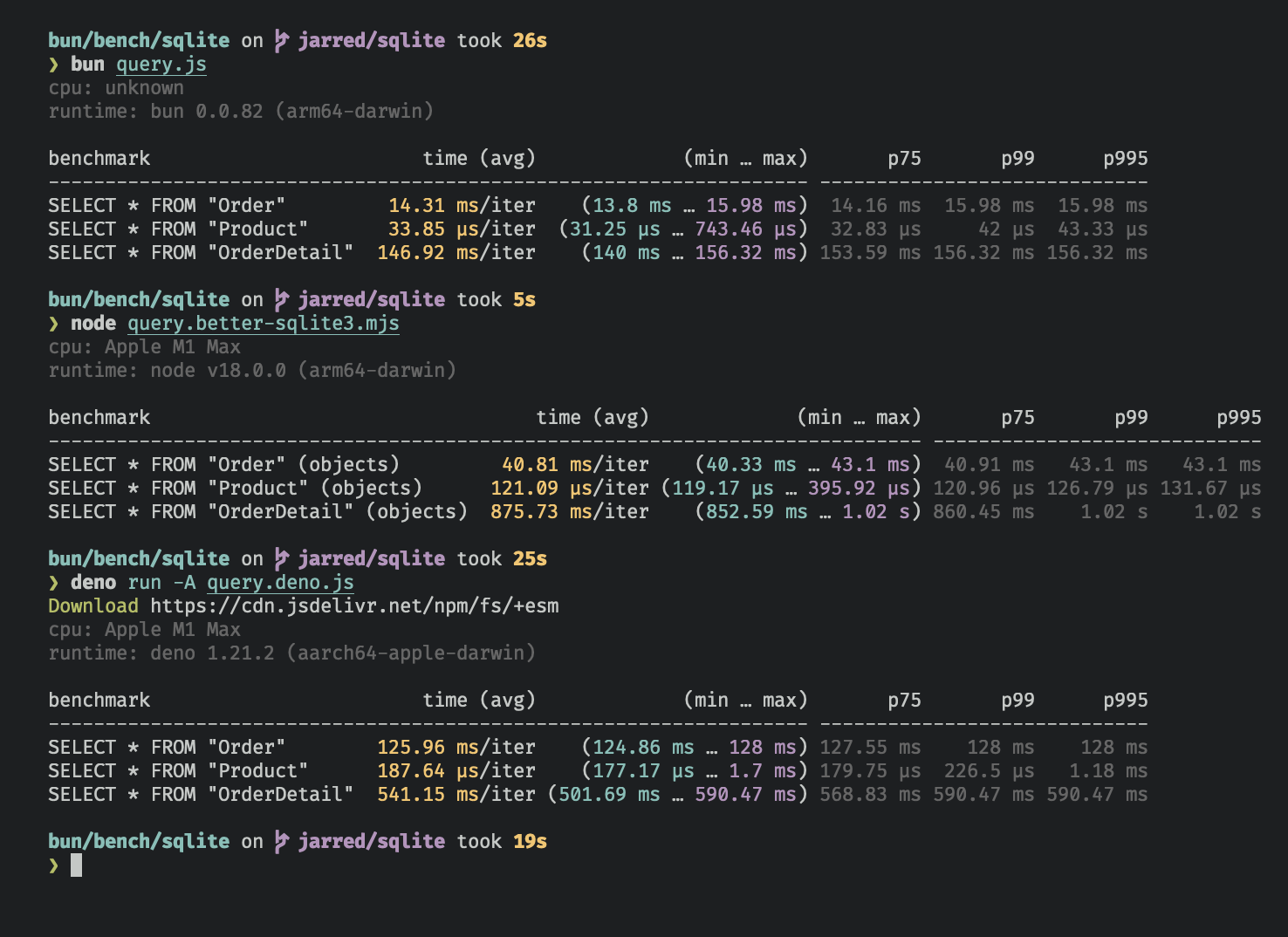
|
||||
</Frame>
|
||||
|
||||
---
|
||||
{% image width="738" alt="SQLite benchmarks for Bun, better-sqlite3, and deno.land/x/sqlite" src="https://user-images.githubusercontent.com/709451/168459263-8cd51ca3-a924-41e9-908d-cf3478a3b7f3.png" caption="Benchmarked on an M1 MacBook Pro (64GB) running macOS 12.3.1" /%}
|
||||
|
||||
## Database
|
||||
|
||||
To open or create a SQLite3 database:
|
||||
|
||||
```ts db.ts icon="/icons/typescript.svg"
|
||||
```ts
|
||||
import { Database } from "bun:sqlite";
|
||||
|
||||
const db = new Database("mydb.sqlite");
|
||||
@@ -51,7 +37,7 @@ const db = new Database("mydb.sqlite");
|
||||
|
||||
To open an in-memory database:
|
||||
|
||||
```ts db.ts icon="/icons/typescript.svg"
|
||||
```ts
|
||||
import { Database } from "bun:sqlite";
|
||||
|
||||
// all of these do the same thing
|
||||
@@ -62,50 +48,64 @@ const db = new Database("");
|
||||
|
||||
To open in `readonly` mode:
|
||||
|
||||
```ts db.ts icon="/icons/typescript.svg" highlight={2}
|
||||
```ts
|
||||
import { Database } from "bun:sqlite";
|
||||
const db = new Database("mydb.sqlite", { readonly: true });
|
||||
```
|
||||
|
||||
To create the database if the file doesn't exist:
|
||||
|
||||
```ts db.ts icon="/icons/typescript.svg" highlight={2}
|
||||
```ts
|
||||
import { Database } from "bun:sqlite";
|
||||
const db = new Database("mydb.sqlite", { create: true });
|
||||
```
|
||||
|
||||
### Strict mode
|
||||
|
||||
{% callout %}
|
||||
Added in Bun v1.1.14
|
||||
{% /callout %}
|
||||
|
||||
By default, `bun:sqlite` requires binding parameters to include the `$`, `:`, or `@` prefix, and does not throw an error if a parameter is missing.
|
||||
|
||||
To instead throw an error when a parameter is missing and allow binding without a prefix, set `strict: true` on the `Database` constructor:
|
||||
|
||||
```ts db.ts icon="/icons/typescript.svg" highlight={3}
|
||||
<!-- prettier-ignore -->
|
||||
```ts
|
||||
import { Database } from "bun:sqlite";
|
||||
|
||||
const strict = new Database(":memory:", { strict: true });
|
||||
const strict = new Database(
|
||||
":memory:",
|
||||
{ strict: true }
|
||||
);
|
||||
|
||||
// throws error because of the typo:
|
||||
const query = strict.query("SELECT $message;").all({ message: "Hello world" });
|
||||
const query = strict
|
||||
.query("SELECT $message;")
|
||||
.all({ message: "Hello world" });
|
||||
|
||||
const notStrict = new Database(":memory:");
|
||||
const notStrict = new Database(
|
||||
":memory:"
|
||||
);
|
||||
// does not throw error:
|
||||
notStrict.query("SELECT $message;").all({ message: "Hello world" });
|
||||
notStrict
|
||||
.query("SELECT $message;")
|
||||
.all({ message: "Hello world" });
|
||||
```
|
||||
|
||||
### Load via ES module import
|
||||
|
||||
You can also use an import attribute to load a database.
|
||||
|
||||
```ts db.ts icon="/icons/typescript.svg" highlight={1}
|
||||
import db from "./mydb.sqlite" with { type: "sqlite" };
|
||||
```ts
|
||||
import db from "./mydb.sqlite" with { "type": "sqlite" };
|
||||
|
||||
console.log(db.query("select * from users LIMIT 1").get());
|
||||
```
|
||||
|
||||
This is equivalent to the following:
|
||||
|
||||
```ts db.ts icon="/icons/typescript.svg"
|
||||
```ts
|
||||
import { Database } from "bun:sqlite";
|
||||
const db = new Database("./mydb.sqlite");
|
||||
```
|
||||
@@ -114,7 +114,7 @@ const db = new Database("./mydb.sqlite");
|
||||
|
||||
To close a database connection, but allow existing queries to finish, call `.close(false)`:
|
||||
|
||||
```ts db.ts icon="/icons/typescript.svg" highlight={3}
|
||||
```ts
|
||||
const db = new Database();
|
||||
// ... do stuff
|
||||
db.close(false);
|
||||
@@ -122,40 +122,33 @@ db.close(false);
|
||||
|
||||
To close the database and throw an error if there are any pending queries, call `.close(true)`:
|
||||
|
||||
```ts db.ts icon="/icons/typescript.svg" highlight={3}
|
||||
```ts
|
||||
const db = new Database();
|
||||
// ... do stuff
|
||||
db.close(true);
|
||||
```
|
||||
|
||||
<Note>
|
||||
`close(false)` is called automatically when the database is garbage collected. It is safe to call multiple times but
|
||||
has no effect after the first.
|
||||
</Note>
|
||||
Note: `close(false)` is called automatically when the database is garbage collected. It is safe to call multiple times but has no effect after the first.
|
||||
|
||||
### `using` statement
|
||||
|
||||
You can use the `using` statement to ensure that a database connection is closed when the `using` block is exited.
|
||||
|
||||
```ts db.ts icon="/icons/typescript.svg" highlight={4, 5}
|
||||
```ts
|
||||
import { Database } from "bun:sqlite";
|
||||
|
||||
{
|
||||
using db = new Database("mydb.sqlite");
|
||||
using query = db.query("select 'Hello world' as message;");
|
||||
console.log(query.get());
|
||||
console.log(query.get()); // => { message: "Hello world" }
|
||||
}
|
||||
```
|
||||
|
||||
```txt
|
||||
{ message: "Hello world" }
|
||||
```
|
||||
|
||||
### `.serialize()`
|
||||
|
||||
`bun:sqlite` supports SQLite's built-in mechanism for [serializing](https://www.sqlite.org/c3ref/serialize.html) and [deserializing](https://www.sqlite.org/c3ref/deserialize.html) databases to and from memory.
|
||||
|
||||
```ts db.ts icon="/icons/typescript.svg" highlight={2}
|
||||
```ts
|
||||
const olddb = new Database("mydb.sqlite");
|
||||
const contents = olddb.serialize(); // => Uint8Array
|
||||
const newdb = Database.deserialize(contents);
|
||||
@@ -167,21 +160,20 @@ Internally, `.serialize()` calls [`sqlite3_serialize`](https://www.sqlite.org/c3
|
||||
|
||||
Use the `db.query()` method on your `Database` instance to [prepare](https://www.sqlite.org/c3ref/prepare.html) a SQL query. The result is a `Statement` instance that will be cached on the `Database` instance. _The query will not be executed._
|
||||
|
||||
```ts db.ts icon="/icons/typescript.svg"
|
||||
```ts
|
||||
const query = db.query(`select "Hello world" as message`);
|
||||
```
|
||||
|
||||
<Note>
|
||||
Use the `.prepare()` method to prepare a query _without_ caching it on the `Database` instance.
|
||||
{% callout %}
|
||||
|
||||
```ts
|
||||
// compile the prepared statement
|
||||
const query = db.prepare("SELECT * FROM foo WHERE bar = ?");
|
||||
```
|
||||
**Note** — Use the `.prepare()` method to prepare a query _without_ caching it on the `Database` instance.
|
||||
|
||||
</Note>
|
||||
```ts
|
||||
// compile the prepared statement
|
||||
const query = db.prepare("SELECT * FROM foo WHERE bar = ?");
|
||||
```
|
||||
|
||||
---
|
||||
{% /callout %}
|
||||
|
||||
## WAL mode
|
||||
|
||||
@@ -189,18 +181,15 @@ SQLite supports [write-ahead log mode](https://www.sqlite.org/wal.html) (WAL) wh
|
||||
|
||||
To enable WAL mode, run this pragma query at the beginning of your application:
|
||||
|
||||
```ts db.ts icon="/icons/typescript.svg"
|
||||
```ts
|
||||
db.exec("PRAGMA journal_mode = WAL;");
|
||||
```
|
||||
|
||||
<Accordion title="What is WAL mode?">
|
||||
{% details summary="What is WAL mode" %}
|
||||
In WAL mode, writes to the database are written directly to a separate file called the "WAL file" (write-ahead log). This file will be later integrated into the main database file. Think of it as a buffer for pending writes. Refer to the [SQLite docs](https://www.sqlite.org/wal.html) for a more detailed overview.
|
||||
|
||||
On macOS, WAL files may be persistent by default. This is not a bug, it is how macOS configured the system version of SQLite.
|
||||
|
||||
</Accordion>
|
||||
|
||||
---
|
||||
{% /details %}
|
||||
|
||||
## Statements
|
||||
|
||||
@@ -208,13 +197,13 @@ A `Statement` is a _prepared query_, which means it's been parsed and compiled i
|
||||
|
||||
Create a statement with the `.query` method on your `Database` instance.
|
||||
|
||||
```ts db.ts icon="/icons/typescript.svg"
|
||||
```ts
|
||||
const query = db.query(`select "Hello world" as message`);
|
||||
```
|
||||
|
||||
Queries can contain parameters. These can be numerical (`?1`) or named (`$param` or `:param` or `@param`).
|
||||
|
||||
```ts db.ts icon="/icons/typescript.svg"
|
||||
```ts
|
||||
const query = db.query(`SELECT ?1, ?2;`);
|
||||
const query = db.query(`SELECT $param1, $param2;`);
|
||||
```
|
||||
@@ -225,28 +214,32 @@ Values are bound to these parameters when the query is executed. A `Statement` c
|
||||
|
||||
To bind values to a statement, pass an object to the `.all()`, `.get()`, `.run()`, or `.values()` method.
|
||||
|
||||
```ts db.ts icon="/icons/typescript.svg" highlight={2}
|
||||
```ts
|
||||
const query = db.query(`select $message;`);
|
||||
query.all({ $message: "Hello world" });
|
||||
```
|
||||
|
||||
You can bind using positional parameters too:
|
||||
|
||||
```ts db.ts icon="/icons/typescript.svg"
|
||||
```ts
|
||||
const query = db.query(`select ?1;`);
|
||||
query.all("Hello world");
|
||||
```
|
||||
|
||||
#### `strict: true` lets you bind values without prefixes
|
||||
|
||||
{% callout %}
|
||||
Added in Bun v1.1.14
|
||||
{% /callout %}
|
||||
|
||||
By default, the `$`, `:`, and `@` prefixes are **included** when binding values to named parameters. To bind without these prefixes, use the `strict` option in the `Database` constructor.
|
||||
|
||||
```ts db.ts icon="/icons/typescript.svg"
|
||||
```ts
|
||||
import { Database } from "bun:sqlite";
|
||||
|
||||
const db = new Database(":memory:", {
|
||||
// bind values without prefixes
|
||||
strict: true, // [!code ++]
|
||||
strict: true,
|
||||
});
|
||||
|
||||
const query = db.query(`select $message;`);
|
||||
@@ -262,13 +255,10 @@ query.all({ message: "Hello world" });
|
||||
|
||||
Use `.all()` to run a query and get back the results as an array of objects.
|
||||
|
||||
```ts db.ts icon="/icons/typescript.svg" highlight={2}
|
||||
```ts
|
||||
const query = db.query(`select $message;`);
|
||||
query.all({ $message: "Hello world" });
|
||||
```
|
||||
|
||||
```txt
|
||||
[{ message: "Hello world" }]
|
||||
// => [{ message: "Hello world" }]
|
||||
```
|
||||
|
||||
Internally, this calls [`sqlite3_reset`](https://www.sqlite.org/capi3ref.html#sqlite3_reset) and repeatedly calls [`sqlite3_step`](https://www.sqlite.org/capi3ref.html#sqlite3_step) until it returns `SQLITE_DONE`.
|
||||
@@ -277,13 +267,10 @@ Internally, this calls [`sqlite3_reset`](https://www.sqlite.org/capi3ref.html#sq
|
||||
|
||||
Use `.get()` to run a query and get back the first result as an object.
|
||||
|
||||
```ts db.ts icon="/icons/typescript.svg" highlight={2}
|
||||
```ts
|
||||
const query = db.query(`select $message;`);
|
||||
query.get({ $message: "Hello world" });
|
||||
```
|
||||
|
||||
```txt
|
||||
{ $message: "Hello world" }
|
||||
// => { $message: "Hello world" }
|
||||
```
|
||||
|
||||
Internally, this calls [`sqlite3_reset`](https://www.sqlite.org/capi3ref.html#sqlite3_reset) followed by [`sqlite3_step`](https://www.sqlite.org/capi3ref.html#sqlite3_step) until it no longer returns `SQLITE_ROW`. If the query returns no rows, `undefined` is returned.
|
||||
@@ -292,27 +279,32 @@ Internally, this calls [`sqlite3_reset`](https://www.sqlite.org/capi3ref.html#sq
|
||||
|
||||
Use `.run()` to run a query and get back `undefined`. This is useful for schema-modifying queries (e.g. `CREATE TABLE`) or bulk write operations.
|
||||
|
||||
```ts db.ts icon="/icons/typescript.svg" highlight={2}
|
||||
```ts
|
||||
const query = db.query(`create table foo;`);
|
||||
query.run();
|
||||
```
|
||||
|
||||
```txt
|
||||
{
|
||||
lastInsertRowid: 0,
|
||||
changes: 0,
|
||||
}
|
||||
// {
|
||||
// lastInsertRowid: 0,
|
||||
// changes: 0,
|
||||
// }
|
||||
```
|
||||
|
||||
Internally, this calls [`sqlite3_reset`](https://www.sqlite.org/capi3ref.html#sqlite3_reset) and calls [`sqlite3_step`](https://www.sqlite.org/capi3ref.html#sqlite3_step) once. Stepping through all the rows is not necessary when you don't care about the results.
|
||||
|
||||
{% callout %}
|
||||
Since Bun v1.1.14, `.run()` returns an object with two properties: `lastInsertRowid` and `changes`.
|
||||
{% /callout %}
|
||||
|
||||
The `lastInsertRowid` property returns the ID of the last row inserted into the database. The `changes` property is the number of rows affected by the query.
|
||||
|
||||
### `.as(Class)` - Map query results to a class
|
||||
|
||||
{% callout %}
|
||||
Added in Bun v1.1.14
|
||||
{% /callout %}
|
||||
|
||||
Use `.as(Class)` to run a query and get back the results as instances of a class. This lets you attach methods & getters/setters to results.
|
||||
|
||||
```ts db.ts icon="/icons/typescript.svg" highlight={10}
|
||||
```ts
|
||||
class Movie {
|
||||
title: string;
|
||||
year: number;
|
||||
@@ -325,14 +317,8 @@ class Movie {
|
||||
const query = db.query("SELECT title, year FROM movies").as(Movie);
|
||||
const movies = query.all();
|
||||
const first = query.get();
|
||||
|
||||
console.log(movies[0].isMarvel);
|
||||
console.log(first.isMarvel);
|
||||
```
|
||||
|
||||
```txt
|
||||
true
|
||||
true
|
||||
console.log(movies[0].isMarvel); // => true
|
||||
console.log(first.isMarvel); // => true
|
||||
```
|
||||
|
||||
As a performance optimization, the class constructor is not called, default initializers are not run, and private fields are not accessible. This is more like using `Object.create` than `new`. The class's prototype is assigned to the object, methods are attached, and getters/setters are set up, but the constructor is not called.
|
||||
@@ -343,7 +329,7 @@ The database columns are set as properties on the class instance.
|
||||
|
||||
Use `.iterate()` to run a query and incrementally return results. This is useful for large result sets that you want to process one row at a time without loading all the results into memory.
|
||||
|
||||
```ts db.ts icon="/icons/typescript.svg" highlight={2}
|
||||
```ts
|
||||
const query = db.query("SELECT * FROM foo");
|
||||
for (const row of query.iterate()) {
|
||||
console.log(row);
|
||||
@@ -352,7 +338,7 @@ for (const row of query.iterate()) {
|
||||
|
||||
You can also use the `@@iterator` protocol:
|
||||
|
||||
```ts db.ts icon="/icons/typescript.svg" highlight={2}
|
||||
```ts
|
||||
const query = db.query("SELECT * FROM foo");
|
||||
for (const row of query) {
|
||||
console.log(row);
|
||||
@@ -365,19 +351,16 @@ This feature was added in Bun v1.1.31.
|
||||
|
||||
Use `values()` to run a query and get back all results as an array of arrays.
|
||||
|
||||
```ts db.ts icon="/icons/typescript.svg" highlight={3, 4}
|
||||
```ts
|
||||
const query = db.query(`select $message;`);
|
||||
|
||||
query.values({ $message: "Hello world" });
|
||||
query.values(2);
|
||||
```
|
||||
|
||||
```txt
|
||||
[
|
||||
[ "Iron Man", 2008 ],
|
||||
[ "The Avengers", 2012 ],
|
||||
[ "Ant-Man: Quantumania", 2023 ],
|
||||
]
|
||||
query.values(2);
|
||||
// [
|
||||
// [ "Iron Man", 2008 ],
|
||||
// [ "The Avengers", 2012 ],
|
||||
// [ "Ant-Man: Quantumania", 2023 ],
|
||||
// ]
|
||||
```
|
||||
|
||||
Internally, this calls [`sqlite3_reset`](https://www.sqlite.org/capi3ref.html#sqlite3_reset) and repeatedly calls [`sqlite3_step`](https://www.sqlite.org/capi3ref.html#sqlite3_step) until it returns `SQLITE_DONE`.
|
||||
@@ -386,7 +369,7 @@ Internally, this calls [`sqlite3_reset`](https://www.sqlite.org/capi3ref.html#sq
|
||||
|
||||
Use `.finalize()` to destroy a `Statement` and free any resources associated with it. Once finalized, a `Statement` cannot be executed again. Typically, the garbage collector will do this for you, but explicit finalization may be useful in performance-sensitive applications.
|
||||
|
||||
```ts db.ts icon="/icons/typescript.svg" highlight={3}
|
||||
```ts
|
||||
const query = db.query("SELECT title, year FROM movies");
|
||||
const movies = query.all();
|
||||
query.finalize();
|
||||
@@ -396,7 +379,7 @@ query.finalize();
|
||||
|
||||
Calling `toString()` on a `Statement` instance prints the expanded SQL query. This is useful for debugging.
|
||||
|
||||
```ts db.ts icon="/icons/typescript.svg" highlight={6, 9, 12}
|
||||
```ts
|
||||
import { Database } from "bun:sqlite";
|
||||
|
||||
// setup
|
||||
@@ -417,34 +400,42 @@ Internally, this calls [`sqlite3_expanded_sql`](https://www.sqlite.org/capi3ref.
|
||||
|
||||
Queries can contain parameters. These can be numerical (`?1`) or named (`$param` or `:param` or `@param`). Bind values to these parameters when executing the query:
|
||||
|
||||
```ts title="query.ts" icon="/icons/typescript.svg"
|
||||
{% codetabs %}
|
||||
|
||||
```ts#Query
|
||||
const query = db.query("SELECT * FROM foo WHERE bar = $bar");
|
||||
const results = query.all({
|
||||
$bar: "bar",
|
||||
});
|
||||
```
|
||||
|
||||
```txt
|
||||
[{ "$bar": "bar" }]
|
||||
```json#Results
|
||||
[
|
||||
{ "$bar": "bar" }
|
||||
]
|
||||
```
|
||||
|
||||
{% /codetabs %}
|
||||
|
||||
Numbered (positional) parameters work too:
|
||||
|
||||
```ts db.ts icon="/icons/typescript.svg"
|
||||
{% codetabs %}
|
||||
|
||||
```ts#Query
|
||||
const query = db.query("SELECT ?1, ?2");
|
||||
const results = query.all("hello", "goodbye");
|
||||
```
|
||||
|
||||
```txt
|
||||
```ts#Results
|
||||
[
|
||||
{
|
||||
"?1": "hello",
|
||||
"?2": "goodbye",
|
||||
},
|
||||
];
|
||||
{
|
||||
"?1": "hello",
|
||||
"?2": "goodbye"
|
||||
}
|
||||
]
|
||||
```
|
||||
|
||||
---
|
||||
{% /codetabs %}
|
||||
|
||||
## Integers
|
||||
|
||||
@@ -456,25 +447,26 @@ By default, `bun:sqlite` returns integers as `number` types. If you need to hand
|
||||
|
||||
### `safeIntegers: true`
|
||||
|
||||
{% callout %}
|
||||
Added in Bun v1.1.14
|
||||
{% /callout %}
|
||||
|
||||
When `safeIntegers` is `true`, `bun:sqlite` will return integers as `bigint` types:
|
||||
|
||||
```ts db.ts icon="/icons/typescript.svg" highlight={3}
|
||||
```ts
|
||||
import { Database } from "bun:sqlite";
|
||||
|
||||
const db = new Database(":memory:", { safeIntegers: true });
|
||||
const query = db.query(`SELECT ${BigInt(Number.MAX_SAFE_INTEGER) + 102n} as max_int`);
|
||||
const query = db.query(
|
||||
`SELECT ${BigInt(Number.MAX_SAFE_INTEGER) + 102n} as max_int`,
|
||||
);
|
||||
const result = query.get();
|
||||
|
||||
console.log(result.max_int);
|
||||
```
|
||||
|
||||
```txt
|
||||
9007199254741093n
|
||||
console.log(result.max_int); // => 9007199254741093n
|
||||
```
|
||||
|
||||
When `safeIntegers` is `true`, `bun:sqlite` will throw an error if a `bigint` value in a bound parameter exceeds 64 bits:
|
||||
|
||||
```ts db.ts icon="/icons/typescript.svg" highlight={3}
|
||||
```ts
|
||||
import { Database } from "bun:sqlite";
|
||||
|
||||
const db = new Database(":memory:", { safeIntegers: true });
|
||||
@@ -485,38 +477,30 @@ const query = db.query("INSERT INTO test (value) VALUES ($value)");
|
||||
try {
|
||||
query.run({ $value: BigInt(Number.MAX_SAFE_INTEGER) ** 2n });
|
||||
} catch (e) {
|
||||
console.log(e.message);
|
||||
console.log(e.message); // => BigInt value '81129638414606663681390495662081' is out of range
|
||||
}
|
||||
```
|
||||
|
||||
```txt
|
||||
BigInt value '81129638414606663681390495662081' is out of range
|
||||
```
|
||||
|
||||
### `safeIntegers: false` (default)
|
||||
|
||||
When `safeIntegers` is `false`, `bun:sqlite` will return integers as `number` types and truncate any bits beyond 53:
|
||||
|
||||
```ts db.ts icon="/icons/typescript.svg" highlight={3}
|
||||
```ts
|
||||
import { Database } from "bun:sqlite";
|
||||
|
||||
const db = new Database(":memory:", { safeIntegers: false });
|
||||
const query = db.query(`SELECT ${BigInt(Number.MAX_SAFE_INTEGER) + 102n} as max_int`);
|
||||
const query = db.query(
|
||||
`SELECT ${BigInt(Number.MAX_SAFE_INTEGER) + 102n} as max_int`,
|
||||
);
|
||||
const result = query.get();
|
||||
console.log(result.max_int);
|
||||
console.log(result.max_int); // => 9007199254741092
|
||||
```
|
||||
|
||||
```txt
|
||||
9007199254741092
|
||||
```
|
||||
|
||||
---
|
||||
|
||||
## Transactions
|
||||
|
||||
Transactions are a mechanism for executing multiple queries in an _atomic_ way; that is, either all of the queries succeed or none of them do. Create a transaction with the `db.transaction()` method:
|
||||
|
||||
```ts db.ts icon="/icons/typescript.svg" highlight={2}
|
||||
```ts
|
||||
const insertCat = db.prepare("INSERT INTO cats (name) VALUES ($name)");
|
||||
const insertCats = db.transaction(cats => {
|
||||
for (const cat of cats) insertCat.run(cat);
|
||||
@@ -527,32 +511,42 @@ At this stage, we haven't inserted any cats! The call to `db.transaction()` retu
|
||||
|
||||
To execute the transaction, call this function. All arguments will be passed through to the wrapped function; the return value of the wrapped function will be returned by the transaction function. The wrapped function also has access to the `this` context as defined where the transaction is executed.
|
||||
|
||||
```ts db.ts icon="/icons/typescript.svg" highlight={3}
|
||||
```ts
|
||||
const insert = db.prepare("INSERT INTO cats (name) VALUES ($name)");
|
||||
const insertCats = db.transaction(cats => {
|
||||
for (const cat of cats) insert.run(cat);
|
||||
return cats.length;
|
||||
});
|
||||
|
||||
const count = insertCats([{ $name: "Keanu" }, { $name: "Salem" }, { $name: "Crookshanks" }]);
|
||||
const count = insertCats([
|
||||
{ $name: "Keanu" },
|
||||
{ $name: "Salem" },
|
||||
{ $name: "Crookshanks" },
|
||||
]);
|
||||
|
||||
console.log(`Inserted ${count} cats`);
|
||||
```
|
||||
|
||||
The driver will automatically [`begin`](https://www.sqlite.org/lang_transaction.html) a transaction when `insertCats` is called and `commit` it when the wrapped function returns. If an exception is thrown, the transaction will be rolled back. The exception will propagate as usual; it is not caught.
|
||||
|
||||
<Note>
|
||||
{% callout %}
|
||||
**Nested transactions** — Transaction functions can be called from inside other transaction functions. When doing so, the inner transaction becomes a [savepoint](https://www.sqlite.org/lang_savepoint.html).
|
||||
|
||||
<Accordion title="View nested transaction example">
|
||||
{% details summary="View nested transaction example" %}
|
||||
|
||||
```ts db.ts icon="/icons/typescript.svg"
|
||||
```ts
|
||||
// setup
|
||||
import { Database } from "bun:sqlite";
|
||||
const db = Database.open(":memory:");
|
||||
db.run("CREATE TABLE expenses (id INTEGER PRIMARY KEY AUTOINCREMENT, note TEXT, dollars INTEGER);");
|
||||
db.run("CREATE TABLE cats (id INTEGER PRIMARY KEY AUTOINCREMENT, name TEXT UNIQUE, age INTEGER)");
|
||||
const insertExpense = db.prepare("INSERT INTO expenses (note, dollars) VALUES (?, ?)");
|
||||
db.run(
|
||||
"CREATE TABLE expenses (id INTEGER PRIMARY KEY AUTOINCREMENT, note TEXT, dollars INTEGER);",
|
||||
);
|
||||
db.run(
|
||||
"CREATE TABLE cats (id INTEGER PRIMARY KEY AUTOINCREMENT, name TEXT UNIQUE, age INTEGER)",
|
||||
);
|
||||
const insertExpense = db.prepare(
|
||||
"INSERT INTO expenses (note, dollars) VALUES (?, ?)",
|
||||
);
|
||||
const insert = db.prepare("INSERT INTO cats (name, age) VALUES ($name, $age)");
|
||||
const insertCats = db.transaction(cats => {
|
||||
for (const cat of cats) insert.run(cat);
|
||||
@@ -570,8 +564,8 @@ adopt([
|
||||
]);
|
||||
```
|
||||
|
||||
</Accordion>
|
||||
</Note>
|
||||
{% /details %}
|
||||
{% /callout %}
|
||||
|
||||
Transactions also come with `deferred`, `immediate`, and `exclusive` versions.
|
||||
|
||||
@@ -586,24 +580,24 @@ insertCats.exclusive(cats); // uses "BEGIN EXCLUSIVE"
|
||||
|
||||
To load a [SQLite extension](https://www.sqlite.org/loadext.html), call `.loadExtension(name)` on your `Database` instance
|
||||
|
||||
```ts db.ts icon="/icons/typescript.svg" highlight={4}
|
||||
```ts
|
||||
import { Database } from "bun:sqlite";
|
||||
|
||||
const db = new Database();
|
||||
db.loadExtension("myext");
|
||||
```
|
||||
|
||||
<Note>
|
||||
{% details summary="For macOS users" %}
|
||||
**MacOS users** By default, macOS ships with Apple's proprietary build of SQLite, which doesn't support extensions. To use extensions, you'll need to install a vanilla build of SQLite.
|
||||
|
||||
```bash terminal icon="terminal"
|
||||
brew install sqlite
|
||||
which sqlite # get path to binary
|
||||
```bash
|
||||
$ brew install sqlite
|
||||
$ which sqlite # get path to binary
|
||||
```
|
||||
|
||||
To point `bun:sqlite` to the new build, call `Database.setCustomSQLite(path)` before creating any `Database` instances. (On other operating systems, this is a no-op.) Pass a path to the SQLite `.dylib` file, _not_ the executable. With recent versions of Homebrew this is something like `/opt/homebrew/Cellar/sqlite/<version>/libsqlite3.dylib`.
|
||||
|
||||
```ts db.ts icon="/icons/typescript.svg" highlight={3}
|
||||
```ts
|
||||
import { Database } from "bun:sqlite";
|
||||
|
||||
Database.setCustomSQLite("/path/to/libsqlite.dylib");
|
||||
@@ -612,13 +606,13 @@ const db = new Database();
|
||||
db.loadExtension("myext");
|
||||
```
|
||||
|
||||
</Note>
|
||||
{% /details %}
|
||||
|
||||
### `.fileControl(cmd: number, value: any)`
|
||||
### .fileControl(cmd: number, value: any)
|
||||
|
||||
To use the advanced `sqlite3_file_control` API, call `.fileControl(cmd, value)` on your `Database` instance.
|
||||
|
||||
```ts db.ts icon="/icons/typescript.svg" highlight={6}
|
||||
```ts
|
||||
import { Database, constants } from "bun:sqlite";
|
||||
|
||||
const db = new Database();
|
||||
@@ -633,11 +627,9 @@ db.fileControl(constants.SQLITE_FCNTL_PERSIST_WAL, 0);
|
||||
- `TypedArray`
|
||||
- `undefined` or `null`
|
||||
|
||||
---
|
||||
|
||||
## Reference
|
||||
|
||||
```ts Type Reference icon="/icons/typescript.svg" expandable
|
||||
```ts
|
||||
class Database {
|
||||
constructor(
|
||||
filename: string,
|
||||
@@ -651,7 +643,10 @@ class Database {
|
||||
);
|
||||
|
||||
query<Params, ReturnType>(sql: string): Statement<Params, ReturnType>;
|
||||
run(sql: string, params?: SQLQueryBindings): { lastInsertRowid: number; changes: number };
|
||||
run(
|
||||
sql: string,
|
||||
params?: SQLQueryBindings,
|
||||
): { lastInsertRowid: number; changes: number };
|
||||
exec = this.run;
|
||||
}
|
||||
|
||||
@@ -668,8 +663,6 @@ class Statement<Params, ReturnType> {
|
||||
toString(): string; // serialize to SQL
|
||||
|
||||
columnNames: string[]; // the column names of the result set
|
||||
columnTypes: string[]; // types based on actual values in first row (call .get()/.all() first)
|
||||
declaredTypes: (string | null)[]; // types from CREATE TABLE schema (call .get()/.all() first)
|
||||
paramsCount: number; // the number of parameters expected by the statement
|
||||
native: any; // the native object representing the statement
|
||||
|
||||
@@ -1,19 +1,10 @@
|
||||
---
|
||||
title: Streams
|
||||
description: Use Bun's streams API to work with binary data without loading it all into memory at once
|
||||
---
|
||||
|
||||
Streams are an important abstraction for working with binary data without loading it all into memory at once. They are commonly used for reading and writing files, sending and receiving network requests, and processing large amounts of data.
|
||||
|
||||
Bun implements the Web APIs [`ReadableStream`](https://developer.mozilla.org/en-US/docs/Web/API/ReadableStream) and [`WritableStream`](https://developer.mozilla.org/en-US/docs/Web/API/WritableStream).
|
||||
|
||||
<Note>
|
||||
Bun also implements the `node:stream` module, including
|
||||
[`Readable`](https://nodejs.org/api/stream.html#stream_readable_streams),
|
||||
[`Writable`](https://nodejs.org/api/stream.html#stream_writable_streams), and
|
||||
[`Duplex`](https://nodejs.org/api/stream.html#stream_duplex_and_transform_streams). For complete documentation, refer
|
||||
to the [Node.js docs](https://nodejs.org/api/stream.html).
|
||||
</Note>
|
||||
{% callout %}
|
||||
Bun also implements the `node:stream` module, including [`Readable`](https://nodejs.org/api/stream.html#stream_readable_streams), [`Writable`](https://nodejs.org/api/stream.html#stream_writable_streams), and [`Duplex`](https://nodejs.org/api/stream.html#stream_duplex_and_transform_streams). For complete documentation, refer to the [Node.js docs](https://nodejs.org/api/stream.html).
|
||||
{% /callout %}
|
||||
|
||||
To create a simple `ReadableStream`:
|
||||
|
||||
@@ -32,19 +23,14 @@ The contents of a `ReadableStream` can be read chunk-by-chunk with `for await` s
|
||||
```ts
|
||||
for await (const chunk of stream) {
|
||||
console.log(chunk);
|
||||
// => "hello"
|
||||
// => "world"
|
||||
}
|
||||
|
||||
// hello
|
||||
// world
|
||||
```
|
||||
|
||||
---
|
||||
|
||||
## Direct `ReadableStream`
|
||||
|
||||
Bun implements an optimized version of `ReadableStream` that avoid unnecessary data copying & queue management logic.
|
||||
|
||||
With a traditional `ReadableStream`, chunks of data are _enqueued_. Each chunk is copied into a queue, where it sits until the stream is ready to send more data.
|
||||
Bun implements an optimized version of `ReadableStream` that avoid unnecessary data copying & queue management logic. With a traditional `ReadableStream`, chunks of data are _enqueued_. Each chunk is copied into a queue, where it sits until the stream is ready to send more data.
|
||||
|
||||
```ts
|
||||
const stream = new ReadableStream({
|
||||
@@ -60,7 +46,7 @@ With a direct `ReadableStream`, chunks of data are written directly to the strea
|
||||
|
||||
```ts
|
||||
const stream = new ReadableStream({
|
||||
type: "direct", // [!code ++]
|
||||
type: "direct",
|
||||
pull(controller) {
|
||||
controller.write("hello");
|
||||
controller.write("world");
|
||||
@@ -70,8 +56,6 @@ const stream = new ReadableStream({
|
||||
|
||||
When using a direct `ReadableStream`, all chunk queueing is handled by the destination. The consumer of the stream receives exactly what is passed to `controller.write()`, without any encoding or modification.
|
||||
|
||||
---
|
||||
|
||||
## Async generator streams
|
||||
|
||||
Bun also supports async generator functions as a source for `Response` and `Request`. This is an easy way to create a `ReadableStream` that fetches data from an asynchronous source.
|
||||
@@ -113,8 +97,6 @@ const response = new Response({
|
||||
await response.text(); // "hello"
|
||||
```
|
||||
|
||||
---
|
||||
|
||||
## `Bun.ArrayBufferSink`
|
||||
|
||||
The `Bun.ArrayBufferSink` class is a fast incremental writer for constructing an `ArrayBuffer` of unknown size.
|
||||
@@ -134,10 +116,10 @@ sink.end();
|
||||
|
||||
To instead retrieve the data as a `Uint8Array`, pass the `asUint8Array` option to the `start` method.
|
||||
|
||||
```ts
|
||||
```ts-diff
|
||||
const sink = new Bun.ArrayBufferSink();
|
||||
sink.start({
|
||||
asUint8Array: true, // [!code ++]
|
||||
+ asUint8Array: true
|
||||
});
|
||||
|
||||
sink.write("h");
|
||||
@@ -165,7 +147,7 @@ Once `.end()` is called, no more data can be written to the `ArrayBufferSink`. H
|
||||
```ts
|
||||
const sink = new Bun.ArrayBufferSink();
|
||||
sink.start({
|
||||
stream: true, // [!code ++]
|
||||
stream: true,
|
||||
});
|
||||
|
||||
sink.write("h");
|
||||
@@ -187,15 +169,13 @@ To manually set the size of the internal buffer in bytes, pass a value for `high
|
||||
```ts
|
||||
const sink = new Bun.ArrayBufferSink();
|
||||
sink.start({
|
||||
highWaterMark: 1024 * 1024, // 1 MB // [!code ++]
|
||||
highWaterMark: 1024 * 1024, // 1 MB
|
||||
});
|
||||
```
|
||||
|
||||
---
|
||||
{% details summary="Reference" %}
|
||||
|
||||
## Reference
|
||||
|
||||
```ts See Typescript Definitions expandable
|
||||
```ts
|
||||
/**
|
||||
* Fast incremental writer that becomes an `ArrayBuffer` on end().
|
||||
*/
|
||||
@@ -216,7 +196,9 @@ export class ArrayBufferSink {
|
||||
stream?: boolean;
|
||||
}): void;
|
||||
|
||||
write(chunk: string | ArrayBufferView | ArrayBuffer | SharedArrayBuffer): number;
|
||||
write(
|
||||
chunk: string | ArrayBufferView | ArrayBuffer | SharedArrayBuffer,
|
||||
): number;
|
||||
/**
|
||||
* Flush the internal buffer
|
||||
*
|
||||
@@ -230,3 +212,5 @@ export class ArrayBufferSink {
|
||||
end(): ArrayBuffer | Uint8Array<ArrayBuffer>;
|
||||
}
|
||||
```
|
||||
|
||||
{% /details %}
|
||||
@@ -1,15 +1,10 @@
|
||||
---
|
||||
title: TCP
|
||||
description: Use Bun's native TCP API to implement performance sensitive systems like database clients, game servers, or anything that needs to communicate over TCP (instead of HTTP)
|
||||
---
|
||||
|
||||
This is a low-level API intended for library authors and for advanced use cases.
|
||||
Use Bun's native TCP API to implement performance sensitive systems like database clients, game servers, or anything that needs to communicate over TCP (instead of HTTP). This is a low-level API intended for library authors and for advanced use cases.
|
||||
|
||||
## Start a server (`Bun.listen()`)
|
||||
|
||||
To start a TCP server with `Bun.listen`:
|
||||
|
||||
```ts server.ts icon="/icons/typescript.svg"
|
||||
```ts
|
||||
Bun.listen({
|
||||
hostname: "localhost",
|
||||
port: 8080,
|
||||
@@ -23,11 +18,11 @@ Bun.listen({
|
||||
});
|
||||
```
|
||||
|
||||
<Accordion title="An API designed for speed">
|
||||
{% details summary="An API designed for speed" %}
|
||||
|
||||
In Bun, a set of handlers are declared once per server instead of assigning callbacks to each socket, as with Node.js `EventEmitters` or the web-standard `WebSocket` API.
|
||||
|
||||
```ts server.ts icon="/icons/typescript.svg"
|
||||
```ts
|
||||
Bun.listen({
|
||||
hostname: "localhost",
|
||||
port: 8080,
|
||||
@@ -43,11 +38,11 @@ Bun.listen({
|
||||
|
||||
For performance-sensitive servers, assigning listeners to each socket can cause significant garbage collector pressure and increase memory usage. By contrast, Bun only allocates one handler function for each event and shares it among all sockets. This is a small optimization, but it adds up.
|
||||
|
||||
</Accordion>
|
||||
{% /details %}
|
||||
|
||||
Contextual data can be attached to a socket in the `open` handler.
|
||||
|
||||
```ts server.ts icon="/icons/typescript.svg"
|
||||
```ts
|
||||
type SocketData = { sessionId: string };
|
||||
|
||||
Bun.listen<SocketData>({
|
||||
@@ -55,10 +50,10 @@ Bun.listen<SocketData>({
|
||||
port: 8080,
|
||||
socket: {
|
||||
data(socket, data) {
|
||||
socket.write(`${socket.data.sessionId}: ack`); // [!code ++]
|
||||
socket.write(`${socket.data.sessionId}: ack`);
|
||||
},
|
||||
open(socket) {
|
||||
socket.data = { sessionId: "abcd" }; // [!code ++]
|
||||
socket.data = { sessionId: "abcd" };
|
||||
},
|
||||
},
|
||||
});
|
||||
@@ -66,7 +61,7 @@ Bun.listen<SocketData>({
|
||||
|
||||
To enable TLS, pass a `tls` object containing `key` and `cert` fields.
|
||||
|
||||
```ts server.ts icon="/icons/typescript.svg"
|
||||
```ts
|
||||
Bun.listen({
|
||||
hostname: "localhost",
|
||||
port: 8080,
|
||||
@@ -75,29 +70,33 @@ Bun.listen({
|
||||
},
|
||||
tls: {
|
||||
// can be string, BunFile, TypedArray, Buffer, or array thereof
|
||||
key: Bun.file("./key.pem"), // [!code ++]
|
||||
cert: Bun.file("./cert.pem"), // [!code ++]
|
||||
key: Bun.file("./key.pem"),
|
||||
cert: Bun.file("./cert.pem"),
|
||||
},
|
||||
});
|
||||
```
|
||||
|
||||
The `key` and `cert` fields expect the _contents_ of your TLS key and certificate. This can be a string, `BunFile`, `TypedArray`, or `Buffer`.
|
||||
|
||||
```ts server.ts icon="/icons/typescript.svg"
|
||||
```ts
|
||||
Bun.listen({
|
||||
// ...
|
||||
tls: {
|
||||
key: Bun.file("./key.pem"), // BunFile
|
||||
key: fs.readFileSync("./key.pem"), // Buffer
|
||||
key: fs.readFileSync("./key.pem", "utf8"), // string
|
||||
key: [Bun.file("./key1.pem"), Bun.file("./key2.pem")], // array of above
|
||||
// BunFile
|
||||
key: Bun.file("./key.pem"),
|
||||
// Buffer
|
||||
key: fs.readFileSync("./key.pem"),
|
||||
// string
|
||||
key: fs.readFileSync("./key.pem", "utf8"),
|
||||
// array of above
|
||||
key: [Bun.file("./key1.pem"), Bun.file("./key2.pem")],
|
||||
},
|
||||
});
|
||||
```
|
||||
|
||||
The result of `Bun.listen` is a server that conforms to the `TCPSocket` interface.
|
||||
|
||||
```ts server.ts icon="/icons/typescript.svg"
|
||||
```ts
|
||||
const server = Bun.listen({
|
||||
/* config*/
|
||||
});
|
||||
@@ -110,13 +109,11 @@ server.stop(true);
|
||||
server.unref();
|
||||
```
|
||||
|
||||
---
|
||||
|
||||
## Create a connection (`Bun.connect()`)
|
||||
|
||||
Use `Bun.connect` to connect to a TCP server. Specify the server to connect to with `hostname` and `port`. TCP clients can define the same set of handlers as `Bun.listen`, plus a couple client-specific handlers.
|
||||
|
||||
```ts server.ts icon="/icons/typescript.svg"
|
||||
```ts
|
||||
// The client
|
||||
const socket = await Bun.connect({
|
||||
hostname: "localhost",
|
||||
@@ -143,48 +140,39 @@ To require TLS, specify `tls: true`.
|
||||
// The client
|
||||
const socket = await Bun.connect({
|
||||
// ... config
|
||||
tls: true, // [!code ++]
|
||||
tls: true,
|
||||
});
|
||||
```
|
||||
|
||||
---
|
||||
|
||||
## Hot reloading
|
||||
|
||||
Both TCP servers and sockets can be hot reloaded with new handlers.
|
||||
|
||||
<CodeGroup>
|
||||
{% codetabs %}
|
||||
|
||||
```ts server.ts icon="/icons/typescript.svg"
|
||||
const server = Bun.listen({
|
||||
/* config */
|
||||
});
|
||||
```ts#Server
|
||||
const server = Bun.listen({ /* config */ })
|
||||
|
||||
// reloads handlers for all active server-side sockets
|
||||
server.reload({
|
||||
socket: {
|
||||
data() {
|
||||
data(){
|
||||
// new 'data' handler
|
||||
},
|
||||
},
|
||||
});
|
||||
}
|
||||
}
|
||||
})
|
||||
```
|
||||
|
||||
```ts client.ts icon="/icons/typescript.svg"
|
||||
const socket = await Bun.connect({
|
||||
/* config */
|
||||
});
|
||||
|
||||
```ts#Client
|
||||
const socket = await Bun.connect({ /* config */ })
|
||||
socket.reload({
|
||||
data() {
|
||||
data(){
|
||||
// new 'data' handler
|
||||
},
|
||||
});
|
||||
}
|
||||
})
|
||||
```
|
||||
|
||||
</CodeGroup>
|
||||
|
||||
---
|
||||
{% /codetabs %}
|
||||
|
||||
## Buffering
|
||||
|
||||
@@ -206,14 +194,11 @@ socket.write("hello");
|
||||
|
||||
To simplify this for now, consider using Bun's `ArrayBufferSink` with the `{stream: true}` option:
|
||||
|
||||
```ts server.ts icon="/icons/typescript.svg"
|
||||
```ts
|
||||
import { ArrayBufferSink } from "bun";
|
||||
|
||||
const sink = new ArrayBufferSink();
|
||||
sink.start({
|
||||
stream: true, // [!code ++]
|
||||
highWaterMark: 1024,
|
||||
});
|
||||
sink.start({ stream: true, highWaterMark: 1024 });
|
||||
|
||||
sink.write("h");
|
||||
sink.write("e");
|
||||
@@ -231,9 +216,6 @@ queueMicrotask(() => {
|
||||
});
|
||||
```
|
||||
|
||||
<Note>
|
||||
**Corking**
|
||||
|
||||
Support for corking is planned, but in the meantime backpressure must be managed manually with the `drain` handler.
|
||||
|
||||
</Note>
|
||||
{% callout %}
|
||||
**Corking** — Support for corking is planned, but in the meantime backpressure must be managed manually with the `drain` handler.
|
||||
{% /callout %}
|
||||
@@ -1,8 +1,3 @@
|
||||
---
|
||||
title: Transpiler
|
||||
description: Use Bun's transpiler to transpile JavaScript and TypeScript code
|
||||
---
|
||||
|
||||
Bun exposes its internal transpiler via the `Bun.Transpiler` class. To create an instance of Bun's transpiler:
|
||||
|
||||
```ts
|
||||
@@ -11,14 +6,15 @@ const transpiler = new Bun.Transpiler({
|
||||
});
|
||||
```
|
||||
|
||||
---
|
||||
|
||||
## `.transformSync()`
|
||||
|
||||
Transpile code synchronously with the `.transformSync()` method. Modules are not resolved and the code is not executed. The result is a string of vanilla JavaScript code.
|
||||
|
||||
<CodeGroup>
|
||||
```ts transpile.ts icon="/icons/typescript.svg"
|
||||
<!-- It is synchronous and runs in the same thread as other JavaScript code. -->
|
||||
|
||||
{% codetabs %}
|
||||
|
||||
```js#Example
|
||||
const transpiler = new Bun.Transpiler({
|
||||
loader: 'tsx',
|
||||
});
|
||||
@@ -30,10 +26,9 @@ export function Home(props: {title: string}){
|
||||
}`;
|
||||
|
||||
const result = transpiler.transformSync(code);
|
||||
```
|
||||
|
||||
````
|
||||
|
||||
```ts output
|
||||
```js#Result
|
||||
import { __require as require } from "bun:wrap";
|
||||
import * as JSX from "react/jsx-dev-runtime";
|
||||
var jsx = require(JSX).jsxDEV;
|
||||
@@ -48,9 +43,9 @@ export default jsx(
|
||||
undefined,
|
||||
this,
|
||||
);
|
||||
````
|
||||
```
|
||||
|
||||
</CodeGroup>
|
||||
{% /codetabs %}
|
||||
|
||||
To override the default loader specified in the `new Bun.Transpiler()` constructor, pass a second argument to `.transformSync()`.
|
||||
|
||||
@@ -58,15 +53,11 @@ To override the default loader specified in the `new Bun.Transpiler()` construct
|
||||
transpiler.transformSync("<div>hi!</div>", "tsx");
|
||||
```
|
||||
|
||||
<Accordion title="Nitty gritty">
|
||||
|
||||
{% details summary="Nitty gritty" %}
|
||||
When `.transformSync` is called, the transpiler is run in the same thread as the currently executed code.
|
||||
|
||||
If a macro is used, it will be run in the same thread as the transpiler, but in a separate event loop from the rest of your application. Currently, globals between macros and regular code are shared, which means it is possible (but not recommended) to share states between macros and regular code. Attempting to use AST nodes outside of a macro is undefined behavior.
|
||||
|
||||
</Accordion>
|
||||
|
||||
---
|
||||
{% /details %}
|
||||
|
||||
## `.transform()`
|
||||
|
||||
@@ -84,23 +75,21 @@ Unless you're transpiling _many_ large files, you should probably use `Bun.Trans
|
||||
await transpiler.transform("<div>hi!</div>", "tsx");
|
||||
```
|
||||
|
||||
<Accordion title="Nitty gritty">
|
||||
|
||||
{% details summary="Nitty gritty" %}
|
||||
The `.transform()` method runs the transpiler in Bun's worker threadpool, so if you run it 100 times, it will run it across `Math.floor($cpu_count * 0.8)` threads, without blocking the main JavaScript thread.
|
||||
|
||||
If your code uses a macro, it will potentially spawn a new copy of Bun's JavaScript runtime environment in that new thread.
|
||||
|
||||
</Accordion>
|
||||
{% /details %}
|
||||
|
||||
## `.scan()`
|
||||
|
||||
The `Transpiler` instance can also scan some source code and return a list of its imports and exports, plus additional metadata about each one. [Type-only](https://www.typescriptlang.org/docs/handbook/release-notes/typescript-3-8.html#type-only-imports-and-export) imports and exports are ignored.
|
||||
|
||||
<CodeGroup>
|
||||
{% codetabs %}
|
||||
|
||||
```ts example.ts icon="/icons/typescript.svg"
|
||||
```ts#Example
|
||||
const transpiler = new Bun.Transpiler({
|
||||
loader: "tsx",
|
||||
loader: 'tsx',
|
||||
});
|
||||
|
||||
const code = `
|
||||
@@ -115,9 +104,11 @@ export const name = "hello";
|
||||
const result = transpiler.scan(code);
|
||||
```
|
||||
|
||||
```json output
|
||||
```json#Output
|
||||
{
|
||||
"exports": ["name"],
|
||||
"exports": [
|
||||
"name"
|
||||
],
|
||||
"imports": [
|
||||
{
|
||||
"kind": "import-statement",
|
||||
@@ -135,7 +126,7 @@ const result = transpiler.scan(code);
|
||||
}
|
||||
```
|
||||
|
||||
</CodeGroup>
|
||||
{% /codetabs %}
|
||||
|
||||
Each import in the `imports` array has a `path` and `kind`. Bun categories imports into the following kinds:
|
||||
|
||||
@@ -145,18 +136,19 @@ Each import in the `imports` array has a `path` and `kind`. Bun categories impor
|
||||
- `dynamic-import`: `import('./loader')`
|
||||
- `import-rule`: `@import 'foo.css'`
|
||||
- `url-token`: `url('./foo.png')`
|
||||
|
||||
---
|
||||
<!-- - `internal`: `import {foo} from 'bun:internal'`
|
||||
- `entry-point-build`: `import {foo} from 'bun:entry'`
|
||||
- `entry-point-run`: `bun ./mymodule` -->
|
||||
|
||||
## `.scanImports()`
|
||||
|
||||
For performance-sensitive code, you can use the `.scanImports()` method to get a list of imports. It's faster than `.scan()` (especially for large files) but marginally less accurate due to some performance optimizations.
|
||||
|
||||
<CodeGroup>
|
||||
{% codetabs %}
|
||||
|
||||
```ts example.ts icon="/icons/typescript.svg"
|
||||
```ts#Example
|
||||
const transpiler = new Bun.Transpiler({
|
||||
loader: "tsx",
|
||||
loader: 'tsx',
|
||||
});
|
||||
|
||||
const code = `
|
||||
@@ -171,30 +163,26 @@ export const name = "hello";
|
||||
const result = transpiler.scanImports(code);
|
||||
```
|
||||
|
||||
```json results icon="file-json"
|
||||
```json#Results
|
||||
[
|
||||
{
|
||||
"kind": "import-statement",
|
||||
"path": "react"
|
||||
},
|
||||
{
|
||||
"kind": "require-call",
|
||||
"path": "./cjs.js"
|
||||
},
|
||||
{
|
||||
"kind": "dynamic-import",
|
||||
"path": "./loader"
|
||||
kind: "import-statement",
|
||||
path: "react"
|
||||
}, {
|
||||
kind: "require-call",
|
||||
path: "./cjs.js"
|
||||
}, {
|
||||
kind: "dynamic-import",
|
||||
path: "./loader"
|
||||
}
|
||||
]
|
||||
```
|
||||
|
||||
</CodeGroup>
|
||||
|
||||
---
|
||||
{% /codetabs %}
|
||||
|
||||
## Reference
|
||||
|
||||
```ts See Typescript Definitions expandable
|
||||
```ts
|
||||
type Loader = "jsx" | "js" | "ts" | "tsx";
|
||||
|
||||
interface TranspilerOptions {
|
||||
@@ -1,7 +1,4 @@
|
||||
---
|
||||
title: UDP
|
||||
description: Use Bun's UDP API to implement services with advanced real-time requirements, such as voice chat.
|
||||
---
|
||||
Use Bun's UDP API to implement services with advanced real-time requirements, such as voice chat.
|
||||
|
||||
## Bind a UDP socket (`Bun.udpSocket()`)
|
||||
|
||||
@@ -16,9 +13,8 @@ Specify a port:
|
||||
|
||||
```ts
|
||||
const socket = await Bun.udpSocket({
|
||||
port: 41234, // [!code ++]
|
||||
port: 41234,
|
||||
});
|
||||
|
||||
console.log(socket.port); // 41234
|
||||
```
|
||||
|
||||
@@ -37,7 +33,7 @@ DNS resolution, as it is intended for low-latency operations.
|
||||
|
||||
When creating your socket, add a callback to specify what should be done when packets are received:
|
||||
|
||||
```ts server.ts icon="/icons/typescript.svg"
|
||||
```ts
|
||||
const server = await Bun.udpSocket({
|
||||
socket: {
|
||||
data(socket, buf, port, addr) {
|
||||
@@ -57,7 +53,7 @@ While UDP does not have a concept of a connection, many UDP communications (espe
|
||||
In such cases it can be beneficial to connect the socket to that peer, which specifies to which address all packets are sent
|
||||
and restricts incoming packets to that peer only.
|
||||
|
||||
```ts server.ts icon="/icons/typescript.svg"
|
||||
```ts
|
||||
const server = await Bun.udpSocket({
|
||||
socket: {
|
||||
data(socket, buf, port, addr) {
|
||||
@@ -66,7 +62,6 @@ const server = await Bun.udpSocket({
|
||||
},
|
||||
},
|
||||
});
|
||||
|
||||
const client = await Bun.udpSocket({
|
||||
connect: {
|
||||
port: server.port,
|
||||
@@ -87,23 +82,21 @@ of making a system call for each. This is made possible by the `sendMany()` API:
|
||||
For an unconnected socket, `sendMany` takes an array as its only argument. Each set of three array elements describes a packet:
|
||||
The first item is the data to be sent, the second is the target port, and the last is the target address.
|
||||
|
||||
```ts server.ts icon="/icons/typescript.svg"
|
||||
```ts
|
||||
const socket = await Bun.udpSocket({});
|
||||
|
||||
// sends 'Hello' to 127.0.0.1:41234, and 'foo' to 1.1.1.1:53 in a single operation
|
||||
socket.sendMany(["Hello", 41234, "127.0.0.1", "foo", 53, "1.1.1.1"]);
|
||||
```
|
||||
|
||||
With a connected socket, `sendMany` simply takes an array, where each element represents the data to be sent to the peer.
|
||||
|
||||
```ts server.ts icon="/icons/typescript.svg"
|
||||
```ts
|
||||
const socket = await Bun.udpSocket({
|
||||
connect: {
|
||||
port: 41234,
|
||||
hostname: "localhost",
|
||||
},
|
||||
});
|
||||
|
||||
socket.sendMany(["foo", "bar", "baz"]);
|
||||
```
|
||||
|
||||
@@ -116,7 +109,8 @@ It may happen that a packet that you're sending does not fit into the operating
|
||||
has happened when:
|
||||
|
||||
- `send` returns `false`
|
||||
- `sendMany` returns a number smaller than the number of packets you specified. In this case, the `drain` socket handler will be called once the socket becomes writable again:
|
||||
- `sendMany` returns a number smaller than the number of packets you specified
|
||||
In this case, the `drain` socket handler will be called once the socket becomes writable again:
|
||||
|
||||
```ts
|
||||
const socket = await Bun.udpSocket({
|
||||
@@ -1,13 +1,8 @@
|
||||
---
|
||||
title: Utils
|
||||
description: Use Bun's utility functions to work with the runtime
|
||||
---
|
||||
|
||||
## `Bun.version`
|
||||
|
||||
A `string` containing the version of the `bun` CLI that is currently running.
|
||||
|
||||
```ts terminal icon="terminal"
|
||||
```ts
|
||||
Bun.version;
|
||||
// => "0.6.4"
|
||||
```
|
||||
@@ -16,7 +11,7 @@ Bun.version;
|
||||
|
||||
The git commit of [Bun](https://github.com/oven-sh/bun) that was compiled to create the current `bun` CLI.
|
||||
|
||||
```ts terminal icon="terminal"
|
||||
```ts
|
||||
Bun.revision;
|
||||
// => "f02561530fda1ee9396f51c8bc99b38716e38296"
|
||||
```
|
||||
@@ -29,7 +24,7 @@ An alias for `process.env`.
|
||||
|
||||
An absolute path to the entrypoint of the current program (the file that was executed with `bun run`).
|
||||
|
||||
```ts script.ts
|
||||
```ts#script.ts
|
||||
Bun.main;
|
||||
// /path/to/script.ts
|
||||
```
|
||||
@@ -132,11 +127,17 @@ The final 8 bytes of the UUID are a cryptographically secure random value. It us
|
||||
|
||||
```ts
|
||||
namespace Bun {
|
||||
function randomUUIDv7(encoding?: "hex" | "base64" | "base64url" = "hex", timestamp?: number = Date.now()): string;
|
||||
function randomUUIDv7(
|
||||
encoding?: "hex" | "base64" | "base64url" = "hex",
|
||||
timestamp?: number = Date.now(),
|
||||
): string;
|
||||
/**
|
||||
* If you pass "buffer", you get a 16-byte buffer instead of a string.
|
||||
*/
|
||||
function randomUUIDv7(encoding: "buffer", timestamp?: number = Date.now()): Buffer;
|
||||
function randomUUIDv7(
|
||||
encoding: "buffer",
|
||||
timestamp?: number = Date.now(),
|
||||
): Buffer;
|
||||
|
||||
// If you only pass a timestamp, you get a hex string
|
||||
function randomUUIDv7(timestamp?: number = Date.now()): string;
|
||||
@@ -145,13 +146,13 @@ namespace Bun {
|
||||
|
||||
You can optionally set encoding to `"buffer"` to get a 16-byte buffer instead of a string. This can sometimes avoid string conversion overhead.
|
||||
|
||||
```ts buffer.ts
|
||||
```ts#buffer.ts
|
||||
const buffer = Bun.randomUUIDv7("buffer");
|
||||
```
|
||||
|
||||
`base64` and `base64url` encodings are also supported when you want a slightly shorter string.
|
||||
|
||||
```ts base64.ts
|
||||
```ts#base64.ts
|
||||
const base64 = Bun.randomUUIDv7("base64");
|
||||
const base64url = Bun.randomUUIDv7("base64url");
|
||||
```
|
||||
@@ -199,7 +200,9 @@ test("peek", () => {
|
||||
// If we peek a rejected promise, it:
|
||||
// - returns the error
|
||||
// - does not mark the promise as handled
|
||||
const rejected = Promise.reject(new Error("Successfully tested promise rejection"));
|
||||
const rejected = Promise.reject(
|
||||
new Error("Successfully tested promise rejection"),
|
||||
);
|
||||
expect(peek(rejected).message).toBe("Successfully tested promise rejection");
|
||||
});
|
||||
```
|
||||
@@ -231,11 +234,11 @@ const currentFile = import.meta.url;
|
||||
Bun.openInEditor(currentFile);
|
||||
```
|
||||
|
||||
You can override this via the `debug.editor` setting in your [`bunfig.toml`](/runtime/bunfig).
|
||||
You can override this via the `debug.editor` setting in your [`bunfig.toml`](https://bun.com/docs/runtime/bunfig).
|
||||
|
||||
```toml bunfig.toml
|
||||
[debug] // [!code ++]
|
||||
editor = "code" // [!code ++]
|
||||
```toml-diff#bunfig.toml
|
||||
+ [debug]
|
||||
+ editor = "code"
|
||||
```
|
||||
|
||||
Or specify an editor with the `editor` param. You can also specify a line and column number.
|
||||
@@ -307,9 +310,7 @@ This function is optimized for large input. On an M1X, it processes 480 MB/s -
|
||||
20 GB/s, depending on how much data is being escaped and whether there is non-ascii
|
||||
text. Non-string types will be converted to a string before escaping.
|
||||
|
||||
## `Bun.stringWidth()`
|
||||
|
||||
<Note>~6,756x faster `string-width` alternative</Note>
|
||||
## `Bun.stringWidth()` ~6,756x faster `string-width` alternative
|
||||
|
||||
Get the column count of a string as it would be displayed in a terminal.
|
||||
Supports ANSI escape codes, emoji, and wide characters.
|
||||
@@ -351,7 +352,7 @@ npm/string-width 500 chars ascii 249,710 ns/iter (239,970 ns …
|
||||
|
||||
To make `Bun.stringWidth` fast, we've implemented it in Zig using optimized SIMD instructions, accounting for Latin1, UTF-16, and UTF-8 encodings. It passes `string-width`'s tests.
|
||||
|
||||
<Accordion title="View full benchmark">
|
||||
{% details summary="View full benchmark" %}
|
||||
|
||||
As a reminder, 1 nanosecond (ns) is 1 billionth of a second. Here's a quick reference for converting between units:
|
||||
|
||||
@@ -361,7 +362,7 @@ As a reminder, 1 nanosecond (ns) is 1 billionth of a second. Here's a quick refe
|
||||
| µs | 1,000 |
|
||||
| ms | 1 |
|
||||
|
||||
```bash terminal icon="terminal"
|
||||
```js
|
||||
❯ bun string-width.mjs
|
||||
cpu: 13th Gen Intel(R) Core(TM) i9-13900
|
||||
runtime: bun 1.0.29 (x64-linux)
|
||||
@@ -390,7 +391,7 @@ Bun.stringWidth 19,000 chars ansi+emoji+ascii 114.06 µs/iter (112.86 µs … 1
|
||||
Bun.stringWidth 95,000 chars ansi+emoji+ascii 572.69 µs/iter (565.52 µs … 607.22 µs) 572.45 µs 604.86 µs 605.21 µs
|
||||
```
|
||||
|
||||
```bash terminal icon="terminal"
|
||||
```ts
|
||||
❯ node string-width.mjs
|
||||
cpu: 13th Gen Intel(R) Core(TM) i9-13900
|
||||
runtime: node v21.4.0 (x64-linux)
|
||||
@@ -419,11 +420,11 @@ npm/string-width 19,000 chars ansi+emoji+ascii 27.19 ms/iter (26.89 ms … 2
|
||||
npm/string-width 95,000 chars ansi+emoji+ascii 3.68 s/iter (3.66 s … 3.7 s) 3.69 s 3.7 s 3.7 s
|
||||
```
|
||||
|
||||
</Accordion>
|
||||
{% /details %}
|
||||
|
||||
TypeScript definition:
|
||||
|
||||
```ts expandable
|
||||
```ts
|
||||
namespace Bun {
|
||||
export function stringWidth(
|
||||
/**
|
||||
@@ -448,7 +449,7 @@ namespace Bun {
|
||||
}
|
||||
```
|
||||
|
||||
---
|
||||
<!-- ## `Bun.enableANSIColors()` -->
|
||||
|
||||
## `Bun.fileURLToPath()`
|
||||
|
||||
@@ -459,8 +460,6 @@ const path = Bun.fileURLToPath(new URL("file:///foo/bar.txt"));
|
||||
console.log(path); // "/foo/bar.txt"
|
||||
```
|
||||
|
||||
---
|
||||
|
||||
## `Bun.pathToFileURL()`
|
||||
|
||||
Converts an absolute path to a `file://` URL.
|
||||
@@ -470,7 +469,7 @@ const url = Bun.pathToFileURL("/foo/bar.txt");
|
||||
console.log(url); // "file:///foo/bar.txt"
|
||||
```
|
||||
|
||||
---
|
||||
<!-- Bun.hash; -->
|
||||
|
||||
## `Bun.gzipSync()`
|
||||
|
||||
@@ -486,9 +485,9 @@ compressed; // => Uint8Array(30)
|
||||
|
||||
Optionally, pass a parameters object as the second argument:
|
||||
|
||||
<Accordion title="zlib compression options">
|
||||
{% details summary="zlib compression options"%}
|
||||
|
||||
```ts expandable
|
||||
```ts
|
||||
export type ZlibCompressionOptions = {
|
||||
/**
|
||||
* The compression level to use. Must be between `-1` and `9`.
|
||||
@@ -559,9 +558,7 @@ export type ZlibCompressionOptions = {
|
||||
};
|
||||
```
|
||||
|
||||
</Accordion>
|
||||
|
||||
---
|
||||
{% /details %}
|
||||
|
||||
## `Bun.gunzipSync()`
|
||||
|
||||
@@ -577,8 +574,6 @@ dec.decode(uncompressed);
|
||||
// => "hellohellohello..."
|
||||
```
|
||||
|
||||
---
|
||||
|
||||
## `Bun.deflateSync()`
|
||||
|
||||
Compresses a `Uint8Array` using zlib's DEFLATE algorithm.
|
||||
@@ -593,8 +588,6 @@ compressed; // => Uint8Array(12)
|
||||
|
||||
The second argument supports the same set of configuration options as [`Bun.gzipSync`](#bun-gzipsync).
|
||||
|
||||
---
|
||||
|
||||
## `Bun.inflateSync()`
|
||||
|
||||
Decompresses a `Uint8Array` using zlib's INFLATE algorithm.
|
||||
@@ -609,44 +602,6 @@ dec.decode(decompressed);
|
||||
// => "hellohellohello..."
|
||||
```
|
||||
|
||||
---
|
||||
|
||||
## `Bun.zstdCompress()` / `Bun.zstdCompressSync()`
|
||||
|
||||
Compresses a `Uint8Array` using the Zstandard algorithm.
|
||||
|
||||
```ts
|
||||
const buf = Buffer.from("hello".repeat(100));
|
||||
|
||||
// Synchronous
|
||||
const compressedSync = Bun.zstdCompressSync(buf);
|
||||
// Asynchronous
|
||||
const compressedAsync = await Bun.zstdCompress(buf);
|
||||
|
||||
// With compression level (1-22, default: 3)
|
||||
const compressedLevel = Bun.zstdCompressSync(buf, { level: 6 });
|
||||
```
|
||||
|
||||
## `Bun.zstdDecompress()` / `Bun.zstdDecompressSync()`
|
||||
|
||||
Decompresses a `Uint8Array` using the Zstandard algorithm.
|
||||
|
||||
```ts
|
||||
const buf = Buffer.from("hello".repeat(100));
|
||||
const compressed = Bun.zstdCompressSync(buf);
|
||||
|
||||
// Synchronous
|
||||
const decompressedSync = Bun.zstdDecompressSync(compressed);
|
||||
// Asynchronous
|
||||
const decompressedAsync = await Bun.zstdDecompress(compressed);
|
||||
|
||||
const dec = new TextDecoder();
|
||||
dec.decode(decompressedSync);
|
||||
// => "hellohellohello..."
|
||||
```
|
||||
|
||||
---
|
||||
|
||||
## `Bun.inspect()`
|
||||
|
||||
Serializes an object to a `string` exactly as it would be printed by `console.log`.
|
||||
@@ -661,7 +616,7 @@ const str = Bun.inspect(arr);
|
||||
// => "Uint8Array(3) [ 1, 2, 3 ]"
|
||||
```
|
||||
|
||||
### `Bun.inspect.custom`
|
||||
## `Bun.inspect.custom`
|
||||
|
||||
This is the symbol that Bun uses to implement `Bun.inspect`. You can override this to customize how your objects are printed. It is identical to `util.inspect.custom` in Node.js.
|
||||
|
||||
@@ -676,7 +631,7 @@ const foo = new Foo();
|
||||
console.log(foo); // => "foo"
|
||||
```
|
||||
|
||||
### `Bun.inspect.table(tabularData, properties, options)`
|
||||
## `Bun.inspect.table(tabularData, properties, options)`
|
||||
|
||||
Format tabular data into a string. Like [`console.table`](https://developer.mozilla.org/en-US/docs/Web/API/console/table_static), except it returns a string rather than printing to the console.
|
||||
|
||||
@@ -735,8 +690,6 @@ console.log(
|
||||
);
|
||||
```
|
||||
|
||||
---
|
||||
|
||||
## `Bun.nanoseconds()`
|
||||
|
||||
Returns the number of nanoseconds since the current `bun` process started, as a `number`. Useful for high-precision timing and benchmarking.
|
||||
@@ -746,8 +699,6 @@ Bun.nanoseconds();
|
||||
// => 7288958
|
||||
```
|
||||
|
||||
---
|
||||
|
||||
## `Bun.readableStreamTo*()`
|
||||
|
||||
Bun implements a set of convenience functions for asynchronously consuming the body of a `ReadableStream` and converting it to various binary formats.
|
||||
@@ -782,8 +733,6 @@ await Bun.readableStreamToFormData(stream);
|
||||
await Bun.readableStreamToFormData(stream, multipartFormBoundary);
|
||||
```
|
||||
|
||||
---
|
||||
|
||||
## `Bun.resolveSync()`
|
||||
|
||||
Resolves a file path or module specifier using Bun's internal module resolution algorithm. The first argument is the path to resolve, and the second argument is the "root". If no match is found, an `Error` is thrown.
|
||||
@@ -809,11 +758,21 @@ To resolve relative to the directory containing the current file, pass `import.m
|
||||
Bun.resolveSync("./foo.ts", import.meta.dir);
|
||||
```
|
||||
|
||||
---
|
||||
## `serialize` & `deserialize` in `bun:jsc`
|
||||
|
||||
## `Bun.stripANSI()`
|
||||
To save a JavaScript value into an ArrayBuffer & back, use `serialize` and `deserialize` from the `"bun:jsc"` module.
|
||||
|
||||
<Note>~6-57x faster `strip-ansi` alternative</Note>
|
||||
```js
|
||||
import { serialize, deserialize } from "bun:jsc";
|
||||
|
||||
const buf = serialize({ foo: "bar" });
|
||||
const obj = deserialize(buf);
|
||||
console.log(obj); // => { foo: "bar" }
|
||||
```
|
||||
|
||||
Internally, [`structuredClone`](https://developer.mozilla.org/en-US/docs/Web/API/structuredClone) and [`postMessage`](https://developer.mozilla.org/en-US/docs/Web/API/Window/postMessage) serialize and deserialize the same way. This exposes the underlying [HTML Structured Clone Algorithm](https://developer.mozilla.org/en-US/docs/Web/API/Web_Workers_API/Structured_clone_algorithm) to JavaScript as an ArrayBuffer.
|
||||
|
||||
## `Bun.stripANSI()` ~6-57x faster `strip-ansi` alternative
|
||||
|
||||
`Bun.stripANSI(text: string): string`
|
||||
|
||||
@@ -831,11 +790,8 @@ console.log(Bun.stripANSI(formatted)); // => "Bold and underlined"
|
||||
|
||||
`Bun.stripANSI` is significantly faster than the popular [`strip-ansi`](https://www.npmjs.com/package/strip-ansi) npm package:
|
||||
|
||||
```bash terminal icon="terminal"
|
||||
bun bench/snippets/strip-ansi.mjs
|
||||
```
|
||||
|
||||
```txt
|
||||
```js
|
||||
> bun bench/snippets/strip-ansi.mjs
|
||||
cpu: Apple M3 Max
|
||||
runtime: bun 1.2.21 (arm64-darwin)
|
||||
|
||||
@@ -854,11 +810,8 @@ Bun.stripANSI 212,992 chars long-ansi 227.65 µs/iter 234.50 µs
|
||||
(216.46 µs … 401.92 µs) 262.25 µs
|
||||
```
|
||||
|
||||
```bash terminal icon="terminal"
|
||||
node bench/snippets/strip-ansi.mjs
|
||||
```
|
||||
|
||||
```txt
|
||||
```js
|
||||
> node bench/snippets/strip-ansi.mjs
|
||||
cpu: Apple M3 Max
|
||||
runtime: node 24.6.0 (arm64-darwin)
|
||||
|
||||
@@ -878,24 +831,6 @@ npm/strip-ansi 212,992 chars long-ansi 1.36 ms/iter 1.38 ms
|
||||
|
||||
```
|
||||
|
||||
---
|
||||
|
||||
## `serialize` & `deserialize` in `bun:jsc`
|
||||
|
||||
To save a JavaScript value into an ArrayBuffer & back, use `serialize` and `deserialize` from the `"bun:jsc"` module.
|
||||
|
||||
```js
|
||||
import { serialize, deserialize } from "bun:jsc";
|
||||
|
||||
const buf = serialize({ foo: "bar" });
|
||||
const obj = deserialize(buf);
|
||||
console.log(obj); // => { foo: "bar" }
|
||||
```
|
||||
|
||||
Internally, [`structuredClone`](https://developer.mozilla.org/en-US/docs/Web/API/structuredClone) and [`postMessage`](https://developer.mozilla.org/en-US/docs/Web/API/Window/postMessage) serialize and deserialize the same way. This exposes the underlying [HTML Structured Clone Algorithm](https://developer.mozilla.org/en-US/docs/Web/API/Web_Workers_API/Structured_clone_algorithm) to JavaScript as an ArrayBuffer.
|
||||
|
||||
---
|
||||
|
||||
## `estimateShallowMemoryUsageOf` in `bun:jsc`
|
||||
|
||||
The `estimateShallowMemoryUsageOf` function returns a best-effort estimate of the memory usage of an object in bytes, excluding the memory usage of properties or other objects it references. For accurate per-object memory usage, use `Bun.generateHeapSnapshot`.
|
||||
@@ -1,32 +1,22 @@
|
||||
---
|
||||
title: WebSockets
|
||||
description: Server-side WebSockets in Bun
|
||||
---
|
||||
|
||||
`Bun.serve()` supports server-side WebSockets, with on-the-fly compression, TLS support, and a Bun-native publish-subscribe API.
|
||||
|
||||
<Info>
|
||||
{% callout %}
|
||||
|
||||
**⚡️ 7x more throughput**
|
||||
**⚡️ 7x more throughput** — Bun's WebSockets are fast. For a [simple chatroom](https://github.com/oven-sh/bun/tree/main/bench/websocket-server/README.md) on Linux x64, Bun can handle 7x more requests per second than Node.js + [`"ws"`](https://github.com/websockets/ws).
|
||||
|
||||
Bun's WebSockets are fast. For a [simple chatroom](https://github.com/oven-sh/bun/tree/main/bench/websocket-server/README.md) on Linux x64, Bun can handle 7x more requests per second than Node.js + [`"ws"`](https://github.com/websockets/ws).
|
||||
|
||||
| **Messages sent per second** | **Runtime** | **Clients** |
|
||||
| ---------------------------- | ------------------------------ | ----------- |
|
||||
| ~700,000 | (`Bun.serve`) Bun v0.2.1 (x64) | 16 |
|
||||
| ~100,000 | (`ws`) Node v18.10.0 (x64) | 16 |
|
||||
| Messages sent per second | Runtime | Clients |
|
||||
| ------------------------ | ------------------------------ | ------- |
|
||||
| ~700,000 | (`Bun.serve`) Bun v0.2.1 (x64) | 16 |
|
||||
| ~100,000 | (`ws`) Node v18.10.0 (x64) | 16 |
|
||||
|
||||
Internally Bun's WebSocket implementation is built on [uWebSockets](https://github.com/uNetworking/uWebSockets).
|
||||
|
||||
</Info>
|
||||
|
||||
---
|
||||
{% /callout %}
|
||||
|
||||
## Start a WebSocket server
|
||||
|
||||
Below is a simple WebSocket server built with `Bun.serve`, in which all incoming requests are [upgraded](https://developer.mozilla.org/en-US/docs/Web/HTTP/Protocol_upgrade_mechanism) to WebSocket connections in the `fetch` handler. The socket handlers are declared in the `websocket` parameter.
|
||||
|
||||
```ts server.ts icon="/icons/typescript.svg"
|
||||
```ts
|
||||
Bun.serve({
|
||||
fetch(req, server) {
|
||||
// upgrade the request to a WebSocket
|
||||
@@ -41,7 +31,7 @@ Bun.serve({
|
||||
|
||||
The following WebSocket event handlers are supported:
|
||||
|
||||
```ts server.ts icon="/icons/typescript.svg"
|
||||
```ts
|
||||
Bun.serve({
|
||||
fetch(req, server) {}, // upgrade logic
|
||||
websocket: {
|
||||
@@ -53,7 +43,7 @@ Bun.serve({
|
||||
});
|
||||
```
|
||||
|
||||
<Accordion title="An API designed for speed">
|
||||
{% details summary="An API designed for speed" %}
|
||||
|
||||
In Bun, handlers are declared once per server, instead of per socket.
|
||||
|
||||
@@ -70,12 +60,11 @@ But servers tend to have **many** socket connections open, which means:
|
||||
So, instead of using an event-based API, `ServerWebSocket` expects you to pass a single object with methods for each event in `Bun.serve()` and it is reused for each connection.
|
||||
|
||||
This leads to less memory usage and less time spent adding/removing event listeners.
|
||||
|
||||
</Accordion>
|
||||
{% /details %}
|
||||
|
||||
The first argument to each handler is the instance of `ServerWebSocket` handling the event. The `ServerWebSocket` class is a fast, Bun-native implementation of [`WebSocket`](https://developer.mozilla.org/en-US/docs/Web/API/WebSocket) with some additional features.
|
||||
|
||||
```ts server.ts icon="/icons/typescript.svg"
|
||||
```ts
|
||||
Bun.serve({
|
||||
fetch(req, server) {}, // upgrade logic
|
||||
websocket: {
|
||||
@@ -90,32 +79,24 @@ Bun.serve({
|
||||
|
||||
Each `ServerWebSocket` instance has a `.send()` method for sending messages to the client. It supports a range of input types.
|
||||
|
||||
```ts server.ts icon="/icons/typescript.svg" focus={4-6}
|
||||
Bun.serve({
|
||||
fetch(req, server) {}, // upgrade logic
|
||||
websocket: {
|
||||
message(ws, message) {
|
||||
ws.send("Hello world"); // string
|
||||
ws.send(response.arrayBuffer()); // ArrayBuffer
|
||||
ws.send(new Uint8Array([1, 2, 3])); // TypedArray | DataView
|
||||
},
|
||||
},
|
||||
});
|
||||
```ts
|
||||
ws.send("Hello world"); // string
|
||||
ws.send(response.arrayBuffer()); // ArrayBuffer
|
||||
ws.send(new Uint8Array([1, 2, 3])); // TypedArray | DataView
|
||||
```
|
||||
|
||||
### Headers
|
||||
|
||||
Once the upgrade succeeds, Bun will send a `101 Switching Protocols` response per the [spec](https://developer.mozilla.org/en-US/docs/Web/HTTP/Protocol_upgrade_mechanism). Additional `headers` can be attached to this `Response` in the call to `server.upgrade()`.
|
||||
|
||||
```ts server.ts icon="/icons/typescript.svg"
|
||||
```ts
|
||||
Bun.serve({
|
||||
fetch(req, server) {
|
||||
const sessionId = await generateSessionId();
|
||||
server.upgrade(req, {
|
||||
headers: {
|
||||
// [!code ++]
|
||||
"Set-Cookie": `SessionId=${sessionId}`, // [!code ++]
|
||||
}, // [!code ++]
|
||||
"Set-Cookie": `SessionId=${sessionId}`,
|
||||
},
|
||||
});
|
||||
},
|
||||
websocket: {}, // handlers
|
||||
@@ -126,14 +107,15 @@ Bun.serve({
|
||||
|
||||
Contextual `data` can be attached to a new WebSocket in the `.upgrade()` call. This data is made available on the `ws.data` property inside the WebSocket handlers.
|
||||
|
||||
```ts server.ts icon="/icons/typescript.svg"
|
||||
```ts
|
||||
type WebSocketData = {
|
||||
createdAt: number;
|
||||
channelId: string;
|
||||
authToken: string;
|
||||
};
|
||||
|
||||
Bun.serve({
|
||||
// TypeScript: specify the type of `data`
|
||||
Bun.serve<WebSocketData>({
|
||||
fetch(req, server) {
|
||||
const cookies = new Bun.CookieMap(req.headers.get("cookie")!);
|
||||
|
||||
@@ -149,11 +131,8 @@ Bun.serve({
|
||||
return undefined;
|
||||
},
|
||||
websocket: {
|
||||
// TypeScript: specify the type of ws.data like this
|
||||
data: {} as WebSocketData,
|
||||
// handler called when a message is received
|
||||
async message(ws, message) {
|
||||
// ws.data is now properly typed as WebSocketData
|
||||
const user = getUserFromToken(ws.data.authToken);
|
||||
|
||||
await saveMessageToDatabase({
|
||||
@@ -168,41 +147,38 @@ Bun.serve({
|
||||
|
||||
To connect to this server from the browser, create a new `WebSocket`.
|
||||
|
||||
```ts browser.js icon="file-code"
|
||||
```ts#browser.js
|
||||
const socket = new WebSocket("ws://localhost:3000/chat");
|
||||
|
||||
socket.addEventListener("message", event => {
|
||||
console.log(event.data);
|
||||
});
|
||||
})
|
||||
```
|
||||
|
||||
<Info>
|
||||
**Identifying users**
|
||||
|
||||
The cookies that are currently set on the page will be sent with the WebSocket upgrade request and available on `req.headers` in the `fetch` handler. Parse these cookies to determine the identity of the connecting user and set the value of `data` accordingly.
|
||||
|
||||
</Info>
|
||||
{% callout %}
|
||||
**Identifying users** — The cookies that are currently set on the page will be sent with the WebSocket upgrade request and available on `req.headers` in the `fetch` handler. Parse these cookies to determine the identity of the connecting user and set the value of `data` accordingly.
|
||||
{% /callout %}
|
||||
|
||||
### Pub/Sub
|
||||
|
||||
Bun's `ServerWebSocket` implementation implements a native publish-subscribe API for topic-based broadcasting. Individual sockets can `.subscribe()` to a topic (specified with a string identifier) and `.publish()` messages to all other subscribers to that topic (excluding itself). This topic-based broadcast API is similar to [MQTT](https://en.wikipedia.org/wiki/MQTT) and [Redis Pub/Sub](https://redis.io/topics/pubsub).
|
||||
|
||||
```ts server.ts icon="/icons/typescript.svg"
|
||||
const server = Bun.serve({
|
||||
```ts
|
||||
const server = Bun.serve<{ username: string }>({
|
||||
fetch(req, server) {
|
||||
const url = new URL(req.url);
|
||||
if (url.pathname === "/chat") {
|
||||
console.log(`upgrade!`);
|
||||
const username = getUsernameFromReq(req);
|
||||
const success = server.upgrade(req, { data: { username } });
|
||||
return success ? undefined : new Response("WebSocket upgrade error", { status: 400 });
|
||||
return success
|
||||
? undefined
|
||||
: new Response("WebSocket upgrade error", { status: 400 });
|
||||
}
|
||||
|
||||
return new Response("Hello world");
|
||||
},
|
||||
websocket: {
|
||||
// TypeScript: specify the type of ws.data like this
|
||||
data: {} as { username: string },
|
||||
open(ws) {
|
||||
const msg = `${ws.data.username} has entered the chat`;
|
||||
ws.subscribe("the-group-chat");
|
||||
@@ -241,10 +217,12 @@ server.publish("the-group-chat", "Hello world");
|
||||
|
||||
Per-message [compression](https://websockets.readthedocs.io/en/stable/topics/compression.html) can be enabled with the `perMessageDeflate` parameter.
|
||||
|
||||
```ts server.ts icon="/icons/typescript.svg"
|
||||
```ts
|
||||
Bun.serve({
|
||||
fetch(req, server) {}, // upgrade logic
|
||||
websocket: {
|
||||
perMessageDeflate: true, // [!code ++]
|
||||
// enable compression and decompression
|
||||
perMessageDeflate: true,
|
||||
},
|
||||
});
|
||||
```
|
||||
@@ -275,7 +253,9 @@ By default, Bun will close a WebSocket connection if it is idle for 120 seconds.
|
||||
Bun.serve({
|
||||
fetch(req, server) {}, // upgrade logic
|
||||
websocket: {
|
||||
idleTimeout: 60, // 60 seconds // [!code ++]
|
||||
idleTimeout: 60, // 60 seconds
|
||||
|
||||
// ...
|
||||
},
|
||||
});
|
||||
```
|
||||
@@ -286,22 +266,19 @@ Bun will also close a WebSocket connection if it receives a message that is larg
|
||||
Bun.serve({
|
||||
fetch(req, server) {}, // upgrade logic
|
||||
websocket: {
|
||||
maxPayloadLength: 1024 * 1024, // 1 MB // [!code ++]
|
||||
maxPayloadLength: 1024 * 1024, // 1 MB
|
||||
|
||||
// ...
|
||||
},
|
||||
});
|
||||
```
|
||||
|
||||
---
|
||||
|
||||
## Connect to a `Websocket` server
|
||||
|
||||
Bun implements the `WebSocket` class. To create a WebSocket client that connects to a `ws://` or `wss://` server, create an instance of `WebSocket`, as you would in the browser.
|
||||
|
||||
```ts
|
||||
const socket = new WebSocket("ws://localhost:3000");
|
||||
|
||||
// With subprotocol negotiation
|
||||
const socket2 = new WebSocket("ws://localhost:3000", ["soap", "wamp"]);
|
||||
```
|
||||
|
||||
In browsers, the cookies that are currently set on the page will be sent with the WebSocket upgrade request. This is a standard feature of the `WebSocket` API.
|
||||
@@ -311,8 +288,8 @@ For convenience, Bun lets you setting custom headers directly in the constructor
|
||||
```ts
|
||||
const socket = new WebSocket("ws://localhost:3000", {
|
||||
headers: {
|
||||
/* custom headers */
|
||||
}, // [!code ++]
|
||||
// custom headers
|
||||
},
|
||||
});
|
||||
```
|
||||
|
||||
@@ -332,16 +309,17 @@ socket.addEventListener("close", event => {});
|
||||
socket.addEventListener("error", event => {});
|
||||
```
|
||||
|
||||
---
|
||||
|
||||
## Reference
|
||||
|
||||
```ts See Typescript Definitions expandable
|
||||
```ts
|
||||
namespace Bun {
|
||||
export function serve(params: {
|
||||
fetch: (req: Request, server: Server) => Response | Promise<Response>;
|
||||
websocket?: {
|
||||
message: (ws: ServerWebSocket, message: string | ArrayBuffer | Uint8Array) => void;
|
||||
message: (
|
||||
ws: ServerWebSocket,
|
||||
message: string | ArrayBuffer | Uint8Array,
|
||||
) => void;
|
||||
open?: (ws: ServerWebSocket) => void;
|
||||
close?: (ws: ServerWebSocket, code: number, reason: string) => void;
|
||||
error?: (ws: ServerWebSocket, error: Error) => void;
|
||||
@@ -379,7 +357,11 @@ type Compressor =
|
||||
|
||||
interface Server {
|
||||
pendingWebSockets: number;
|
||||
publish(topic: string, data: string | ArrayBufferView | ArrayBuffer, compress?: boolean): number;
|
||||
publish(
|
||||
topic: string,
|
||||
data: string | ArrayBufferView | ArrayBuffer,
|
||||
compress?: boolean,
|
||||
): number;
|
||||
upgrade(
|
||||
req: Request,
|
||||
options?: {
|
||||
@@ -402,3 +384,164 @@ interface ServerWebSocket {
|
||||
cork(cb: (ws: ServerWebSocket) => void): void;
|
||||
}
|
||||
```
|
||||
|
||||
<!--
|
||||
### `Bun.serve(params)`
|
||||
|
||||
{% param name="params" %}
|
||||
Configuration object for WebSocket server
|
||||
{% /param %}
|
||||
|
||||
{% param name=" fetch" %}
|
||||
`(req: Request, server: Server) => Response | Promise<Response>`
|
||||
|
||||
Call `server.upgrade(req)` to upgrade the request to a WebSocket connection. This method returns `true` if the upgrade succeeds, or `false` if the upgrade fails.
|
||||
{% /param %}
|
||||
|
||||
{% param name=" websocket" %}
|
||||
Configuration object for WebSocket server
|
||||
{% /param %}
|
||||
|
||||
{% param name=" message" %}
|
||||
`(ws: ServerWebSocket, message: string | ArrayBuffer | Uint8Array) => void`
|
||||
|
||||
This handler is called when a `WebSocket` receives a message.
|
||||
{% /param %}
|
||||
|
||||
{% param name=" open" %}
|
||||
`(ws: ServerWebSocket) => void`
|
||||
|
||||
This handler is called when a `WebSocket` is opened.
|
||||
{% /param %}
|
||||
|
||||
{% param name=" close" %}
|
||||
`(ws: ServerWebSocket, code: number, message: string) => void`
|
||||
|
||||
This handler is called when a `WebSocket` is closed.
|
||||
{% /param %}
|
||||
|
||||
{% param name=" drain" %}
|
||||
`(ws: ServerWebSocket) => void`
|
||||
|
||||
This handler is called when a `WebSocket` is ready to receive more data.
|
||||
{% /param %}
|
||||
|
||||
{% param name=" perMessageDeflate" %}
|
||||
`boolean | {\n compress?: boolean | Compressor;\n decompress?: boolean | Compressor \n}`
|
||||
|
||||
Enable per-message compression and decompression. This is a boolean value or an object with `compress` and `decompress` properties. Each property can be a boolean value or one of the following `Compressor` types:
|
||||
|
||||
- `"disable"`
|
||||
- `"shared"`
|
||||
- `"dedicated"`
|
||||
- `"3KB"`
|
||||
- `"4KB"`
|
||||
- `"8KB"`
|
||||
- `"16KB"`
|
||||
- `"32KB"`
|
||||
- `"64KB"`
|
||||
- `"128KB"`
|
||||
- `"256KB"`
|
||||
|
||||
{% /param %}
|
||||
|
||||
### `ServerWebSocket`
|
||||
|
||||
{% param name="readyState" %}
|
||||
`number`
|
||||
|
||||
The current state of the `WebSocket` connection. This is one of the following values:
|
||||
|
||||
- `0` `CONNECTING`
|
||||
- `1` `OPEN`
|
||||
- `2` `CLOSING`
|
||||
- `3` `CLOSED`
|
||||
|
||||
{% /param %}
|
||||
|
||||
{% param name="remoteAddress" %}
|
||||
|
||||
`string`
|
||||
|
||||
The remote address of the `WebSocket` connection
|
||||
{% /param %}
|
||||
|
||||
{% param name="data" %}
|
||||
The data associated with the `WebSocket` connection. This is set in the `server.upgrade()` call.
|
||||
{% /param %}
|
||||
|
||||
{% param name=".send()" %}
|
||||
`send(message: string | ArrayBuffer | Uint8Array, compress?: boolean): number`
|
||||
|
||||
Send a message to the client. Returns a `number` indicating the result of the operation.
|
||||
|
||||
- `-1`: the message was enqueued but there is backpressure
|
||||
- `0`: the message was dropped due to a connection issue
|
||||
- `1+`: the number of bytes sent
|
||||
|
||||
The `compress` argument will enable compression for this message, even if the `perMessageDeflate` option is disabled.
|
||||
{% /param %}
|
||||
|
||||
{% param name=".subscribe()" %}
|
||||
`subscribe(topic: string): void`
|
||||
|
||||
Subscribe to a topic
|
||||
{% /param %}
|
||||
|
||||
{% param name=".unsubscribe()" %}
|
||||
`unsubscribe(topic: string): void`
|
||||
|
||||
Unsubscribe from a topic
|
||||
{% /param %}
|
||||
|
||||
{% param name=".publish()" %}
|
||||
`publish(topic: string, data: string | ArrayBufferView | ArrayBuffer, compress?: boolean): number;`
|
||||
|
||||
Send a message to all subscribers of a topic
|
||||
{% /param %}
|
||||
|
||||
{% param name=".isSubscribed()" %}
|
||||
`isSubscribed(topic: string): boolean`
|
||||
|
||||
Check if the `WebSocket` is subscribed to a topic
|
||||
{% /param %}
|
||||
{% param name=".cork()" %}
|
||||
`cork(cb: (ws: ServerWebSocket) => void): void;`
|
||||
|
||||
Batch a set of operations on a `WebSocket` connection. The `message`, `open`, and `drain` callbacks are automatically corked, so
|
||||
you only need to call this if you are sending messages outside of those
|
||||
callbacks or in async functions.
|
||||
|
||||
```ts
|
||||
ws.cork((ws) => {
|
||||
ws.send("first");
|
||||
ws.send("second");
|
||||
ws.send("third");
|
||||
});
|
||||
```
|
||||
|
||||
{% /param %}
|
||||
|
||||
{% param name=".close()" %}
|
||||
`close(code?: number, message?: string): void`
|
||||
|
||||
Close the `WebSocket` connection
|
||||
{% /param %}
|
||||
|
||||
### `Server`
|
||||
|
||||
{% param name="pendingWebsockets" %}
|
||||
Number of in-flight `WebSocket` messages
|
||||
{% /param %}
|
||||
|
||||
{% param name=".publish()" %}
|
||||
`publish(topic: string, data: string | ArrayBufferView | ArrayBuffer, compress?: boolean): number;`
|
||||
|
||||
Send a message to all subscribers of a topic
|
||||
{% /param %}
|
||||
|
||||
{% param name=".upgrade()" %}
|
||||
`upgrade(req: Request): boolean`
|
||||
|
||||
Upgrade a request to a `WebSocket` connection. Returns `true` if the upgrade succeeds, or `false` if the upgrade fails.
|
||||
{% /param %} -->
|
||||
@@ -1,12 +1,6 @@
|
||||
---
|
||||
title: Workers
|
||||
description: Use Bun's Workers API to create and communicate with a new JavaScript instance running on a separate thread while sharing I/O resources with the main thread
|
||||
---
|
||||
|
||||
<Warning>
|
||||
The `Worker` API is still experimental (particularly for terminating workers). We are actively working on improving
|
||||
this.
|
||||
</Warning>
|
||||
{% callout %}
|
||||
**🚧** — The `Worker` API is still experimental (particularly for terminating workers). We are actively working on improving this.
|
||||
{% /callout %}
|
||||
|
||||
[`Worker`](https://developer.mozilla.org/en-US/docs/Web/API/Worker) lets you start and communicate with a new JavaScript instance running on a separate thread while sharing I/O resources with the main thread.
|
||||
|
||||
@@ -18,7 +12,7 @@ Like in browsers, [`Worker`](https://developer.mozilla.org/en-US/docs/Web/API/Wo
|
||||
|
||||
### From the main thread
|
||||
|
||||
```ts index.ts icon="/icons/typescript.svg"
|
||||
```js#Main_thread
|
||||
const worker = new Worker("./worker.ts");
|
||||
|
||||
worker.postMessage("hello");
|
||||
@@ -29,7 +23,7 @@ worker.onmessage = event => {
|
||||
|
||||
### Worker thread
|
||||
|
||||
```ts worker.ts icon="file-code"
|
||||
```ts#worker.ts_(Worker_thread)
|
||||
// prevents TS errors
|
||||
declare var self: Worker;
|
||||
|
||||
@@ -60,7 +54,7 @@ The specifier passed to `Worker` is resolved relative to the project root (like
|
||||
|
||||
You can pass an array of module specifiers to the `preload` option to load modules before the worker starts. This is useful when you want to ensure some code is always loaded before the application starts, like loading OpenTelemetry, Sentry, DataDog, etc.
|
||||
|
||||
```ts index.ts icon="/icons/typescript.svg"
|
||||
```js
|
||||
const worker = new Worker("./worker.ts", {
|
||||
preload: ["./load-sentry.js"],
|
||||
});
|
||||
@@ -70,7 +64,7 @@ Like the `--preload` CLI argument, the `preload` option is processed before the
|
||||
|
||||
You can also pass a single string to the `preload` option:
|
||||
|
||||
```ts index.ts icon="/icons/typescript.svg"
|
||||
```js
|
||||
const worker = new Worker("./worker.ts", {
|
||||
preload: "./load-sentry.js",
|
||||
});
|
||||
@@ -98,7 +92,7 @@ const worker = new Worker(url);
|
||||
|
||||
Like the rest of Bun, workers created from `blob:` URLs support TypeScript, JSX, and other file types out of the box. You can communicate it should be loaded via typescript either via `type` or by passing a `filename` to the `File` constructor.
|
||||
|
||||
```ts
|
||||
```js
|
||||
const file = new File(
|
||||
[
|
||||
`
|
||||
@@ -114,7 +108,7 @@ const worker = new Worker(url);
|
||||
|
||||
The `"open"` event is emitted when a worker is created and ready to receive messages. This can be used to send an initial message to a worker once it's ready. (This event does not exist in browsers.)
|
||||
|
||||
```ts index.ts icon="/icons/typescript.svg"
|
||||
```ts
|
||||
const worker = new Worker(new URL("worker.ts", import.meta.url).href);
|
||||
|
||||
worker.addEventListener("open", () => {
|
||||
@@ -147,7 +141,7 @@ With these fast paths, Bun's `postMessage` performs **2-241x faster** because th
|
||||
|
||||
**Bun (with fast paths):**
|
||||
|
||||
```ts
|
||||
```
|
||||
postMessage({ prop: 11 chars string, ...9 more props }) - 648ns
|
||||
postMessage({ prop: 14 KB string, ...9 more props }) - 719ns
|
||||
postMessage({ prop: 3 MB string, ...9 more props }) - 1.26µs
|
||||
@@ -155,7 +149,7 @@ postMessage({ prop: 3 MB string, ...9 more props }) - 1.26µs
|
||||
|
||||
**Node.js v24.6.0 (for comparison):**
|
||||
|
||||
```js
|
||||
```
|
||||
postMessage({ prop: 11 chars string, ...9 more props }) - 1.19µs
|
||||
postMessage({ prop: 14 KB string, ...9 more props }) - 2.69µs
|
||||
postMessage({ prop: 3 MB string, ...9 more props }) - 304µs
|
||||
@@ -211,7 +205,7 @@ worker.addEventListener("message", event => {
|
||||
|
||||
A `Worker` instance terminates automatically once it's event loop has no work left to do. Attaching a `"message"` listener on the global or any `MessagePort`s will keep the event loop alive. To forcefully terminate a `Worker`, call `worker.terminate()`.
|
||||
|
||||
```ts index.ts icon="/icons/typescript.svg"
|
||||
```ts
|
||||
const worker = new Worker(new URL("worker.ts", import.meta.url).href);
|
||||
|
||||
// ...some time later
|
||||
@@ -228,7 +222,7 @@ A worker can terminate itself with `process.exit()`. This does not terminate the
|
||||
|
||||
The `"close"` event is emitted when a worker has been terminated. It can take some time for the worker to actually terminate, so this event is emitted when the worker has been marked as terminated. The `CloseEvent` will contain the exit code passed to `process.exit()`, or 0 if closed for other reasons.
|
||||
|
||||
```ts index.ts icon="/icons/typescript.svg"
|
||||
```ts
|
||||
const worker = new Worker(new URL("worker.ts", import.meta.url).href);
|
||||
|
||||
worker.addEventListener("close", event => {
|
||||
@@ -246,7 +240,7 @@ By default, an active `Worker` will keep the main (spawning) process alive, so a
|
||||
|
||||
To stop a running worker from keeping the process alive, call `worker.unref()`. This decouples the lifetime of the worker to the lifetime of the main process, and is equivalent to what Node.js' `worker_threads` does.
|
||||
|
||||
```ts index.ts icon="/icons/typescript.svg"
|
||||
```ts
|
||||
const worker = new Worker(new URL("worker.ts", import.meta.url).href);
|
||||
worker.unref();
|
||||
```
|
||||
@@ -257,7 +251,7 @@ Note: `worker.unref()` is not available in browsers.
|
||||
|
||||
To keep the process alive until the `Worker` terminates, call `worker.ref()`. A ref'd worker is the default behavior, and still needs something going on in the event loop (such as a `"message"` listener) for the worker to continue running.
|
||||
|
||||
```ts index.ts icon="/icons/typescript.svg"
|
||||
```ts
|
||||
const worker = new Worker(new URL("worker.ts", import.meta.url).href);
|
||||
worker.unref();
|
||||
// later...
|
||||
@@ -266,7 +260,7 @@ worker.ref();
|
||||
|
||||
Alternatively, you can also pass an `options` object to `Worker`:
|
||||
|
||||
```ts index.ts icon="/icons/typescript.svg"
|
||||
```ts
|
||||
const worker = new Worker(new URL("worker.ts", import.meta.url).href, {
|
||||
ref: false,
|
||||
});
|
||||
@@ -278,40 +272,15 @@ Note: `worker.ref()` is not available in browsers.
|
||||
|
||||
JavaScript instances can use a lot of memory. Bun's `Worker` supports a `smol` mode that reduces memory usage, at a cost of performance. To enable `smol` mode, pass `smol: true` to the `options` object in the `Worker` constructor.
|
||||
|
||||
```ts index.ts icon="/icons/typescript.svg"
|
||||
```js
|
||||
const worker = new Worker("./i-am-smol.ts", {
|
||||
smol: true,
|
||||
});
|
||||
```
|
||||
|
||||
<Accordion title="What does `smol` mode actually do?">
|
||||
Setting `smol: true` sets `JSC::HeapSize` to be `Small` instead of the default `Large`.
|
||||
</Accordion>
|
||||
|
||||
## Environment Data
|
||||
|
||||
Share data between the main thread and workers using `setEnvironmentData()` and `getEnvironmentData()`.
|
||||
|
||||
```ts title="index.ts" icon="/icons/typescript.svg"
|
||||
import { setEnvironmentData, getEnvironmentData } from "worker_threads";
|
||||
|
||||
// In main thread
|
||||
setEnvironmentData("config", { apiUrl: "https://api.example.com" });
|
||||
|
||||
// In worker
|
||||
const config = getEnvironmentData("config");
|
||||
console.log(config); // => { apiUrl: "https://api.example.com" }
|
||||
```
|
||||
|
||||
## Worker Events
|
||||
|
||||
Listen for worker creation events using `process.emit()`:
|
||||
|
||||
```ts title="index.ts" icon="/icons/typescript.svg"
|
||||
process.on("worker", worker => {
|
||||
console.log("New worker created:", worker.threadId);
|
||||
});
|
||||
```
|
||||
{% details summary="What does `smol` mode actually do?" %}
|
||||
Setting `smol: true` sets `JSC::HeapSize` to be `Small` instead of the default `Large`.
|
||||
{% /details %}
|
||||
|
||||
## `Bun.isMainThread`
|
||||
|
||||
Some files were not shown because too many files have changed in this diff Show More
Reference in New Issue
Block a user